SolidFire PowerShell Tools, Python CLI and SDK pip packages v1.7
This is a nice Christmas present as far as I am concerned, because it's been a while since SolidFire PowerShell tools, sfcli and their respective SDKs v1.5 have been released.
Those of you who use them don't need any instructions, but those who are curious can glance at the post and, if in doubt, RTFM (login to the NetApp Support Web site, go to Tools and search for Element.)
sfcli and SolidFire SDK for Python v1.7.0
Python 2.7 is still supported (for few more days), but that doesn't mean you should use it if you haven't before.
If pip upgrade reminders annoy you, upgrade pip (I gave up and upgraded my system today):
python3 -m pip install --upgrade pip
Install sfcli and solidfire-sdk-python v1.7 (add --upgrade to upgrade, etc.). Make sure you're comfortable dealing with pip issues - if you want to follow "best practices" install in a virtual environment. I never do that on my own systems because my environments - own client and VMs I work with - are simple and I don't remember when I had any issues that due to the fact that I didn't use virtual environments. But if you have a production Ansible environment, for example, and are concerned if this upgrade might break it, yeah, sure…
pip install solidfire-cli solidfire-sdk-python
Now you should have the latest & greatest versions installed. If you have any scripts remember to check what version they install or use.
$ pip3 list | grep solidfire
solidfire-cli            1.7.0.154
solidfire-sdk-python     1.7.0.152
SolidFire PowerShell Tools
The main thing to notice about this release is that only SolidFire.Core is v1.7 (old SolidFire.Linux and SolidFire modules are still v1.5), so pay attention to that.
PowerShell users - especially those who use PowerCLI or automate Windows - may want to remain on the old SolidFire PowerShell Tools. Or you can install PowerShell Core (PS 7) and have SolidFire.Core 1.7.0 imported by that module. In any case, don't confuse the two.
If you're merely adding PowerShell Tools 1.7.0 and want to retain SolidFire module for PS 5.1, do not upgrade SolidFire module, but start PS 7 and install SolidFire.Core there.
Linux users just need SolidFire.Core on PowerShell 7. Example for Ubuntu 18.04 (yeah, "LTS". Like there's any other) is below. Get a newer PS package if you're reading this in 2021.
sudo apt-get install -y liblttng-ust-ctl4 liblttng-ust0 liburcu6
wget https://github.com/PowerShell/PowerShell/releases/download/v7.1.0/powershell_7.1.0-1.ubuntu.18.04_amd64.deb
sudo dpkg -i powershell_7.1.0-1.ubuntu.18.04_amd64.deb
pwsh # start PowerShell
Once in PowerShell:
Set-PSRepository PSGallery -InstallationPolicy Trusted # or use Force in Install-Module below
Install-Module SolidFire.Core -Scope CurrentUser
Import-Module solidfire.core

Get-Module
ModuleType Version    PreRelease Name   ExportedCommands
---------- -------    ---------- ----   ----------------
Manifest   1.7.0.55              SolidFire.Core {Add-SFClusterInterfacePreferenc

Connect-SFCluster 192.168.1.30 -Username admin -Password s0larWindz

Target           : 192.168.1.30
Name             : PROD
Port             :
VersionApiName   : Magnesium
VersionApiNumber : 12.2
As you can see my API endpoint is v12.2. There's 272 cmdlets in SolidFire Core 1.7.0.55.
The SolidFire module can be loaded automatically by PowerSHell (see the PS docs, there's nothing specific about SolidFire.Core here.)
If you want to quickly try a containerized version: docker run -it scaleoutsean/solidshell:v1.0.7
Does anyone really automate with these tools and why
If you already use either of these, you probably just want to upgrade to get support for newer API methods. (Even if you like your Python 2.7 you can keep your Python 2.7. Period.)
If you haven't used any of these and wonder why people bother: these are used by folks who automate, like Red Hat OpenShift on NetApp HCI and Ansible users (Ansible makes use of SolidFire SDK for Python), but also sfcli users - when you need to do something ElementSW (i.e. SolidFire) Modules for Ansible don't support.
sfcli is also used in cluster or application provisioning when there's no Ansible involved. Maybe you want to create a storage account, or a simple backup application. I'm no expert, but based on my limited experience so far I'd first consider SDK for anything over 50 lines of code.
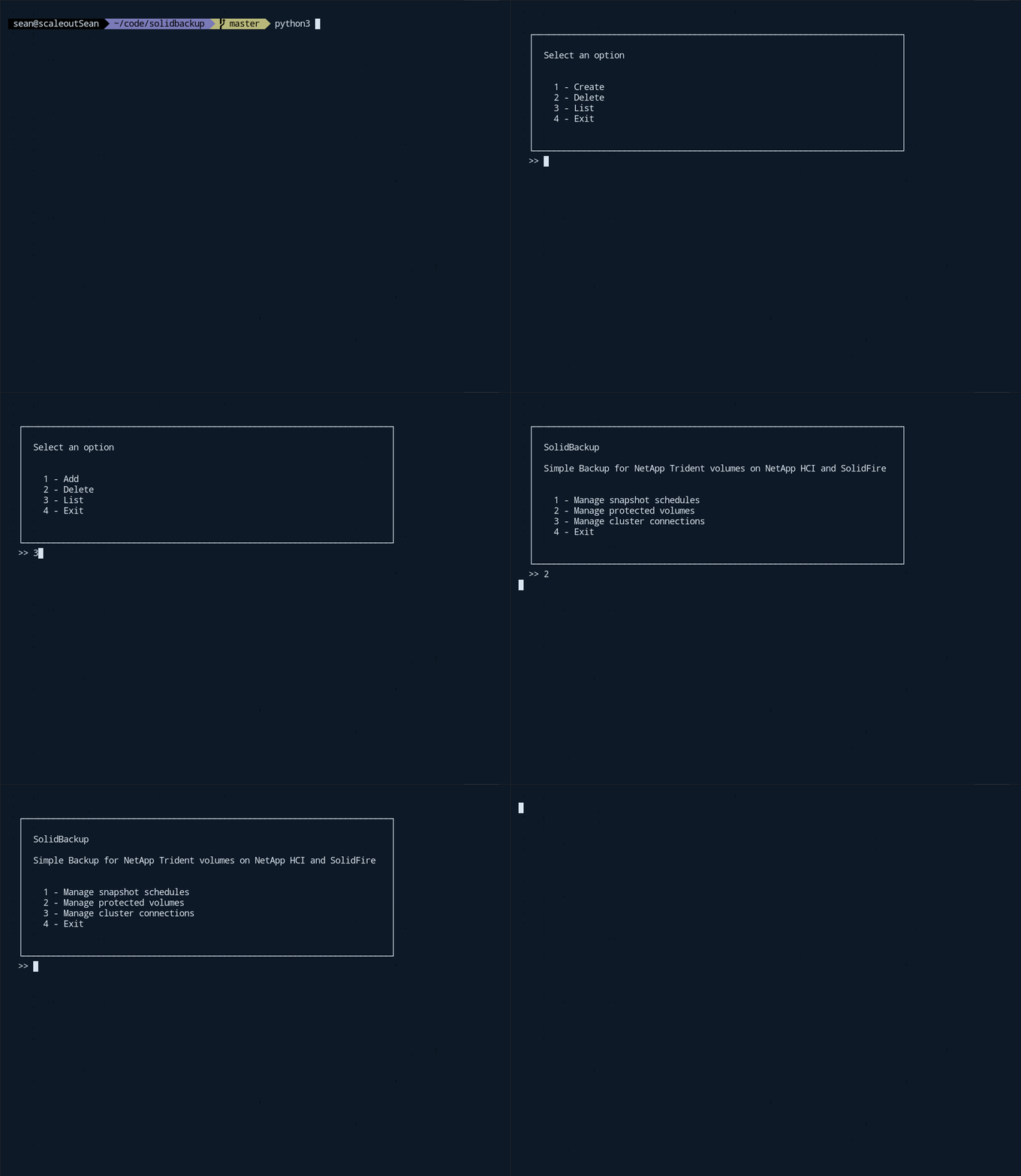
For example, in this "poor man's backup for NetApp Trident" (animated screenshots below) I used sfcli and it became hard to control as it grew larger. I haven't completed the app and released the source code because other more pressing things came along, but the idea is recorded here; if you're merely interested in backup of Trident container volumes on SolidFire, take a look at the Kasten demo video I recorded earlier this week and remember that CommVault also supports NetApp Trident).
PowerShell users will no doubt like the new cmdlets because a lot of what's been added since v1.5 is related to the stuff that ought be done by all users: whereas storage automation can be optional, the use of proper TLS certificates, custom TLS ciphers, and SolidFire cluster administrator account integration with Active Directory are required by almost all.
In fact many of those features aren't exposed in the Web UI, so if you need to get that done, the only question is which language you want to use. (SolidFire has other SDKs if PowerShell or Python aren't your thing.)
If you need additional inspiration check out my Awesome SolidFire repo on Github.
NetApp customers with support contracts who find suspected bugs can submit them to the email account listed in these packages' documentation (in the NetApp Support site). Or ask questions in the NetApp Community Forum.