Nomad pack for InfluxDB with BeeGFS filesystem
- Nomad Pack and Nomad
- BeeGFS
- Nomad Pack for InfluxDB on Nomad with BeeGFS
- Backup \& restore
- Conclusion
Nomad Pack and Nomad
Nomad Pack is a little bit like "Helm for Nomad". It's very new so not yet as powerful as Helm, but considering how much simpler and easier to use Nomad is compared to Kubernetes, Nomad Pack v0.0.1 already provide plenty of advantages over Helm v3.
To start, you need just two files. Compared to Kubernetes, this sounds almost unbelievable.
- Nomad - single file, < 100 MB, no installation. Copy the same file to server(s) and clients, configure and start Nomad service to get clients and servers going
- Nomad Pack - single file, no installation. Use Nomad Pack to download community registry examples to have the InfluxDB pack ready to go
- Docker Community Edition (if you want to run containers; if you want to run services on bare metal host or in VMs, you don't need it)
The Nomad pack I intend to use is InfluxDB and it deploys a container image, so I've installed Docker and configured Nomad clients to expose Docker engine to server, so that server can detect this resource and allocate jobs to the Nomad client with Docker engine.
BeeGFS
Why do we have BeeGFS here?
You don't have to use BeeGFS, but you may want to. BeeGFS is an Open Source parallel filesystem that runs on-premises and in the cloud, and users in the fields of HPC, DL/ML, and Big Data tend to use parallel filesystems.
Infrastructure services usually don't run on BeeGFS (they run on a "management cluster"), but there's no reason why you can't run an infrastructure service backed by BeeGFS, as long as there are no compatibility issues.
In terms of InfluxDB, one of the advantages of BeeGFS is all Nomad clients can be BeeGFS clients as well, and Nomad just needs to ensure InfluxDB service runs at no more than one Nomad client at the same time, and that takes care of High Availability for service. No disk fail-over is required during service fail-over, and BeeGFS is fast so performance won't be an issue.
I have BeeGFS in my environment because it's one of two main components of NetApp's BeeGFS & E-Series solution.
While we wouldn't go out of our way to run management services and monitoring databases on BeeGFS, it can be done.
Nomad Pack for InfluxDB on Nomad with BeeGFS
All Nomad clients have one BeeGFS filesystem mounted at /mnt/beegfs (usual default).
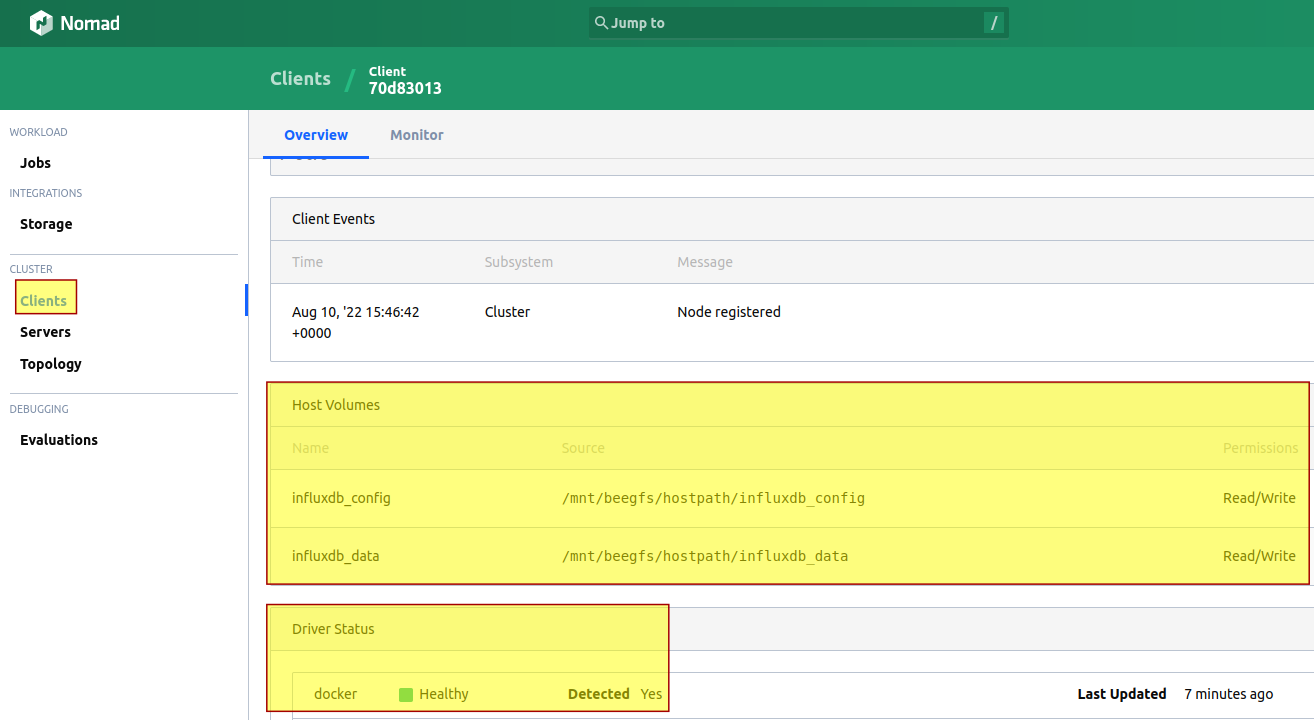
Nomad pack for InfluxDB requires host volumes at this time, so we create two directories under a subdirectory which we'll use for these purposes, /mnt/beegfs/hostpath:
- /mnt/beegfs/hostpath/influxdb_config
- /mnt/beegfs/hostpath/influxdb_data
After that edit nomad.hcl on clients to add two host volumes, influxdb_config and influxdb_data, and restart the client(s). This screenshot of Nomad Web UI shows a client that's ready for deployment of our InfluxDB pack:
Run Nomad Pack for InfluxDB (using some basic options):
nomad-pack run influxdb \
  --var config_volume_name="influxdb_config" \
  --var register_consul_service=false \
  --var data_volume_name="influxdb_data" \
  --var data_volume_type="host" \
  --var config_volume_type="host"
Nomad server evaluated my job and deployed InfluxDB:
Evaluation ID: 2ab15a9b-c1e4-0617-9abf-9fba4ece8428
  Job
   'influxdb' in pack deployment 'influxdb@latest' registered successfully
Pack successfully deployed. Use influxdb with --ref=latest to manage this deployed instance with plan, stop, destroy, or info

Congrats on deploying influxdb.
Check job status - is it running?
$ nomad job status
ID                            Type                 Priority  Status   Submit Date
beegfs-csi-plugin-controller  service              50        running  2022-08-10T15:47:39Z
beegfs-csi-plugin-node        system               50        running  2022-08-10T15:47:55Z
files                         batch/parameterized  50        running  2022-08-10T15:51:31Z
influxdb                      service              50        running  2022-08-11T04:49:16Z
Where did it go?
$ nomad job status influxdb
ID            = influxdb
Name          = influxdb
Submit Date   = 2022-08-11T04:49:16Z
Type          = service
Priority      = 50
Datacenters   = dc1
Namespace     = default
Status        = running
Periodic      = false
Parameterized = false

Summary
Task Group  Queued  Starting  Running  Failed  Complete  Lost  Unknown
influxdb    0       0         1        0       0         0     0

Latest Deployment
ID          = da88162b
Status      = successful
Description = Deployment completed successfully

Deployed
Task Group  Desired  Placed  Healthy  Unhealthy  Progress Deadline
influxdb    1        1       1        0          2022-08-11T04:59:45Z

Allocations
ID        Node ID   Task Group  Version  Desired  Status   Created     Modified
526ef5db  70d83013  influxdb    0        run      running  33m46s ago  33m17s ago
Node ID 70d83013 is my client b6 (192.168.1.196). I know that without checking because only on that client I've created host type volumes so there's no other place InfluxDB could run now. I could have registered the same path on all Nomad/BeeGFS clients (and would have, for production) but a single eligible Nomad client is enough for this demo. We can also see the same Node ID in the first screenshot at the top.
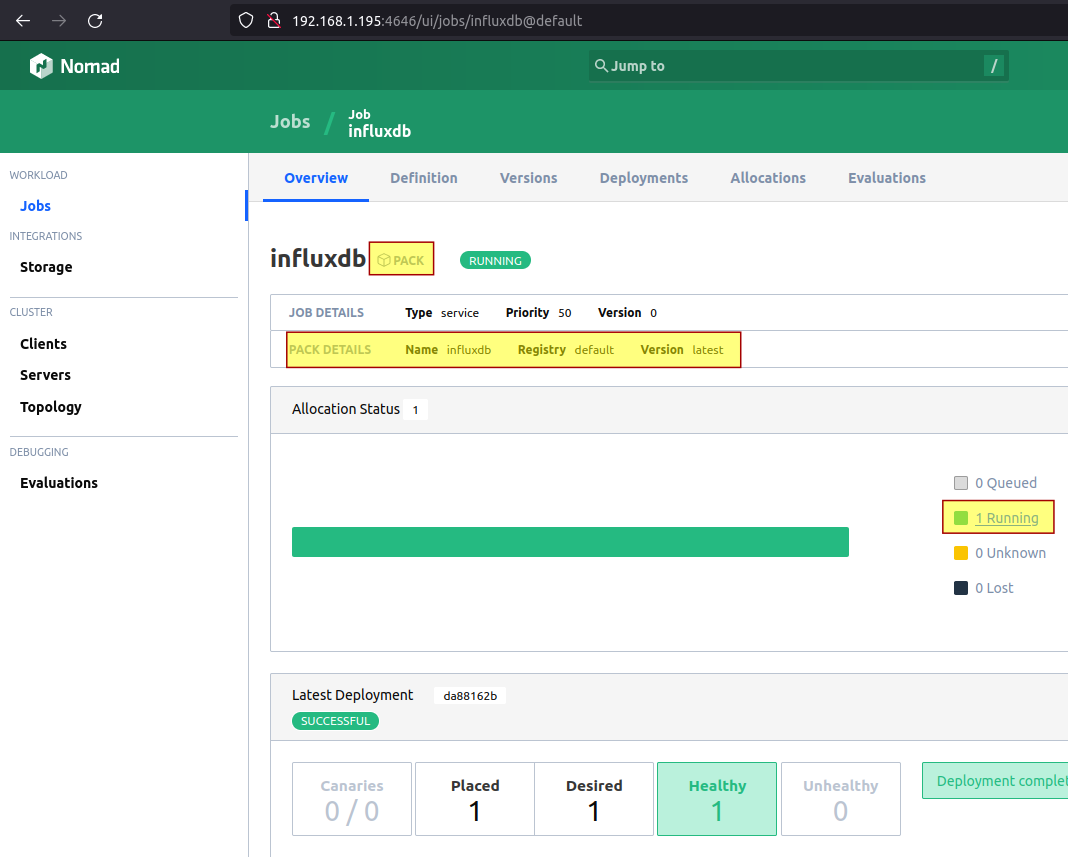
Now when we look at Nomad jobs, we see that InfluxDB has been installed as Nomad pack:
Go to client b6 to see this service running:
$ docker ps -a
CONTAINER ID   9d4352119d8f
IMAGE          influxdb:2.0.9
COMMAND        "/entrypoint.sh infl…"
CREATED        7 minutes ago
STATUS         Up 7 minutes
PORTS          192.168.1.196:23373->8086/tcp, 192.168.1.196:23373->8086/udp
NAMES          influxdb-526ef5db-692f-def4-b99a-efb96aa69356
InfluxDB service endpoints are running on main (external) network interface, but if we had a complex networking or wanted to run this service on a non-default network, we would have executed nomad-pack with a InfluxDB variables file.
Visit service address (http://192.168.1.196:23373) in the browser:
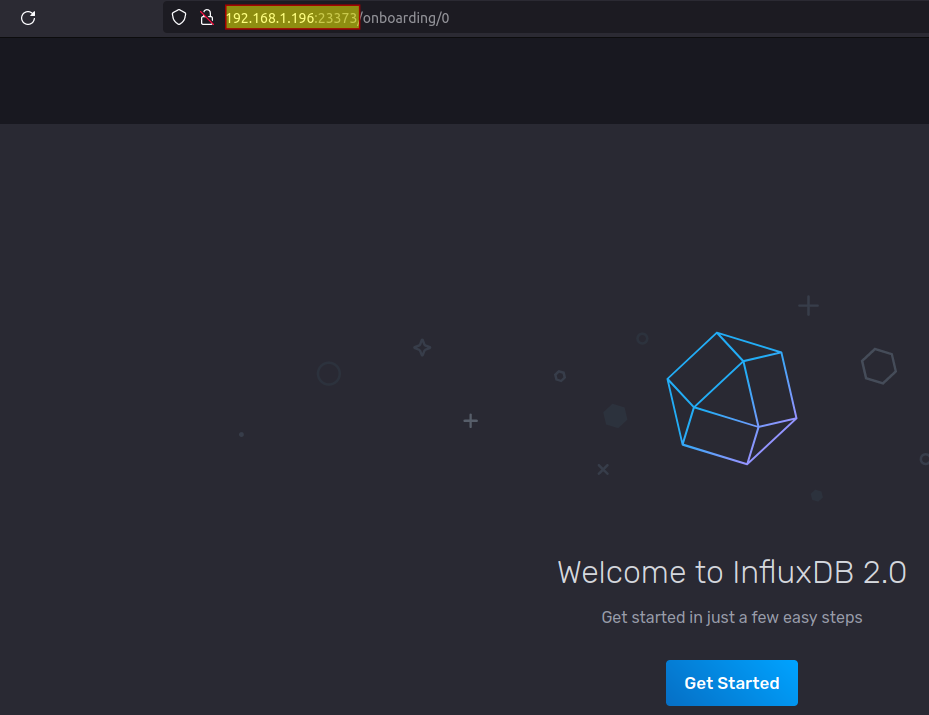
We see the onboarding page because we didn't pass on environment variables related to InfluxDB configuration, but Nomad Pack does provide such options.
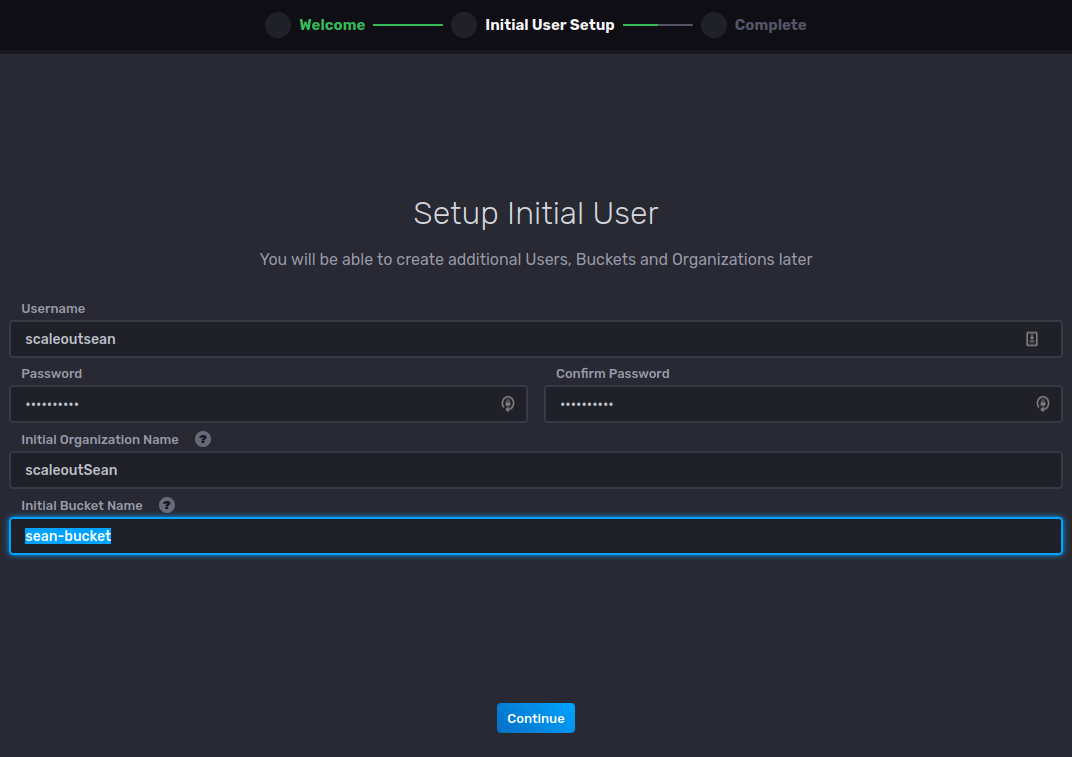
Configure InfluxDB:
Skip this optional step if you want to:
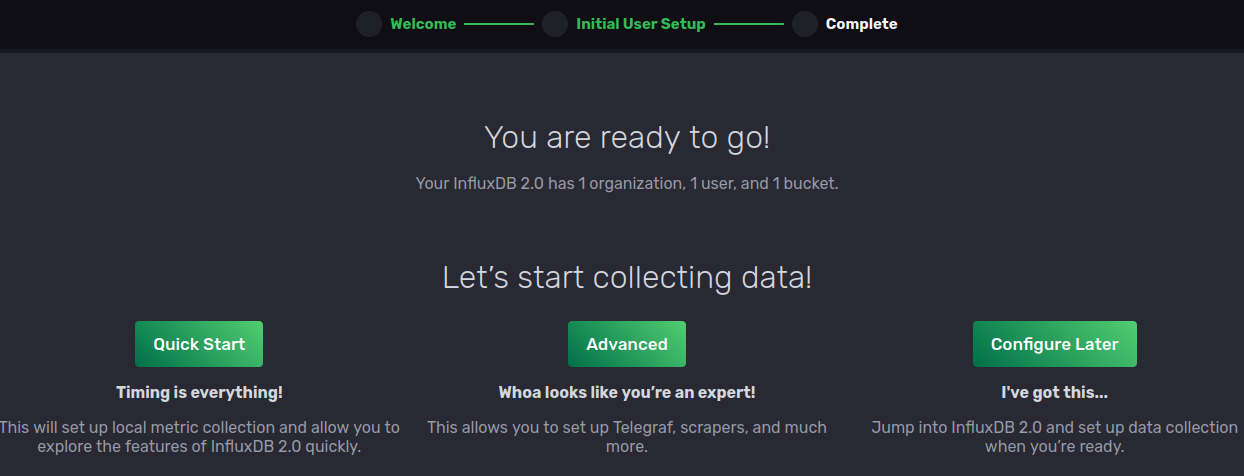
InfluxDB is ready to use!
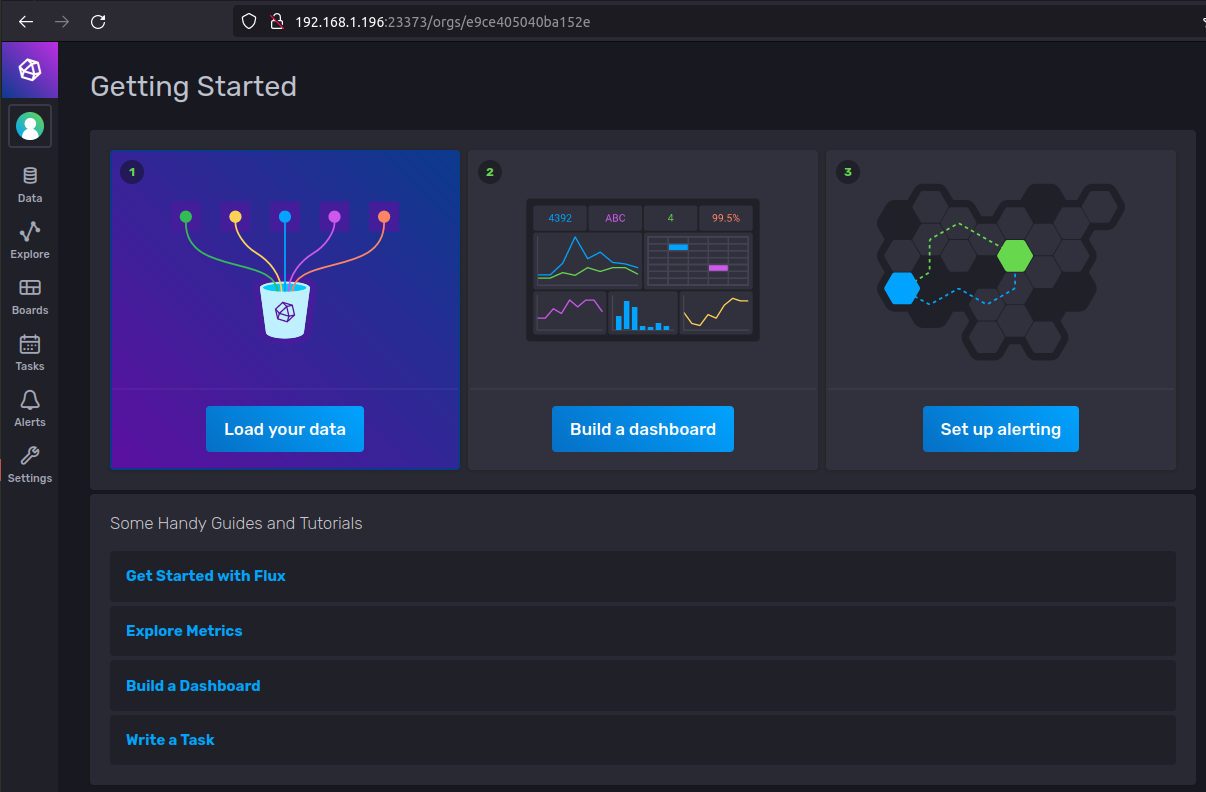
By now our BeeGFS data and configuration directories might have something in them…
$ dir -laR /mnt/beegfs/hostpath/
/mnt/beegfs/hostpath/:
total 2
drwxrwxr-x  4 vagrant vagrant  2 Aug 11 04:43 .
drwxrwxrwx 10 root    root    10 Aug 11 04:39 ..
drwxrwxr-x  2 vagrant vagrant  0 Aug 11 04:43 influxdb_config
drwx------  3 vagrant vagrant  2 Aug 11 04:49 influxdb_data

/mnt/beegfs/hostpath/influxdb_config:
total 1
drwxrwxr-x 2 vagrant vagrant 0 Aug 11 04:43 .
drwxrwxr-x 4 vagrant vagrant 2 Aug 11 04:43 ..

/mnt/beegfs/hostpath/influxdb_data:
total 46
drwx------ 3 vagrant vagrant     2 Aug 11 04:49 .
drwxrwxr-x 4 vagrant vagrant     2 Aug 11 04:43 ..
drwx------ 3 vagrant root        1 Aug 11 04:49 engine
-rw------- 1 vagrant vagrant 65536 Aug 11 05:28 influxd.bolt

/mnt/beegfs/hostpath/influxdb_data/engine:
total 1
drwx------ 3 vagrant root    1 Aug 11 04:49 .
drwx------ 3 vagrant vagrant 2 Aug 11 04:49 ..
drwxr-xr-x 2 vagrant vagrant 0 Aug 11 04:49 data

/mnt/beegfs/hostpath/influxdb_data/engine/data:
total 1
drwxr-xr-x 2 vagrant vagrant 0 Aug 11 04:49 .
drwx------ 3 vagrant root    1 Aug 11 04:49 ..
We can now load data from files or services. For example, folks who monitor SolidFire with Telegraf could follow this post to gather SNMPv3 data from SolidFire and send it to InfluxDB (just change Prometheus to InfluxDB in outputs section). Other combinations and approaches are left as an exercise for the reader.
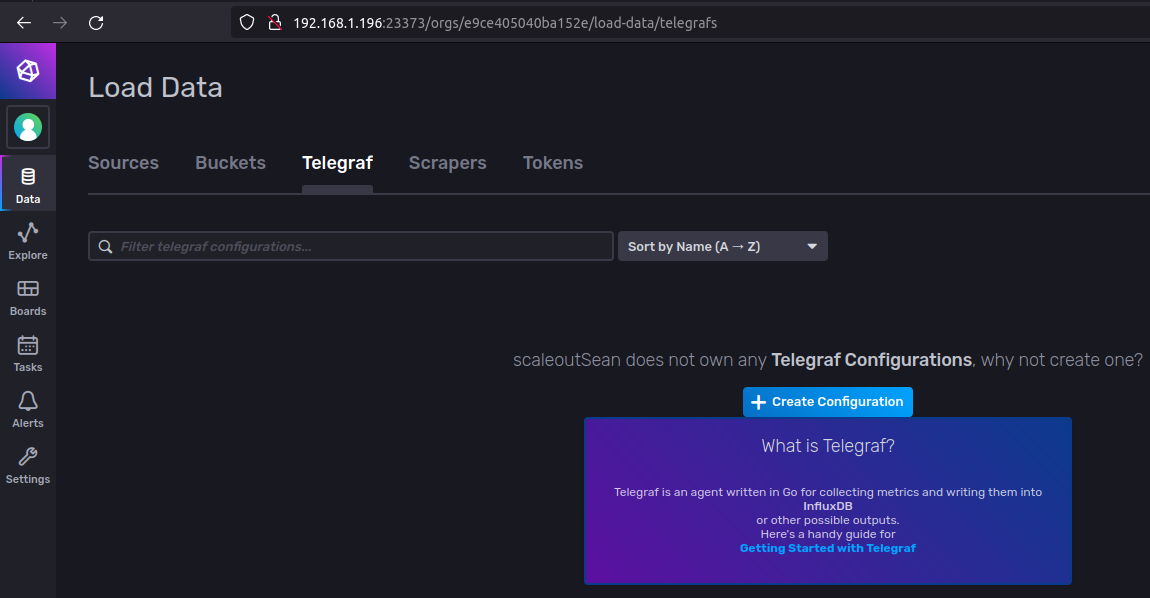
How to do the rest here is a longer story, but I put some high level notes into another post here.
Backup & restore
I haven't done much testing, but I can't imagine why either of the following wouldn't work:
- Stop (do not destroy) the container and copy volumes (self-explanatory)
- Use
influx backupon live InfluxDB database (more on that below)
Using influx backup
First decide what and how you want to backup. I'm making a backup of sean-bucket (rather than all data) and for that I need a bucket-id, while token (get it from the InfluxDB UI) is required for authorization/access.
$ docker exec -it 9d4352119d8f influx backup \
  --json \
  --bucket-id 15b0c2437ef13622 \
  --token "iVrJYEF4TQ7MTrqN-RDknnCa_g9CgHIYUlYkmG02mk_5qTU0v2RtCXe_9DcPXOQRkkTq533nlfHuwDy6dBsKVg==" \
  /etc/influxdb2/influx-backup-$(date "+%Y-%m-%d" -u)

2022-08-11T06:31:06.587047Z	info	Backing up KV store	{"log_id": "0cEuRQMW000", "path": "/etc/influxdb2/influx-backup-2022-08-11/20220811T063106Z.bolt"}
2022-08-11T06:31:06.593835Z	info	Resources opened	{"log_id": "0cEuRQMW000", "path": "/etc/influxdb2/influx-backup-2022-08-11/20220811T063106Z.bolt"}
2022-08-11T06:31:06.594310Z	info	Backing up organization	{"log_id": "0cEuRQMW000", "id": "e9ce405040ba152e", "name": "scaleoutSean"}
2022-08-11T06:31:06.594490Z	info	Backing up bucket	{"log_id": "0cEuRQMW000", "id": "15b0c2437ef13622", "name": "sean-bucket"}
2022-08-11T06:31:06.594507Z	info	Writing manifest	{"log_id": "0cEuRQMW000", "path": "/etc/influxdb2/influx-backup-2022-08-11/20220811T063106Z.manifest"}
2022-08-11T06:31:06.595410Z	info	Backup complete	{"log_id": "0cEuRQMW000", "path": "/etc/influxdb2/influx-backup-2022-08-11"}
I got the path by checking BeeGFS mount paths in the container. /etc/influxdb2 is where Influx stores configs, but both InfluxDB data and configs are on the same BeeGFS filesystem. Not having a directory quota, nothing prevents me from using any mounted BeeGFS volume including influxdb_config, to dump this backup to the config directory. (This pack mounts data directory to /var/lib/influxdb2.)
$ dir -laR /mnt/beegfs/hostpath/
/mnt/beegfs/hostpath/:
total 2
drwxrwxr-x  4 vagrant vagrant  2 Aug 11 04:43 .
drwxrwxrwx 10 root    root    10 Aug 11 04:39 ..
drwxrwxr-x  3 vagrant vagrant  1 Aug 11 06:30 influxdb_config
drwx------  3 vagrant vagrant  2 Aug 11 04:49 influxdb_data

/mnt/beegfs/hostpath/influxdb_config:
total 2
drwxrwxr-x 3 vagrant vagrant 1 Aug 11 06:30 .
drwxrwxr-x 4 vagrant vagrant 2 Aug 11 04:43 ..
drwxr-xr-x 2 root    root    3 Aug 11 06:31 influx-backup-2022-08-11

/mnt/beegfs/hostpath/influxdb_config/influx-backup-2022-08-11:
total 46
drwxr-xr-x 2 root    root        3 Aug 11 06:31 .
drwxrwxr-x 3 vagrant vagrant     1 Aug 11 06:30 ..
-rw-r--r-- 1 root    root        0 Aug 11 06:30 20220811T063023Z.bolt
-rw-r--r-- 1 root    root    45056 Aug 11 06:31 20220811T063106Z.bolt
-rw------- 1 root    root       94 Aug 11 06:31 20220811T063106Z.manifest
...
influx restore works in reverse. You may want to stop the InfluxDB Nomad job before restoring system backups. Restores of user data should work online, but I haven't RTFM (of InfluxDB).
influx backup (and restore) would be nice candidates for another Nomad job (consider using batch job with raw_exec driver). To backup, we could have three tasks, such as these:
- Task 1: backup InfluxDB (params: bucket ID, token; path would be fixed)
- Task 2: upload backed up files to S3 (params: S3 API endpoint, keys, bucket)
- Task 3: delete backup files/directories older than 3 weeks
This example could take advantage of Hashicorp Vault features, where we would store our InfluxDB token(s), and Consul (which would help us find the IP and port of a service as services tend to move around the cluster). In a CSI configuration, multi-node-single-writer attachment mode would let us run Task 2 from another Nomad/BeeGFS client and thereby offload backup-to-S3 network traffic.
I've blogged about Nomad batch jobs before, so I won't do it again here.
Conclusion
Nomad Pack with Nomad offer the simplicity of Docker Swarm with the power of Kubernetes.
For an even more complete experience from a networking and service management perspective, use Nomad with Consul and potentially Vault (for secrets management).
Instead of running, maintaining and updating hundreds of containers (Kubernetes), Nomad & friends give you everything you need in 5-6 executable files that require no installer.