Faster initialization, rebalancing with DDP on NetApp E-Series
RAID 6 vs DDP
Here I explained how Dynamic Disk Pools (DDP) work and how they differ from traditional RAID6 (or RAID5) data protection.
Recently I had a query about the need for DDP for which I revisited some details from that post and the TR mentioned in it. The next question was "But then why do people still use RAID6?"
They use it because for some workloads and use cases, RAID6 is more suitable. But the person who asked wasn't one of those users - one of their primary requirements was to be able to quickly and easily expand volumes and DDP below them while using NL-SAS HDDs (with SSDs or NVMe, RAID5 volume groups also expand quickly).
In that case, DDP may indeed be more suitable. Check the TR I mentioned above for the details (you may have some important requirement that conflicts with DDP, say you have a bunch of sites with 10 disks per E-2812 - you can't do DDP that way).
DDP expansion
Let's say DDP is exactly what you need. Let's see how long it takes to perform that operation.
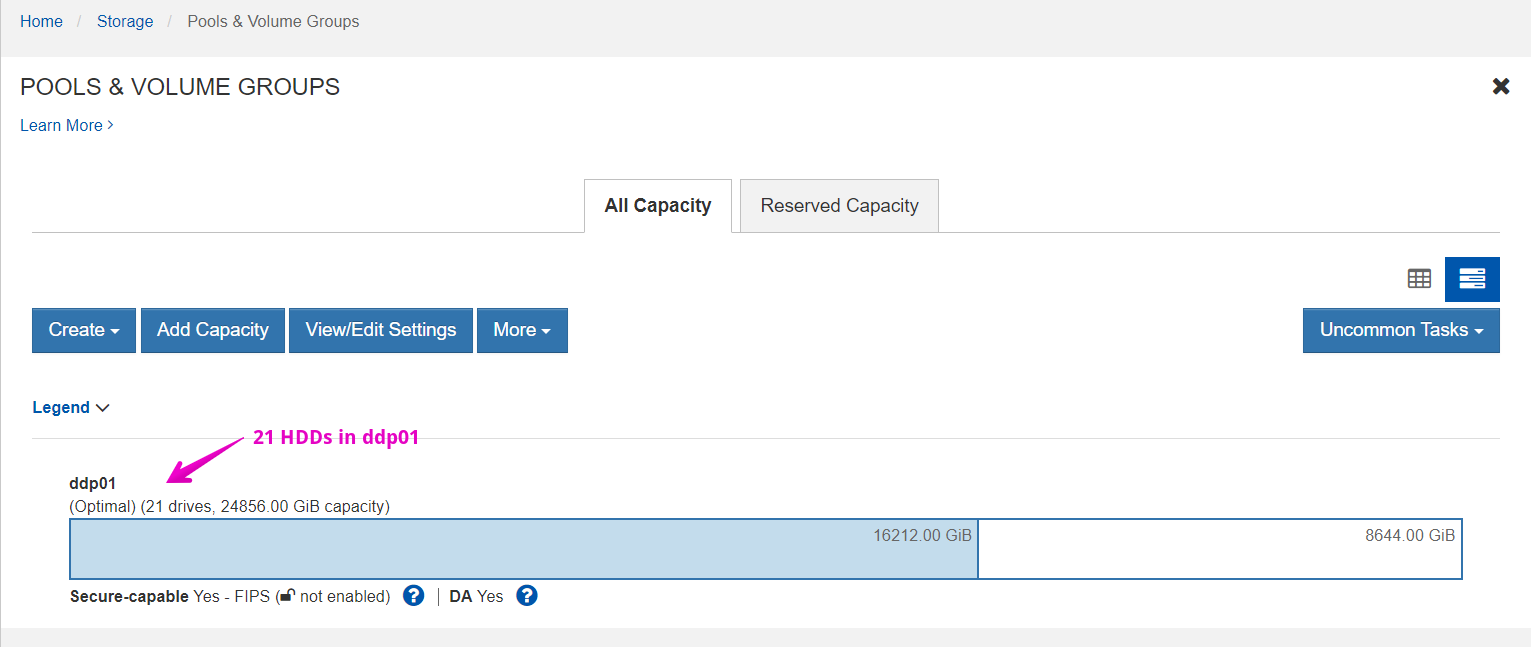
I've added two HDDs to this DDP so that it has 21 HDDs (screenshot above) and immediately created a new volume. Without other I/O, estimated time for each was approximately two hours.
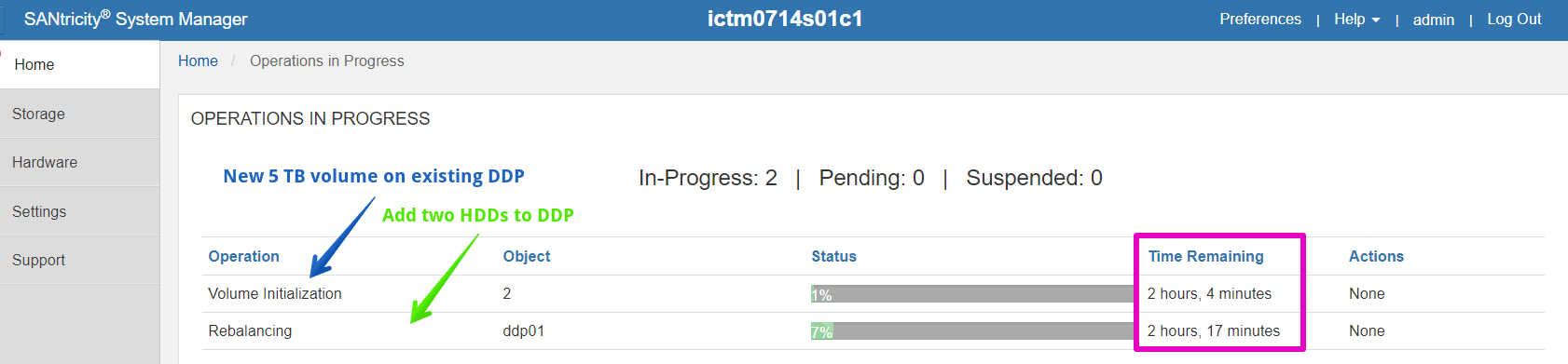
What if the controllers and disks were loaded? Well, then it'd be slower, but these are two operations (one might be faster) and you should still be able to finish the same day. Secondly, operations on a larger DDPs (say, going from 30 to 40 drives) would be faster.
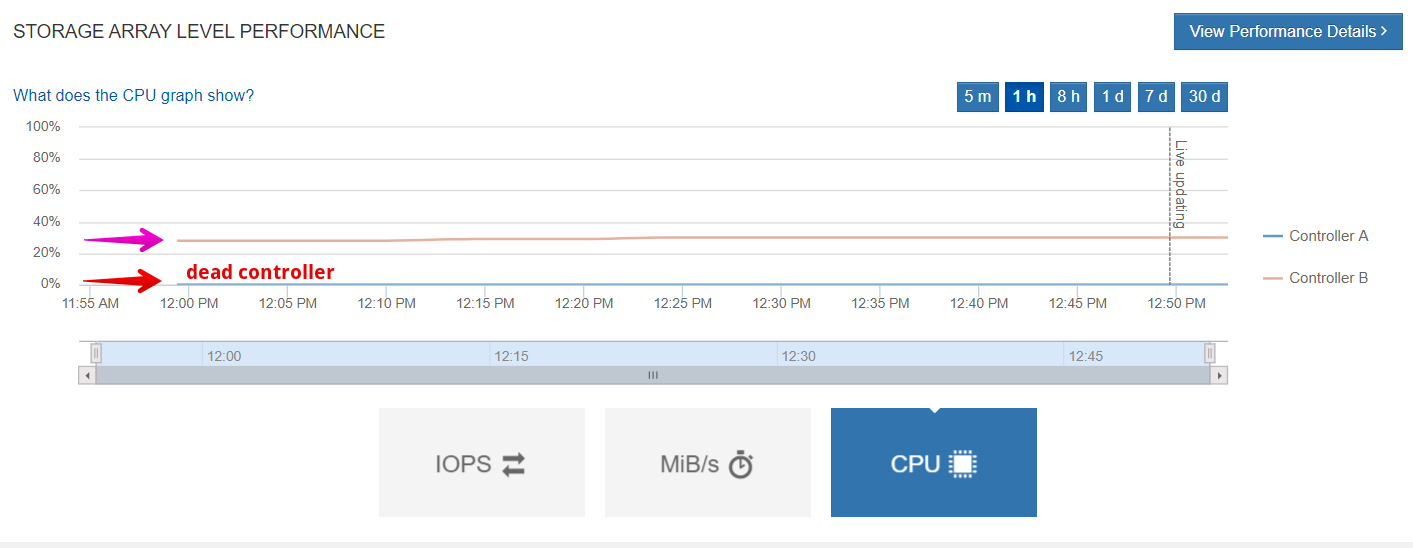
In fact, this E-5760 system had one faulty controller, while the remaining controller needed only 20% CPU resources for these two operations. That means that in all likelihood only HDD utilization on the same DDP would impact the time required to complete the tasks.
New configuration:
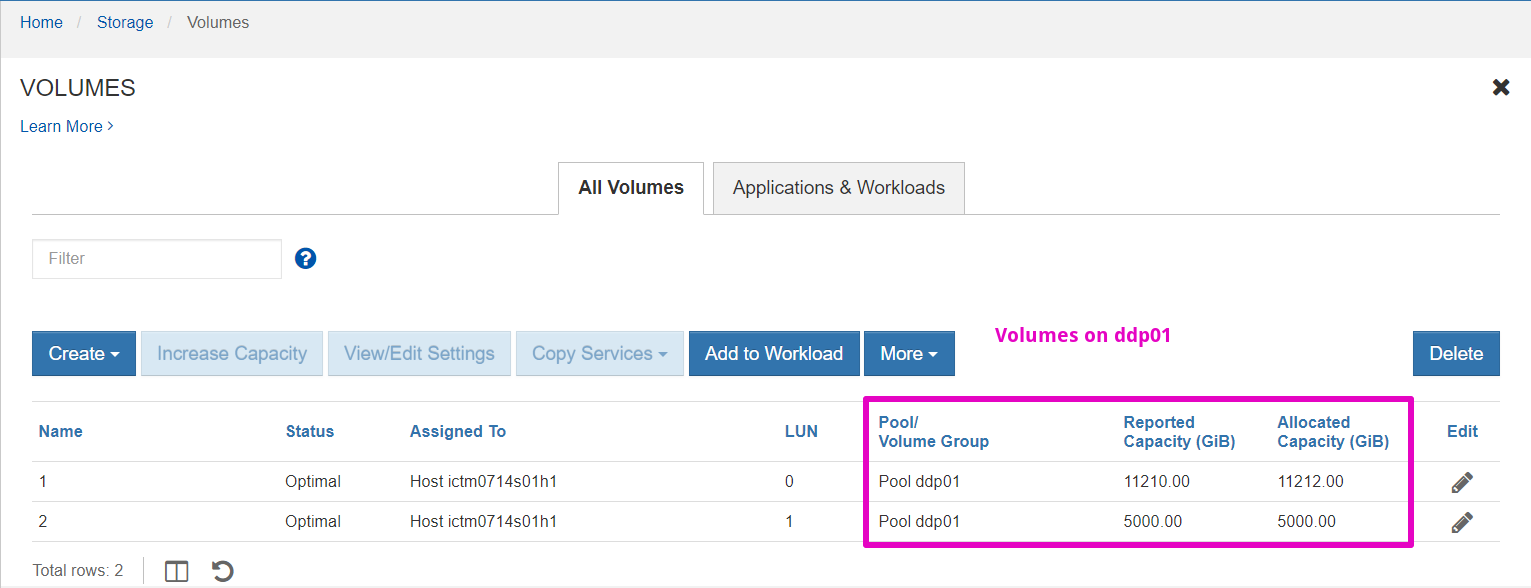
These operations still take some time (unlike on some other NetApp arrays where resources are very "virtualized" and these tasks are either unnecessary or hidden), but E-Series keeps its stack lean which increases reliability and performance, while keeping the latency low.
Some time after the second volume was successfully initialized while DDP rebalancing was still going on. To get an idea of how long volume expansion takes, I increased the second volume size from 5 TB to 6 TB:

Going back to operations in progress, we observed that SANtricity estimated that this operation would take only 20 minutes.

If you expand your storage rarely or in a predictable manner (say, add a R6 group of 8 x 10 TB drives every quarter), or if your application prefers RAID6 or RAID5, by all means stick to it - just beware that RAID operations with HDDs take time! Those who can use DDP will certainly appreciate the speed gains as well as other advantages of DDP.
Don't forget that you can use a resized volume as soon as you've kicked-off the UI resize operation. You don't need to wait until rebalancing completes: once you've resized a volume, go back to your host(s), rescan the storage and you'll see the new volume size. As the SANtricity UI reminds, you may still need to resize the partition and filesystem. Maybe take a snapshot before you do that if you're afraid you might screw up.
Disk media refresh with DDP pools
Scenario with the current SANtricity v11.80:
- You have a DDP with 5 years old 4 TB NL-SAS disks which need a refresh. But alas, those may no longer be available. How can we migrate?
- According to the (poorly worded) documentation, you shouldn't use different disk sizes in a DDP. But you may.
- Add new 12 TB disks to the pool. DDP will use only 2 TB per disk. Relax.
- Once rebalancing is complete, select all old disks (4 TB, in this case), and kick them out of the pool
- Once the last old disk is gone from the pool, DDP should recognize the new lowest common denominator - 12 TB - and up its capacity threefold (4->12 TB per disk)
This can be done online and there's no need to migrate anything.
On a busy system you may want to start removal of old disks on a Friday night, as that may be more performance-intensive than adding disks.