HashiCorp Nomad CSI with NetApp SolidFire and E-Series back-ends
Introduction
This page contains some details about CSI plugins which work with HashiCorp Nomad CSI and NetApp SolidFire and E-Series storage.
Note that HashiCorp Nomad v1.3.0 will officially support CSI, so at this time (v1.2.6 and v1.3.0 Beta 1) there's no official support yet. But it looks like v1.3.0 should come out within 10 weeks.
For Kubernetes CSI-related content, refer to posts on Archive page.
NetApp E-Series
NetApp BeeGFS CSI
The preferred plugin for HPC, DL/ML, and scale-out workloads is BeeGFS CSI because BeeGFS/E-Series is well supported and users can obtain support for it. You can download it here. The way it works is it creates (sub) directories on a BeeGFS filesytem which can be accessed by one or more containers in parallel.
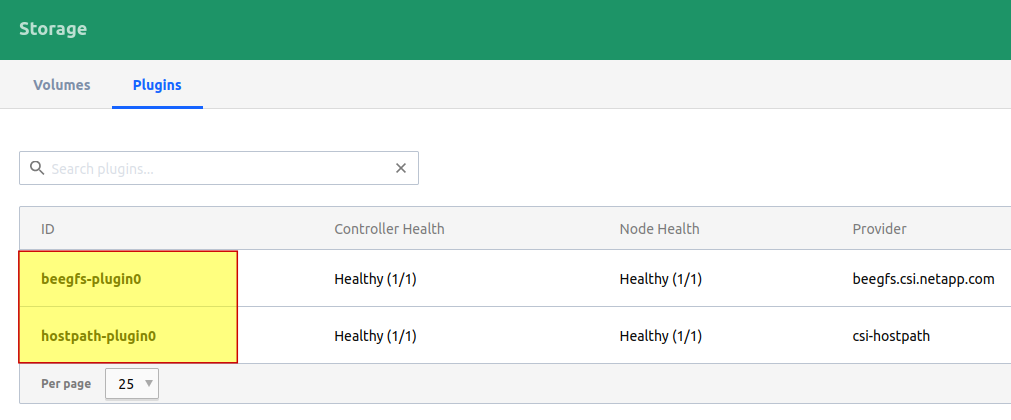
BeeGFS CSI plugin requires just one container that acts as both controller and node.
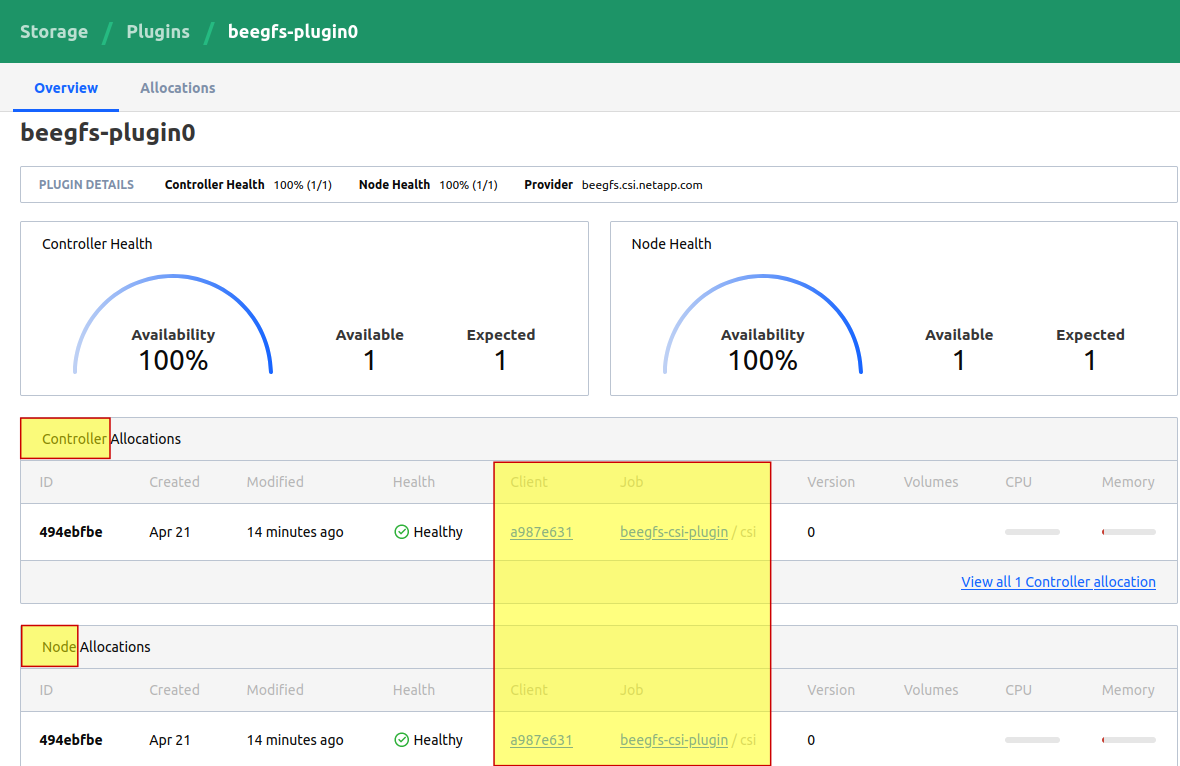
Recently I wrote an introduction to BeeGFS CSI which uses Kubernetes but showcases important features and gives you an idea of how it would work on Nomad.
Here's an example with BeeGFS CSI v1.2.1 on Nomad CSI with Nomad 1.3.0 beta 1 where 192.168.1.191 is BeeGFS Management node's IP and BeeGFS "root" for CSI volumes set to /mnt/beegfs/dyn/.
$ nomad volume status VOLUME_NAME
ID                   = VOLUME_NAME
Name                 = VOLUME_NAME
External ID          = beegfs://192.168.1.191/mnt/beegfs/dyn/VOLUME_NAME
Plugin ID            = beegfs-plugin0
Provider             = beegfs.csi.netapp.com
Version              = v1.2.1-0-g316c1cd
Schedulable          = true
Controllers Healthy  = 1
Controllers Expected = 1
Nodes Healthy        = 1
Nodes Expected       = 1
Access Mode          = <none>
Attachment Mode      = <none>
Mount Options        = <none>
Namespace            = default

Allocations
No allocations placed
The volume VOLUME_NAME was provisioned as a directory under that path.
Note that due to the limited amount of testing done so far, current BeeGFS CSI documentation provides a Nomad volume example for single-node-reader-only access, but other modes should be able to work as well and the documentation will be updated as other modes get tested.
Alert readers may have noticed that Access Mode: <none> (and few other details in that output that shouldn't be empty), but that's because I'm cheating and manually pushing volume config files into the CSI controller's config path while trying to make this work. Normally nomad volume create is expected to work, but until that's fixed I can use this semi-automatic workaround which is to run that command to create necessary paths in the controller and copy beegfs-client.conf into that path and then create volume.
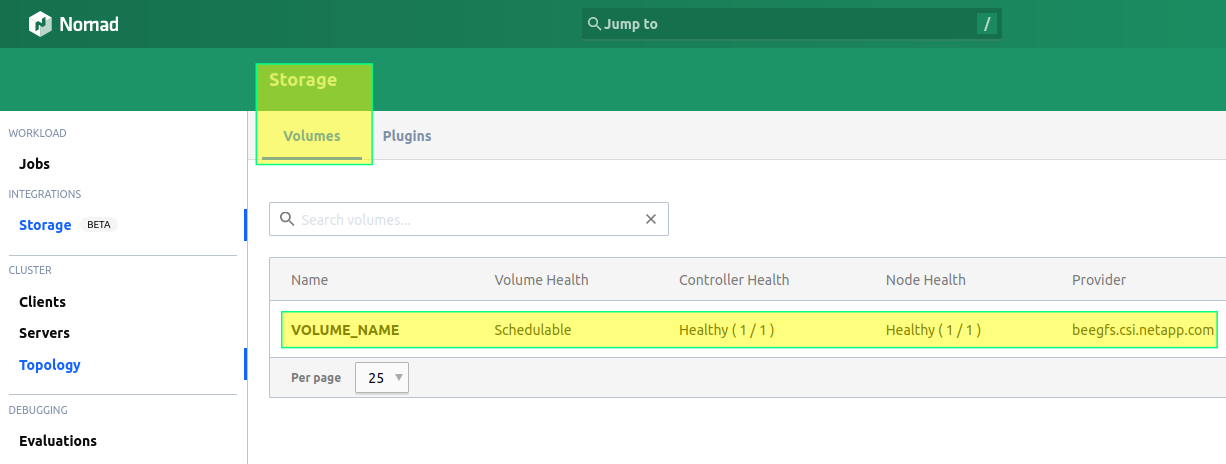
We can now deploy workloads that use files in this volume on any Nomad/BeeGFS client from this cluster.
At this time Nomad is not yet officially supported by NetApp BeeGFS CSI (only Kubernetes is), but that's partiallly due to the fact that Nomad CSI isn't GA yet, and also depends on user interest and demand. If you're interested in using BeeGFS CSI with Nomad CSI, please leave feedback in the Github Issues, or upvote an existing issue related to Nomad.
Meanwhile, as Nomad CSI gets closer to GA, watch the Github repo for progress with Nomad CSI-related documentation and issues!
Other CSI provisioners and non-CSI approaches
Other "generic" plugins for common filesystems (e.g. CSI-LVM) and such should also work as they do in a Kubernetes environment. If containers use ext[3,4], XFS or such, you'd use these plugins with static host-path volumes.
Because these drivers may not be able to create volumes on demand, you could use them either for static provisioning, or combined with Ansible for E-Series, so that Ansible provisions a volume before Nomad, and removes it (if necessary) after the volume is no longer needed (usually after it becomes unused in Nomad).
Support for Nomad CSI provisioner would come from the authors.
It should be noted that while BeeGFS CSI does not yet support Nomad CSI, Nomad works with BeeGFS Host Volume mounted on Nomad clients; it's the same approach as with regular host-path volumes, but with concurrent access to same data by multiple clients.
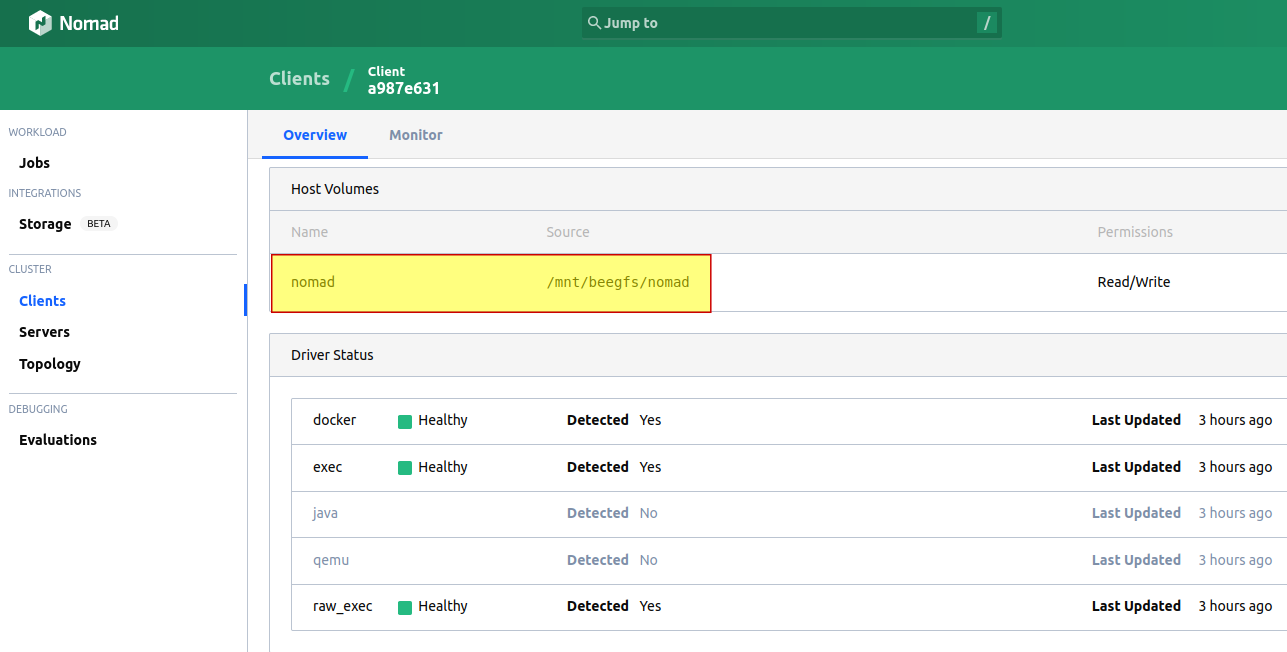
If a job fails on one worker, you can submit it to another with the same view of the same BeeGSFS filesystem. Assuming:
- /mnt/beegfs mounted on all workers
- /mnt/beegfs/dynamic path used by BeeGFS CSI
- /mnt/beegfs/nomad used as Host Volume (path) for non-CSI jobs, we could run one or more parallel jobs across different clients using something like:
command = "/bin/bash"
    args    = ["-c", "echo $(hostname) > /mnt/beegfs/nomad/result.txt"]
As an example, here's a Redis container running with a Host Volume path (non-CSI) on BeeGFS (/mnt/beegfs/nomad). (systemd-coredump in shell screenshot may be ignored - it's a consequence of default systemd-coredump UID/GID changing between Ubuntu 18.04 and 20.04).
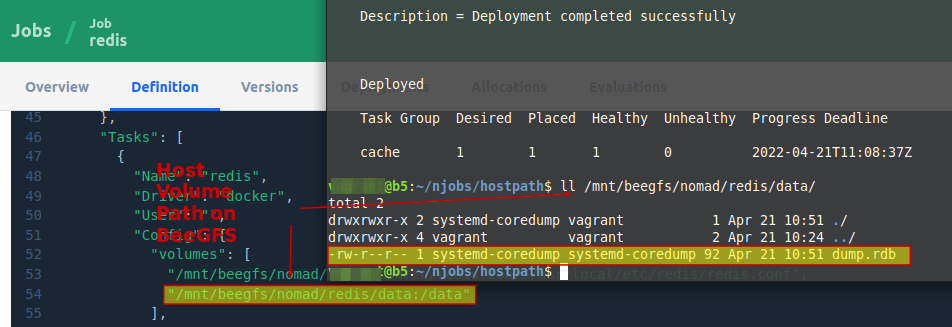
While this initially seemed like a nonsense example, BeeGFS may in fact be a good use case for this.
Because with E-Series and BeeGFS, Redis can be set to dump its DB on to BeeGFS very quickly and frequently compared to general enterprise storage. And when the same instance restarts, it can load data very quickly as well (at many GB/s) which represents both time and cost savings: whereas normally you may dump the DB once an hour and take 10 minutes to dump and 15 to load, here it might take 30 seconds in each direction and the dump is acessible from any BeeGFS client (whereas with a failed worker with internal storage you'd lose some or all of that cache if the worker hardware fails).
And the same the client could have non-BeeGFS CSI volumes (from E-Series) exported for static use by other CSI drivers. CSI plugin coexistence is possible (also see that introduction to BeeGFS CSI on Kubernetes linked earlier, with an example with BeeGFS CSI and Trident CSI).
$ nomad job status
ID                 Type     Priority  Status   Submit Date
beegfs-csi-plugin  system   50        running  2022-04-21T07:48:07Z
csi-plugin         service  50        running  2022-04-21T09:29:20Z
NetApp SolidFire
Cinder CSI
Nomad CSI should be able to work with SolidFire in OpenStack environments using Cinder CSI. Cinder CSI leverages in-tree SolidFire Cinder driver, so there is no direct dependency here.
You can see this post for some details on OpenStack Xena/Yoga with Kubernetes and SolidFire. As mentioned on that page, if you use a newer OpenStack distribution with Cinder CSI and use SolidFire, you should be good to go because Cinder CSI simply leverages existing SolidFire Cinder driver features.
Other and non-CSI approaches
Generic CSI drivers may work, and dynamic Host Volume (aka host-path) with Docker volume driver works as well. My investigation of Generic CSI drivers with SolidFire is still work-in-progress.
Unlike with BeeGFS and Host Volumes on Nomad clients, here we can't simply dispatch our job or container or VM to another Nomad client that doesn't have sole and exclusive access to a single host filesystem (ext[3,4, XFS, etc.). But if your Nomad clients (workers) are running in VMs and using a generic CSI driver, you can use statically provisioned SolidFire volumes and rely on hypervisor cluster for HA of Nomad clients (VMs). When they get vMotion'ed, Storage vMotion'ed or restarted, they will reconnect to iSCSI targets as regular VMs with direct access to SolidFire iSCSI would do.
Summary
Nomad CSI (v1.3.0) looks very promising because it will enable a lot more use cases for Nomad and people who don't like the complexity of Kubernetes, but are stuck with it because they need the benefits of CSI, will be able to move to Nomad.
With Nomad v1.3.0 in beta:
- E-Series: BeeGFS CSI plugin doesn't yet support Nomad CSI, but is available for experimental use, in addition to non-CSI use cases (Host Volume, with or without BeeGFS)
- SolidFire: OpenStack's Cinder CSI should work with SolidFire Cinder out and of the box, in addition to Docker Plugin and Host Volume approaches without CSI