Backup Rancher cluster configuration to NetApp StorageGRID
NOTICE: any and all credentials and tokens on this page are samples, not leaked.
- Summary
- Backup and restore etcd configuration in Rancher on NetApp HCI
- Object storage organization
- What about apps and PVs
- Video demo
Summary
- Protect etcd and cluster configuration with scheduled and on-demand Rancher snapshots
- Store snapshots outside, on S3-compatible storage such as NetApp StorageGRID
- To backup apps and persistent data, consider one of enterprise solutions that support Trident CSI, such as CommVault or Kasten K10 by Veeam (see that post here if interested)
- NOTE: NetApp Trident v21.01 (just released) uses a newer CRD so the post I wrote before is slightly outdated; but because I knew the Snapshot API was outdated I didn't focus on the details as I knew very soon that would be out of date. I have not yet tried the new K8s Snapshot API in Trident v21.01.

Backup and restore etcd configuration in Rancher on NetApp HCI
Rancher actually calls those "snapshots", not backups, but a copy is made outside of the cluster - if you choose S3 instead of "local" - so they are in effect backups.
But you still need a cluster to restore one. I assume that by following the exact same deployment from scratch, you could restore a cluster backup this way, but this assumes you don't make random choices when deploying clusters.
Prepare a bucket
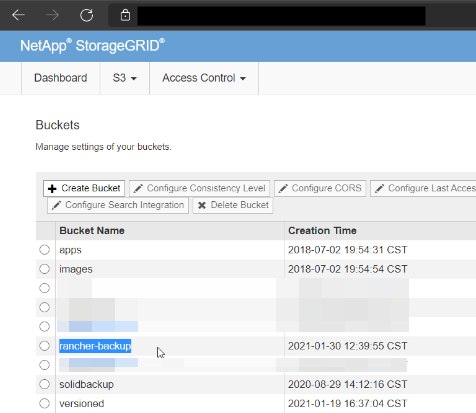
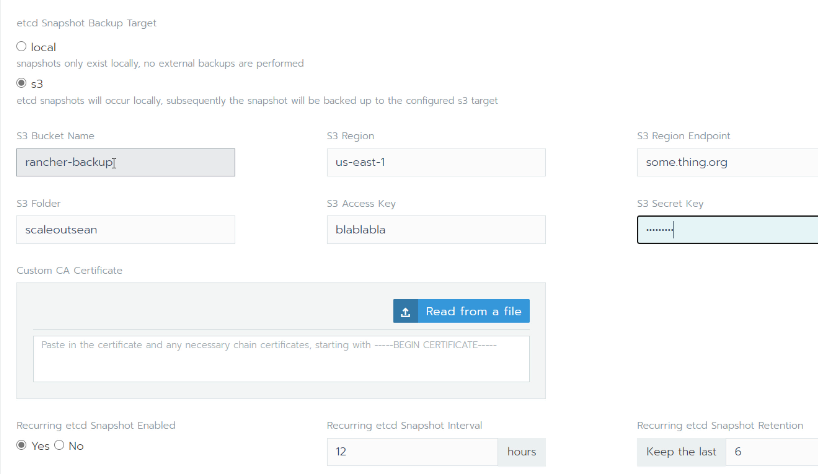
I created a dedicated bucket rancher-backup, and for my cluster(s) I prefix them with scaleoutsean, meaning assuming ACLs let me LIST/PUT/GET the content of ${S3-API-ENDPOINT}/rancher-backup/scaleoutsean/*, only I would be able to create, view and download my backups, while other users may be able to access backups from other prefixes in this bucket.
Use it when deploying a cluster
There are settings you can fiddle with, such as the frequency and retention.
View your backups with an S3 browser
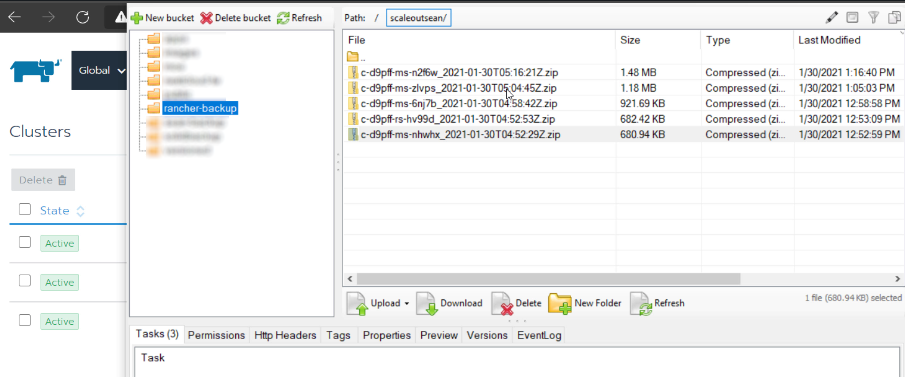
Makes you wonder what happens with passwords (secrets). Check the Rancher docs and options.
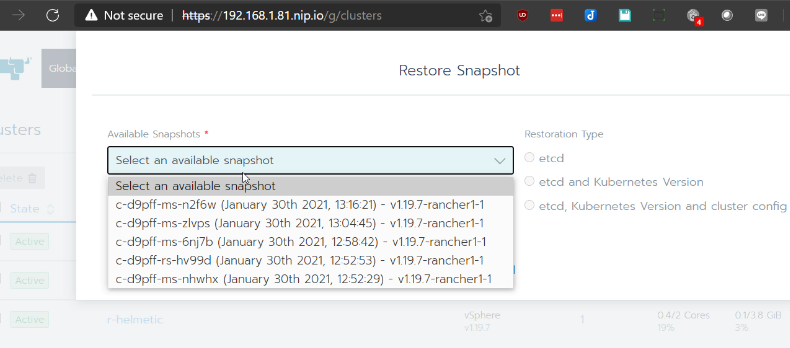
Restore a cluster configuration backup
As you can see from this screenshot you can restore both etcd and cluster configuration. If you use something else to restore application configuration, you'd have to decide how you want to protect your configs - maybe do everything from here, or just etcd + cluster version here and the rest there, etc.
Object storage organization
Whatever works for you:
- If you're the only guy running the show (managing Rancher on NetApp HCI), you can create one S3 bucket and store all Rancher cluster backups to it. This would be less secure as all clusters would be able to access all backups.
- You can spend a bit more effort to create "subdirectories" ("by cluster", or "by team"), and apply appropriate ACLs, so that each cluster owner can access only their backups.
- You can also let users create their own buckets and do it on their own - a hands-off approach (which kind of assumes they know what they're doing).
There's no "best way", there are just trade-offs.
What about apps and PVs
If you don't have a shedload of PVs you may be able to get away with SolidFire snapshots and the volume import feature from NetApp Trident. That works. You schedule snapshots with SolidFire, and you either restore them (stop your workload first) or clone them to create a new volume.
If you don't want to do an in-place restore, make a clone from a SolidFire snapshot and use the Trident volume import feature to bring it under the control of K8s.
If your data is valuable and you also want to protect application configuration, I would recommend to use a non-free backup and restore application that supports Trident CSI. At this time I know of two: CommVault and Kasten K10 by Veeam.
If your cluster is small but you prefer convenience, consider the free Kasten K10 edition. You may (or may not, as Trident v21.01 released couple of hours ago could make that easier compared to older versions) need to break a sweat to get them K8s snapshot CRDs deployed and configured to Kasten's liking. See this for a Persistent Volume snapshot & restore demo with Kasten.
Can we just automate everything
Yes, you can, but I wouldn't recommend it. In the StorageGRID screenshot at the top you can see one of the non-pixelated buckets is named solidbackup, which is a poor man's backup for Trident I scripted in Python.
- Stand up a Linux VM and make it connect to SolidFire iSCSI
- Create a schedule to clone selected Trident VMs and present them to this VM
- Run S3 backup software (any you like) to backup volumes to StorageGRID
- Restore individual files from K8s containers by copying them from this VM, or restore data from S3 to this VM, and then clone it into the container/PV that you want to restore
As far as free DIY backups go this isn't too bad (and doesn't have require any fiddling with K8s), but if you can get Kasten K10 to work, there's no need to write your own. If you're interested in the process, there's a 23 minute video of the process done manually, and a prototype made the whole process take seconds (I have recorded just some of the steps):
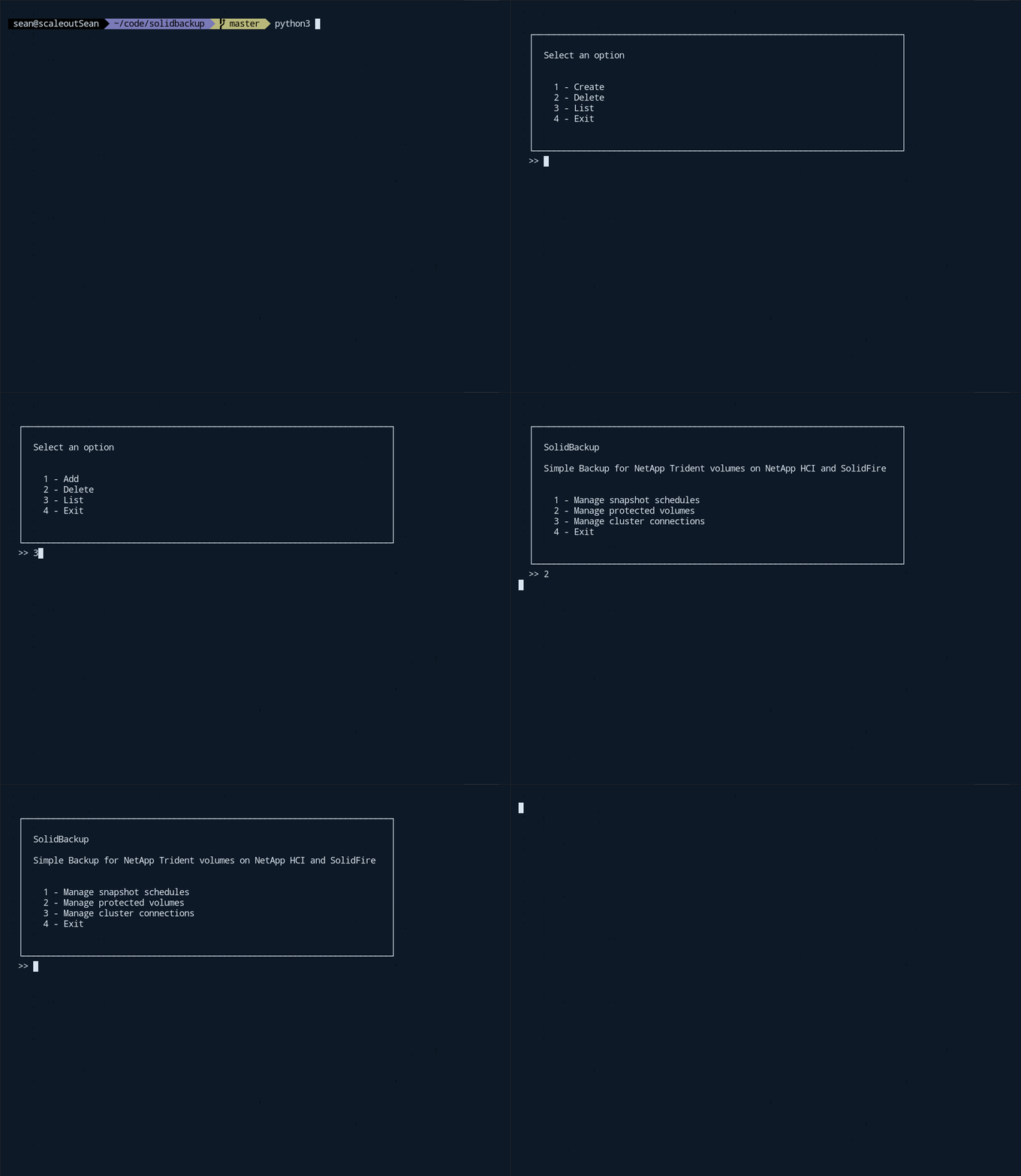
If you use stand-alone Docker, or have a small and static Kubernetes environment, a DIY approach like this may be useful (and can always work independently of whatever you use, whether it's Kasten or CommVault), otherwise keep it simple - just create a rotating snapshot schedule on SolidFire, and use Kasten or CommVault to backup apps and PVs. In the case your backup software fails, you can still clone the PV(s) in SolidFire and import them to Kubernetes with the Trident import feature.
Video demo
- Take a snapshot of a Kubernetes cluster configuration and restore it to the same cluster: https://youtu.be/H9TXXexb7Sk
- Key components:
- Rancher 2.5.5
- VMware vSphere 7.0U1
- NetApp SolidFire 12.2 (NetApp HCI storage cluster)
- NetApp StorageGRID 11.4