GA of SolidFire 12.3
Snapshot queue and serialization
FIFO snapshot queue allows you to ensure that snapshots are replicated in predictable order. If you decide to use this feature, when you create a volume you can decide the minimum and maximum number of FIFO snapshot slots that should be reserved. When the FIFO snapshot queue for a volume is full, the next snapshot you create for that volume removes the oldest snapshot of that volume from the system.
Default CreateVolume behavior of v12.3 is to not use FIFO snapshot queues. If your network can't properly handle snapshot or async replication, you may want to consider using this for selected volumes.
Related to that, snapshot serialization can skip creating a snapshot if existing snapshot (set to be included in volume replication) hasn't finished replicating. Similarly to FIFO snapshot queue, this is meant to better handle unstable, unpredictable or bandwidth-constrained networks.
In short, whereas before it was necessary to pay more attention to network used for SolidFire-to-SolidFire storage replication, now it becomes possible to pay relatively less attention to that network.
Various improvements
- Security and vulnerability updates
- Encryption for eSDS (containerized SolidFire software for 3rd party storage nodes) is enabled by default with a minimal (2%) performance hit
- Firmware updates for SolidFire and NetApp HCI-branded storage nodes
- Enhanced use of SMART diagnostics in drive health checking
- Enhanced snapshot retention support
According to Release Notes 12.3, "Element 12.3 enables you to specify a retention time for snapshots. If you don't specify a retention time or anexpiration time for a snapshot, it is retained forever."
I haven't tried to understand this yet. As far as I can tell that's how it has worked before. Maybe it's a UI novelty from Hybrid Cloud Control. In SolidFire Web UI 12.2 you can choose Keep Forever, that's for sure.
SolidFire 12.3 Demo VM
Consistently with prior releases, SolidFire Demo VM (OVA for VMware 6.7 and 7.0) will be posted in the Tools section of the NetApp Support Web site.
What's new is that, unlike with versions 12.2 and 12.0, version 12.3 appears to work with VirtualBox 6 which may be handy for VBox users out there. SF Demo VM uses 16 GB RAM which means on a notebook with 24 GB RAM we can functionally test SolidFire and with 32 GB even Kubernetes and NetApp Trident are within reach.
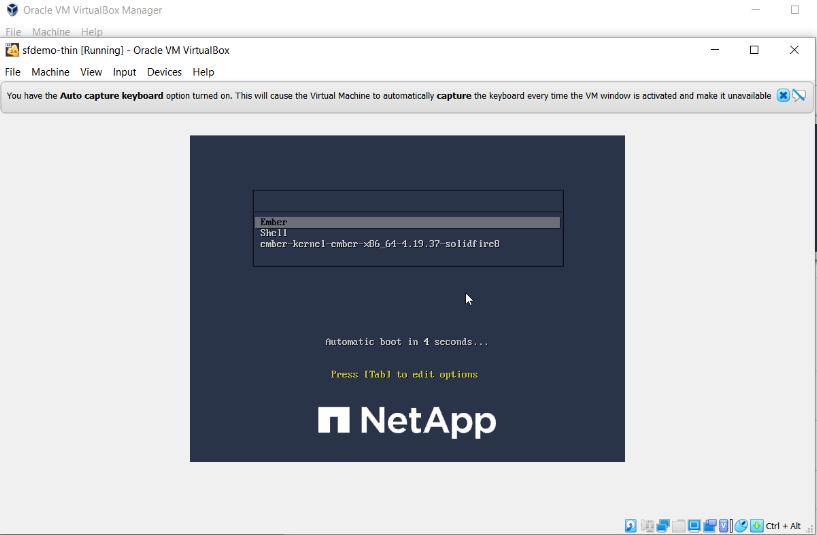
This is what I did on VirtualBox v6.1.32 on Linux with Management and iSCSI NICs on a bridge located on eth0:
- Lower RAM a bit as this notebook as 16GB RAM
- Change SCSI to AHCI and reattach disks
- Set NICs to br0 and br0.103 (for my iSCSI VLAN ID 103)
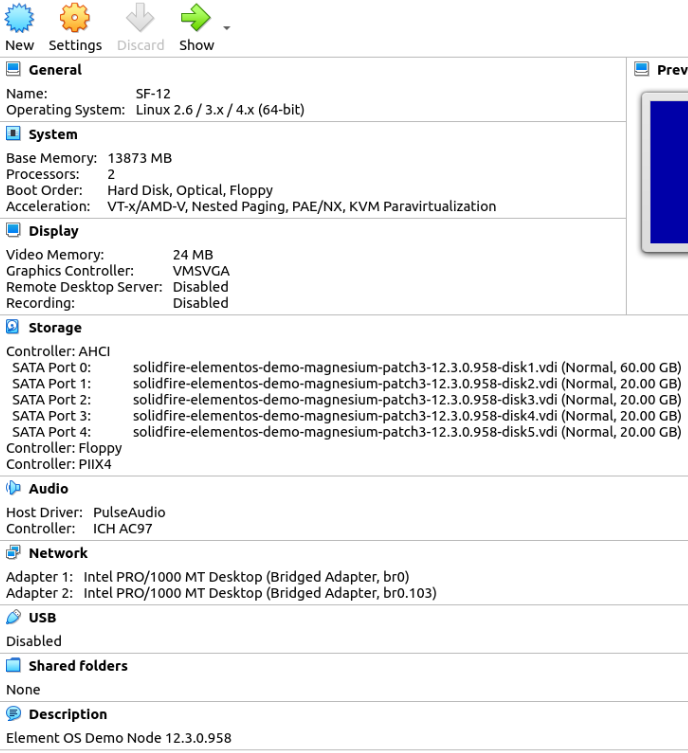
While trying to solve the NIC selection problem, I found I was actually hitting a SolidFire bug: management MTU must be set to 1500 bytes or larger.
If it's not, then you'll get CLI and API errors when trying to configure SolidFire interfaces. It's interesting that even though the API is responding to requests, it refuses to do anything if the current MTU of Management interface isn't at least 1500 bytes:
{
    "error": {
        "code": 500,
        "message": "1492 is not a valid MTU (must be non-negative integer >= 1500)",
        "name": "xCheckFailure"
    },
    "id": 1
}
To work around that I had to:
- shut down the VM
- map the VM's eth0 to some random host interface where it wouldn't get this MTU from DHCP server
- start the VM and manually configure Management IP (use IP and gateway for the correct network, set MTU to 1500)
- shut down the VM
- correctly map the VM's eth0 to Management Network on host
NB: SolidFire Demo VM doesn't need VirtualBox Extension Pack (which may require a commercial VirtualBox license).
Demo: SolidFire Demo VM with Virtualbox
- SolidFire Demo VM 12.3 in Oracle VirtualBox 6.1 (Windows 10) - import, (re)configure, deploy, use
- There's just 5 (1 Metadata, 4 Data) SF disks in Demo VM