SolidFire Support Bundle Log with Automation, OneCollect
NOTICE: any and all credentials and tokens on this page are samples, not leaked.
I don't have any first hand information to say this is the case, but I believe that with the increased focus on container workloads and container-packaged SolidFire (NetApp eSDS), SolidFire management has slowly been increasingly containerized as well. NetApp Hybrid Cloud Control - a VM with a bunch of management-related containers - is the most prominent example that is familiar to NetApp HCI and SolidFire customers.
I once wrote about log collection on NetApp HCC (see here), but early this week I was working on something that prompted me to revisit log collection on SolidFire storage nodes.
To get the logs, find the nodes' management IPs in the main SolidFire cluster GUI, click on each link, and you'll see the node management interface (https://${node-management-ip}:442). Go to System Utilities, select Collect Node Logs, enter Utility Options (such as bundle name), click on Collect Node Logs, and wait a few minutes till the logs are ready at which point you'll be prompted to download your log bundle.
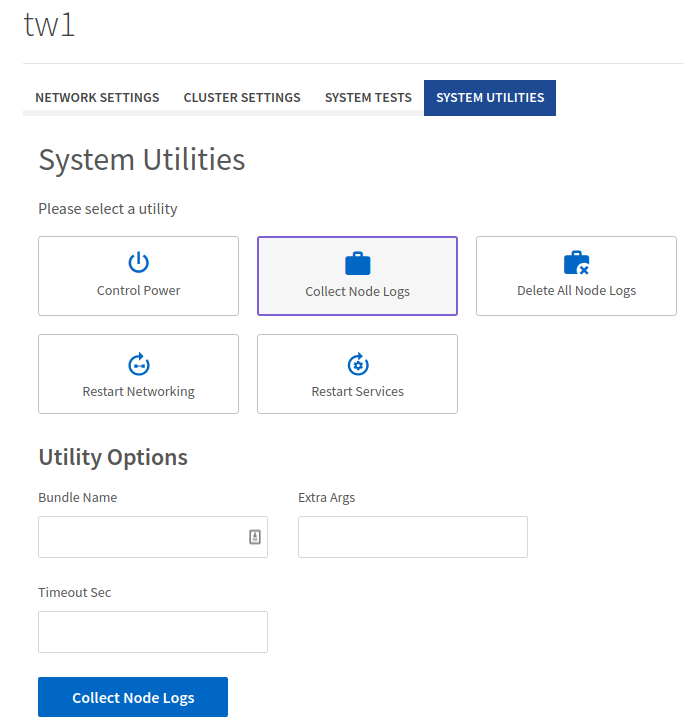
You need to do this for every node, and it's usually a good idea to not run this thing across several nodes at the same time because they do collect what can amount to gigabytes of logs files that have to be packaged into a tar archive file as defined by the bundle name.
But spending 5-10 minutes per each of four or more nodes isn't fun either. (Although that doesn't mean this is not how customers are asked to do it - I'm not in Support, so I'm curious myself as I haven't seen or heard of any better approaches. The manual approach seems excessively wasteful to me.)
Sometimes, if you can easily duplicate a problem, it makes sense to run Delete All Node Logs (see in screenshot above) before you Collect Node Logs, just so that you avoid collecting, downloading, and then uploading (to NetApp Support) logs unrelated to your issue. There are also options related to log collection - presumably Support can provide some parameters to limit log collection to certain services, but I have no knowledge of that detail.
In any case, as I was taking care of my debugging business, it didn't take long to get annoyed by this manual approach. Again, I chose PowerShell because it works well on Windows and Linux and the only requirement is SolidFire PowerShell Tools (module) for PowerShell 5 or 7.
What I do in v1 is:
- Prompt the user for SolidFire cluster Management VIP and cluster administrator credentials, and from this point continue unattended
- Get the list of active SolidFire nodes
- Connect to one node, call the generate Support Bundle API method and wait until the bundle is ready (minutes)
- As soon as the archive is ready I create a download job and send it to background. You may need 20 GB per each SolidFire storage node, so run the script from where you have enough capacity!
- Connect to the next node to do the same until all Support Bundles have been generated and download jobs sent to background
This doesn't gather logs in parallel, that is done sequentially. It only downloads them in parallel. With old logs deleted in Node Web Management UI prior to running this script, it takes me about 10 minutes to run this script on a SolidFire v12.3 cluster with five nodes. The first log is ready in little under 2 minutes, which means background downloads are almost free (time-wise).
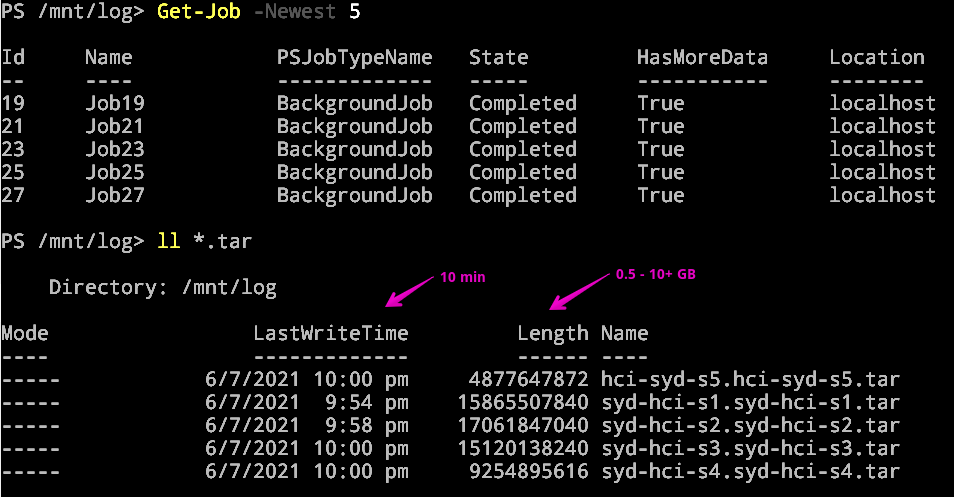
Free? Okay, that's not entirely true, as at the very end I can usually see three download jobs still running in the background, so clearly not every job can finish before the next log is ready, but it's very close to free… It may take longer on clusters where not all old node logs have been deleted, but if you run the script over a 10G network, maybe it wouldn't be bandwidth-constrained (screenshot below).
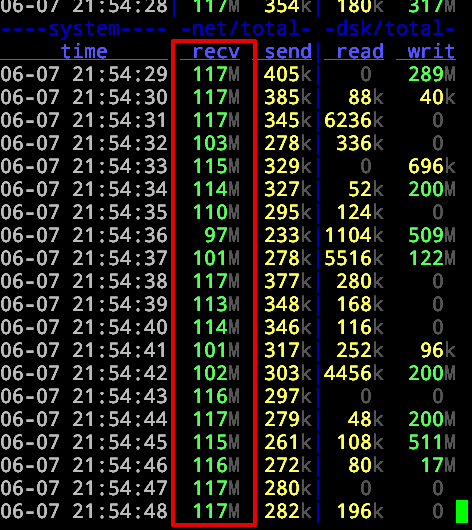
So this is pretty nice - it's simple, safe and fast.
Of course, we don't need gigabytes of logs for every single Support case. Usually you need just the output of a handful of diagnostic commands. NetApp has a tool called OneCollect (I recorded a video about running it in an unsupported manner - on HCC VM - you can find it on YouTube) which runs in a Docker container or on regular mainstream OS (x86-64 version of OS X, Linux or Windows). You execute it on your client and access its Web UI at http://localhost:8888 (default port).
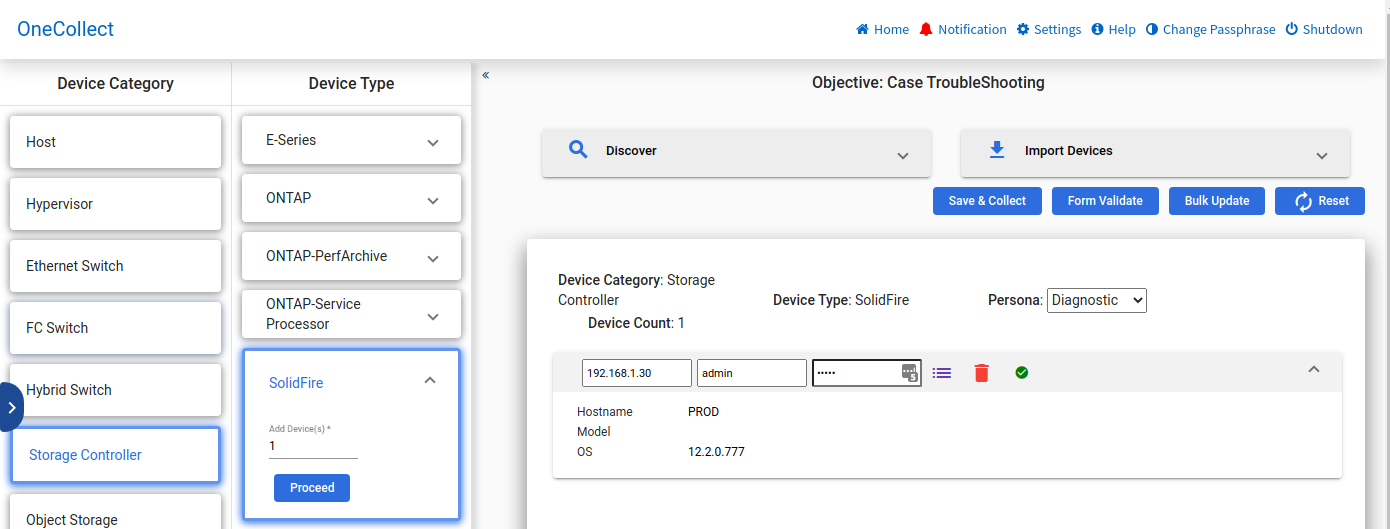
Because these logs tend to be much smaller, OneCollect is and convenient for that, and can also login to NetApp support and upload these logs for you.
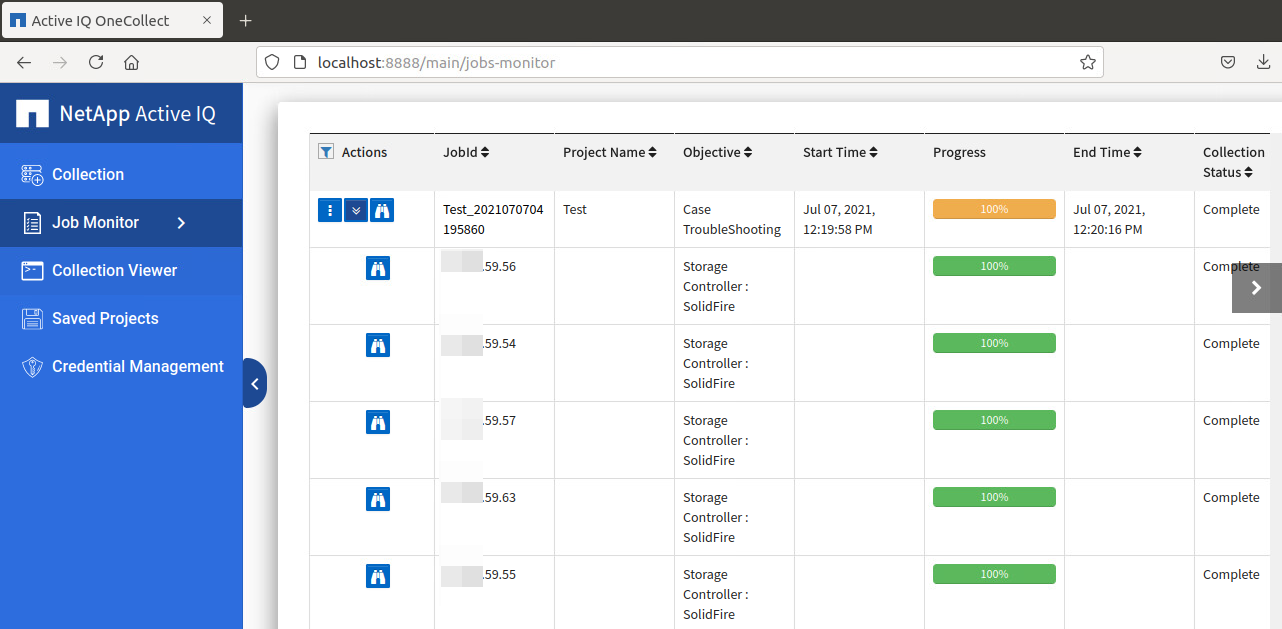
But it doesn't do Support Bundles, as far as I can tell (I tried today). Should you need to collect those logs, you may still want to use a script to gather Support Bundle files, and then use OneCollect's Data Files upload to upload them to NetApp Support servers.
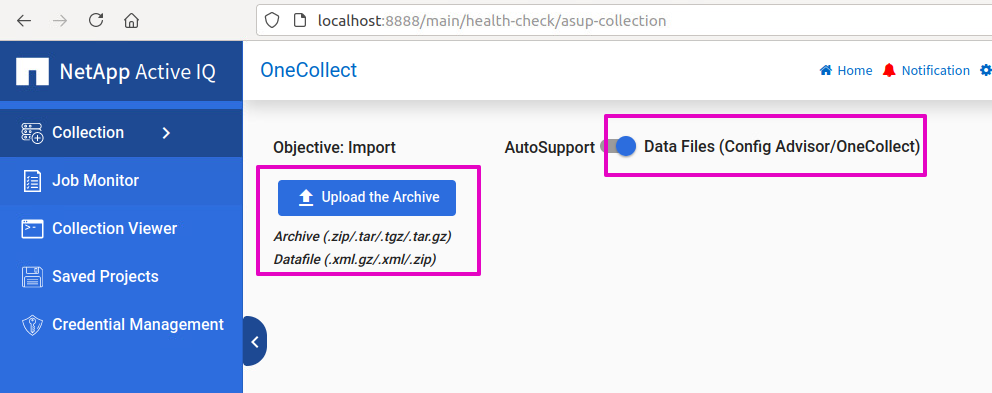
As you may have noticed, Support Bundle files are not compressed after my script downloads them. We could compress them on the fly (interestingly, this isn't so easy in PowerShell), or indeed after (compress each file immediately after download).
Because NetApp ActiveIQ OneCollect (or most browser upload utilities) can compress files on the fly, it's probably okay to upload them uncompressed - upload times may not be considerably worse and it's faster to unpack them when they're not compressed. I don't have a NetApp Support account so I can't tell if my guess regarding upload time is about right, but if I hear otherwise I could change the script to compress the logs on the fly as I download them, or later.
Of course the script could do more, but over the next 12 months even this basic version should save me enough time to pay back for its development. I'll put it on Github once I tidy up the code, add some logging and so on (I'm thinking about adding parameters to gather logs from only selected nodes, but I don't know if that is how it works in real life - I'll try to find out).
Edit (2022-02-20): I checked with the folks who know how people gather logs and unfortunately while it seems possible to it more conveniently than it's done now (script with a menu could be created to automate log collection and upload), the workflow is complex. First, because all logs are huge, it's always better to collect as few logs as possible. Second, depending on what seems to be broken, Support may ask for one or more logs, and those may need to be gathered with different options ("switches"). Third, there's some variability depending on the severity of problem, software version involved, hardware platform, etc. So while this can be automated, it's too complicated without knowing the process inside-out, so I've abandoned the idea to automate this on my own.