Basic notes on h2o GPT from a storage perspective
So… I don't use Generative AI.
I used it a bit before it was popular (before ChatGPT 4.0 came out) to automate SolidFire CLI, saw how it works, and while it was interesting I didn't see immediate use cases for it in my life.
Now Generative AIs are much more capable, but I still have no use for them.
I've been thinking about using them to assist me with PowerShell or Python scripts, but I still think it's more valuable to spend some time on search engines and Stack Overflow and learn something in the process.
Still, that's not to say Generative AIs are useless. I do follow the field fairly closely for an automation/storage guy, because there's some chance I might use it for log analytics and programming one day.
h2oGPT
The H2O docs page show the current Generative AI portfolio includes h2oGPT (open source, on Github) and H2O LLM Studio (proprietary UI and workflows; haven't tried it).
As expected, h2oGPT needs some data.
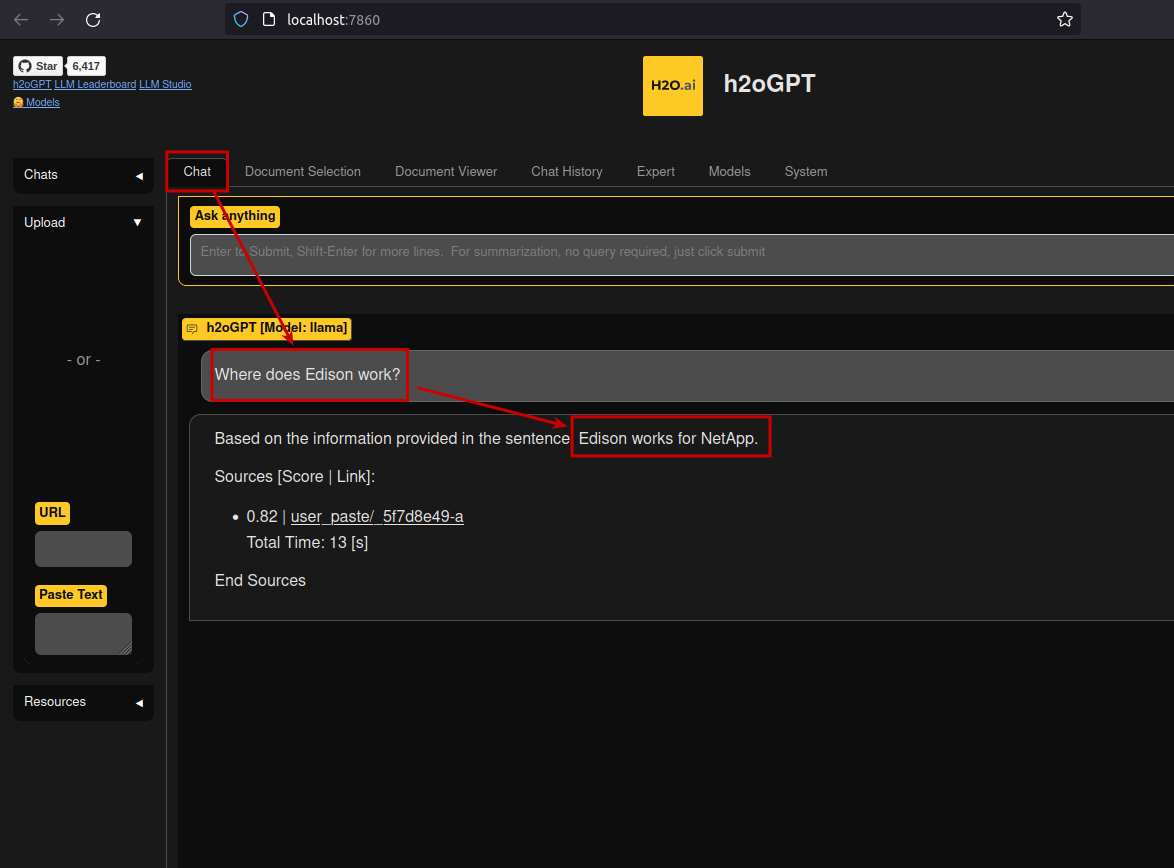
Then we ask it questions, and it responds.
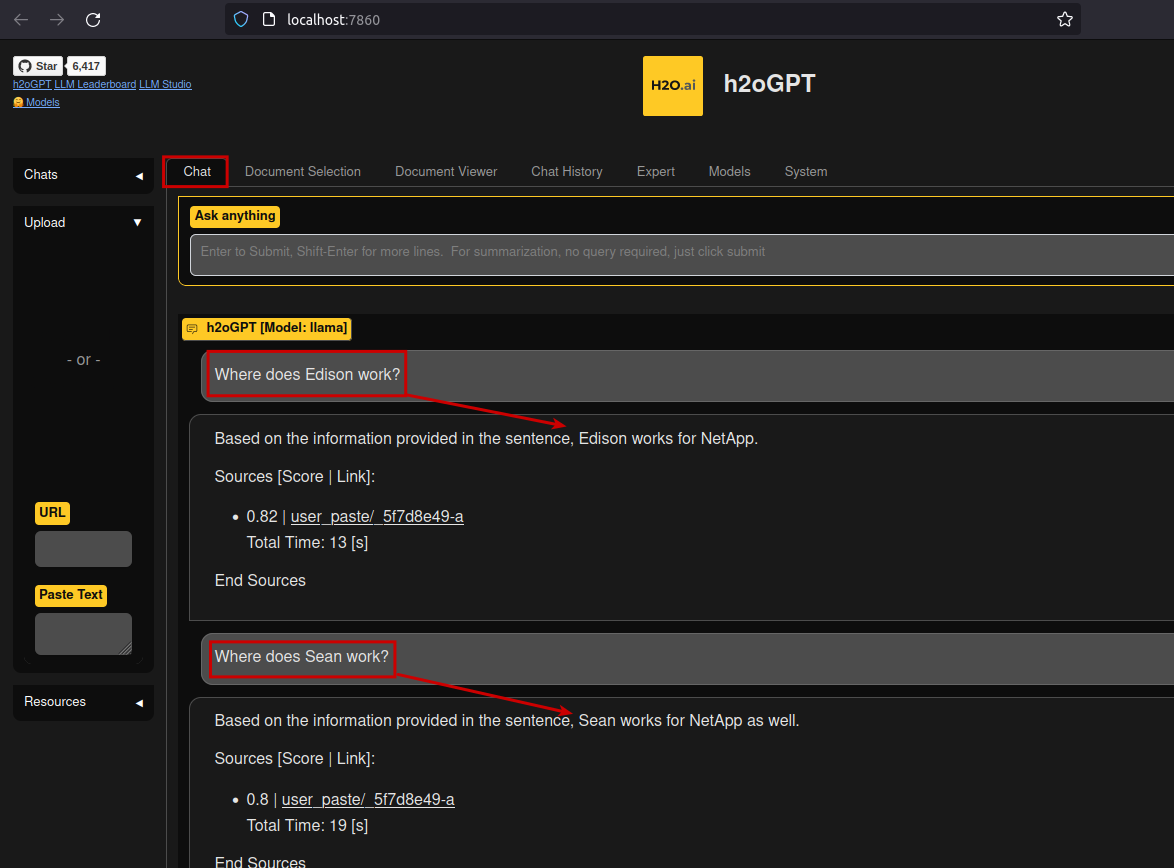
It worked for basic Q&A, as you can see above, but (using the default llama model).
Getting data in
This is main thing I'm interested in.
The docs have the theory.
- Local file system (works through the browser, can use NFS, SMB, BeeGFS and other paths that the client can access)
- Remote file & S3 (http(s) URL; it's weird that there's "Remote" when it really means S3, but then there's Swift, which is why I guess they have "Remote" as a separate option; nobody uses Swift, though… They should just call it Object Store.)
- HDFS data sources (including Alluxio about which I blogged before in the context of StorageGRID and ONTAP (S3) and ONTAP (NFS))
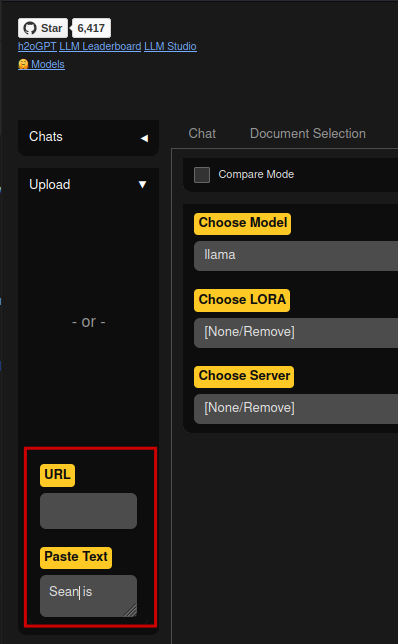
This is how upload looks like from the Web UI in practice:
- URL (for S3 I assume), or
- Paste text of own choosing (useful when you want to paste some text from a Web page), or
- Client-side upload (click on the area with "
- or -")
Once a document has been uploaded, h2oGPT churns through it to learn from it. Multiple documents may be uploaded at once, but I haven't tried it because it takes a while.
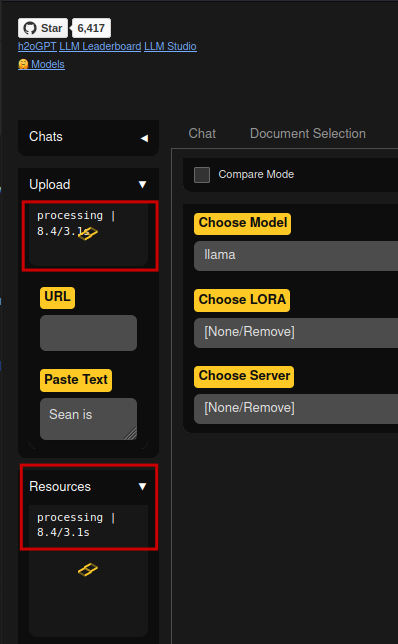
If you have a GPU and it's enabled, it will get busy. It's not just text indexing for full text search, as you might assume (incidentally, I used that earlier this week) - GPU will be busy for a while.
Fri Aug  4 10:50:51 2023
+---------------------------------------------------------------------------------------+
| NVIDIA-SMI 535.86.05              Driver Version: 535.86.05    CUDA Version: 12.2     |
|-----------------------------------------+----------------------+----------------------+
| GPU  Name                 Persistence-M | Bus-Id        Disp.A | Volatile Uncorr. ECC |
| Fan  Temp   Perf          Pwr:Usage/Cap |         Memory-Usage | GPU-Util  Compute M. |
|                                         |                      |               MIG M. |
|=========================================+======================+======================|
|   0  NVIDIA GeForce RTX 2080 ...    Off | 00000000:2B:00.0  On |                  N/A |
| 30%   64C    P2             235W / 250W |   4245MiB /  8192MiB |     99%      Default |
|                                         |                      |                  N/A |
+-----------------------------------------+----------------------+----------------------+

+---------------------------------------------------------------------------------------+
| Processes:                                                                            |
|  GPU   GI   CI        PID   Type   Process name                            GPU Memory |
|        ID   ID                                                             Usage      |
|=======================================================================================|
|    0   N/A  N/A    112270      C   python                                     3500MiB |
+---------------------------------------------------------------------------------------+
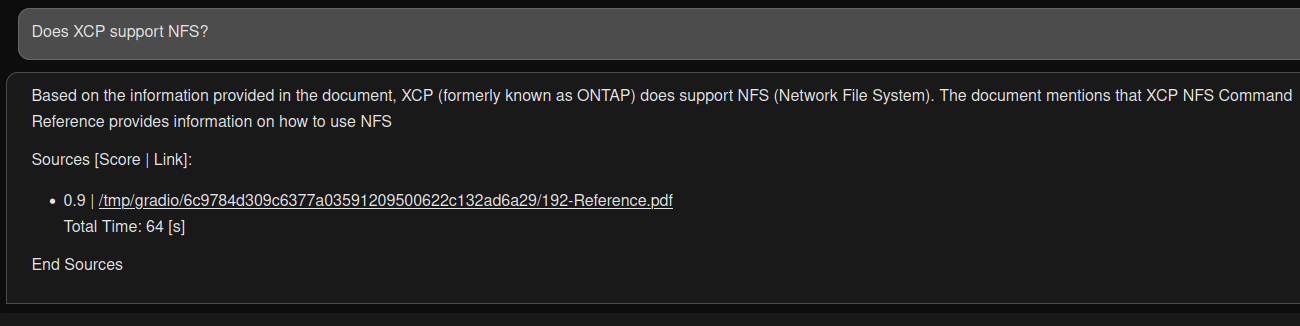
After digesting the NetApp XCP Reference Guide v1.9.2 (PDF) h2oGPT was able to answer a question about it: does XCP support NFS?
Data is often imported with scripts, especially at scale required for Deep Learning, and that method is available as well. According to the H2O documentation, between 1,000 and 50,000 documents may be required for fine tuning of a model. So even if that's the only thing that's done in the environment, it may still be too much for doing it in the browser.
Starting with ONTAP 9.12.1, ONTAP has "multi-protocol S3" which lets us serve data from NFS or SMB shares using a subset of S3 APIs, which can come useful in organizations that ingest data via NFS or SMB but h2oGPT isn't on the same network and cannot get to those shares via SMB or NFS. Such data shared over S3 can be downloaded via its S3 bucket/path URL without copying it to some intermediate system, or having a S3 gateway server (VM, container).
I have a brief demo of that here.
Getting data out
The docs give an example of downloading data from the H2O cluster: saving model predictions for later.
import h2o
h2o.init()
iris_hex = h2o.import_file("http://h2o-public-test-data.s3.amazonaws.com/smalldata/iris/iris_wheader.csv")
h2o.export_file(iris_hex, path = "/tmp/pred.csv", force = True)
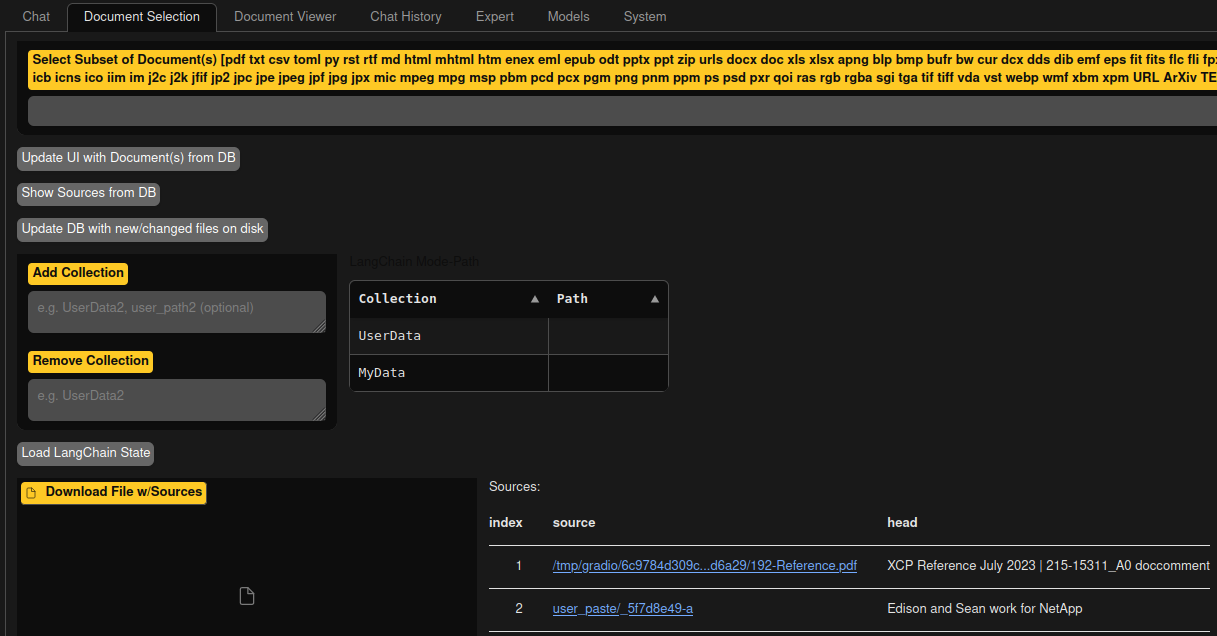
I don't know how one finds the URL to use, but I tried to wget the PDF file from the screenshot above, and it worked.
$ wget http://localhost:7860/file//tmp/gradio/6c9784d309c6377a03591209500622c132ad6a29/192-Reference.pdf
--2023-08-04 11:06:44--  http://localhost:7860/file//tmp/gradio/6c9784d309c6377a03591209500622c132ad6a29/192-Reference.pdf
Resolving localhost (localhost)... 127.0.0.1
Connecting to localhost (localhost)|127.0.0.1|:7860... connected.
HTTP request sent, awaiting response... 200 OK
Length: 3680392 (3.5M) [application/pdf]
Saving to: '192-Reference.pdf'
...
I guess that's how we find what we want to download. There's a Document Selection tab where we can get that information easily.
H2O LLM Studio
H2O LLM Studio has additional data-related information.
By default it uses two directories at the root path, /data and /output:
data/dbs: user databasedata/user: uploaded datasetsoutput/user: experiments conducted in H2O LLM Studio are stored in this folder; one folder per experimentoutput/download: data the user downloads within the app
There's this 2019 demo which at 11 minute mark shows how a dataset can be added as a mount point.
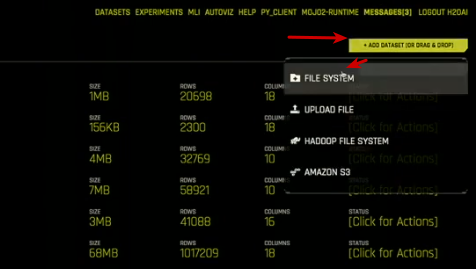
Add a mount point (NFS, BeeGFS, etc.).
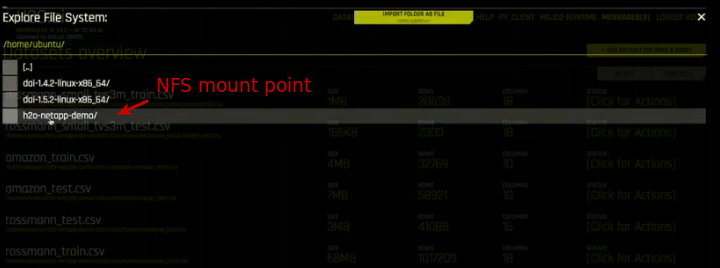
View dataset:

As the demo shows, it's shared datasets can be accessed from multiple instances of H2O clusters, and shared filesystems can also be used to checkpoint (save state of a workload) in order to migrate or resume work later - even from a different cluster.
Obviously that's a different product but it may be similar to H2O LLM Studio. I haven't used these products, so contact H2O for latest product information.
Summary
Getting data in and out of h2oGPT doesn't seem difficult.
It would be interesting to know how one can do more advanced operations such as deleting or backing up documents, but we may need H2O LLM Studio for that. In fact here we can get a hint of how those more sophisticated document operations look like.
Unlike the experiment in this post, we would normally not want to use temporary in-container data collections, but we have enough knowledge to get started and an idea of what we don't know.