Minimal Prometheus Exporter with ONTAP Harvest
Introduction
I needed to create a minimal Prometheus Exporter for ONTAP 9.
Requirement: less is better.
This post is a condensed extract of some key parts of the official ONTAP Harvest documentation, but it may help you if you aren't an ONTAP guru.
I used ONTAP Select 9.14.1, but a slighly newer or older version ought to work the same way (even with ZAPI).
Approach
- Harvest collector for ONTAP (ZAPI, REST, etc.)
- Prometheus Exporter
- Disable/remove everything else
Steps
One or more instances
You can create isolated and independent instances, all-in-one, or "something in between" (which would be a mix, including some instances where ONTAP vHosts (aka SVM) are separately exported).
I didn't have a reason to do this, so I went with one instance that collects metrics from the Cluster Management IP.
Prepare your box
You probably want to use TLS to poll ONTAP API (REST, ZAPI, etc.).
Refer to the ONTAP documentation for that. Of course, I wasted a lot of time here because (for example) TLS certificate import in 9.14.1 cannot recognize ECDSA (elliptic curve keypair) keys.
Hostname I used: s50.datafabric.lan.
That is my ONTAP Cluster's Management IP. I did not create and load additional certificates for SVMs, for example.
Clone Harvest repo or download pre-built container image
If you want to use the prebuilt image, you don't need the source. But you can get it anyway.
git clone https://github.com/NetApp/harvest/ && cd harvest
Getting the pre-built image is another "trivial" step that can end up wasting your time.
The stupid Github Container Registry may greet you with this error:
$ docker pull ghcr.io/netapp/harvest:latest

Unable to find image 'ghcr.io/netapp/harvest:latest' locally
docker: Error response from daemon: Head "https://ghcr.io/v2/netapp/harvest/manifests/latest": denied: denied.
In this case you may need to either:
- Login to GHCR (see the GHRC docs) to be able to
pullthe image, or - Build your own container (more complications, but may be required anyway for dark sites. And it may very well be better in the long term)
If you build your own, remember to specify own image in deployment files.
Create ONTAP management user with minimal API access
Official documentation source: here.
System Manager > Cluster > Settings > Users & Roles:
- Create a low-priviledge (read-only access to
/api, for example) role - Create a user with that role with password authentication
In my case, I ended up with the username/pass combo harvest:NetApp123$.
NOTE: vuln-hunting geniuses, please don't bother reporting this "leak".
Create minimal template for Prometheus Exporter
For this you may create a sub-directory such as "sean" in your cloned Harvest repository.
$ pwd
/home/sean/code/harvest/sean
Now we need to create harvest.yml.
Official documentation source: here
You will likely have to modify just:
- addr
- username
- password
You can enable/disable individual collectors as indicated in # comments.
Exporters:
  prometheus1:
    exporter: Prometheus
    addr: 0.0.0.0
    port_range: 2000-2030 # I have just one instance and could use 2000-2001 here

Defaults:
  collectors:
    - Zapi
    - ZapiPerf            # shrink or expand this list (newer REST, RESTPerf, etc. are available)
  use_insecure_tls: true  # you can't validate certs from *inside* of the container by default
  exporters:
    - prometheus1

Pollers:
  infinity:
    datacenter: DC-01
    addr: s50.datafabric.lan # I had a "real" cert on ONTAP but full CA chain has to be built in container
    auth_style: basic_auth
    username: harvest        # from "Create a user with minimal API access"
    password: NetApp123$     # from "Create a user with minimal API access"
NOTE: I have just one poller called "infinity", for one ONTAP target (ONTAP Cluster s50). For multiple boxes or SVMs, multiple pollers would be defined.
You could try renaming this container here (or later in the final YAML) to s50p to denote "Harvest poller for ONTAP cluster s50" to make it easier to tell which Prometheus host is for which ONTAP cluster and such.
Use harvest.yml to generate harvest.yml
Well, not quite, but yeah… Config file from the previous step is used to create more config files in this step.
Remember that this uses harvest.yml rather than harvest.yaml!
Run this from the directory where your harvest.yml template is located.
NOTE: specify own container registry link (or local container) if you use your own container image.
Official documentation source: here
docker run --rm \
  --env UID=$(id -u) --env GID=$(id -g) \
  --entrypoint "bin/harvest" \
  --volume "$(pwd):/opt/temp" \
  --volume "$(pwd)/harvest.yml:/opt/harvest/harvest.yml" \
  ghcr.io/netapp/harvest \
  generate docker full \
  --output harvest-compose.yml
Wait, what?
Yeah. "bin/harvest generate docker full" is the command that generates (a bunch of) config files in "conf" subdirectory. More on this later.
$ ls -lat
total 104
-rw-------  1 sean sean 353 Feb 17 14:03 harvest-compose.yml
drwxrwxr-x  6 sean sean  10 Feb 17 14:03 .
-rw-rw-r--  1 sean sean 350 Feb 17 14:03 harvest.yml
drwxr-x---  2 sean sean   6 Feb 17 13:57 cert
drwxr-xr-x  4 sean sean   4 Feb 17 13:12 grafana
drwxr-xr-x  3 sean sean   3 Feb 17 13:12 container
drwxr-x--- 11 sean sean  11 Feb 17 13:12 conf
drwxrwxr-x 21 sean sean  45 Feb 17 12:59 ..


$ dir -laR | wc -l
611
We have close to 611 reasons to have a quick drink now…
As we complete this step, harvest-compose.yml is the one we care about most. Here it is:
services:

  infinity:
    image: ghcr.io/netapp/harvest:latest  # use own image:version as needed
    container_name: poller-infinity
    restart: unless-stopped
    ports:
      - "2000:2000"  # this is the port you'll use. Notice it reappears below!
    command: '--poller infinity --promPort 2000 --config /opt/harvest.yml'
    volumes:
      - ./cert:/opt/harvest/cert
      - ./harvest.yml:/opt/harvest.yml
      - ./conf:/opt/harvest/conf
NOTES:
- Notice that "
harvest.yml" continues to be used (volumes section) - Yes, I did copy my ONTAP System Manager TLS cert to
./cert, thank you very much. No, it did not help. I know it can be done and I know CA and any Intermediate CA certificates must be included, etc. It's done differently for different Linux distributions so we should start checking from base image. - Earlier I mentioned you may want to modify container name. I haven't tried so I don't know if that can be done here in harvest-compose.yaml. "An exercise for the reader", as they say…
Annnnd … action
When you run that template-generating command you'll see the instructions on how to start.
I suggest to not use -d at first until you see it's working.
Still in the same subdirectory:
$ pwd
/home/sean/code/harvest/sean

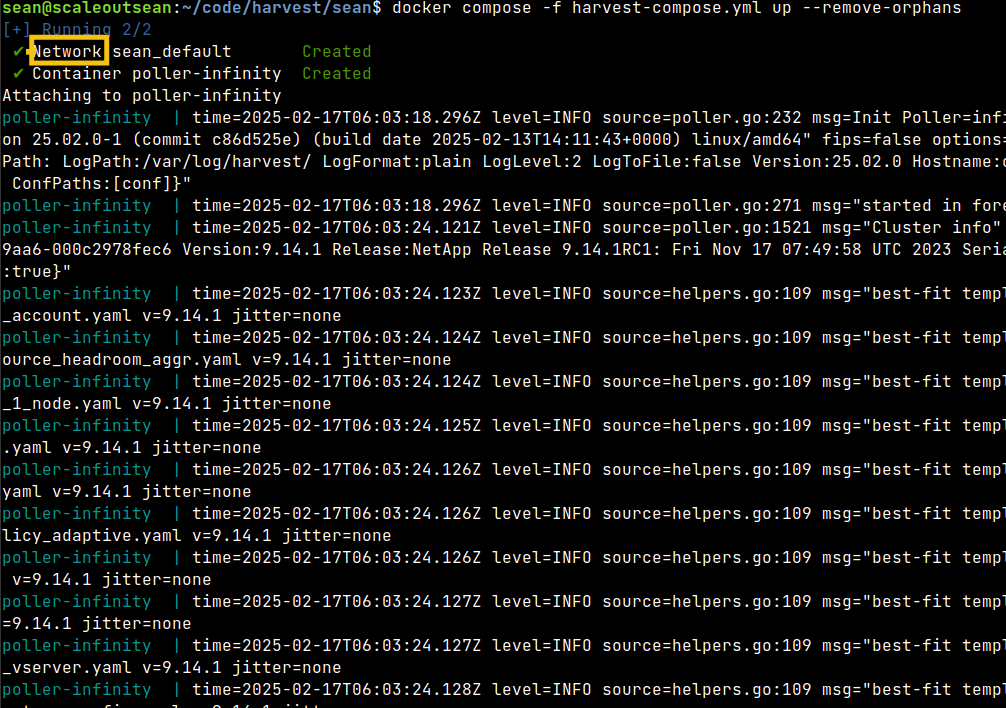
$ docker compose -f harvest-compose.yml up --remove-orphans
Assuming no account or TLS troubles, you might see something like this:
The next step is to hit the port from your Docker compose (or "Kube compose" or whatever) YAML file.
Scrape
Hit the endpoint at http://IP:2000 (port specified in Harvest YAML).
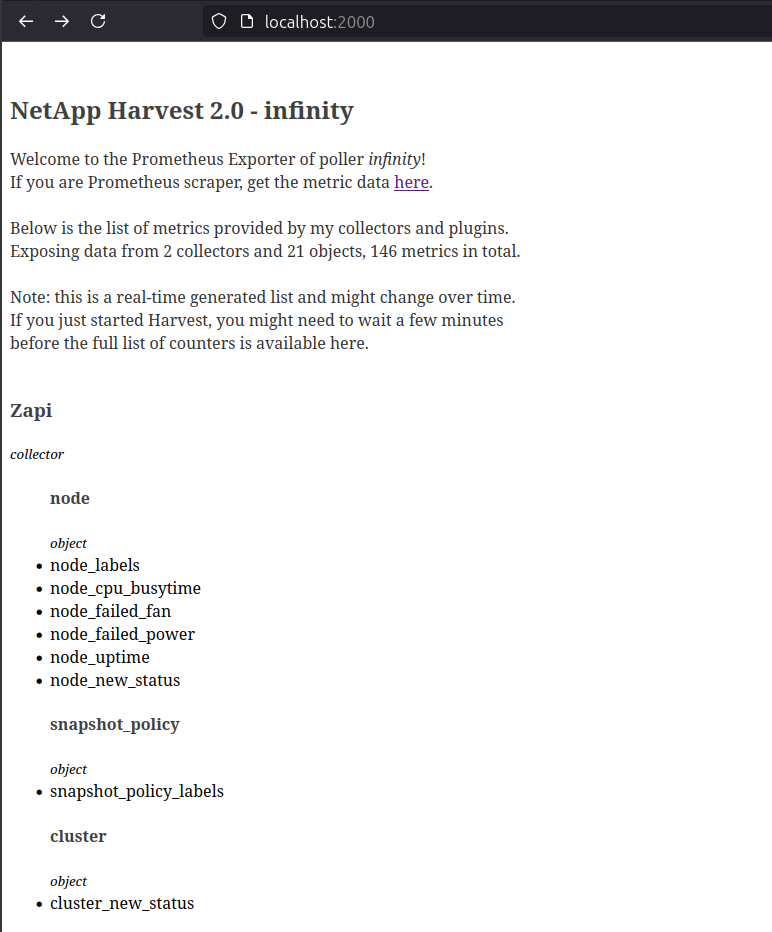
For multiple endpoints (more than one box, for example), you'd use multiple ports from the port range you specified in your Harvest template.
About this:
NetApp Harvest 2.0 - infinity

Welcome to the Prometheus Exporter of poller infinity!
Poller name can probably be customized by modifying the config/YAML files as mentioned earlier. Didn't bother me enough to try.
Prometheus metrics are served from the same port: :2000/metrics.
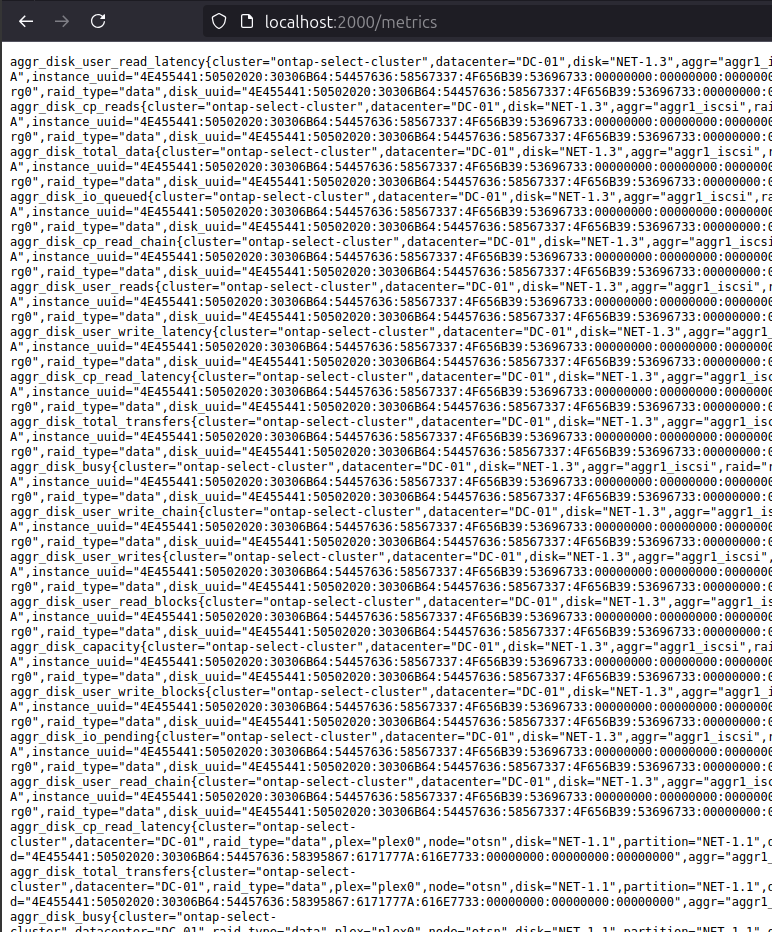
In the case you can't see the screenshot, I asked for ZAPI and ZAPI Perf, so that's what I got.
metadata_collector_api_time{hostname="cd5924beebec",version="25.02.0",poller="infinity",collector="ZapiPerf",object="NFSv42Node",datacenter="DC-01",interval="86400.0000",task="counter"} 311696
metadata_collector_poll_time{hostname="cd5924beebec",version="25.02.0",poller="infinity",collector="ZapiPerf",object="NFSv42Node",datacenter="DC-01",interval="86400.0000",task="counter"} 314543
metadata_collector_task_time{hostname="cd5924beebec",version="25.02.0",poller="infinity",collector="ZapiPerf",object="NFSv42Node",datacenter="DC-01",interval="86400.0000",task="counter"} 314543
metadata_collector_numCalls{hostname="cd5924beebec",version="25.02.0",poller="infinity",collector="ZapiPerf",object="NFSv42Node",datacenter="DC-01",interval="86400.0000",task="counter"} 1
...
Security
Some random initial thoughts on security:
- I didn't spend time digging inside the forest of those automatically-created configuration files, but I assume most of that can be wiped (or left alone, if you don't mind them being there)
- Watch out for "includes" and such. Some YAML files from the configuration subdirectories may require subtle/precise deletion in which case brute-force removal could result in errors
- Load username/password from a Vault or according to own best practices (.env files, etc.)
- Notice the yellow rectangle around "Network" in the first screenshot. You may want to create (at least) two Docker networks for this setup as mused in here
- Backend: Harvest container access to ONTAP (Cluster or SVM) Management IP
- Frontend: Prometheus scraper access Harvest container
- You may want to keep both of these off the default Docker network. Also, on Docker the auto-generated YAML exposes port 2000 on all network interfaces by default. RTFM before you let the world and their uncle scrape your Prom exports!
- For TLS, I'd rather load certs from a sidecar that periodically downloads latest certs to
./cert/on startup than manually copy them to./cert/. - See the official Harvest/Prometheus tips here
- For additional auth[n,z] options (maybe your volume names are S3cr3t!), add a reverse proxy to Docker Compose or Kubernetes configuration files
- Notice this is a chance for DIY obfuscation: we can build a re-exporter to replace volume names with your own strings and store this map in own DB. You'd need just or or two small containers to Docker Compose to get this done. I wonder if anyone does that…
- As mentioned earlier, if you want to scrape over HTTPS, you may want to rename the polling container for easier orientation, and create TLS certificates for it (on reverse proxy).
- Explore other ONTAP (Z)API authentication options and consider how to accommodate any password rotation policies that you may have
Power users
- Create a separate Docker Compose or scheduled K8s job to run vulnerability check on the version of Harvest you use and send an alert if anything pops up. Maybe run it once a day?
- Modify that same
Makefileto build a slim Harvest binary with just the stuff you need - not just "make harvest", but rather drop StorageGRID, ASUP, etc.- You control how Harvest runs and your front-end and back-end networks are strictly isolated (Right? Right???) so this probably isn't necessary and creates other challenges (that is, you'd better have a secure container image release workflow to not end up with a less secure image than the fat default image available from Github Container Registry)
Conclusion
If you have existing monitoring stack, it is easy to deploy Harvest in a way that minimizes attack surface, lessens risks, and doesn't represent operational burden.
With a bit of extra work (from adding a reverse proxy over a trimmed down Harvest binary to custom container builds) it is possible to fully secure scraping endpoints and decrease the frequency of updates (because a custom, slimmer binary should result in fewer CVEs) you need to apply to keep this stack up to date.
Appendix A - demo video
Find it here (3m22s)