Python client library for E-Series SANtricity
Introduction
Reautomating E-Series gives an overview of SANtricity automations and integrations in recent years.
In order to get some of those integrations back, we first need to un-cripple SANtricity automation at lower levels.
Python remains a great tool for those building blocks. The abandoned (2016) SANtricity SDK for Python 2 (and 3-ish) is large and while it'd be nice to have it, our passionate community of OSS contributors hasn't started working on that so far.
Alternatively, we can do something small, permissively licensed and cover 80% of automation tasks.
My santricity-client Python library does exactly that:
- Key daily tasks: list/create volumes and map them to hosts
- Python 3 library that can be used to access SANtricity API (basic and JWT authentication)
- Simple CLI included
- Highly permissive license (MIT)
Let's see what it does.
santricity-client Python 3 library and CLI
E-Series is very rarely used in highly dynamic environments because it has no thin provisioning. (Another way to put it is: thin provisioning is no longer available, so that E-Series cannot be easily used in highly dynamic environments.)
If you use E-Series in a highly dynamic storage environment, I recommend using ZFS, BtrFS or Ceph (about which I blogged yesterday) so that you don't have to get storage backend involved too much.
In most environments E-Series LUNs and hosts don't change often. In this situation, storage admin mostly needs to create LUNs (volumes) and map them to hosts (or host groups).
Library
The client library makes it possibel to connect to SANtricity and do basic tasks on volumes, hosts and volume-to-host mappings.
I firmly believe that's what most people need.
CLI
The CLI use is similar and uses the library to deliver its features.
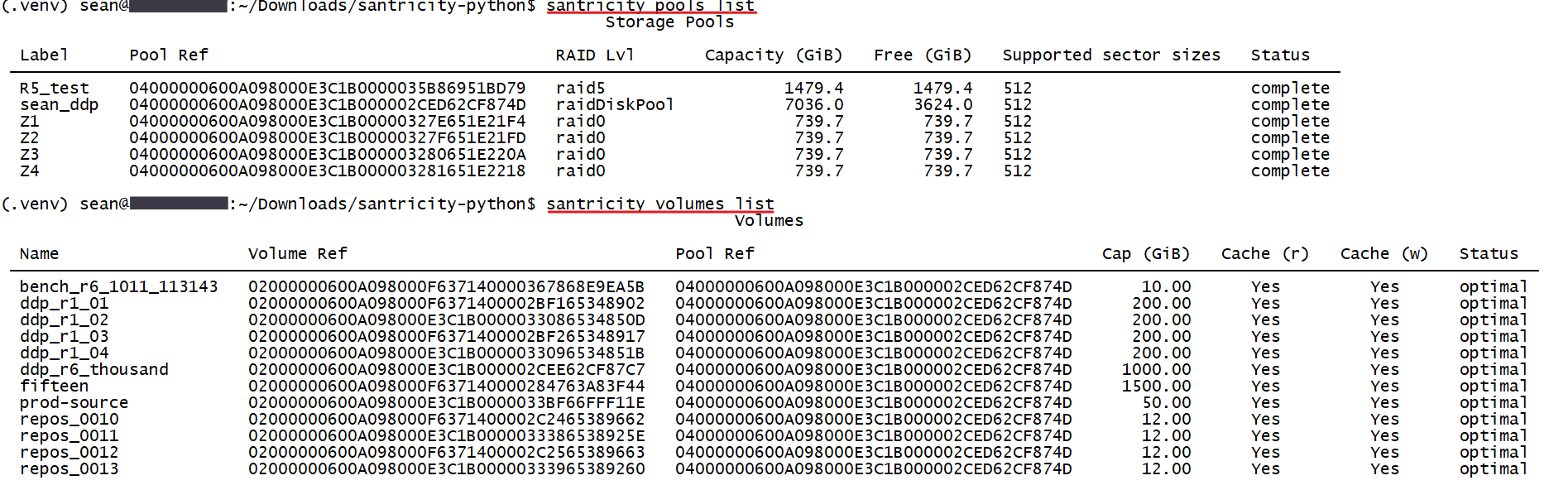
It can show (list) pools and volumes:
- List pools to be see how full they are, or perhaps to decide where you want to create new volumes
- List volumes to see their basic information and what pool they belong to (which gives you an idea about performance and durability)
Once volumes are created, we want to map them to hosts or host groups aka "clusters". In this screenshot I have one host attached to E-Series. LUN mappings show volume-to-host (or volume-to-cluster) mapping.
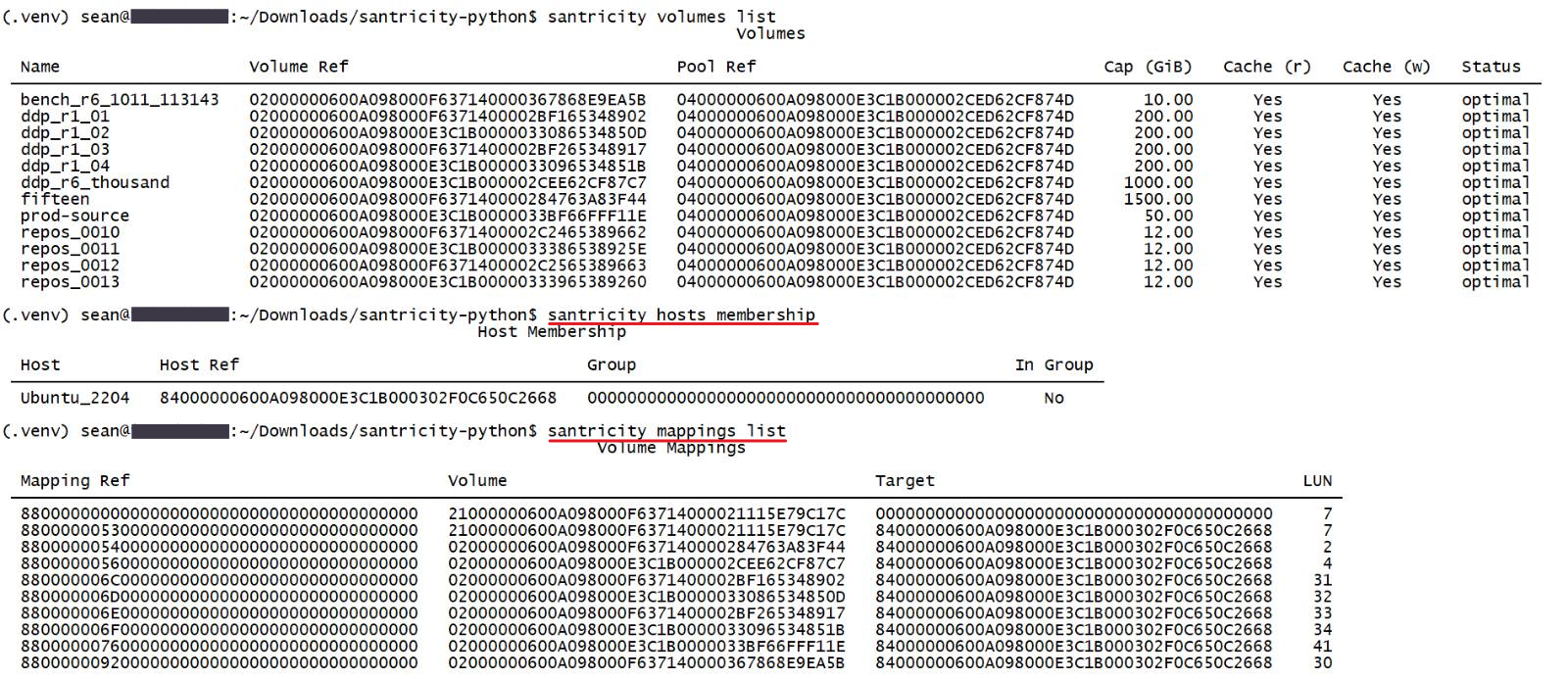
I haven't tried to use grep to filter out volumes presented to other hosts, but that should work fine.
We can also create/modify stuff. For example, to map a LUN to a host, we'd use --volume-ref (source) and --host-ref (target).

This could be enough for daily use. It certainly is for mine. More can be added if we need more.
All current CLI actions provide just the essential options. The fancy stuff (sector size, preferred controller, blah, blah, blah) is deliberately omitted on both input and output side.
Power users have the option to modify the CLI or write their own. There are two more:
--extrasfor extra input i.e. settings (pass anything that SANtricity supports)--jsonfor extra output (full JSON output)
So if you need to set preferred controller, disable resource provisioning on a new LUN or see the status of some obscure settings, all of that can be done without any changes.
Below you an see the CLI being used to create a RAID 1 volume in a DDP (without silenced TLS warnings and with --json output).
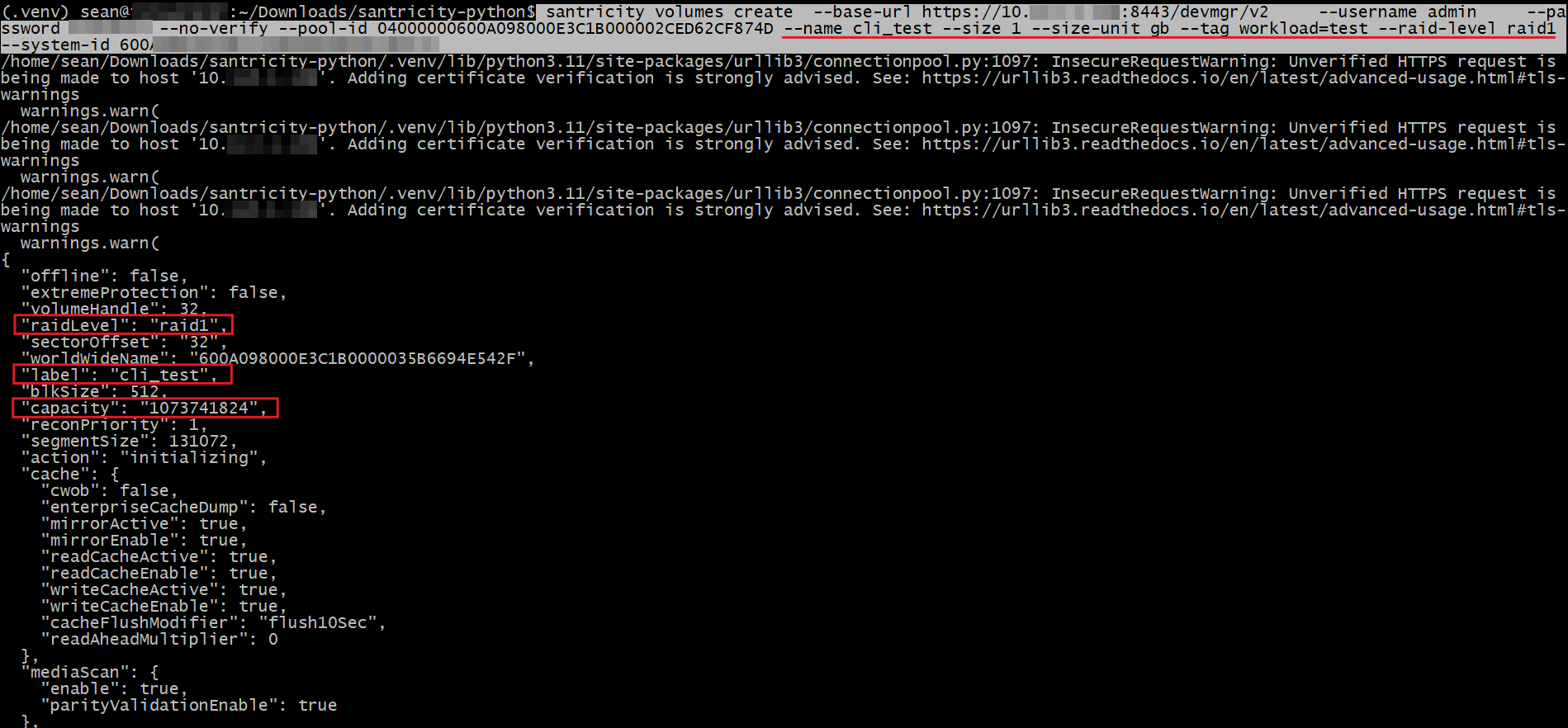
I should add "by name" output or "report" command to the CLI so that we don't have to deal with IDs. The reason it's not done (yet) is the library can be used to create helper functions, but I should probably add that so that it's available out-of-box.
Conclusion
One of the building blocks I wanted for higher-level integrations has been done. It will be posted to Github and Projects in coming days.
Ansible collection for SANtricity is better for complex and repeated workflows. This isn't for that. Now we have both.
We can now speed up Proxmox, LXD, Incus, ZFS, Hyper-V and other administration that involves SANtricity. For a handful of volumes, it doesn't take much longer to do the same in the SANtricity Web UI, but we cannot get storage naming consistency if hosts have physical volume names inconsistent with storage to which they're attached, which means UI-based creation is usually slow and there's copy-and-paste (or Excel) involved. This avoids that.
And now we can quickly build a SANtricity version of Firemox without starting from scratch.