NetApp StorageGRID for Vertica EON Mode
- WTF is EON Mode
- What do I need to do to get Vertica EON Mode work with StorageGRID
- Backup to S3
- Export data to S3
- StorageGRID sizing for performance and data protection
- Summary
- Configuration details
- Demo
- Appendix - Screenshots
WTF is EON Mode
Vertica DB in EON Mode is similar to Splunk with SmartStore enabled: you keep some data on compute nodes and most of it on object storage. I know this will upset some purists but if you want to know more please visit the Vertica documentation.
And just like with SmartStore, you can store your data in NetApp StorageGRID S3-compatible object storage. How that'd work with Splunk SmartStore, I wrote here.
What's good about EON Mode? Well, you may have noticed that scaling data and compute together isn't always a great pattern for data-intensive applications like Hadoop and Splunk, but also for container and VM clusters either (Kubernetes, HCI). Vertica EON Mode lets you right-size both compute and storage, simplify storage management, and improve data protection.
You can read about EON Mode in TFM.
What do I need to do to get Vertica EON Mode work with StorageGRID
Nothing. Just follow the Vertica and StorageGRID documentation.
To deploy Vertica I downloaded Community Edition and deployed it in VMs running on an older NetApp HCI system (H300E compute nodes, aka "Gen 1" h/w).
I mention hardware because Vertica runs validation tests which test network, CPU and I/O performance and even with default settings (I have not implemented recommendations for optimal BIOS settings), the VMs were able to pass validation.
This doesn't mean you should attempt to run Vertica on NetApp HCI (SoldiFire) storage because it's not meant for large analytics workloads. It is to say you can run a minimalistic Dev/Test environments in a NetApp HCI environment. For Vertica storage I'd prefer E-Series (see the Splunk SmartStore article above or my posts about Elastic on NetApp HCI), especially with Vertica in EON Mode when you don't need a lot of storage and backup Vertica data to StorageGRID as well. NetApp All Flash FAS (AFF) arrays can also provide sufficient performance and do more storage management-wise.
After your cluster is up and running, you create a database. This is where you decide to use EON Mode. Using Vertica Community Edition you can create only one, so if you choose Enterprise Mode you'll have to remove it first and then create a new one in EON Mode.
On StorageGRID, create a Tenant account, login as Tenant admin, create a bucket and S3 keys. In a production environment you'd create a non-root Tenant user for Vertica, issue the keys to that user and tighten backup bucket ACLs. The usual stuff.
TLS certificate for HTTPS
It appears that HTTPS access to S3-compatible object storage requires validation of TLS certificates on Vertica nodes.
I used HTTP to get around that as I had a self-signed TLS on StorageGRID load balancer (single VM!), and no DNS configuration in place.
IP address for S3 API endpoint
Vertica v10.0 specifically asks for the IP address of object storage.
I haven't tried to use FQDN for S3 API end-point because I didn't have one in my environment, but for StorageGRID it doesn't make much difference either way: best practice is to have TLS in place, and for that you need FQDN.
S3 bucket and region name
Use any allowed but don't get too fancy. I used vertica.
I used path-style buckets (s3.org.com/bucket) and left the default (us-east-1) StorageGRID region in place.
Configuration details for Object Storage
awsauth = SG_Access_Key:SG_Secret_Key
awsendpoint = SG_Load_Balancer:SG_Load_Balancer_Port
awsenablehttps = 0|1
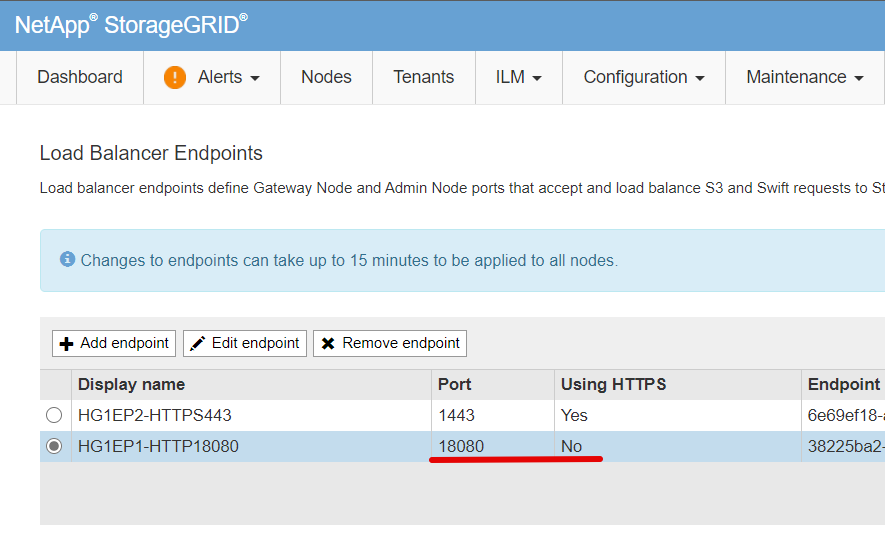
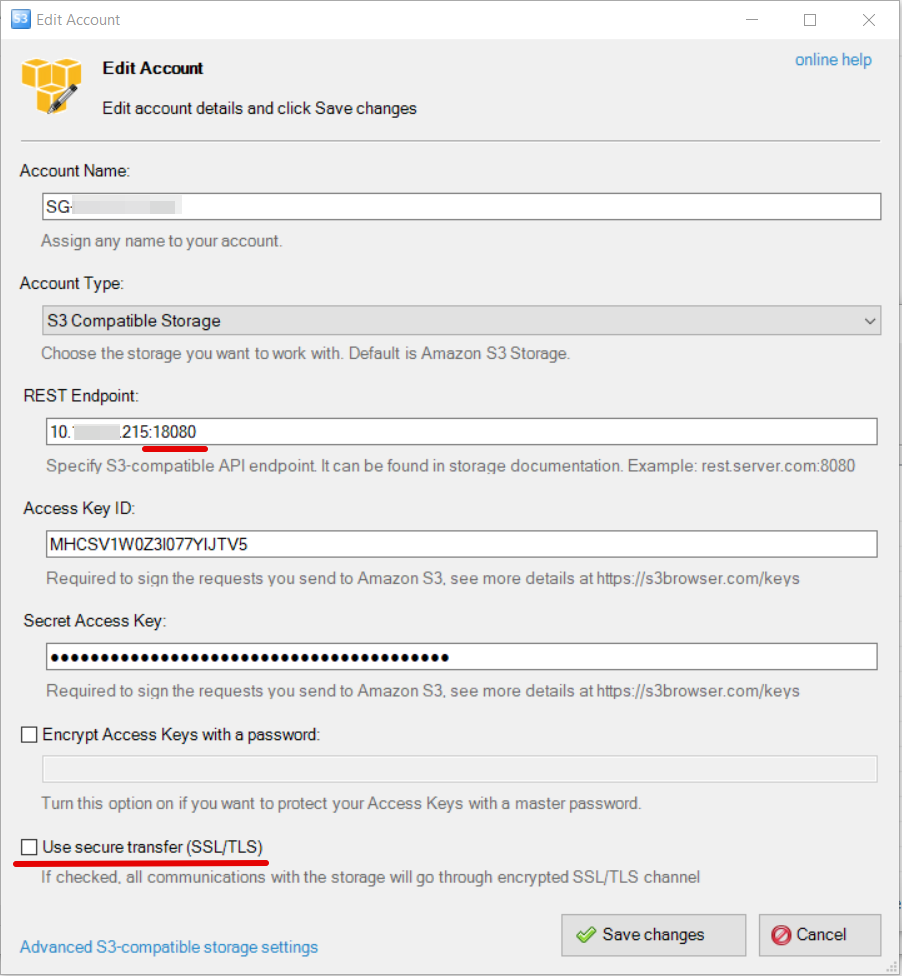
I used a StorageGRID load balancer IP with the last IP octet 215, port 18080 (this was HTTP, not HTTPS which I had at 1443), so my auth_params.conf looked like this:
awsauth = MHC...TV5:xxxxxxxxxxxxxxxxxxxxxxx
awsendpoint = 10.x.x.215:18080
awsenablehttps = 0
Using this back-end, to create an EON Mode database scaleoutsean in the bucket s3://vertica:
$ admintools -t create_db -x auth_params.conf \
  --communal-storage-location=s3://vertica \
  --depot-path=/home/dbadmin/scaleoutsean --shard-count=12 \
  -s vertica1,vertica2,vertica3 -d scaleoutsean -p 'NetApp123'
The Vertica documentation indicates /home/dbadmin/depot is the usual choice for depot-path, but it's up to you. Use admintools -t create_db --help to get the details on all of the options. There's a forgiving Web-based "Create database" wizard for this step so you don't have to worry about the CLI.
For production clusters consult the documentation (or better, get advice from a Vertica specialist) for best practices regarding the number of shards.
Backup to S3
This is another use case (different from EON Mode).
To quote TFM: "Vertica supports backing up to S3-compatible storage either in the cloud (AWS S3) or on-premises (Pure Storage FlashBlades, Minio, etc.) in both Enterprise Mode and Eon Mode." (emphasis mine)
You should create another bucket for Vertica backup-to-S3 (you don't want to use the same bucket for EON Mode data and backup - s3://scaleoutsean/vertica for data and s3://scaleoutsean/vertica/backup for backups - because one mistake can destroy everything).
You could (should, in fact) use a different Tenant user and another set of S3 keys for the backup bucket.
If your StorageGRID is running on just one site, consider setting up up StorageGRID replication to public cloud S3. Users of StorageGRID clusters running across two or three sites, or with multiple StorageGRID clusters, have additional options to protect storage by replicating data to other sites or different StorageGRID clusters.
Sample Vertica backup configuration file for S3-compatible storage can be found here.
I haven't tested Backup to S3 because I didn't see any indications that its requirements might differ from Vertica EON Mode requirements.
Export data to S3
This is for when you want to export data to S3.
"Vertica does not support virtual host style URLs. If you use HTTPS URL constructions, you must use path style URLs." (source)
StorageGRID sizing for performance and data protection
Random sequential reads and writes are common to other analytics workloads.
Generally speaking you'd prefer a higher number of smaller capacity units over over fewer large capacity units, as well as latest generation nodes for lower latency, so consider using more latest StorageGRID appliances with HDDs. At this moment, that is the SG6060.
A StorageGRID cluster can consist of HDD- and SSD-backed nodes, so for large clusters you could fine-tune your configuration using SSD-based StorageGRID appliances, and for small clusters that need SSDs you could use StorageGRID software (VMs connected to all-flash E-Series storage arrays). For very busy clusters you could use all-flash StorageGRID appliances.
For up to half a dozen StorageGRID appliances use a smaller load balancer like SG100. Above that, use the big one (SG1000).
Of course, the above "thoughts" are just generic musings. For EON Mode in production you'd want to first work with a Vertica specialist to figure out what you need in terms of capacity, performance and data protection, and with that engage a StorageGRID specialist to translate that into a StorageGRID (and possibly EF or AFF) configuration.
Summary
Vertica v10.0 in EON Mode is easy to configure with NetApp StorageGRID - just follow the Vertica and StorageGRID documentation.
Configuration details
- Vertica 10.1.0 (running in CentOS 7 VMs)
- StorageGRID 11.4 (virtualized on NetApp HCI)
- NetApp HCI H300 compute nodes and H410S storage nodes
Demo
Find it here (2m48s).
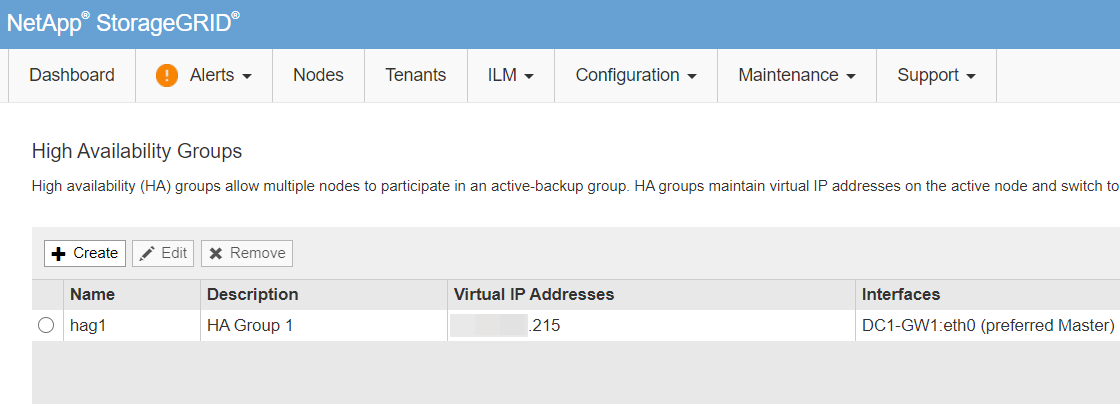
In video I screwed up by connecting Vertica to the wrong IP of S3 API load balancer (physical .214 instead of virtual .215) but I didn't notice it until much later. In production that would impact high availability (which I didn't have anyway) and security.
Appendix - Screenshots
- NetApp HCI Gen 1 ESXi hosts running StorageGRID and Vertica VMs
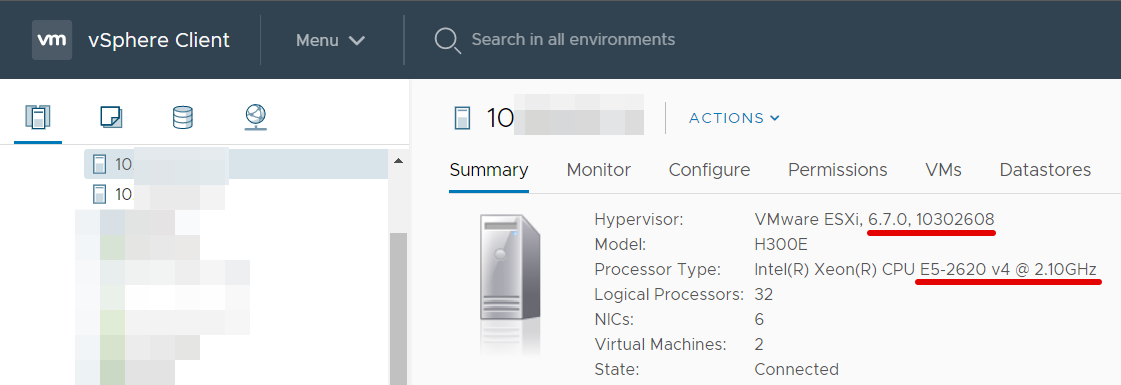
- Vertica and StorageGRID are virtualized. This setup isn't recommended for production use.

- StorageGRID S3 API gateway. All StorageGRID nodes were running as VMs on the same NetApp HCI cluster.
DC1-GW1is the only S3 API gateway node we have (in production we'd have two, in a lab we can get away with one and VMware HA).

- Load balancer configuration (we use HTTP at 18080, with single API gateway VM (no HA)). For production use we'd use an HA pair of physical load balancers.
- This "HA Group" in my lab has only the API gateway node x.x.x.214 (not HA at all)
- Vertica OS (VM) configuration is easy - and everything is documented - but if you don't RTFM be ready to run this few times more than expected. It's not often that you can configure something by reading only the official docs! The RPM name indicates the package may be for RHEL 6 but it is the right RPM for RHEL (and CentOS) 7.
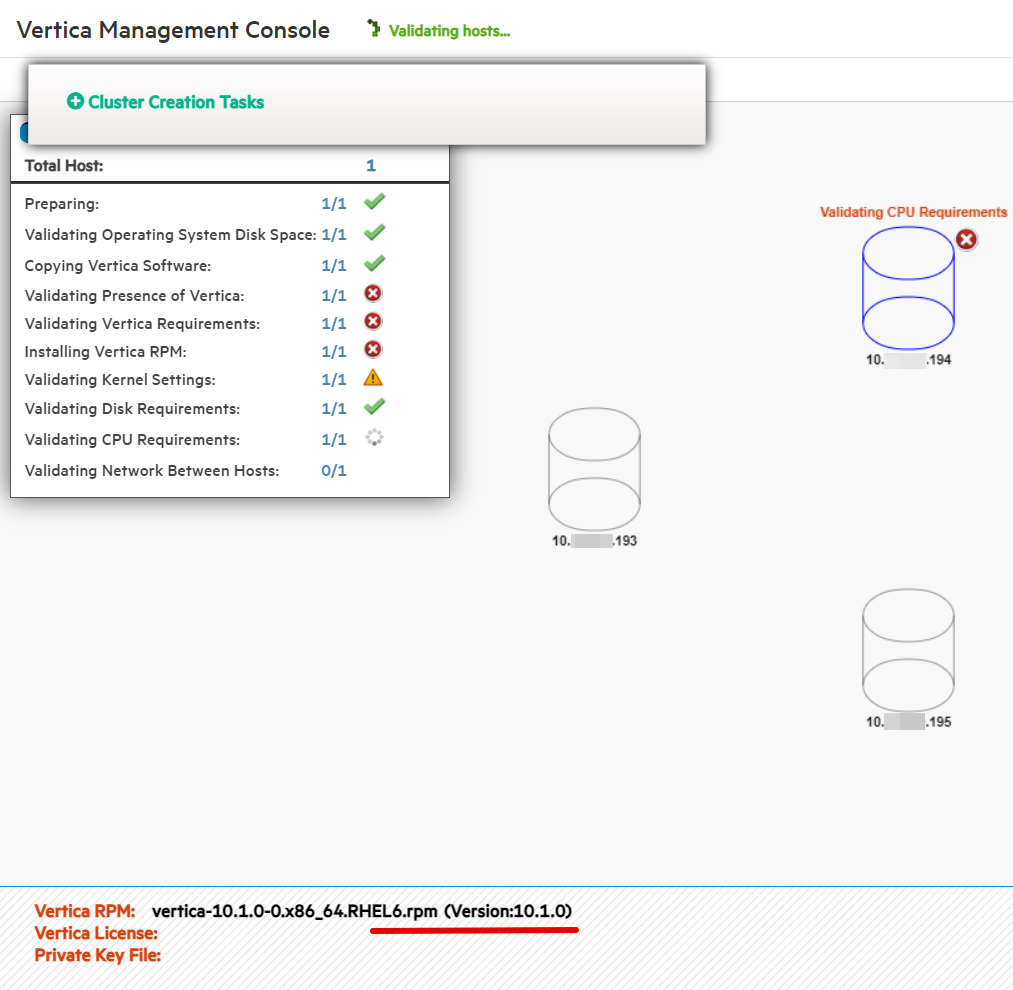
- An attempt to configure EON Mode using a (very) remote StorageGRID timed out. I wish I tested FQDN instead of IP here, because that host did have a FQDN, but I forgot.
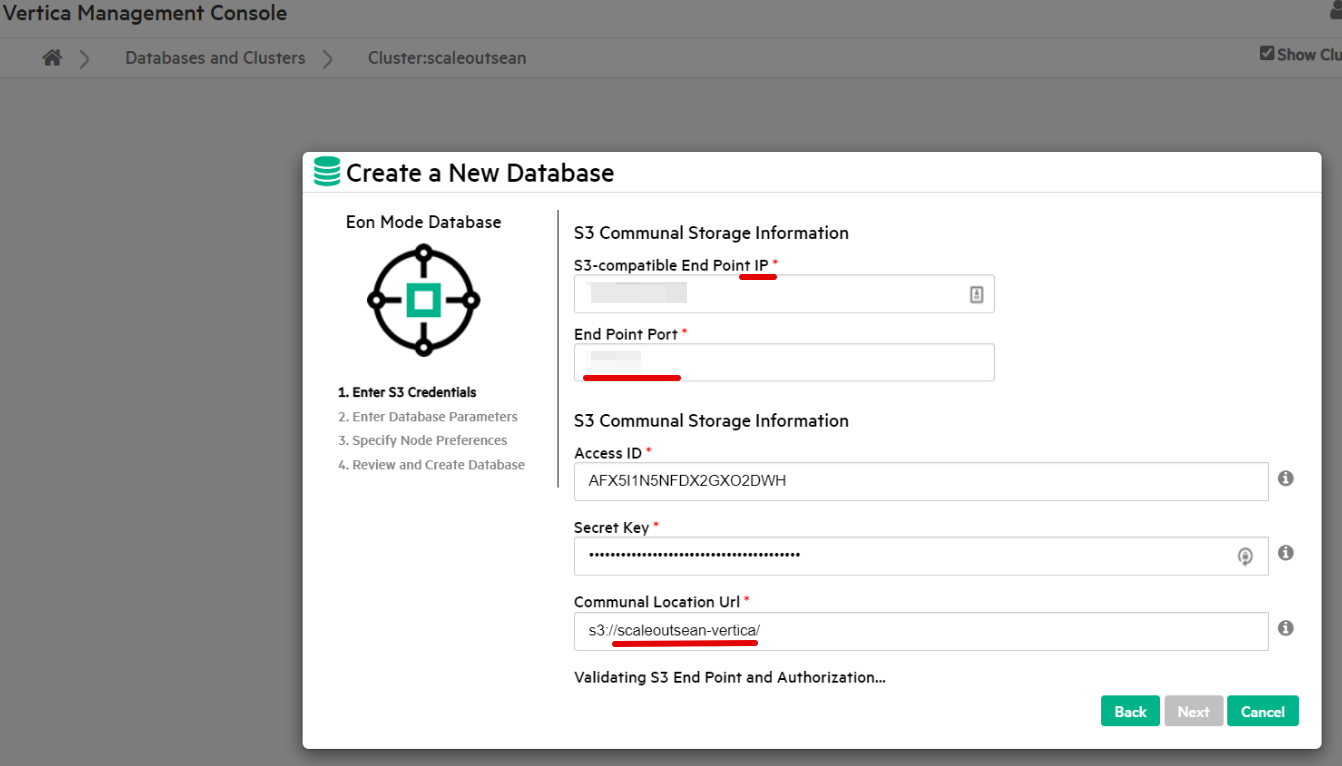
- Once you go through all steps of a Web UI-driven database creation wizard, Vertica will create an EON Mode database

- That creates a tiny bit of traffic on the StorageGRID S3 API gateway

- With that in place our DB becomes visible in Vertica's MC (management console), with Vertica nodes x.x.x.193, x.x.x.194, x.x.x.195 and we can switch to Dark Theme and appreciate the outcome!
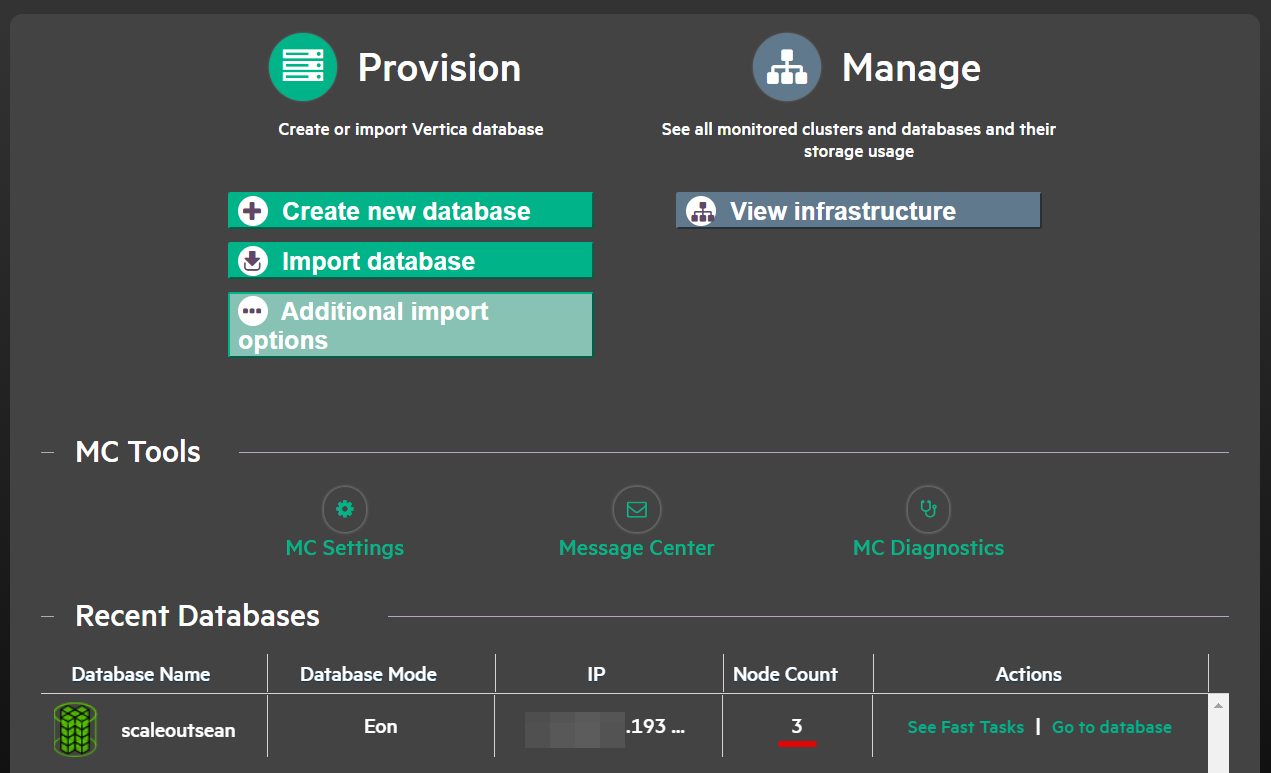
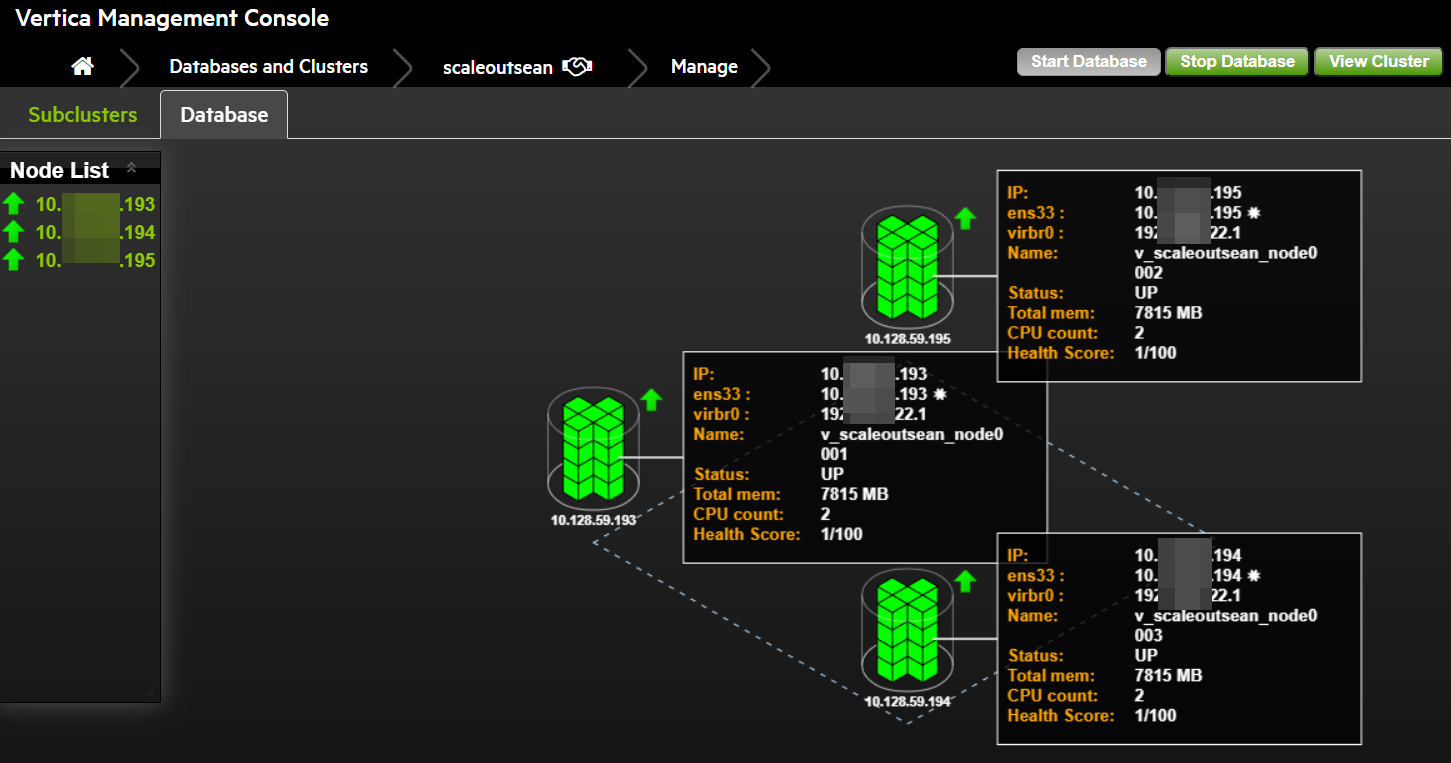

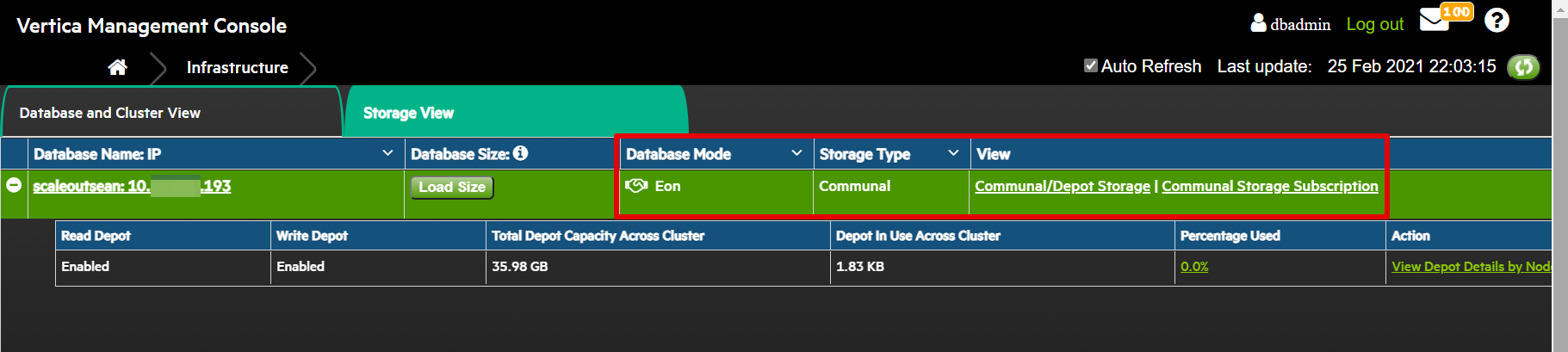
- The scaleoutsean database is using Communal Storage (S3)
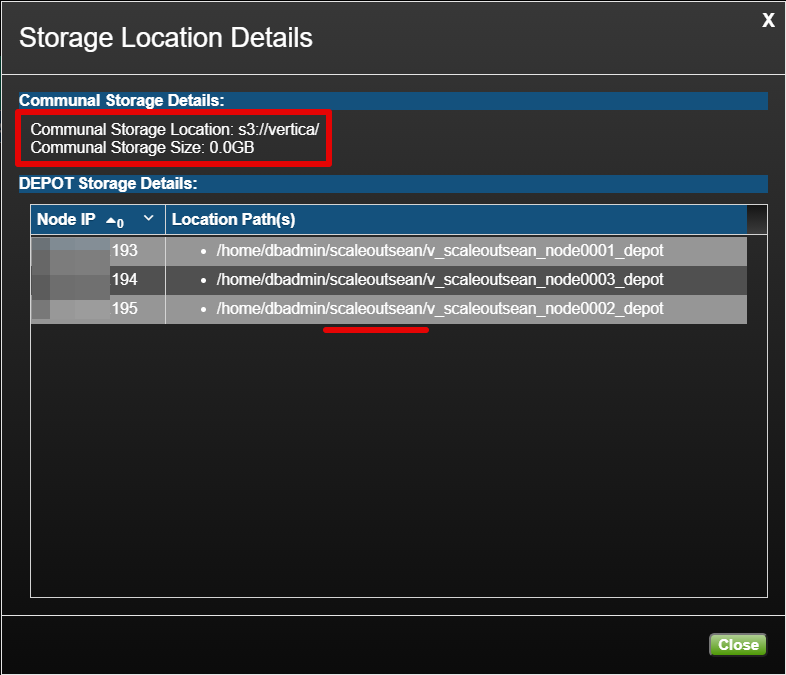
- Communal (S3) storage view shows bucket s3://vertica and depot-path I used in the CLI example above (/home/dbadmin/scaleoutsean)
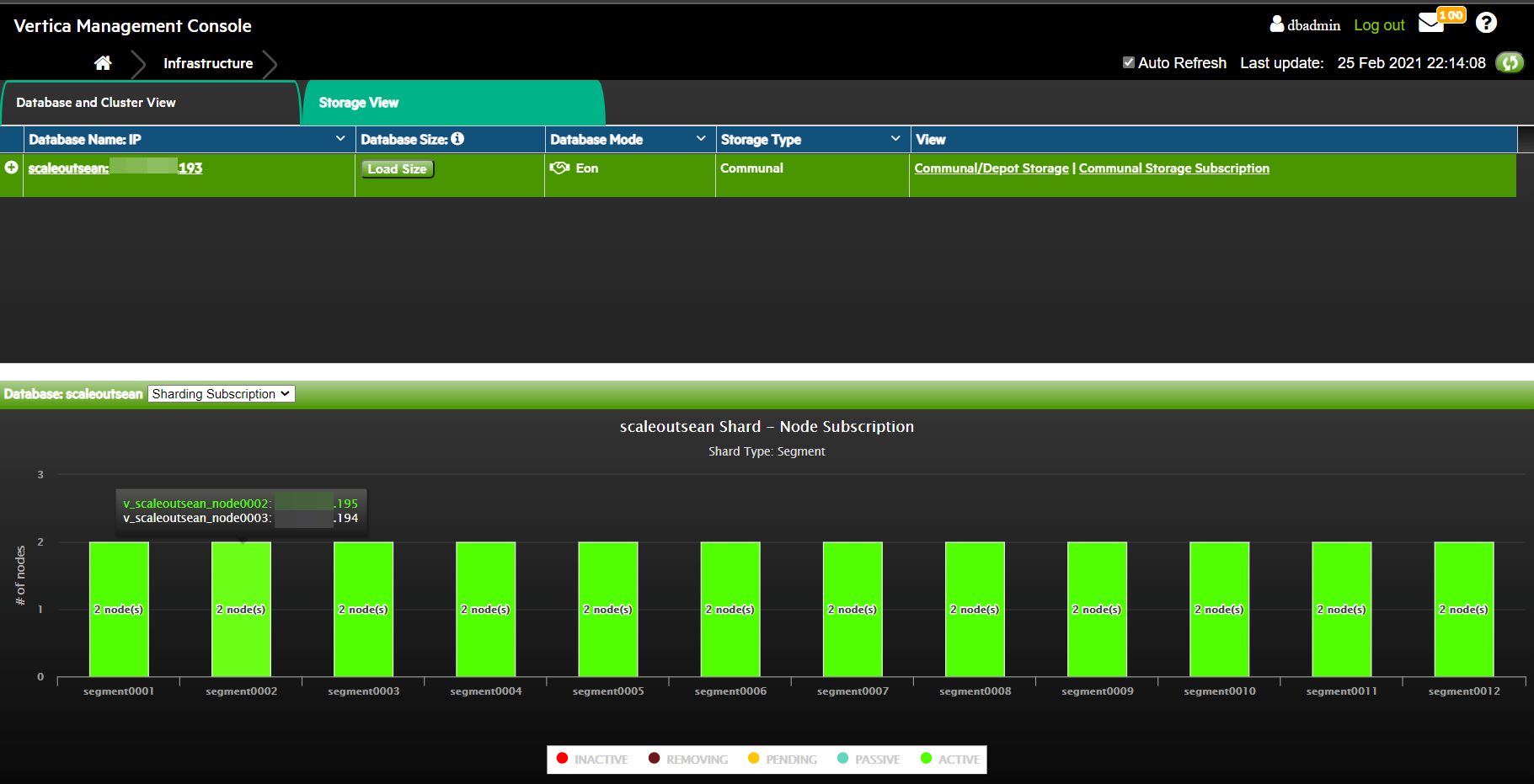
- Sharding subscription by segment
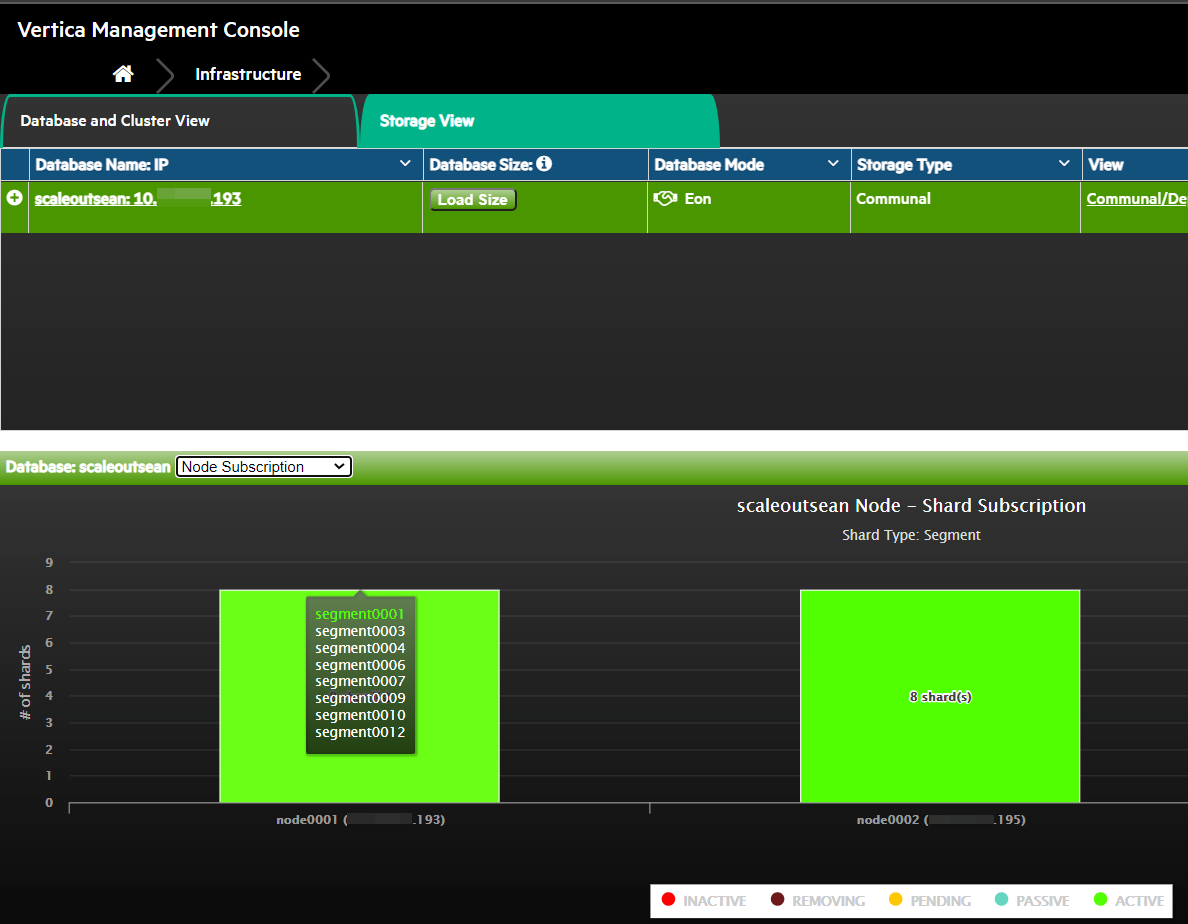
- Sharding subscription by node
- Initial data structures in the StorageGRID
verticabucket

- Same account accessed over HTTP using S3 Browser:


- Vertica MC (Dark Theme) with EON Mode visible in top right corner.
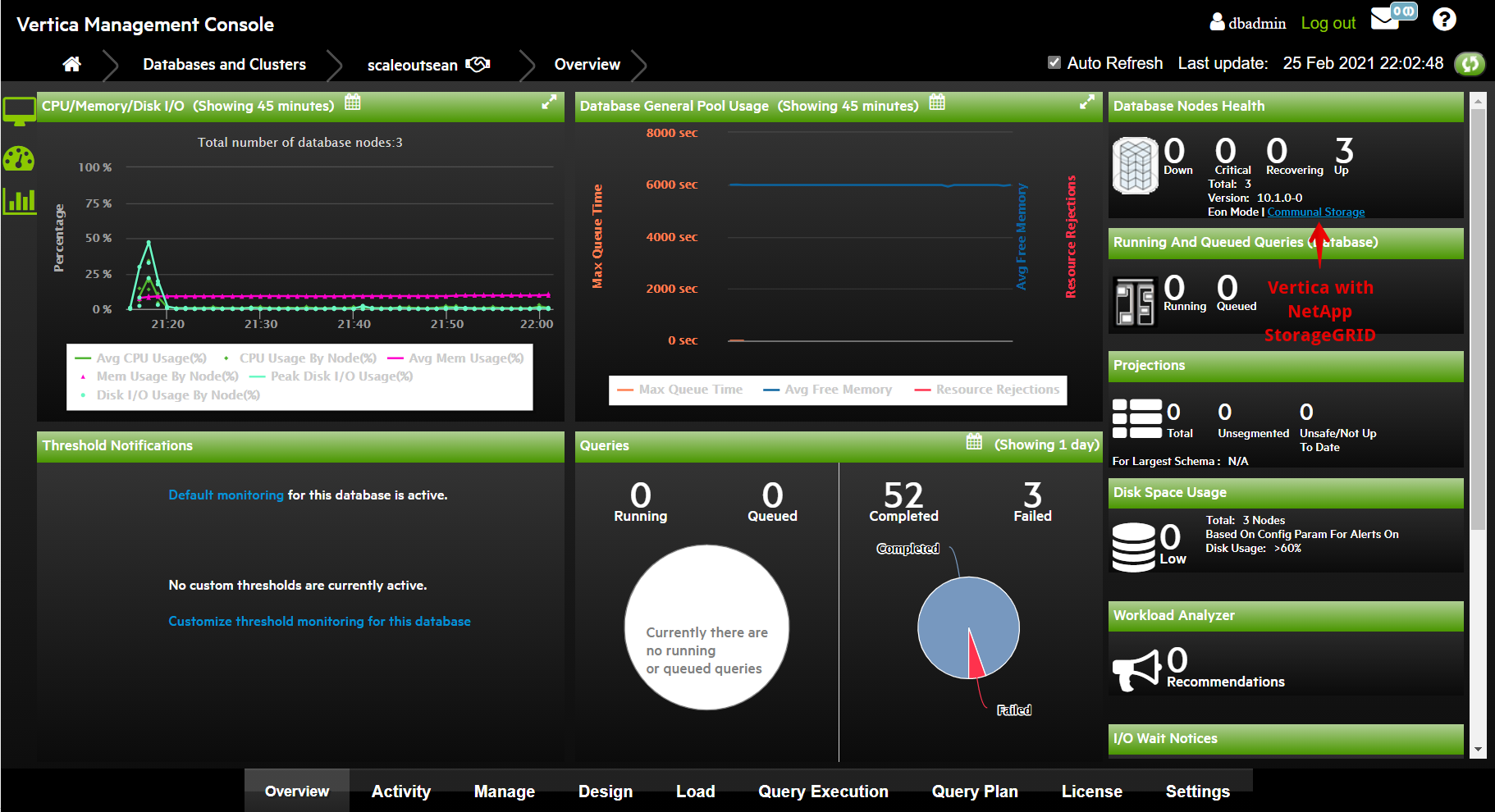
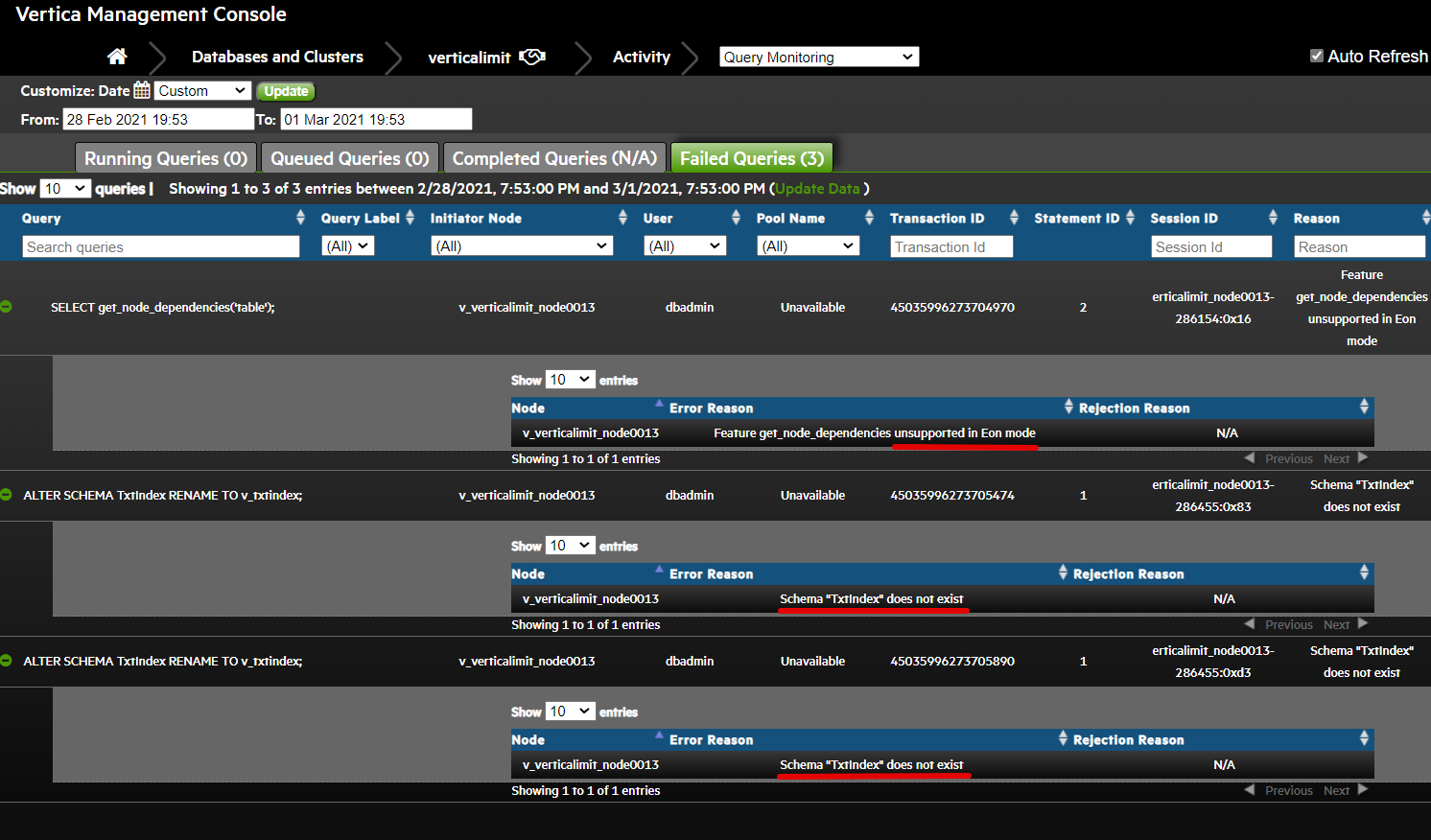
- In the screenshot above one pie chart shows 3 failed queries which I thought was related to my rebooting the sole StorageGRID API Gateway VM to reconfigure it with more RAM. It turns out those are harmless (one is a query not supported in EON mode, two are about a missing index).