S3 service for BeeGFS using Hashicorp Nomad and MinIO gateway
I have a small Nomad cluster which can access a BeeGFS filesystem.
One of these host runs Nomad server and client, another runs just Nomad client. Both are also BeeGFS clients.
I want to make a BeeGFS directory accessible via S3. Download MinIO, accept the license, etc. Then run this Nomad job.
job "minio-service" {
  datacenters = ["dc1"]
  type = "service"
  group "nodes" {
    count = "2"
    constraint {
      distinct_hosts = "true"
    }
    task "payload" {
      driver = "raw_exec"
      user = "root"
      config {
        command = "minio"
        args    = ["server", "--address", ":9000", "--console-address", ":9090", "/mnt/beegfs/data-volume"]
      }
    }
  }
}
This results in each BeeGFS client running a MinIO server.

Each MinIO instance can be accessed on Nomad/BeeGFS client's IP address. Create a bucket (test) and upload a file to it.
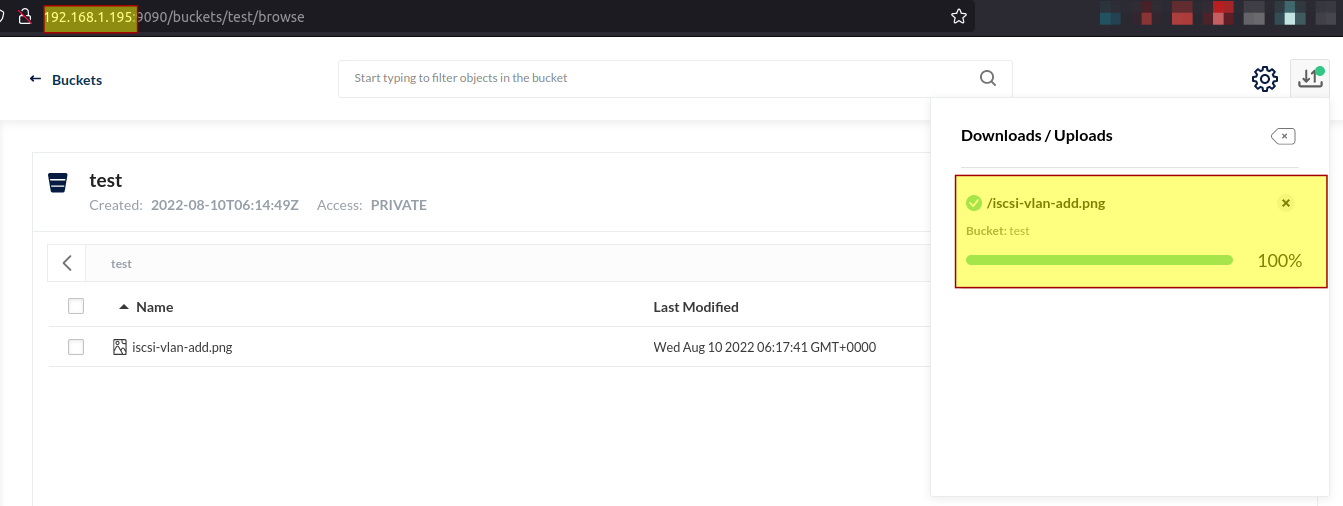
On the other Nomad/BeeGFS node, we can see the bucket test and file even though the instances are completely independent:
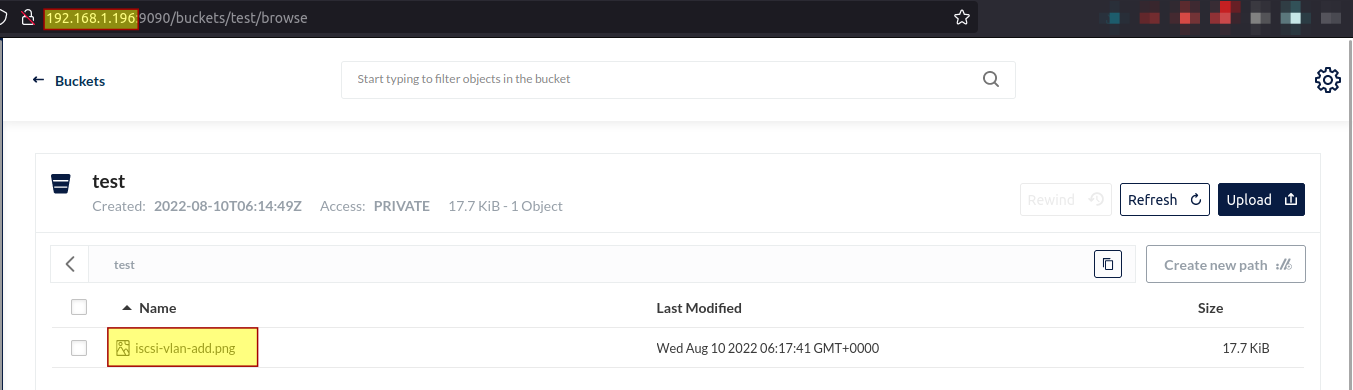
This test bucket can be viewed from any BeeGFS client that has access to that path.
$ dir -lat /mnt/beegfs/data-volume/test
total 2
drwxr-xr-x 3 root             root             1 Aug 10 06:34 .
drwxr-xr-x 2 root             root             1 Aug 10 06:17 iscsi-vlan-add.png
drwxrwxrwx 4 systemd-coredump systemd-coredump 4 Aug 10 06:14 ..
(systemd-coredump can be ignored - Docker used to map to that user's UID/GID but username has changed since then)
That object can be accessed from either of the MinIO stand-alone server instances because they can both access data on shared file system and use the same user (root) to run.

One Nomad client was rebooted to see if Nomad server could detect it.

After the rebooted Nomad client recovered, Nomad restarted MinIO service on it, and everything was fine again.
Challenges and To-Do's
This setup looks usable. But there be dangers.
For example, one thing I didn't notice before is that MinIO objects are saved as directories. That's interesting… I have an older MinIO elsewhere and it doesn't save objects as directories. After writing this post I looked it up and the details are available here.
In any case, because of that one can't just create a file on Nomad/BeeGFS client and see it in the MinIO Web UI.
To copy an object, I copied the existing image file like this:
$ cp -pr iscsi-vlan-add iscsi-vlan-add-sytem-copy

$ ll
total 2
drwxr-xr-x 4 root             root             2 Aug 10 06:52 ./
drwxrwxrwx 4 systemd-coredump systemd-coredump 4 Aug 10 06:14 ../
drwxr-xr-x 2 root             root             1 Aug 10 06:17 iscsi-vlan-add-system-copy.png/
drwxr-xr-x 2 root             root             1 Aug 10 06:17 iscsi-vlan-add.png/
What's in those subdirectories? Object data (and probably some metadata) in binary format.
$ ll iscsi-vlan-add-system-copy.png/
total 20
drwxr-xr-x 2 root root     1 Aug 10 06:17 ./
drwxr-xr-x 4 root root     2 Aug 10 06:52 ../
-rw-r--r-- 1 root root 18497 Aug 10 06:17 xl.meta
When a MinIO object is created like that, it can be viewed and accessed from the MinIO Web console.

To create a new image from Linux shell, I had to create a directory and copy existing xl.meta from another directory. That worked - I was able to see (preview) the new image in MinIO console.
$ mkdir cli-image.png

$ ll
total 2
drwxr-xr-x 5 root             root             3 Aug 10 06:59 ./
drwxrwxrwx 4 systemd-coredump systemd-coredump 4 Aug 10 06:14 ../
drwxr-xr-x 2 root             root             0 Aug 10 06:59 cli-image.png/
drwxr-xr-x 2 root             root             1 Aug 10 06:17 iscsi-vlan-add-system-copy.png/
drwxr-xr-x 2 root             root             1 Aug 10 06:17 iscsi-vlan-add.png/

$ cp -pr iscsi-vlan-add.png/xl.meta cli-image.png/
This isn't very convenient, and as noted earlier, these binary blobs could contain various object metadata so it may be dangerous to copy them like this. Instead, we should deploy MinIO client to copy data from BeeGFS to MinIO directory on BeeGFS (or in reverse).
Copying in reverse is just as inconvenient. And there may be other issues with larger (multi-part) objects. As long as we can't avoid this behavior we must use the S3 API to copy files to and from MinIO bucket.
Of course, all this is very inefficient as data moves between BeeGFS and MinIO via S3 client even though the file and object may be on the same file system.
Maybe one could deploy an older version of MinIO (in which objects map to files 1:1), and then upgrade MinIO to latest to get the old 1:1 mapping between files and objects and still have a new version with bug and security updates. My long-running MinIO instance setup some time ago but now running "latest", still creates new objects with 1:1 mapping, which indicates that this workaround could work (edit: I've since tried this on a new system and it works for now; edit 2 (Dec 15, 2022): see this).
In terms of making this deployment production-worthy, we should not run MinIO service as root, we should use TLS certificates, deploy Consul (for service mesh) and Vault (for secrets), and add a front-end HTTPS load-balancer. You've probably noticed I didn't create any users in MinIO but if I did, I'd have to do that consistently on both sides which wouldn't be fun, even if it worked, so it'd be better to use external authentication (OpenID, ADS, LDAP) for non-admin users.
Individual users who need S3 for upload/download via S3 to a directory they own could probably run a single stand-alone MinIO instance using their user name (rather than the root user) - just make sure to get a TLS certificate and a matching DNS entry, and configure a non-default MinIO admin name and password. Maybe also pick a non-default port to avoid port collision with other MinIO instances (if you can't use Consul or existing reverse proxy). But if security and auditing are required, it's best to have MinIO properly managed by administrators.