Use ONTAP S3 as backup destination for Velero
Update (2024/06): I haven't tested this yet, but it seems after Velero AWS Plugin v1.9, ONTAP S3 users can no longer use Velero. One workaround for this is to uninstall Velero plugin for AWS v.1.9 or v1.10 and install v1.8.2 (latest v1.8). See Velero AWS Plugin and SignatureDoesNotMatch nonsense for a troubleshooting fest with ONTAP 9.14.1 and Velero v1.14.0.
Introduction
Velero v1.11 works with regular ONTAP S3 buckets in ONTAP 9.12.1 (maybe even earlier versions, but I haven't tested earlier versions).
- Velero v1.11.1 with AWS Plugin 1.7.1
- ONTAP 9.12.1 with "standard" S3 bucket served over HTTP
On ONTAP configure S3, create bucket and credentials. I haven't investigated what S3 API methods are required so I enabled all. But you could test Velero and examine audit log or find the list of required API calls.
Install Velero as you normally would. If you don't have ONTAP S3 on HTTPS/TLS, you can use HTTP. That's what I did in testing.
I also did not use CSI plugin. I used Restic instead.
Screenshots
ONTAP S3 bucket. I didn't have a valid TLS certificate so I used HTTP instead.
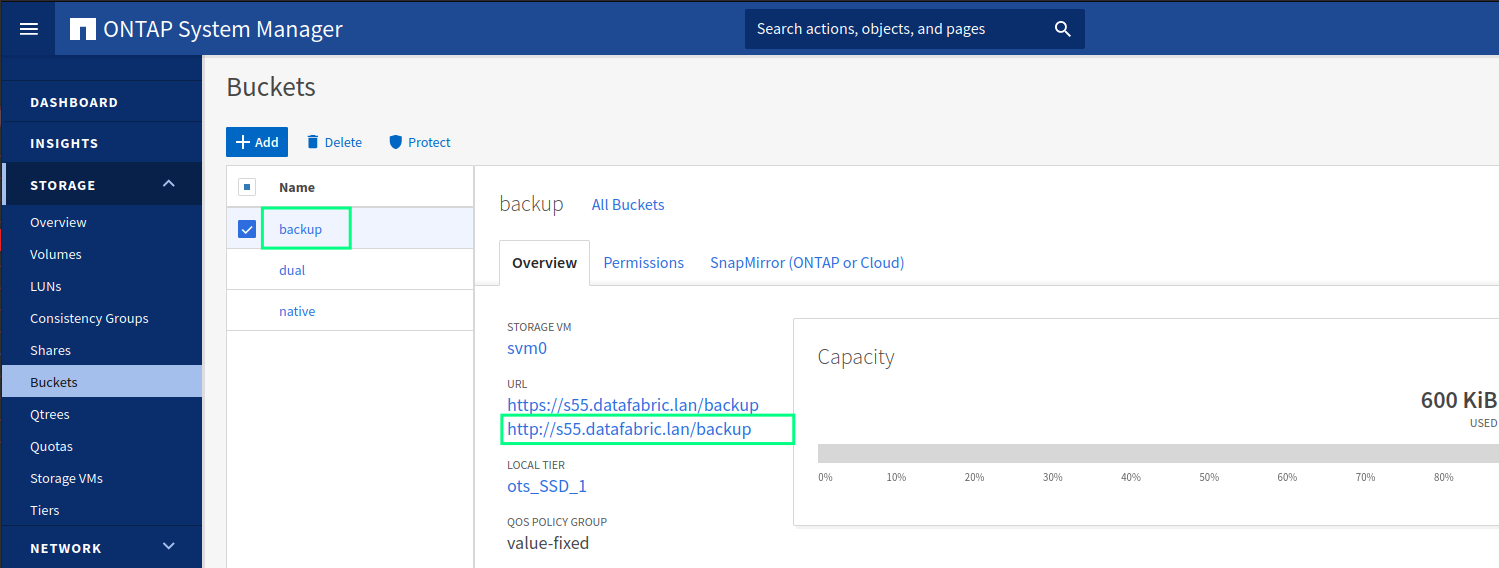
Notice how the bucket already uses 600kB. That's because this screenshot was taken after the first backup.
Backup was done on a generic NGINX container. The purpose was to test ONTAP S3, not CSI.
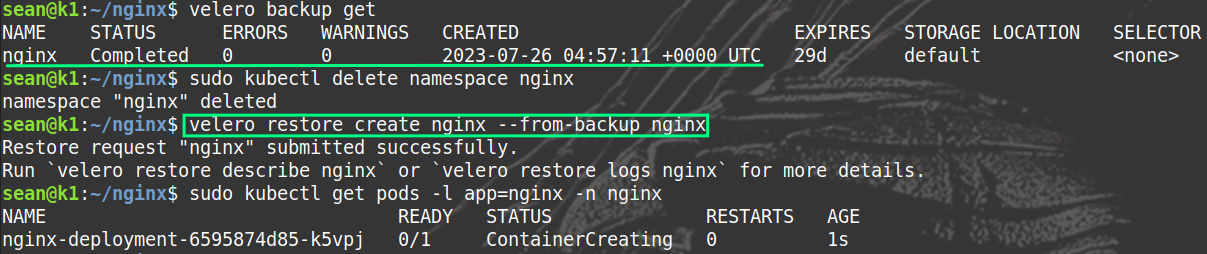
This minimal backup generated the following data (600KB, also visible in the first screenshot).
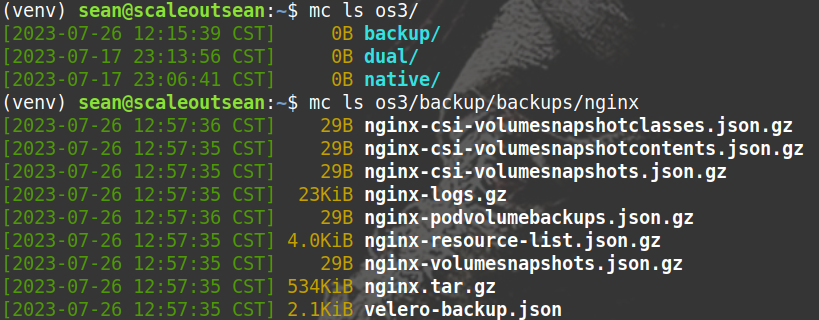
Restore also worked.
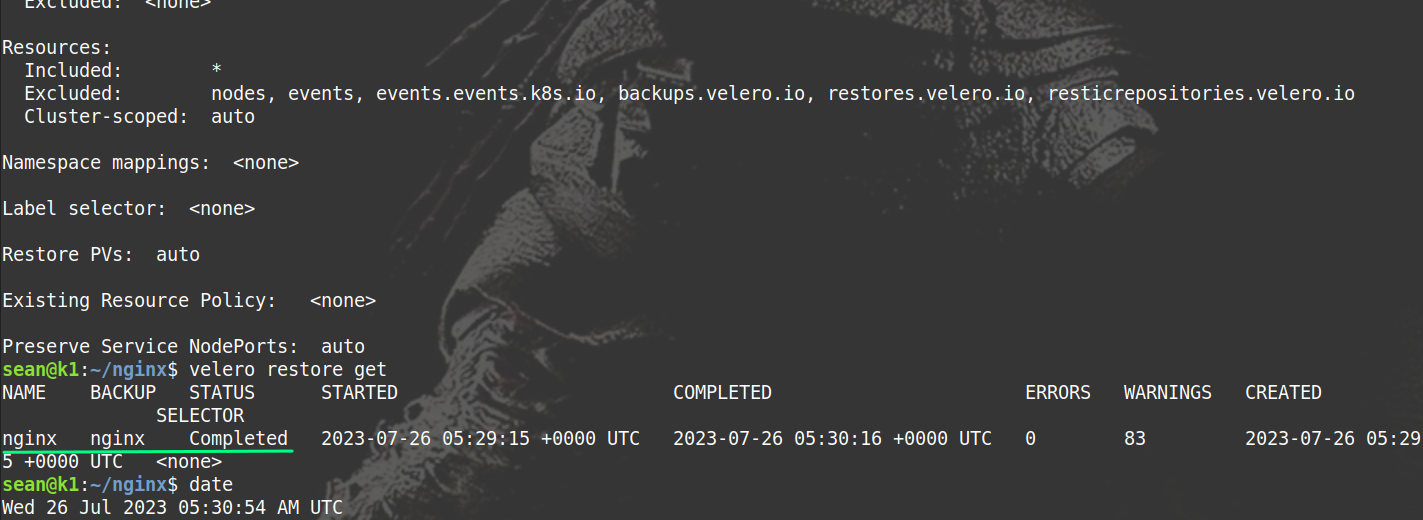
CLI output
While installing:
sean@k1:~/velero$ sudo kubectl logs deployment/velero -n velero
Defaulted container "velero" out of: velero, velero-velero-plugin-for-aws (init)
Error from server (BadRequest): container "velero" in pod "velero-557d4cf549-28g8m" is waiting to start: PodInitializing

sean@k1:~/velero$ sudo kubectl logs deployment/velero -n velero
Defaulted container "velero" out of: velero, velero-velero-plugin-for-aws (init)
Error from server (BadRequest): container "velero" in pod "velero-557d4cf549-75nl5" is waiting to start: PodInitializing

sean@k1:~/velero$ sudo kubectl get namespaces
NAME                   STATUS   AGE
kube-public            Active   304d
kube-node-lease        Active   304d
cert-manager           Active   289d
default                Active   304d
kube-system            Active   304d
kubernetes-dashboard   Active   288d
trident                Active   174d
velero                 Active   35s
Create generic app:
sean@k1:~/nginx$ sudo kubectl apply -f deploy.yaml -n nginx
deployment.apps/nginx-deployment created

sean@k1:~/nginx$ sudo kubectl get pods -l app=nginx -n nginx
NAME                                READY   STATUS    RESTARTS   AGE
nginx-deployment-6595874d85-k5vpj   1/1     Running   0          20s
Backup app:
sean@k1:~/nginx$ velero backup create nginx
Backup request "nginx" submitted successfully.
Run `velero backup describe nginx` or `velero backup logs nginx` for more details.


sean@k1:~/nginx$ velero backup get
NAME    STATUS      ERRORS   WARNINGS   CREATED                         EXPIRES   STORAGE LOCATION   SELECTOR
nginx   Completed   0        0          2023-07-26 04:57:11 +0000 UTC   29d       default            <none>
Delete app, restore from backup:
sean@k1:~/nginx$ sudo kubectl delete namespace nginx
namespace "nginx" deleted

sean@k1:~/nginx$ velero restore create nginx --from-backup nginx
Restore request "nginx" submitted successfully.
Run `velero restore describe nginx` or `velero restore logs nginx` for more details.

sean@k1:~/nginx$ sudo kubectl get pods -l app=nginx -n nginx
NAME                                READY   STATUS              RESTARTS   AGE
nginx-deployment-6595874d85-k5vpj   0/1     ContainerCreating   0          1s
sean@k1:~/nginx$ velero restore describe nginx
Name:         nginx
Namespace:    velero
Labels:       <none>
Annotations:  <none>

Phase:                                 InProgress
Estimated total items to be restored:  584
Items restored so far:                 435

Started:    2023-07-26 05:29:15 +0000 UTC
Completed:  <n/a>

Backup:  nginx

Namespaces:
  Included:  all namespaces found in the backup
  Excluded:  <none>

Resources:
  Included:        *
  Excluded:        nodes, events, events.events.k8s.io, backups.velero.io, restores.velero.io, resticrepositories.velero.io
  Cluster-scoped:  auto

Namespace mappings:  <none>

Label selector:  <none>

Restore PVs:  auto

Existing Resource Policy:   <none>

Preserve Service NodePorts:  auto

sean@k1:~/nginx$ velero restore get
NAME    BACKUP   STATUS      STARTED                         COMPLETED                       ERRORS   WARNINGS   CREATED                         SELECTOR
nginx   nginx    Completed   2023-07-26 05:29:15 +0000 UTC   2023-07-26 05:30:16 +0000 UTC   0        83         2023-07-26 05:29:15 +0000 UTC   <none>

sean@k1:~/nginx$ date
Wed 26 Jul 2023 05:30:54 AM UTC
The last command above, velero restore get, shows restore worked.
List of backup objects:
$ mc ls os3/backup/backups/nginx
[2023-07-26 12:57:36 CST]    29B nginx-csi-volumesnapshotclasses.json.gz
[2023-07-26 12:57:35 CST]    29B nginx-csi-volumesnapshotcontents.json.gz
[2023-07-26 12:57:35 CST]    29B nginx-csi-volumesnapshots.json.gz
[2023-07-26 12:57:35 CST]  23KiB nginx-logs.gz
[2023-07-26 12:57:36 CST]    29B nginx-podvolumebackups.json.gz
[2023-07-26 12:57:35 CST] 4.0KiB nginx-resource-list.json.gz
[2023-07-26 12:57:35 CST]    29B nginx-volumesnapshots.json.gz
[2023-07-26 12:57:35 CST] 534KiB nginx.tar.gz
[2023-07-26 12:57:35 CST] 2.1KiB velero-backup.json
Velero is included in at least one commercial backup offering, Cloud Casa, about which I blogged recently.