Use Simple Backups to file-backup cloned SolidFire volumes to S3/B2
- What is Simple Backups?
- Use Simple Backups for File-type backup with SolidFire clones mounted to a "backup VM"
- Thoughts on Simple Backups
- Conclusion
What is Simple Backups?
Today I evaluated Simple Backups, a managed backup-as-a-service.
Simple Backups can backup applications and files. As applications are backed up using application clients or APIs, there is nothing SolidFire-related there so I skipped that part and focused on file backup.
When you use Simple Backups with block volumes in the public cloud, Simple Backups does this you:
- Use the cloud storage provider API to take a snapshot
- Mounts the snapshot or its clone
- Backs it up based on job definition
They also work on-premises, but currently cannot do the first two steps for you.
SolidBackup is a PoC type of project of mine that does three things:
- snapshot and clone a list of SolidFire volumes
- mount them all in one VM
- backup data to S3 (by default using restic, but I also tried a few other tools)
We can use SolidBackup to make data available for backup, and then use Simple Backups' file backup to copy data to S3, Simple Backups' cloud service, or local NAS device.
Use Simple Backups for File-type backup with SolidFire clones mounted to a "backup VM"
For this PoC I didn't even use SolidBackup's mount script - I simply manually cloned and then mounted one of the SolidFire volumes I created yesterday. On the same VM, I deployed Simple Backups' "worker" agent.
That can be done automatically or semi-automatically. I used the automatic approach. I had to open this VM to 3-4 Simple Backups' IPs on port 22. Normally we'd use some dedicated user, but I used my personal test account on this test VM.
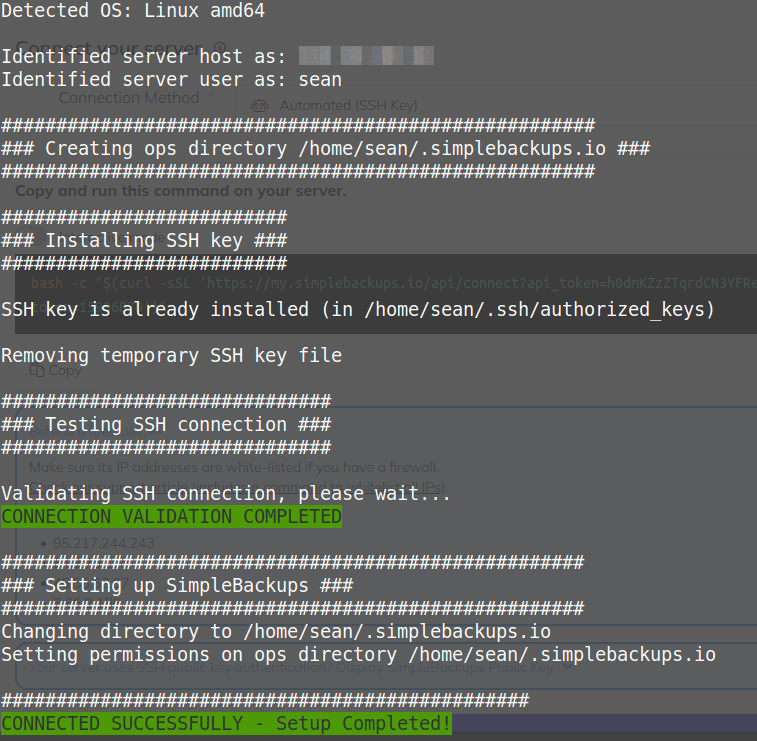
Before I could create and run a backup job, I needed to simulate SolidBackup's "clone & mount" steps, by manually mounting a volume I cloned in the SolidFire Web UI. Then I defined a Simple Backups backup job to backup files in that mount path.
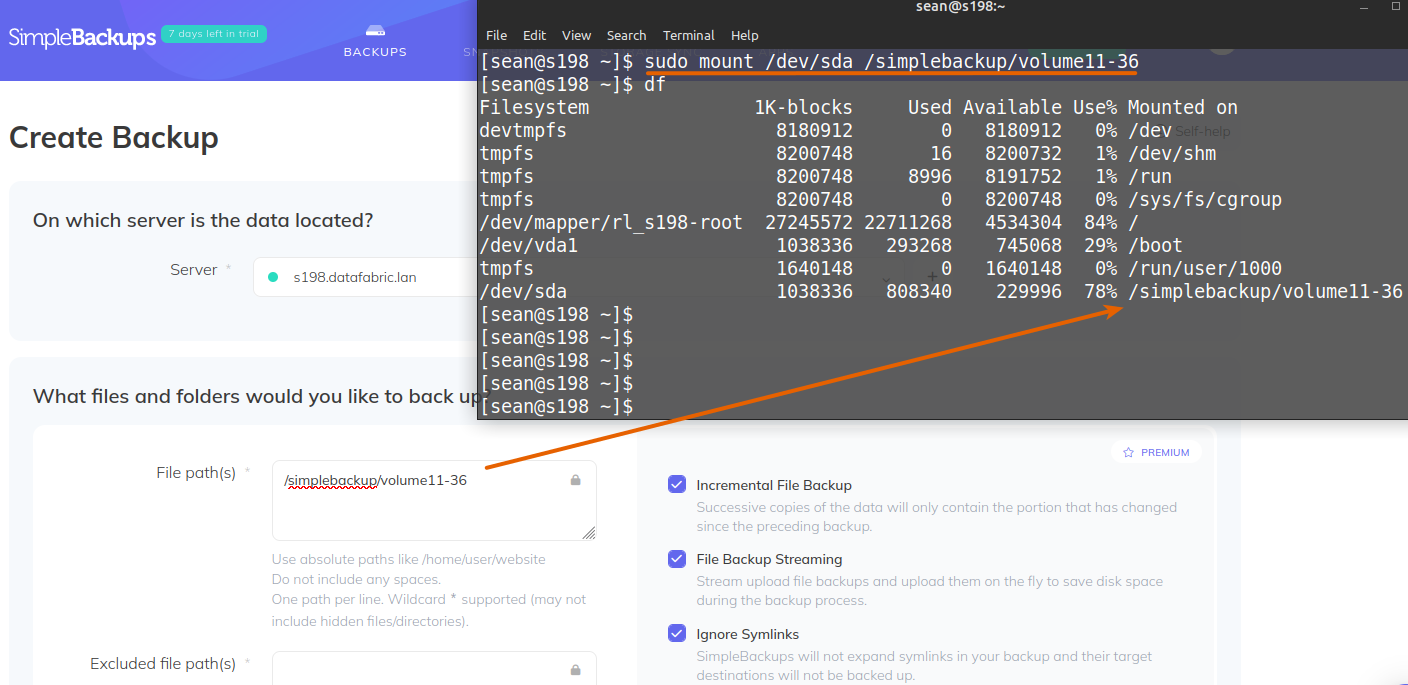
Note the advanced features - incremental backup, file backup streaming (lessens the need for local temp space), etc. (NB: you aren't allowed to enable those in the free trial; if you're trialing and create a job with these enabled, it will fail!)
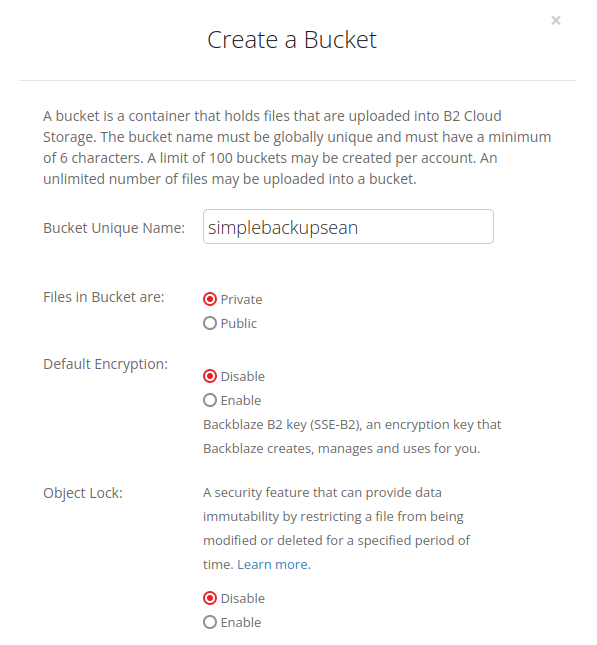
I also needed a backup destination and for that I created a bucket on Backblaze. I did not attempt to use Object Lock.
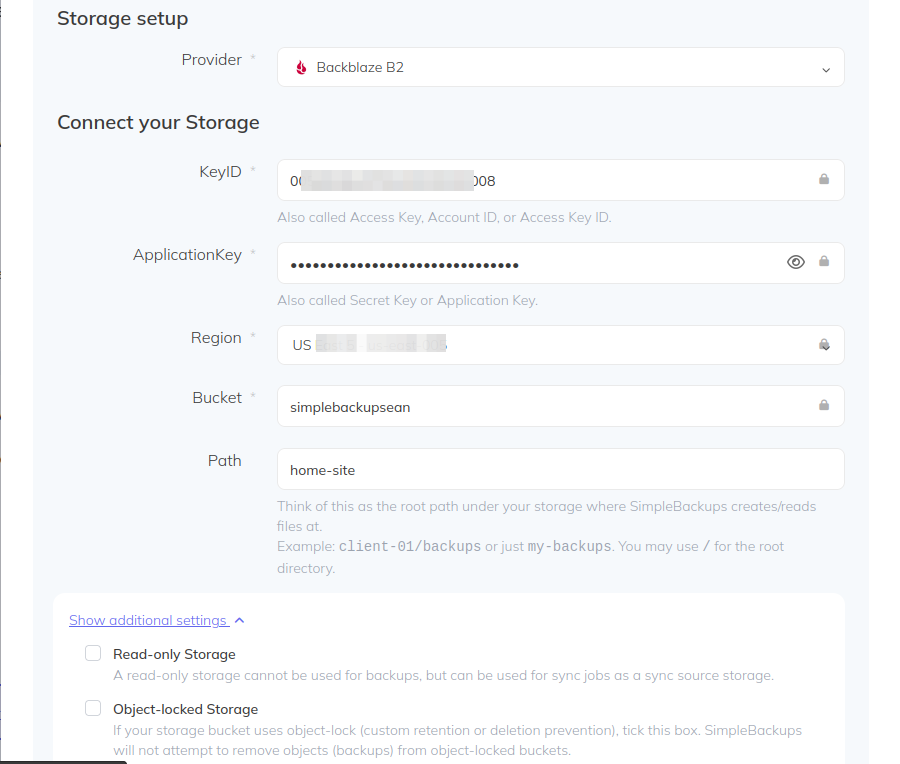
Then I went back to Simple Backups and configured this Backblaze bucket. I did not enable Object Lock, but it's good to know that it's available and could be used.
With that my backup job was ready to be finalized. Using daily schedule here, I'd also run SolidBackup's clone re-sync feature to make sure /simplebackup/volume11-36 is in sync and re-mounted before daily backup job kicks off.
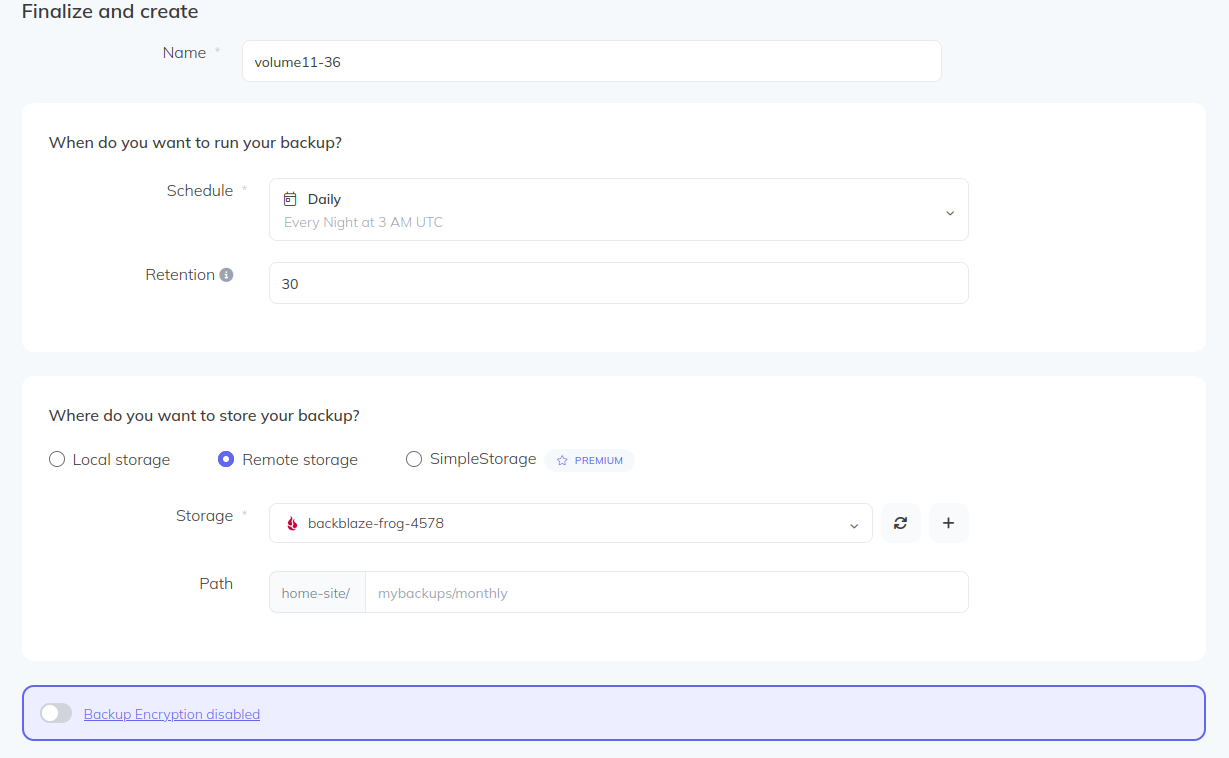
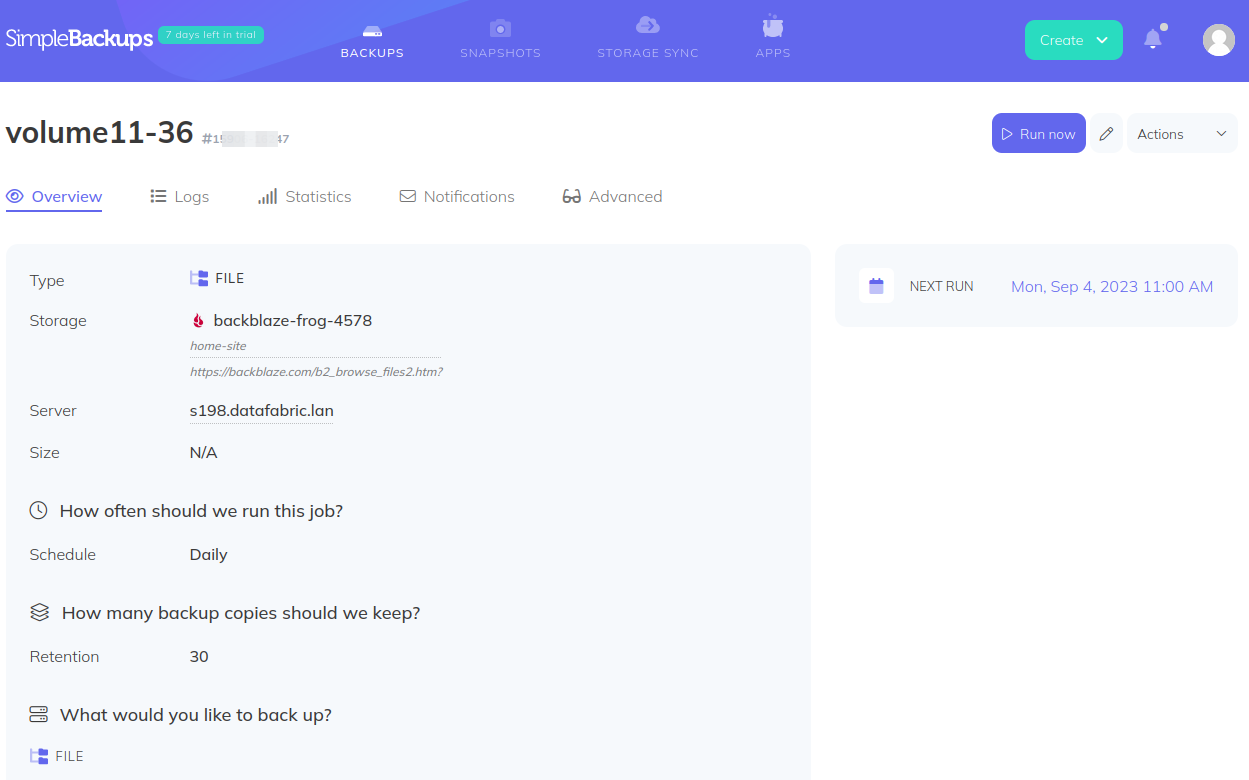
Next run was the next day so I clicked on "Run now" to avoid the wait.
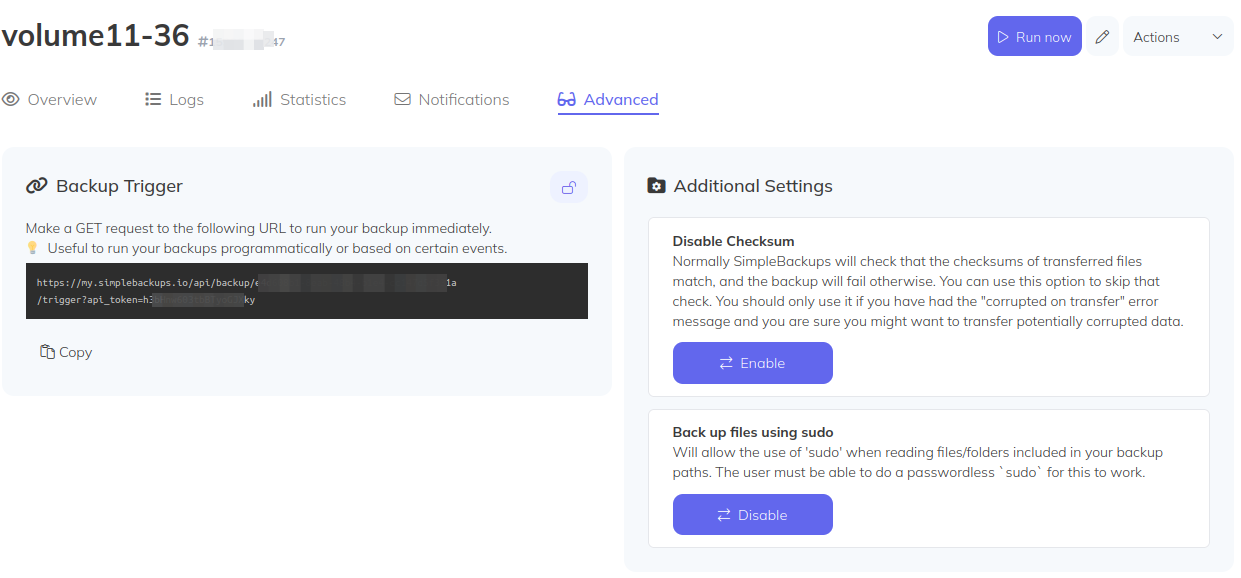
In Advanced tab they have Backup Trigger URL, which is very useful: we would add this to SolidBackup's clone volume step, to trigger this backup from SolidBackup volume-resync: as soon as the volume is re-synced & mounted, trigger backup job.
After first run, "Backup Archive" looked odd ("partial-0").
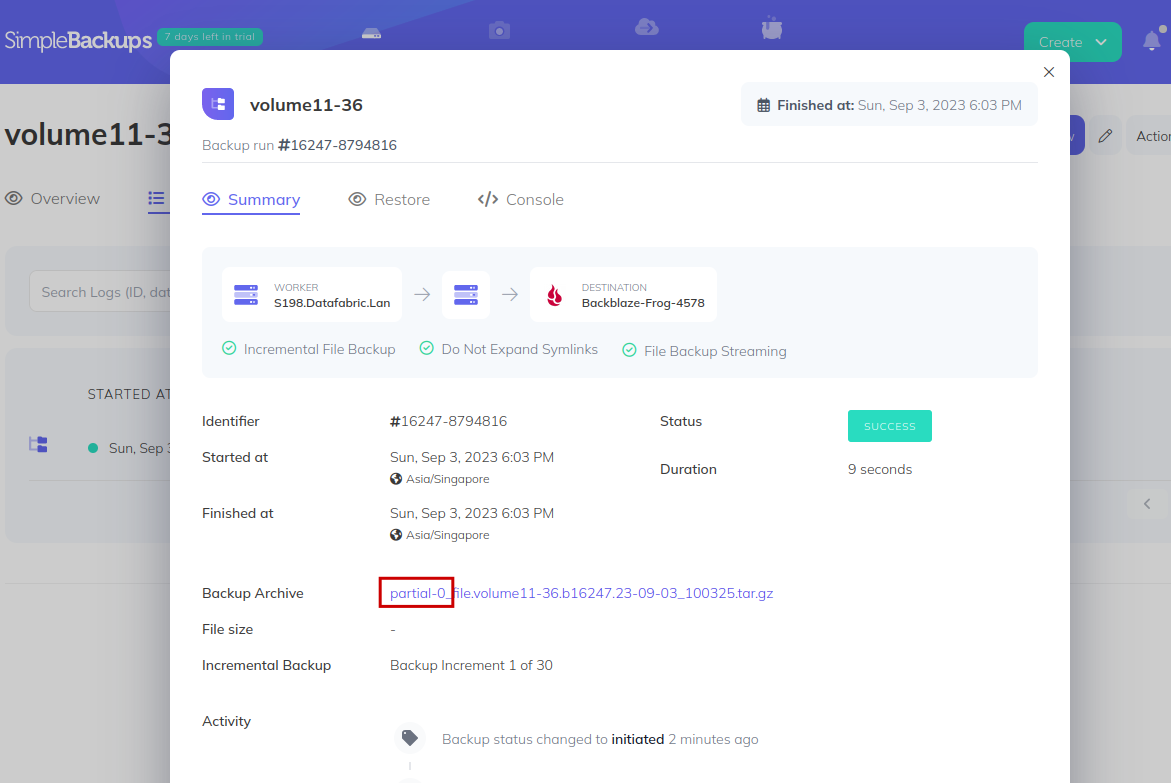
I turned out those advanced features (streaming backup, etc.) weren't available for my free evaluation plan, so I had to edit the job, remove those features, and run again. This time it worked.
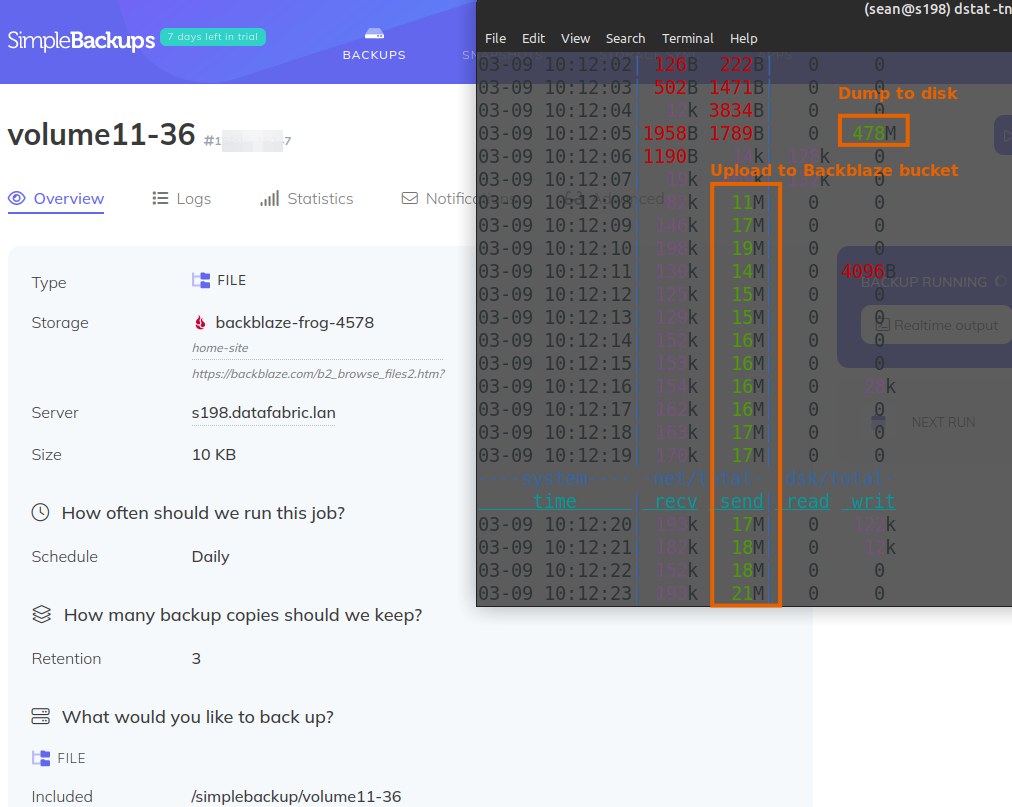
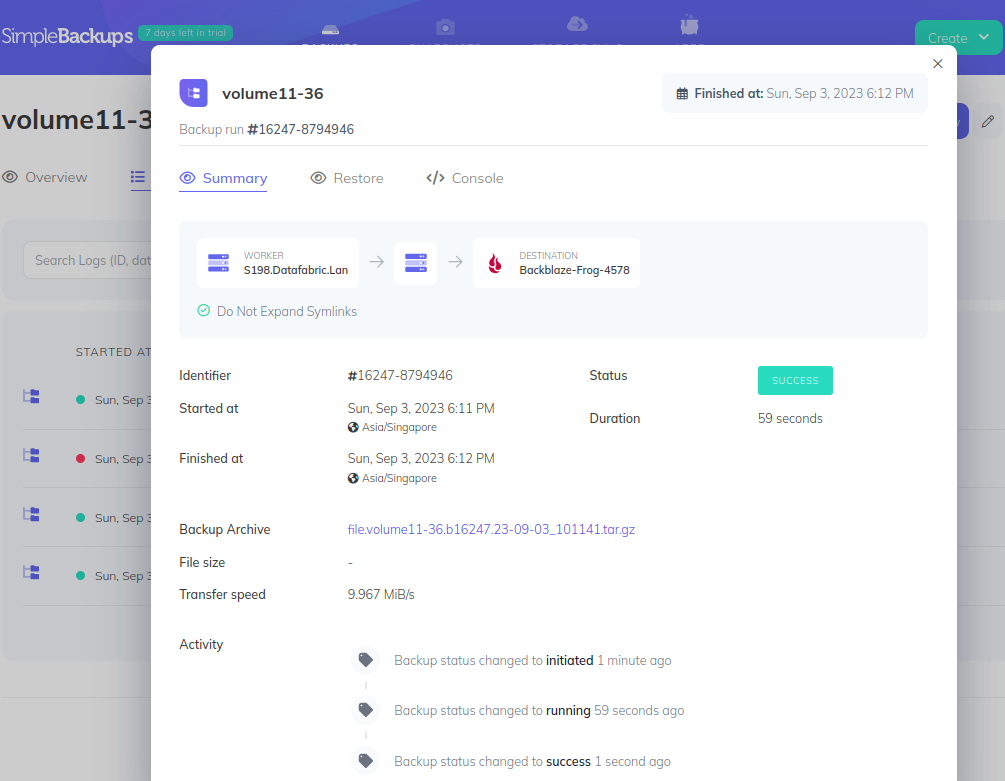
Backup of 0.75 GiB of volume files took less than 1 minute.
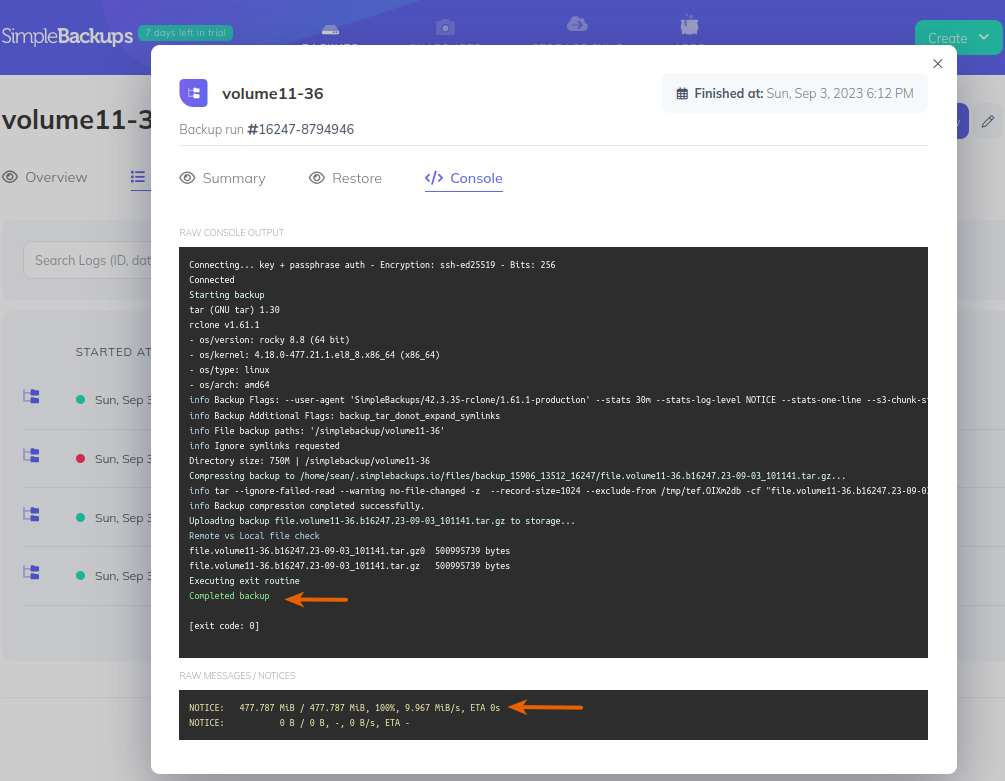
Job history has a very useful console tab where we can see not only the entire job log, but also output (478 MiB copied to Backblaze).
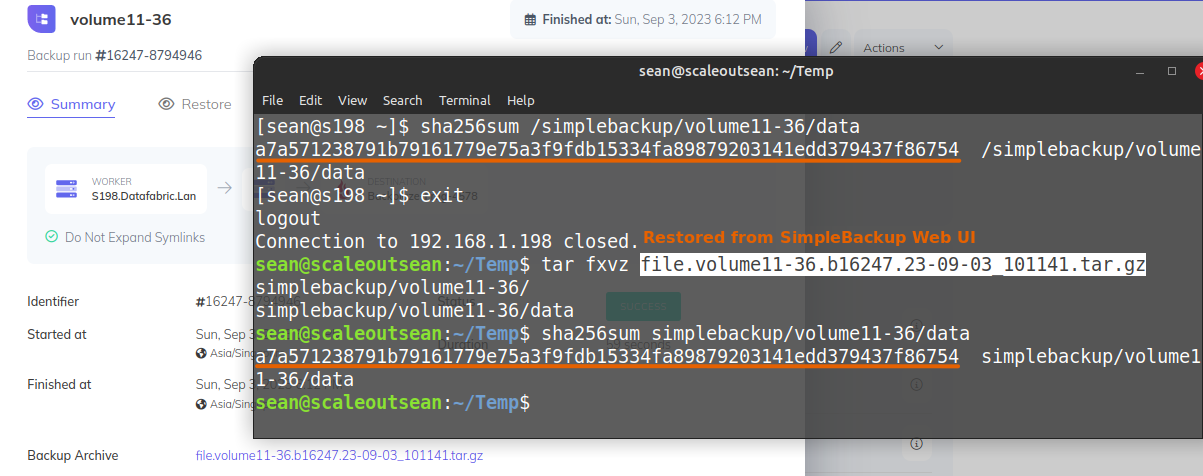
I downloaded this archive file, restored and compared against the file that was backed up from the backup VM (s198) - the checksums were identical.
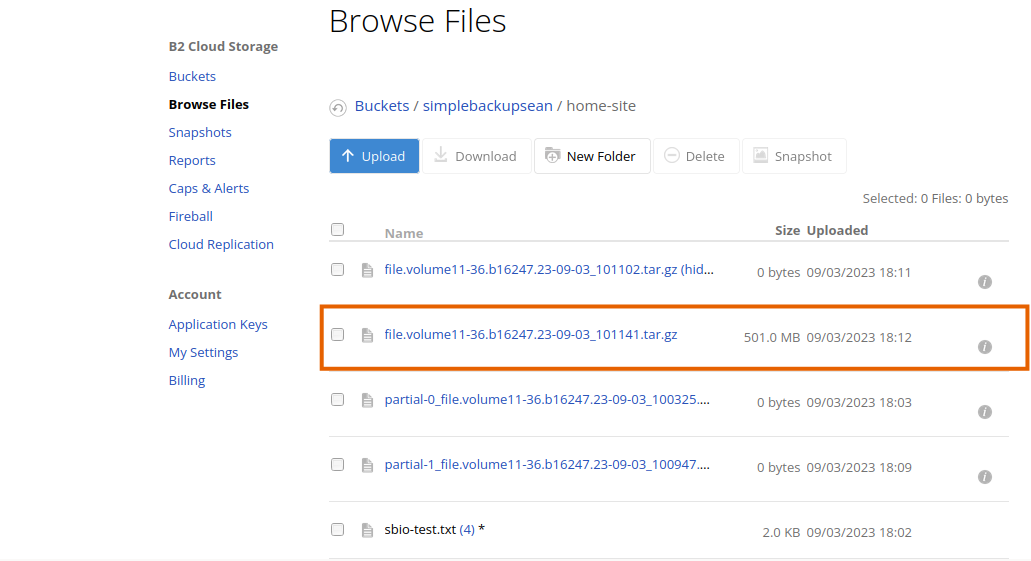
I also looked at the Backblaze bucket - the file was there.
Backup sizes compared to SolidFire's Backup to S3
Two days ago I used synthetic test data to backup SolidFire volumes to Backblaze using SolidFire's Backup-to-S3 feature.
Using SolidFire's Native mode where data is (in-volume) deduplicated and compressed, backups were close to MiB. As far as Simple Backups is concerned, files are clearly GZip-ed and the size was 501 MB (see that B2 bucket or job summary screenshot above).
Depending on type of data, two techniques may produce similar or different data, so we cannot make a generic comparison of the two approaches. Also, when I created data I slightly changed the value of deduplication parameter for each volume, so in order to properly compare, I used SolidFire's Backup-to-S3 to backup volume11-36 to S3 again:
# os3/backup/PROD-wcwb/volume11-36/segments/2023-09-04T05.56.43Z/
501MiB	256 objects	backup/PROD-wcwb/volume11-36/segments/2023-09-04T05.56.43Z
The same volume with 750 MB of data results in 501 MB of data on S3 (Simple Backups) and 525 MB (SolidFire's Backup-to-S3 (Native Mode)). Or 478 MiB (Simple Backups / rclone / gzip) vs. 501 MiB (SolidFire Backup to S3 / native).
And no, I don't know what SolidFire native mode uses. I know it works with 4096 KiB segments. From Simple Backups' job log we can see it uses rclone and 1024 KiB segments.
Simple Backups is slightly more space efficient in this particular case, and they may allow (if they already don't, I haven't looked) different compression algorithms in the future.
Thoughts on Simple Backups
Needs improvement
Simple Backups should use reverse SSH to eliminate the need to open SSH to their command & control servers in the cloud.
They should also dim the advanced options to free trial users so that we don't select those options and have backups fail because free trial users aren't allowed to use them (which is something I wouldn't even mind, to edit my job, but it took me a while to figure out why the job was silently failing (the screenshot with partial-0_ shows the job succeeded but backup file size in B2 was 0 bytes)).
I wish they just fixed that by charging per day, then I would have subscribed for premium service for the duration of my evaluation (1 day).
The good
It works, it's simple and I like the UI - everything I needed was available, and easy to find.
I haven't tested the API, but it's available. Because the SolidFire API is very nice, it would be easy to make very nice integrations. SolidBackup already assumes backup administrator maintains a configuration file of Source-Destination pairs that need to be cloned and (Destination) backed up. It looks like this (each config could have more than one project, each project more than one application):
@{
  Namespaces = @{
    projecta     = @{
      app1         = @{
        SrcId      = 398
        TgtId      = 401
        Part       = 0
        FsType     = "ext4"
        BkpType    = "file"
      }
    }
  }
}
We could compare projects against our Simple Backups' locations and apps against Simple Backups' backup jobs, and automatically unschedule or delete backup jobs for volumes that are not present in the config file (i.e. no longer need to be protected), and create new backup jobs for apps that exist in the configuration file but have no backup job. Then we'd obtain the trigger URL for the job and use it from SimpleBackup to kick off each backup job as soon as cloned volumes were mounted.
That would give us almost zero configuration Simple Backups.
Conclusion
Simple Backups has various integrations for popular public cloud storage (e.g. Digital Ocean snapshots).
There's no such plugin for on-premises storage systems and that includes SolidFire, but as long as we can ensure that SolidFire volumes are mounted and ready, for which we can use something like SolidBackup's scripts, then we can use Simple Backups to create a centralized backup server.
Of course, the same caveats apply - it is assumed the administrator of the VM running those clone, mount and (Simple Backups) backup jobs is trusted by all data owners because he has access to clones of all SolidFire volumes that need protection, but multiple VMs could be set up to work around that.
Other challenge may be that Linux-based VM can mount clones with ext3, ext4, and XFS, so this automated approach works only for Linux systems with these filesystems.
Without a clone-or-sync approach like the one we use in SolidBackup it is possible to install Simple Backups on each VM that needs data protection, and run it natively from there. Simple Backups' pricing is currently based on number of jobs and data quantity, so having it deployed on many VMs wouldn't make it more expensive. It would only have to run on all VMs which is more sensitive security-wise, as incoming SSH connections from Simple Backups' cloud need to be allowed.
The approach to volume resync used in SolidBackup is perfect for Simple Backups, as it does what Simple Backups needs and doesn't have - integration with SolidFire, and the ability to copy SolidFire snapshots and make them available for backup.