Application-consistent PostgreSQL snapshots and clones on NetApp E-Series
Workflows for PostgreSQL 17 and 18
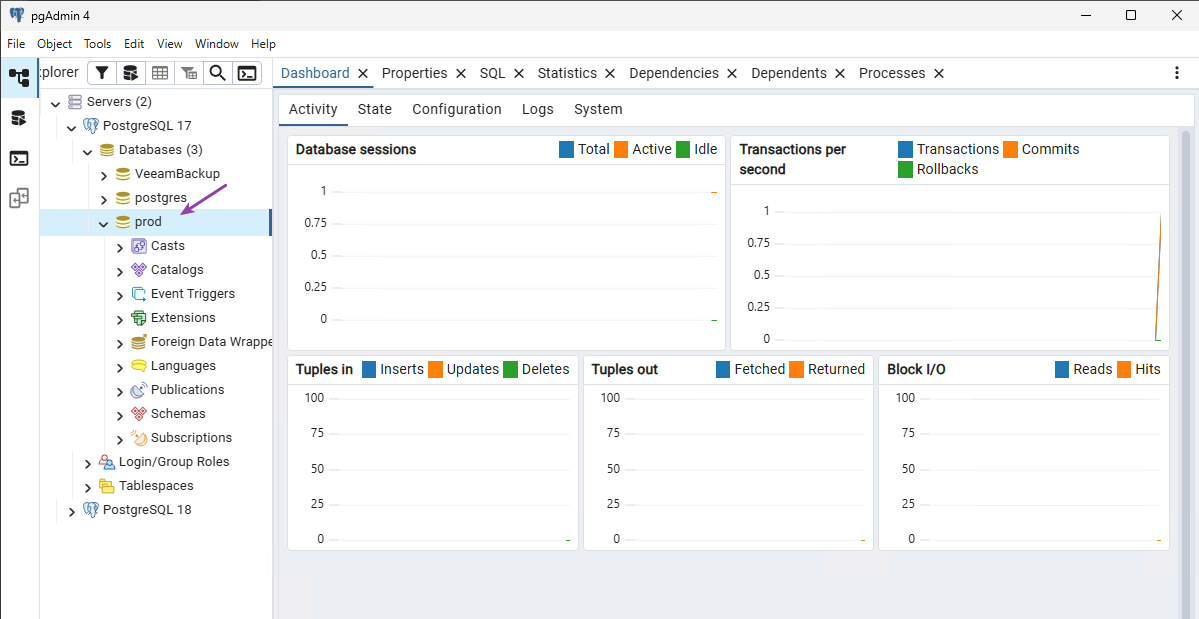
I this this on Windows Server 2025 as I happened to have it round for the evaluation of Veeam Backup and Recovery 13, Proxmox 9.1 and E-Series (previous post).
As you can see, Veeam B&R now uses PostgreSQL 17. You could do this with PostgreSQL 18 as well - there's no difference to how that pgsql command works between 17 and 18.
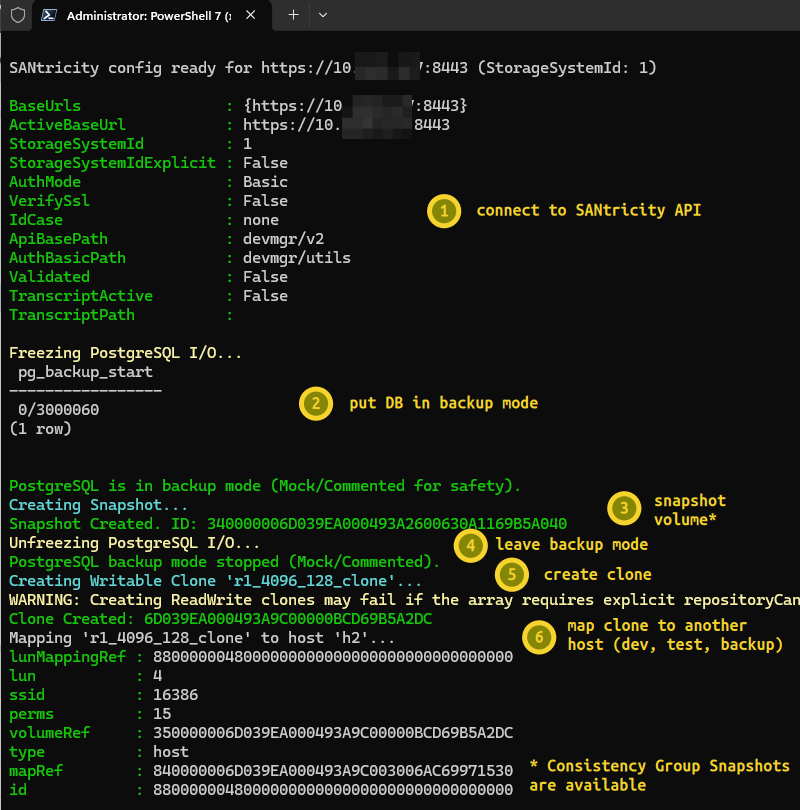
Snapshot and clone workflow
There are many, but the common one would be:
- Put your PostgreSQL database in backup mode
- Create a SANtricity snapshot
- Leave backup mode
- Now you can additionally create a linked clone (read-only or read-write) from that snapshot and present it to another host (which wouldn't get confused by seeing a "duplicate" volume)
Here's how that looks like with my example script from my SANtricity-PowerShell repository:
Most users will want to use these from another tool (such as Proxmox) where it's already done on hypervisor level or there's a plugin (SANtricity CSI), so you don't actually need a script of any kind, unless you run on bare metal servers. That's why this post highlights that less common example - bare metal servers or VMs with direct storage access.
How to use
Any application (or a VM) can be frozen or quiesced using other commands, and because virtually all are supposed to be able to recover from OS and other crashes, you shouldn't even need to enter backup mode or quiesce… In that case you could strip that part of script.
But if you want it consistent, leave that in there and optionally set up Slack or other notification.
In the second screenshot, host h2 is not where PostgreSQL normally runs. It's the place where you'd test or develop with production data. Since the clone was of a Windows volume, you'd want to use Windows on host h2 as well. If the source was Linux, you'd use Linux.
Consistency Groups are supported, so although the example clones a single volume, that's good enough when DB and WAL log are on the same volume. If you have a multi-volume setup, simply switch to Consistency Group Snapshot (and Consistency Group Snapshot Volume aka group of linked clones) cmdlets.
If you want to copy data for long-term dev/test use, you can additionally consider the SANtricity Volume Copy feature that lets you copy a Linked Clone or general Volume to another, at which point you can delete Snapshot Volume (linked clone) and the snapshot itself, leaving your production database with clean repositories and no Copy-on-Write overhead.
For short-term use - for example, daily backup of a 2TB database - you could use h2 to perform that backup, and then delete the linked clone and its snapshot.
Snapshot Groups
One thing to note is the concept of Snapshot Groups, which has nothing to do with Consistency Group Snapshots; it's one or more "hidden" repository volumes that hold Copy-on-Write data for a volume's snapshots. If one already exists, reuse it; if it doesn't, it has to be created before first use. If you delete all snapshots on a volume you empty the repo, but it remains. The next time you create a snapshot, don't create another Snapshot Group if the one you already have (especially with the same name) is already there and has enough free space. Just reuse existing Snapshot Group and your Snapshot Image will use its "repository" capacity.
Generally speaking, there's no need to micro-manage those: you create one for each volume you plan to snapshot, using the sum of estimated snapshot deltas created during the time snapshots are kept around (say, 15% of base volume size). Then you just use the same Snapshot Group and remember to not keep more snapshots than needed and avoid hitting the limit (32 per). You can read about it, but it's best to simply use them with small test volumes until you figure it out.
You should monitor their fullness so that snapshots don't fail (or get rotated out), which you can do from the SANtricity Web UI, API or higher level monitoring tools such as E-Series SANtricity Collector.
Writeable linked clones use own repository reserve, but for dev/test that is supposed to be in single digit percents. For backup, linked clones can be read-only and use no reserve capacity.
Conclusion
Until this year there's been zero tooling or client libraries for SANtricity.
Now you can take application consistent snapshots of any application or database. This works, it costs you nothing, and it's open source.
SANtricity snapshots and clones aren't super convenient, but they are convenient enough.
I generally recommend treating snapshots as a temporary convenience for backup, and the first line of defense for up to 24 hours.
These snapshot and clone examples from SANtricity PowerShell make it easy to make linked or full copies of database volumes, encrypt and upload them to Object Lock-enabled S3 buckets or make a copy in backup or other external storage.
SANtricity does all that one needs and no more. And with a variety of working client libraries, it's easy to use without going to the UI.
This workflow isn't database-specific, but having another example for multi-disk databases would be nice. The PowerShell module already supports it, and it should work without any development. If snapshots, clones or volume copy are implemented but do not work, let me know in the Github issues for the library (Go, PowerShell, Python).