Script Editor in NetApp E-Series SANtricity 12
I wrote about the new E-Series arrays EF80 and EF50 here, but didn't highlight a new "feature" from release 12, Script Editor. That's because I didn't like it.
What it Script Editor? It's a text area in SANtricity Web UI where you can conveniently paste and use SMcli scripts.
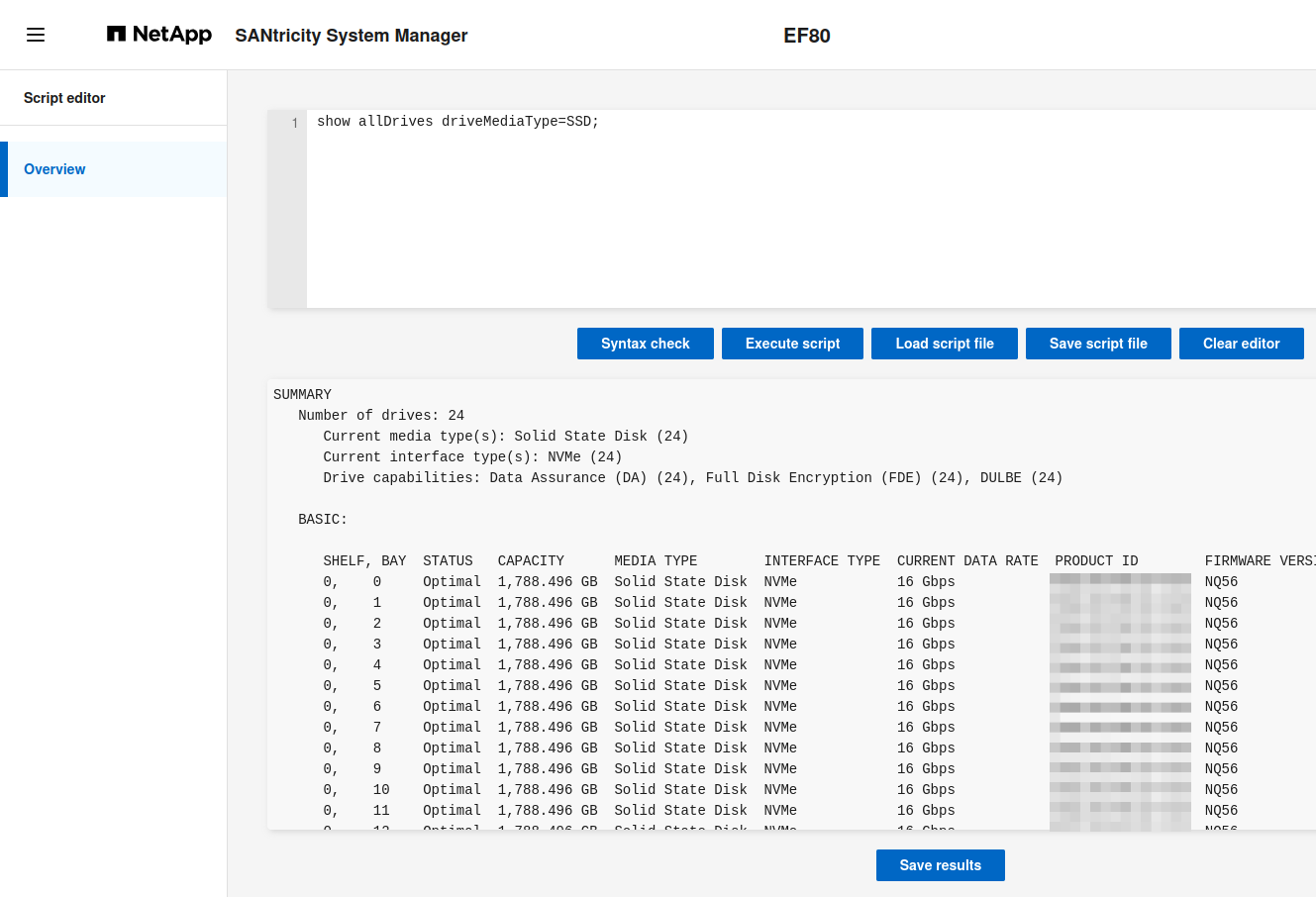
What about it?
- If we need it, we're doing it wrong
- If we don't need it, why was it added?
Once upon a time, SANtricity had a PowerShell module. It wasn't great, but it worked. People were using it. Then it was disappeared.
Now, years later, "automation" is knocking on our doors again, wearing a 90s outfit. Why is this thing necessary in 2026?
See below for an example of how scripts are supposed to be done. It's not a 2026 thing. It's been that way since 2016, when PowerShell came to Linux and OS X.
How do I get available disks from PowerShell (without wrapping SMcli)?
PS > Get-SANtricityDrive `
  | Select-Object -Property available,`
  driveMediaType,id,@{Name="Slot"; Expression={$_.physicalLocation.slot}} `
  | Sort-Object -Property Slot | Format-Table
Trays and disks don't have "names" (or "labels"), so that output looks like this.
available driveMediaType id                                       Slot TrayRef
--------- -------------- --                                       ---- -------
    False ssd            01000000374A3830585006000025384100000002    1 0E00000000000000000000000000000000000000
    False ssd            01000000374A3830585006080025384100000002    2 0E00000000000000000000000000000000000000
    False ssd            01000000374A3830585006770025384100000002   23 0E00000000000000000000000000000000000000
    False ssd            01000000374A3830585006410025384100000002   24 0E00000000000000000000000000000000000000
But why are we even looking at this output when we have multiple monitoring solutions and we're already in the official Web UI???
If I'm here to configure something, I still shouldn't be looking at this output. I should be using automation. If I'm after creating a storage pool on EF80 or EF50:
PS > Get-SANtricityDrive `
  | Where-Object available -eq $true -and offline -eq $false `
  | Select-Object -First 2 `
  | New-SANtricityStoragePool -Name elasticsearch -RaidLevel raid1
The above is for the situation when not all online disks are available for use. If they are, we simply do this:
New-SANtricityStoragePool -Name elasticsearch -RaidLevel raid1 -DriveSlots 11,12
Either way, a pool gets created:
PS > Get-SANtricityStoragePool -Name elasticsearch `
  | Select-Object -Property name,totalRaidedSpace,freeSpace,raidLevel

name          totalRaidedSpace freeSpace     raidLevel
----          ---------------- ---------     ---------
elasticsearch 1915014701056    1915014701056 raid1
Many SMcli commands are like these - they can be implemented in any API client, but apart from SANtricity Web UI, all will run faster, better and with less issues elsewhere than by copy-pasting or loading these things from SMcli script files.
What about the more advanced SMcli commands and scripts? I'm yet to see an "advanced SMcli script" (sounds contradictory!), but SMcli has this "autopilot" command which does a lot:
autoConfigure storageArray
It does everything, including using shelf and drawer protection when and where possible. Good stuff.
There are 2-3 commands like that that are "better" than what is (currently) available in other clients, but it's not hard to create equivalent modules in PowerShell or Ansible and the big gain over SMcli is you can avoid the disconnect between SMcli and the rest of your automation.
What's easier - to build a shell wrapper for SMcli autoConfigure storageArray or to build a Set-SANtricityAutoConfigure cmdlet in PowerShell (or Ansible equivalent of the same)? I bet it's the latter. If you don't build either, you have a disconnect and have to parse the output or work with "well known objects names" (like volume names that these commands create) obtained based on experience with specific repetitive hardware configurations.
No one who hasn't automated with SMcli in shells will start automating with it now that it's available in the SANtricity Web UI. And even autoConfigure commands are a dead end as far as automation is concerned.
A separate issue is that Script Editor is Web-based. Using a Web UI (browser) is a security risk due to browser extensions and potentially unfriendly Web sites accessed in the same session. If you absolutely must use SMcli, fine - but at least don't do it from the browser for Pete's sake! The Script Editor feature brings back a bad pattern, and then amplifies it by exposing it in the browser.
In summary, Script Editor should not exist. The effort should have been spent on improving the API, API documentation and Ansible collection (as the official automation tool).