Single-volume sequential GET test with Versity S3 on EF600
Introduction
As we look into some interesting analytics use cases, it's time to take another look at sequential performance of the Versity S3 Gateway.
Some use recent use cases involve OpenSharing, for which we need to run some sanity tests to see what to expect from a single node Versity S3 Gateway backed by a single volume (no striping or other optimization).
There are other potential use cases, related to S3 caching. Those are still work in progress. One information we need for those is baseline Versity S3 Gateway GET performance.
To find out, we ran MinIO Warp (warp get) using large sequential GETs.
Environment and test
- MinIO Warp v1.5.0 (S3 client) connecting over loopback
- Versity S3 Gateway v1.5.0 (sharing same 2 x 16 vCPU system with MinIO Warp)
- XFS
mkfs.xfsused default options
- Ubuntu 24.04
- Intel Xeon Silver from last decade
- NVMe/RoCE network
- NetApp E-Series EF600
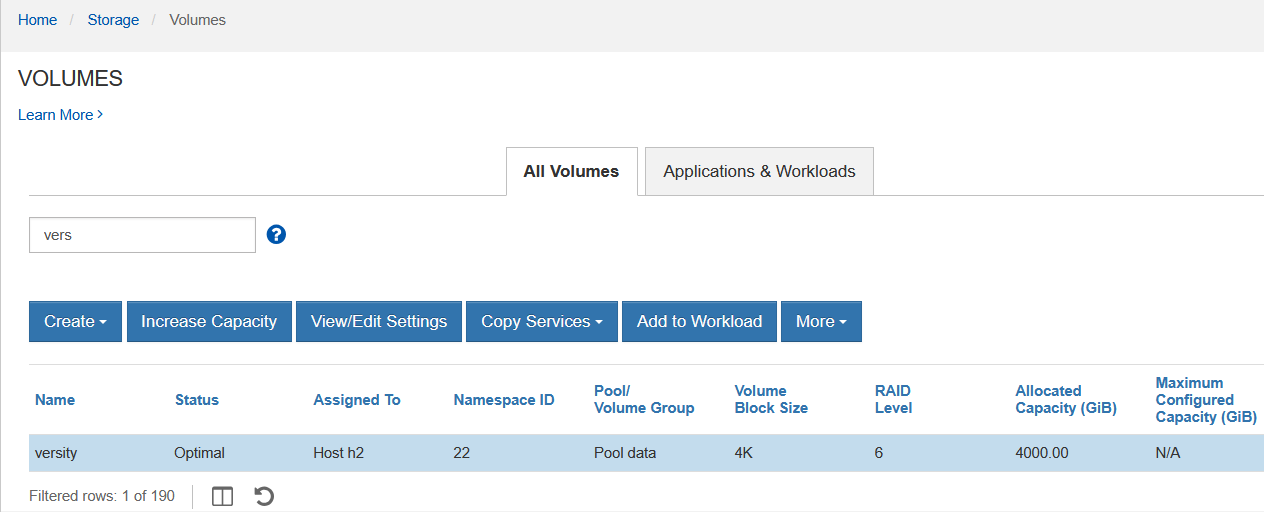
- 4TiB volume (RAID 6) on DDP with 14 SSD disks
- Read and write cache: OFF
I supposed 14 TLS NVMe disks isn't the worst case compared to a smaller DDP on QLC SSDs, but given the disabled read and write cache, it's as bad as it gets. Nobody does runs their E-Series like that.
Thanks to disabled write caching, PUT performance was terrible (as expected; demo video below shows that despite 128 MiB PUTs average write I/O size on array was 1 MiB).
But GET was actually nice, which shows that reading RAID 6 data doesn't run into the same "multi-disk I/O synchronization" issues that affects writes when there's no write cache.
The RAID 6 volume:
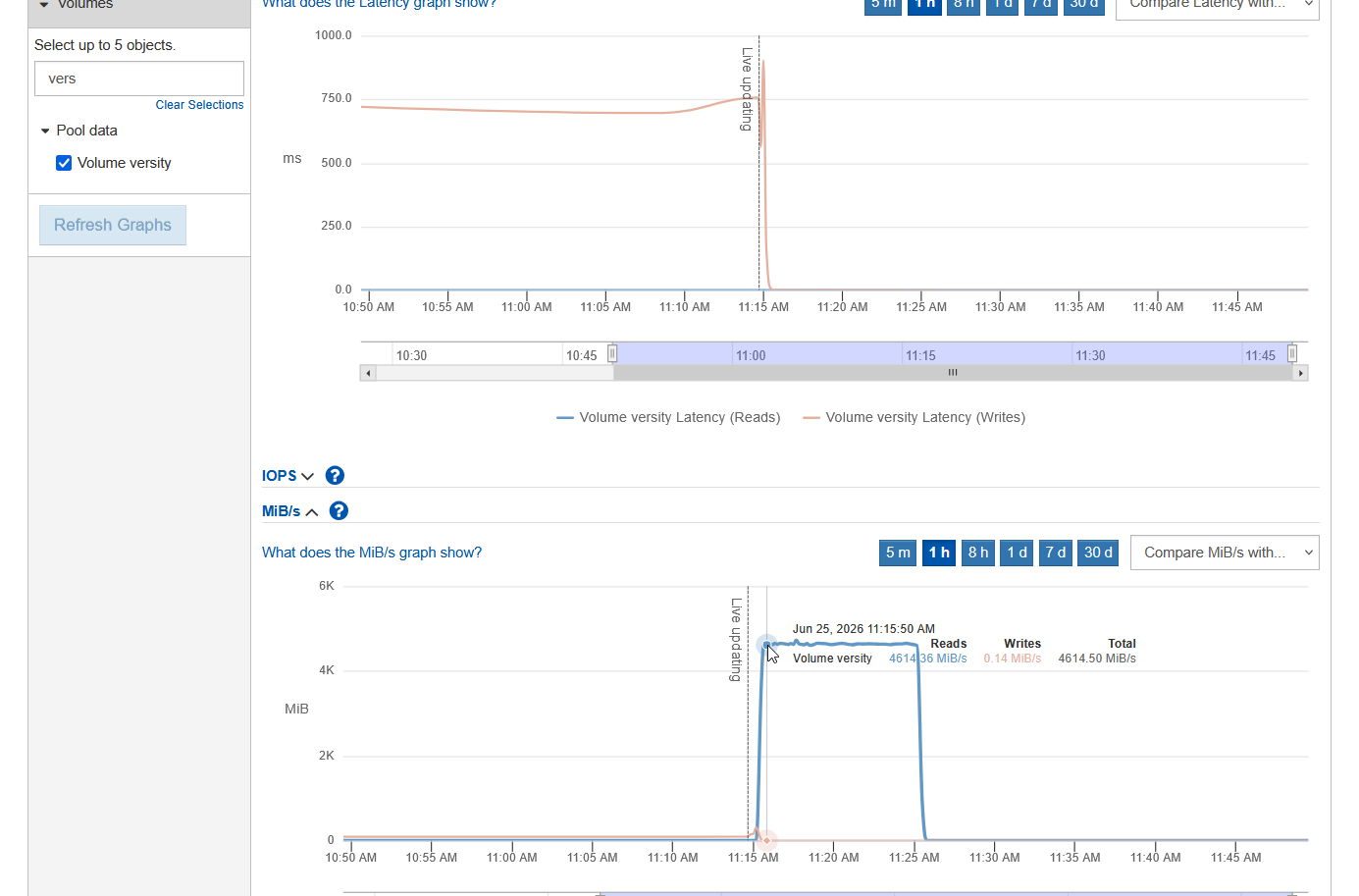
Result: ~5 GiB/s GET. Latency: sub-0.2ms on EF600, sub-0.6ms on the Versity S3 Gateway.
One of the Warp runs:
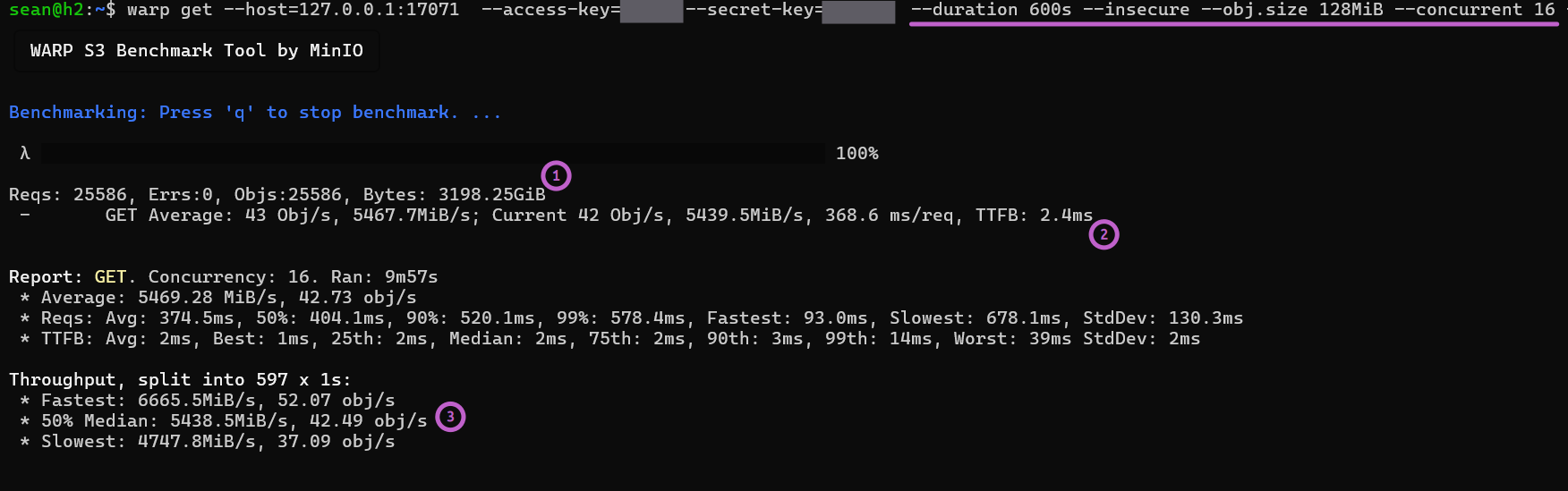
- (1) Data set size was 3.2 TB (server RAM was 96 GB, storage controllers' read cache was disabled)
- (2) Warp's TTFB was just 2.4ms
Not bad considering the worst possible settings!
Warp used 128 MiB GET requests and 16 threads.
Conclusion
Running Warp on the same server where Versity S3 Gateway was running probably slowed us down, but at least we used HTTP to save CPU resources, so the impact of that may have been small.
5 GiB/s GET tells us that OpenSharing clients have decent bandwidth to work with. What you can't do with Versity S3 Gateway - because it's a gateway to a filesystem - is put 200K files under one path ("directory") ane expect great results, but if you spread them in a tree, it looks just as good as MinIO. This should be fine for OpenSharing - 5 GiB/s per tenant is decent enough and multiple tenants can be served from each E-Series system using per-tenant OpenSharing/VGW instances.
This performance is also great for S3 read cache use cases, because with 5 GiB/s from back-end and a 70-80% cache hit rate on front-end, we could get 10-15 GiB/s from S3 cache. We'll explore this in future posts.
On the newer EF-Series arrays that are much faster, everything should work even better.
Appendix A: Warp test
sean@h2:~$ warp get --host=127.0.0.1:17071  --access-key=xxxx --secret-key=xxxx \
  --duration 600s --insecure --obj.size 128MiB --concurrent 16 --noclear
╭─────────────────────────────────╮
│ WARP S3 Benchmark Tool by MinIO │
╰─────────────────────────────────╯

Benchmarking: Press 'q' to stop benchmark. ...

 λ █████████████████████████████████████████████████████████████████████████ 100%

Reqs: 25586, Errs:0, Objs:25586, Bytes: 3198.25GiB
 -       GET Average: 43 Obj/s, 5467.7MiB/s; Current 42 Obj/s, 5439.5MiB/s, 368.6 ms/req, TTFB: 2.4ms


Report: GET. Concurrency: 16. Ran: 9m57s
 * Average: 5469.28 MiB/s, 42.73 obj/s
 * Reqs: Avg: 374.5ms, 50%: 404.1ms, 90%: 520.1ms, 99%: 578.4ms, Fastest: 93.0ms, Slowest: 678.1ms, StdDev: 130.3ms
 * TTFB: Avg: 2ms, Best: 1ms, 25th: 2ms, Median: 2ms, 75th: 2ms, 90th: 3ms, 99th: 14ms, Worst: 39ms StdDev: 2ms

Throughput, split into 597 x 1s:
 * Fastest: 6665.5MiB/s, 52.07 obj/s
 * 50% Median: 5438.5MiB/s, 42.49 obj/s
 * Slowest: 4747.8MiB/s, 37.09 obj/s