The new Kasten K10 v5.0 with NetApp SolidFire
- Kubernetes-native RBAC
- S3 Object Lock support
- "Officialized" (Kanister) blueprints for SQL Server and PostgreSQL Operator aka PGO
- OpenStack and vSphere in Infrastructure Profiles
- "Officialized" Veeam Backup Server in Location Profiles
- K10 v5.0.0 with NetApp SolidFire 12 and NetApp Trident 22.04
- Conclusion
- Appendix A - NetApp SolidFire, Kasten K10 and Wasabi S3 Object Lock
Kasten K10 5.0.0 was released last night, which means it's time to try it out.
There's a lot of new features so I'll mention those that I find interesting:
Kubernetes-native RBAC
Better security, obviously!
S3 Object Lock support
This likely works with NetApp StorageGRID, which Veeam supports as well.
For direct use by K10, the bucket for Object Lock data must be in compliance mode (which StorageGRID supports) with the minimum default retention of 21 days.
I think this should work with Veeam-proxied StorageGRID (although I should RTFM to be sure): backup to Veeam BR repo, tier to a StorageGRID bucket with Object Lock enabled.
NOTE: if you decide to experiment with S3 Object Lock, be very careful with default retention period you set on the bucket. And with StorageGRID, do not enable S3 Object Lock on the entire cluster unless you know what that means.
"Officialized" (Kanister) blueprints for SQL Server and PostgreSQL Operator aka PGO
These are now easy to manage (create, view, edit).
SQL Server for Linux is extremely easy to use and automate with SolidFire (years ago I did this short demo with data masking using SQL Server for Linux and SolidFire), so I'll likely do a post dedicated to this.
Both SQL Server and PGO leverage Kanister. I blogged about Kanister recently, if you're curious about that part of K10.
OpenStack and vSphere in Infrastructure Profiles
Most folks (especially the readers of this blog) know that Trident CSI isn't the only provisioner that can be used with SolidFire.
If you run Kubernetes on OpenStack with SolidFire, you likely use Cinder CSI, which means you can now use K10 to snapshot, back up and restore PVs on SolidFire. Woo-hoo!
When I blogged about Cinder CSI (see the second link below), backup and restore was lacking. Not that it can't be done without Veeam, but it would have involved using freeware or DIY approaches, which isn't something all customers like when it comes to data protection.
Similarly, Tanzu clusters on vSphere can use Sphere CSI plugin with SolidFire or E-Series SANs. One of the related improvements is block mode export, which allows Change Block Tracking to export (and K10 to backup/restore) only incremental changes. This is good for any user, but especially those with large volumes (such as Big Data users with large volumes on E-Series).
Related posts:
"Officialized" Veeam Backup Server in Location Profiles
If you already use Veeam to backup your vSphere VMs to E-Series, now you can use the same Veeam back-end storage to backup Tanzu (vSphere CSI) or other Kubernetes (Trident CSI, Cinder CSI).
You can see the complete list of all new features at kasten.io.
Now let's see what these updates mean for SolidFire and E-Series users.
K10 v5.0.0 with NetApp SolidFire 12 and NetApp Trident 22.04
I've blogged about Kasten with SolidFire before (see Archive), so I will skip the routine installation and features that existed in v4.
The other reeason is I had Kasten v4 up and running, so I simply upgraded by copy-pasting a Helm-based Kasten upgrade command from TFM.
Upgrade worked fine and within a minute or so K10 5.0.0 was up and running.
I had used this cluster (Kubernetes v1.23) for BeeGFS CSI-related posts so although it had Trident CSI installed, it didn't have the snapshots-related stuff (notice this link is for v22.01) deployed.
The snapshot stuff
I metioned this in previous Kasten-related posts, but it's easy to get wrong so I'll mention it again:
- The Kasten docs for 5.0.0 mention only Alpha and Beta Snapshot API (i.e.
v1beta1) - The Trident docs for v22.01 (link above) mention external snapshotter v3 (which is/was classic
v1beta1snapshotter), but v22.04 mentions both v3 and v5 (the latter has deprecatedv1beta1). Meanwhile there's already v6 available.
I used latest "classic" version (v3), which is v3.1, but struggled to get it to work well. Then I used v3.0 (which is what Trident v22.01 recommends) with no difference. Specifically, Kasten sometimes (but not always) reported that it couldn't find a VSC annotated with k10.kasten.io/is-snapshot-class: "true" (which I had).
I then upgraded Trident from v22.01 to v22.04 and when that didn't change anything, I just ignored those problems. Perhaps I should have ignored Kasten's recommendation to use external snapshotter API v1beta1 and just use latest and greatest, but the problem didn't bother me much as I could simply retry.
I settled with a VSC using snapshot API version v1beta1:
apiVersion: snapshot.storage.k8s.io/v1beta1
kind: VolumeSnapshotClass
metadata:
  name: csi-snapclass
  annotations:
    k10.kasten.io/is-snapshot-class: "true"
driver: csi.trident.netapp.io
deletionPolicy: Delete
In any case, the point here is you need to find a setup that works with Kasten, CSI provisioner, and Kubernetes.
If I had a chance to do this again, I'd try latest external snapshotter supported by Trident. Maybe there was no problem at all and my little cluster simply occasionally timed out on some (g)RPC requests due to memory and CPU pressures.
Once Kasten finds this Volume Snapshot Class (VSC), it creates a "shadow" VSC that retains Trident's backed-up snapshots (meaning, those snapshots exported to S3 as backups, for example) so you'd see at least two VSCs - like this:
$ kubectl get volumesnapshotclass
NAME                      DRIVER                  DELETIONPOLICY   AGE
csi-snapclass             csi.trident.netapp.io   Delete           37m
k10-clone-csi-snapclass   csi.trident.netapp.io   Retain           22m
Why? From TFM:
K10 creates a clone of the original VolumeSnapshotClass with the DeletionPolicy set to 'Retain'. When restoring a CSI VolumeSnapshot, an independent replica is created using this cloned class to avoid any accidental deletions of the underlying VolumeSnapshotContent.
And while snapshots taken via Trident are "real" and can be seen in the SolidFire UI, with K10 you'll see something like this:
$ kubectl get volumesnapshots -n trident
NAME                            READYTOUSE   SOURCEPVC                SOURCESNAPSHOTCONTENT
k10-csi-snap-74sgfk9ljxvszjp2   true         pvc-volume-in-default
k10-csi-snap-bj7l6kh2c8zntc8k   true         task-pvc-volume
k10-csi-snap-fq5424q66wzpql9n   true                                  k10-csi-snap-fq5424q66wzpql9n-content-c2cf092d-ac19-4dd4-a3e8-4e0064d245a8
This, by the way, shows snapshots of PVCs in the Trident namespace. We probably wouldn't try to back up Trident with K10 snapshots (how would we restore them if Trident isn't up and running?), but it could be done with some effort. (I had only two apps which used Trident (the rest of them use BeeGFS CSI, which doesn't support snapshots) - that's why I tried to backup the Trident namespace - it was the one with more (2) Trident PVCs).
Selected screenshots
You may open these images in new tab/window to view them in higher resolution.
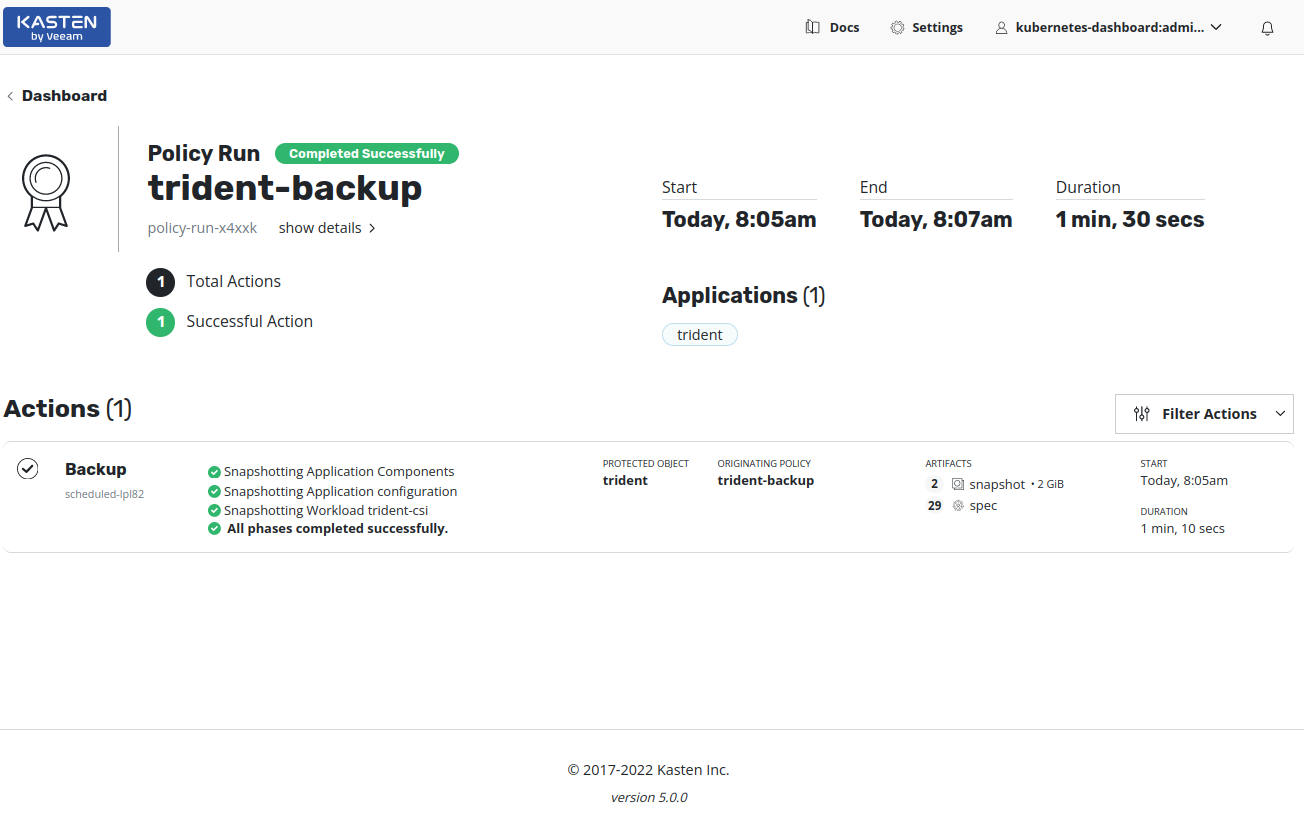
This was a test backup run that took Trident snapshots of Trident PVCs. Because provisioning of new volumes relies on Trident, I knew that restore would fail (it did fail). We could backup and restore Trident with K10 or manually, but I wasn't trying to do that.
Snapshots taken by Kasten viewed in the SolidFire UI:

The Backup Policy I created for Trident wasn't scheduled, but On Demand. I don't remember if Kasten 4 had that or not, but it is a very convenient (non) schedule for testing - you don't have to edit a schedule every time you want to fire a backup job.
It's easy to take on-demand snapshots without any Backup Policy and - if you don't want to snapshot all the application stuff - just add the stuff you want (or just exclude the stuff you do not want). In this screenshot I just included the PVCs from an app, so it's the "classic" storage backup approach.

At the bottom you can see that Kanister options could be used, if you wanted to build a customized blueprint.
If you're not sure what's there to be protected, you can click on an application's details to examine them. (This sfc container is my SolidFire Collector, which gathers SolidFire metricis and stuffs them into Graphite for visualization in Grafana - last month I finally documented how to run the sucker in Kubernetes.)
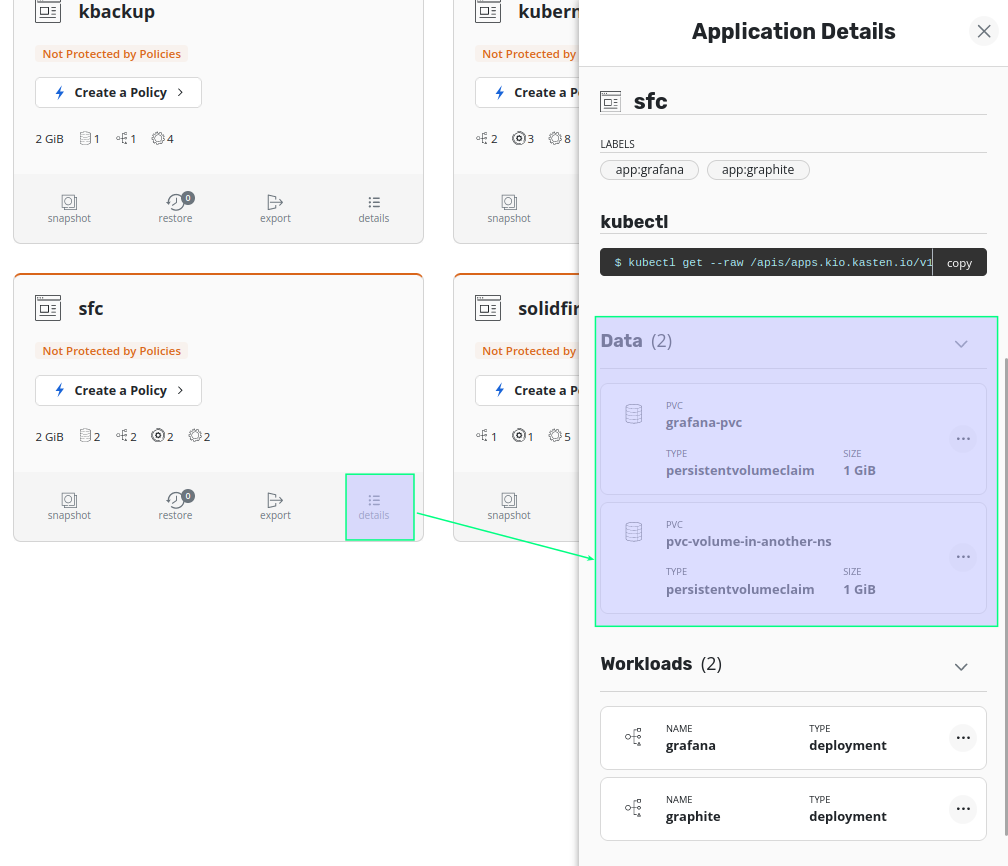
Then we can create a one-off snapshot of resource(s) we want - whether it's storage-only, application-level settings or something in between.

By the way, the kanister application you see above is a manually installed Kanister that I used for BeeGFS CSI demos (see blog Archive). That is, that Kanister wasn't installed by Kasten, which (by default) installs its components in its own namespace, by default kasten-io.
Two of the more exciting news in version 5 are in Infrastructure Profiles: Kasten can now protect Kubernetes clusters on OpenStack and vSphere.
As mentioned earlier, users of Kubernetes on OpenStack with SolidFire would use Cinder CSI rather than Trident CSI. Kasten doesn't need to know anything about SolidFire here - it talks to OpenStack which uses Cinder to handle everything, and in SolidFire-backed OpenStack clusters Cinder uses SolidFire.

It's similar for Tanzu clusters that use vSphere CSI - Kasten just talks to vSphere CSI, which takes care of interacting with vSphere-compatible back-ends, whether it's E-Series or SolidFire or something else.
Speaking of vSphere, many NetApp customers use Veeam to protect their vSphere environments, and plenty of them store backups on StorageGRID, E-Series, or ONTAP.
In version 5 Kasten brings K10 and Veem BR closer and users who use it with NetApp back-end storage (ONTAP, StorageGRID, E-Series) can easily take advantage of Veeam BR infrastructure from within Kasten.
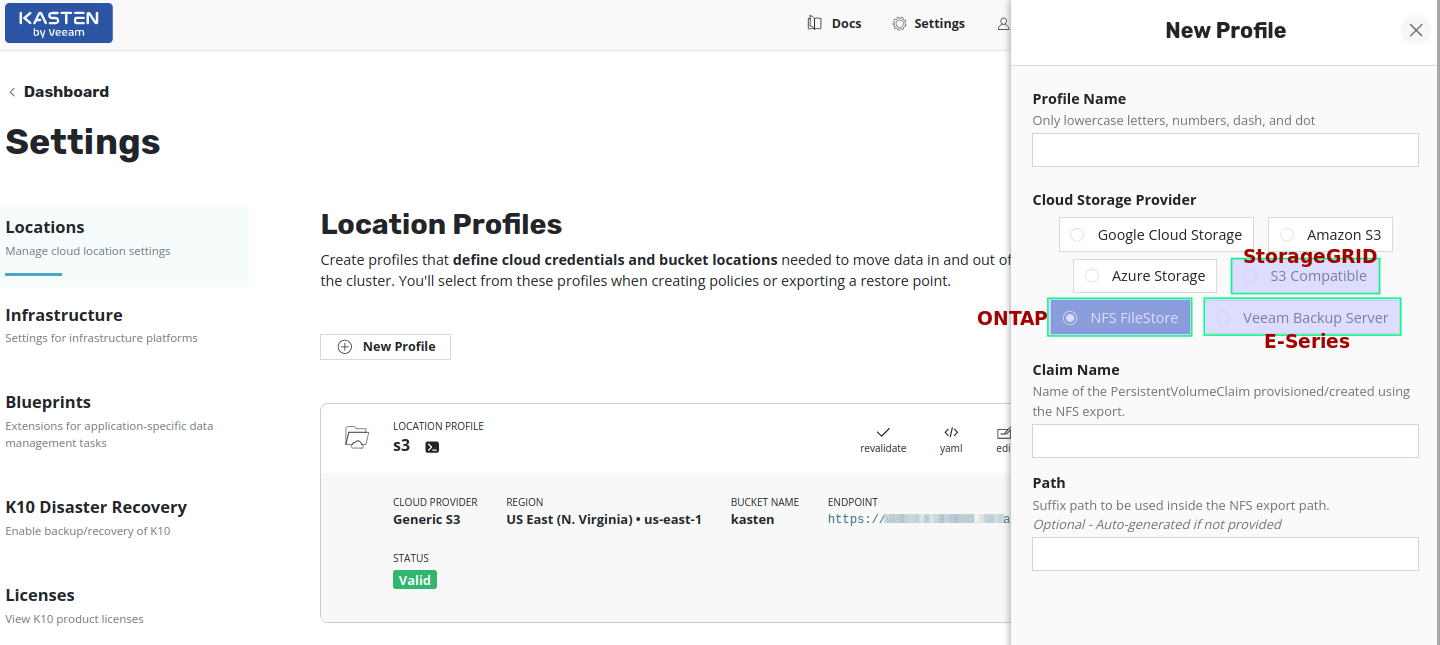
I used only StorageGRID here, but NFS should be easy to visualize while Veeam Backup Server with E-Series can be seen in this video demo where I used it with Veeam's Scale-Out Backup mode and there's also a nice Technical Report with best practices for Veeam BR and NetApp E-Series.
At the beginning of this post I mentioned how the Kanister stuff seems to be progressing from "Tier 2" to "Tier 1". This screnshot shows where Kanister Blueprints are.
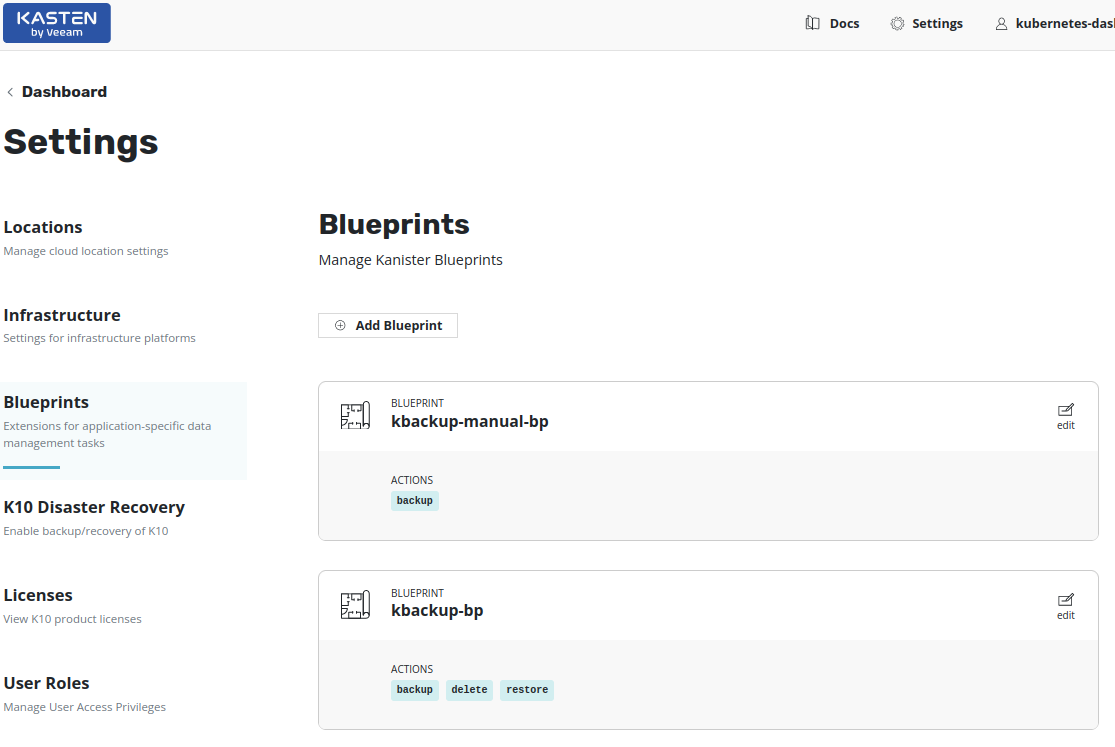
If you're curious about Kanister, RTFM and check the Kasten and Kanister posts in Archives - specifically the one on stand-alone Kanister with BeeGFS CSI as well as this post on Kasten's logical backup feature).
And finally, some eye candy! Kasten 5 lets you get its metrics into Prometheus, but it also comes with a built-in Grafana instance that can be opened from the main K10 Web UI.

Conclusion
Kasten K10 5.0.0 contains improvements related to security, increased ecosystem reach (OpenStack Cinder CSI, vSphere CSI, with similar progress in the public cloud) as well as integration with Veeam BR.
From a SolidFire and E-Series perspective there are no new features, but Kasten 5 opens up new possibilities in vSphere (vSphere CSI + both E-Series and SolidFire) and OpenStack (Cinder CSI + SolidFire) environments.
Additionally, improved Kanister integration means that even BeeGFS CSI clusters with E-Series may be able to use Kasten's Kanister plugin to take large backups of multi-TB BeeGFS volumes and protect them in S3 Objet Lock-compatible buckets.
Why is this a big deal? Because users with BeeGFS CSI on E-Series can now buy an extra E-Series array, configure S3 Object Lock compatible StorageGRID cluster running on 1U bare metal servers, and get a reliable and secure backup destination for BeeGFS data. It's not something that works out of the box, but the Kanister post shows that it can work and it should behave the same way with Kasten.
The new Microsoft SQL Server and PostgreSQL (PGO) integrations remains to be covered in another post, maybe after first minor update for Kasten K10 comes out.
Appendix A - NetApp SolidFire, Kasten K10 and Wasabi S3 Object Lock
Yesterday I tested built-in SolidFire Backup to S3, so I used the opportunity to also check Kasten K10 in the same context. Meanwhile K10 has been updated from 5.0.0 to 5.0.1 and I performed an upgrade before trying this out. I still haven't cleaned up this cluster, but it was good enough as-is for this walk-through.
Create a bucket in a region of your choosing.
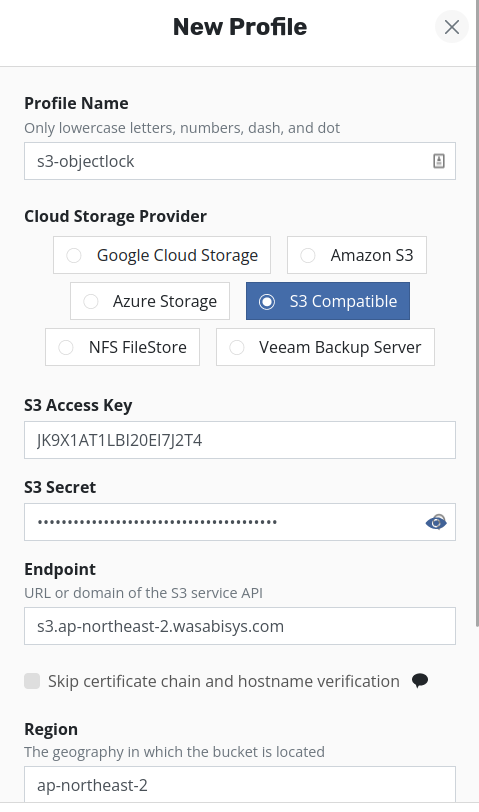
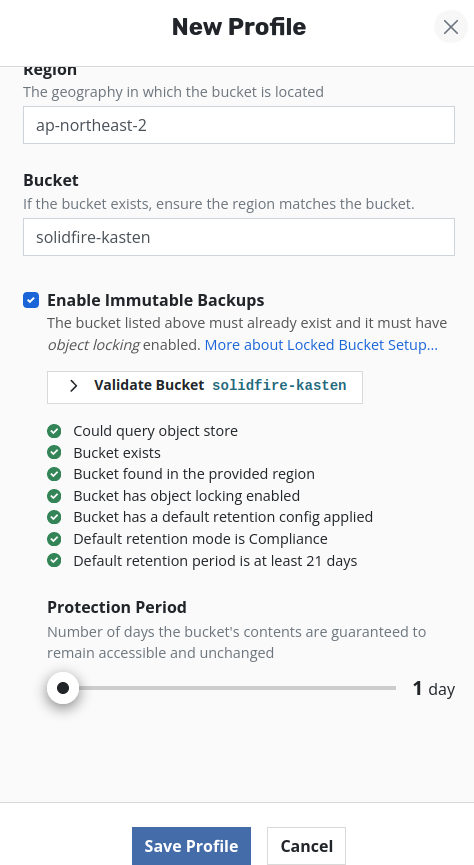
Make sure Versioning and Object Lock are enabled. Use the opportunity to validate that the bucket is usable by K10. Kasten K10 5.0 needs at least 21 days of Object Lock retention.
Create an API account for Kasten's use and apply appropriate access policies for the bucket to only permit this account access to
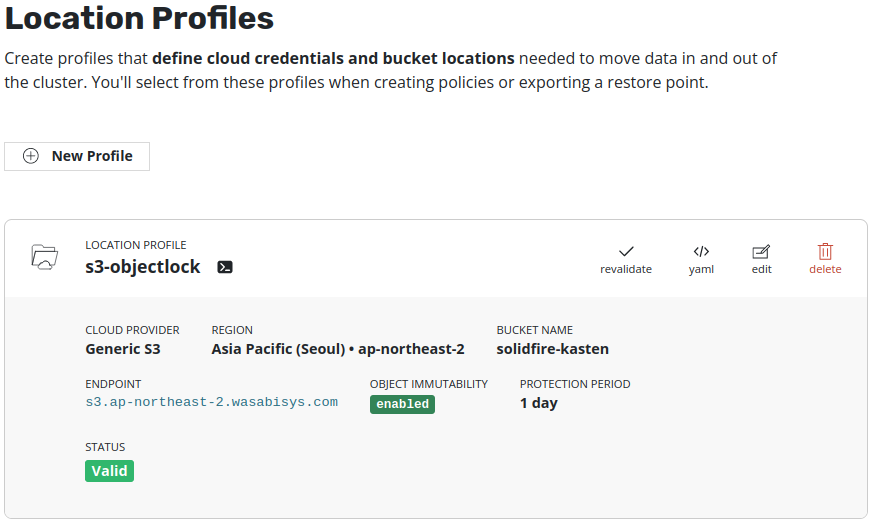
Then create a new Location Profile to use this bucket.
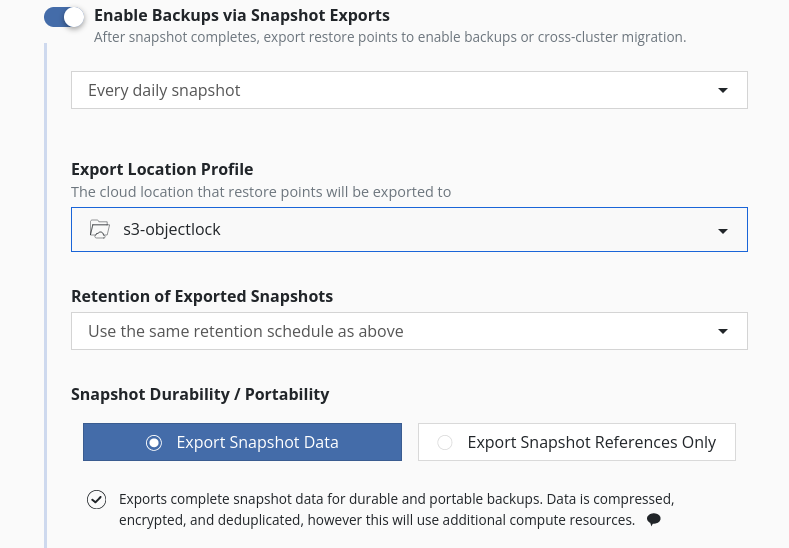
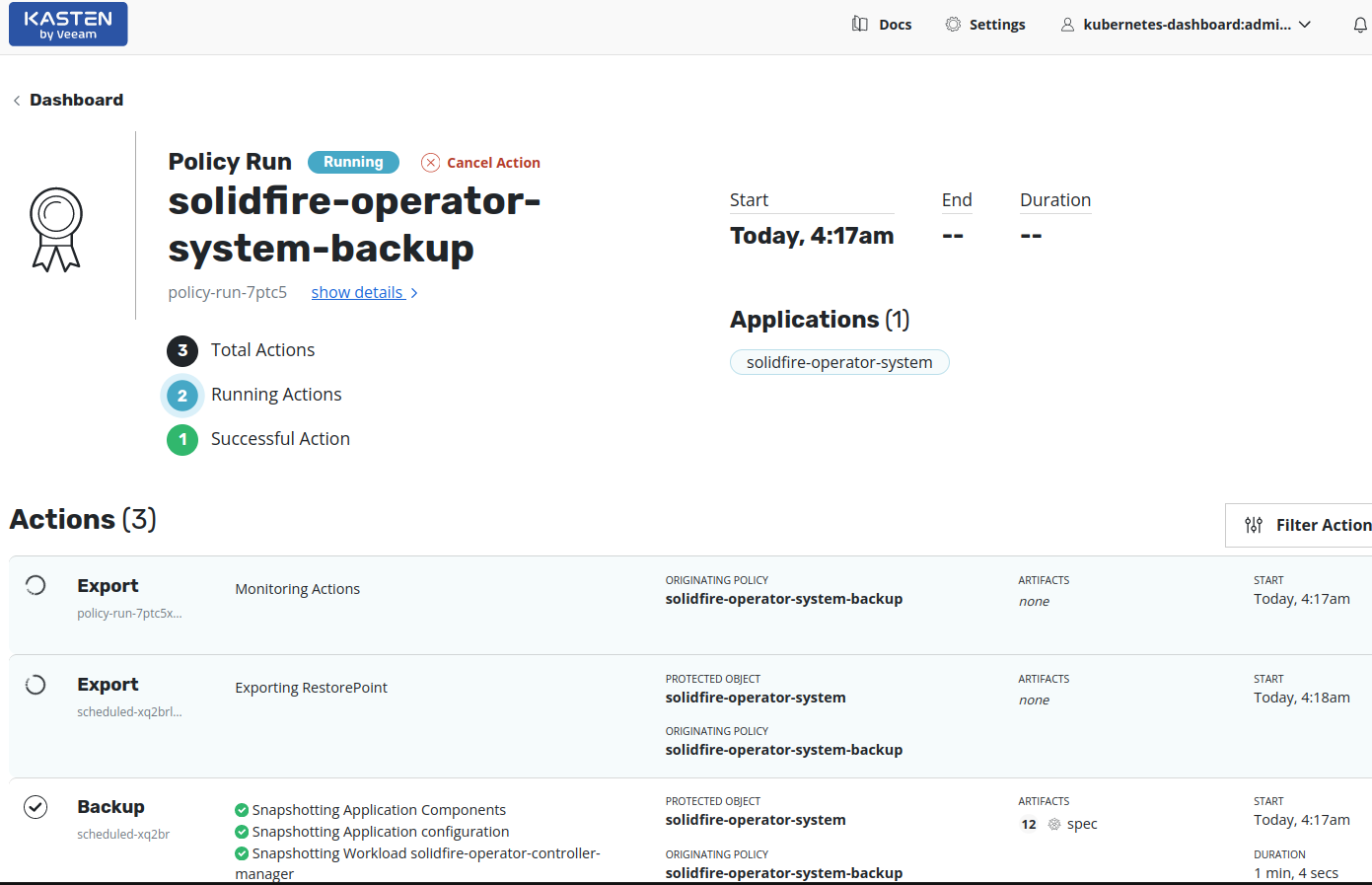
Now when we create protection policies, we can enable snapshot exports (i.e. backup to this S3 bucket).
When we run backup jobs, data should be exported to this bucket.
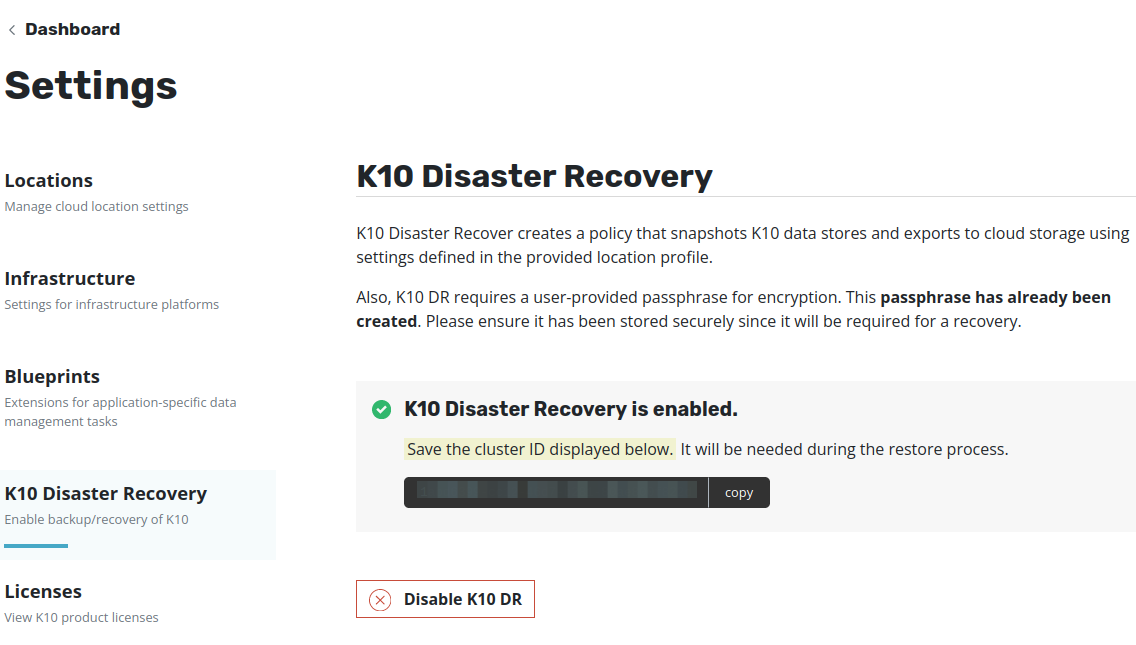
If you create DR backups that let you failover Kubernetes to another site, don't forget to disable old, and enable new DR destination (which is the Wasabi bucket with Object Lock enabled).
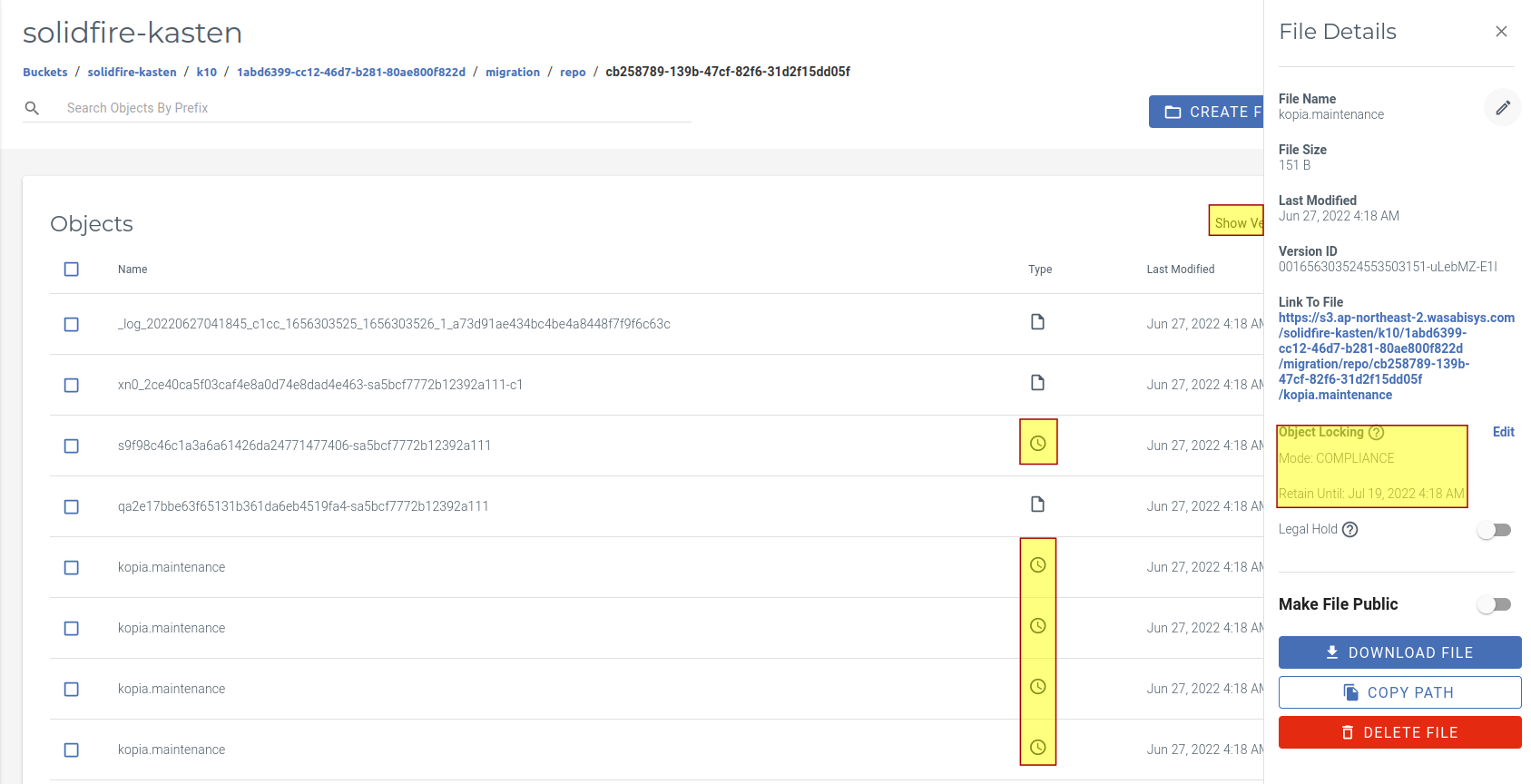
If Show Versions is enabled in the Wasabi UI, you can see which objects have multiple versions.
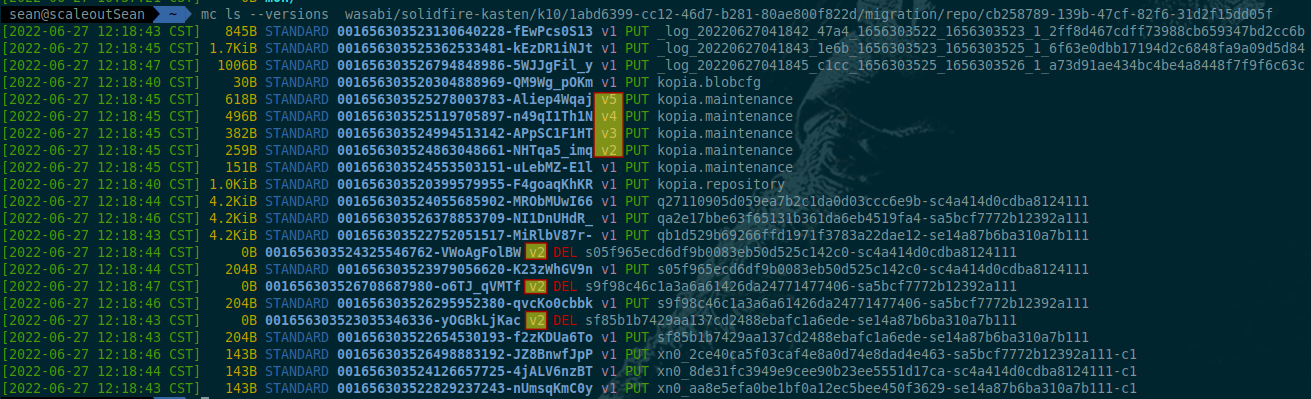
The same can be observed in other clients, just look for objects with version > V1 to see what K10 did between consecutive runs.
We don't need to care about object versions and mustn't tamper with objects and versions by bypassing K10: K10 will create new, overwrite existing and expire unnecessary objects according to policies we create and actions we perform. This is no different from other backup software - while Object Lock prevents deletion with versioning and locking, backup software controls versioning and deletion. I haven't tried, but I think messed up object versions would confuse K10 and we'd have to restore objects by copying older version in place of corrupted or deleted version to fix that.