Monitor and prune object versions on NetApp StorageGRID S3
Introduction
Delete old object versions on NetApp StorageGRID talks about ILM-based deletion of old object versions ("non-current" versions, as they call them).
But, while we may want to keep certain versions up to the time limit set in ILM, may may not want a whole bunch of them. In other words, we want just one per day, or one per hour. What to do?
Version hog pruner
I create a service that accepts StorageGRID audit log, identify PUTs of interest and store them in a bucket (it could be one per grid, or one per tenant).
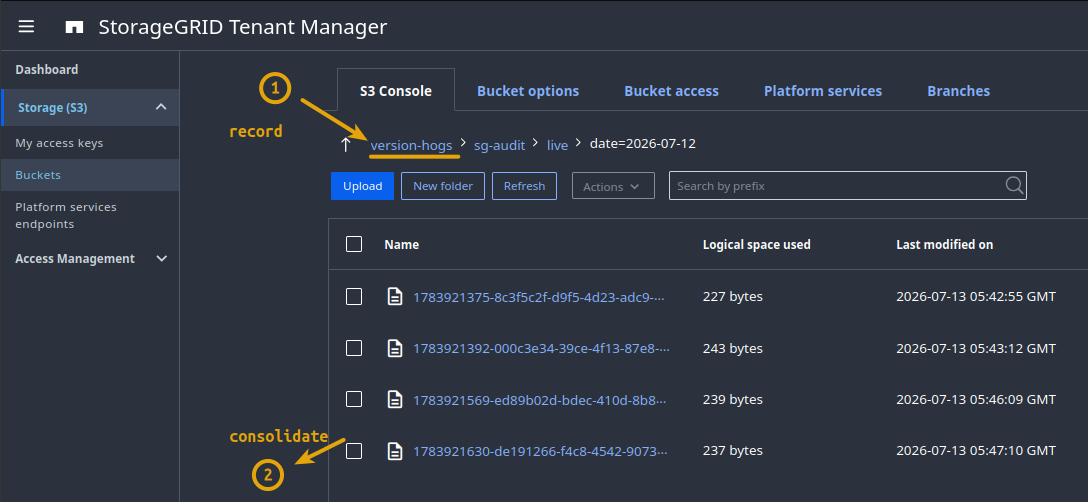
If there are few PUTs in a bucket, you can end up with one tiny files for every few minutes of low activity (2), which means every so often (once every hour, for example), we can consolidate those into larger data lake tables.
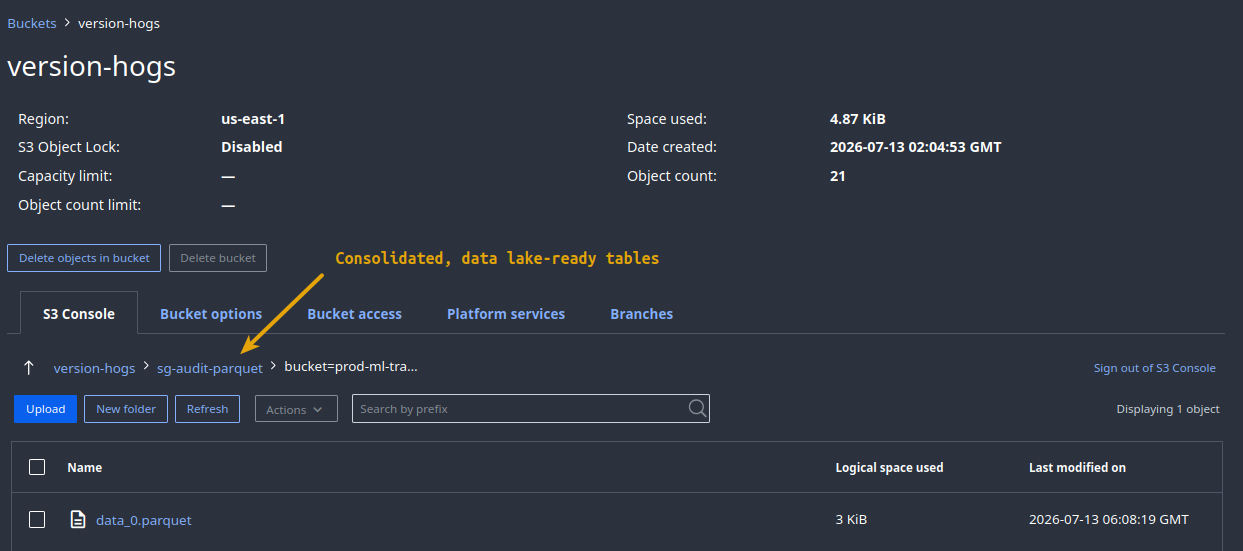
That becomes a scheduled step (1) from below which can be part of your event processing pipeline. Report & Notify in (2) is separate and can be scheduled or on-demand or become a dashboard in some Grafana instance.

In this case the hog is this README.md file that was uploaded many times today.
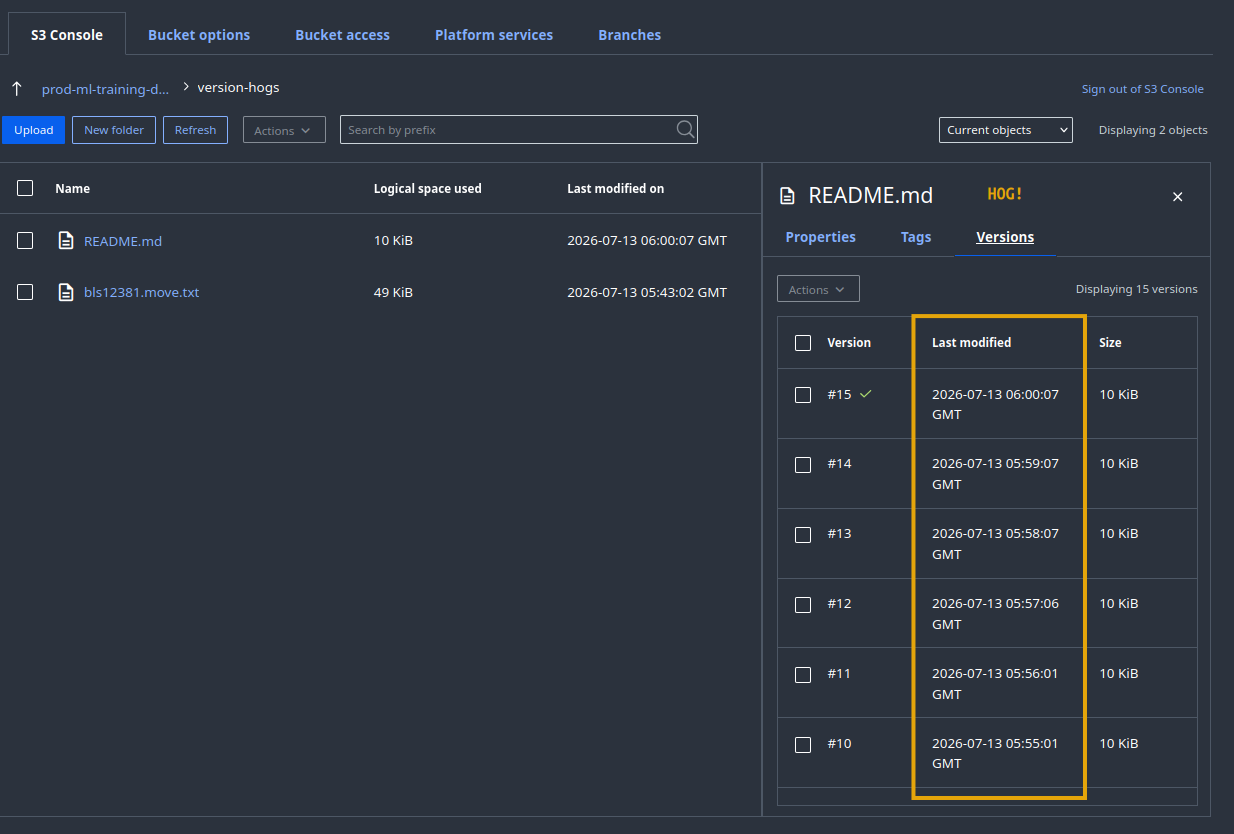
Identifying version hogs that bother you is simply a matter of using a custom query and can be modified based on S3 key (bucket name, path, "file name", "extension", version count, total size of all versions, etc).
Finally, delete old versions you don't need whichever way you want - manually, using a CLI tool, automated job scheduler, etc.
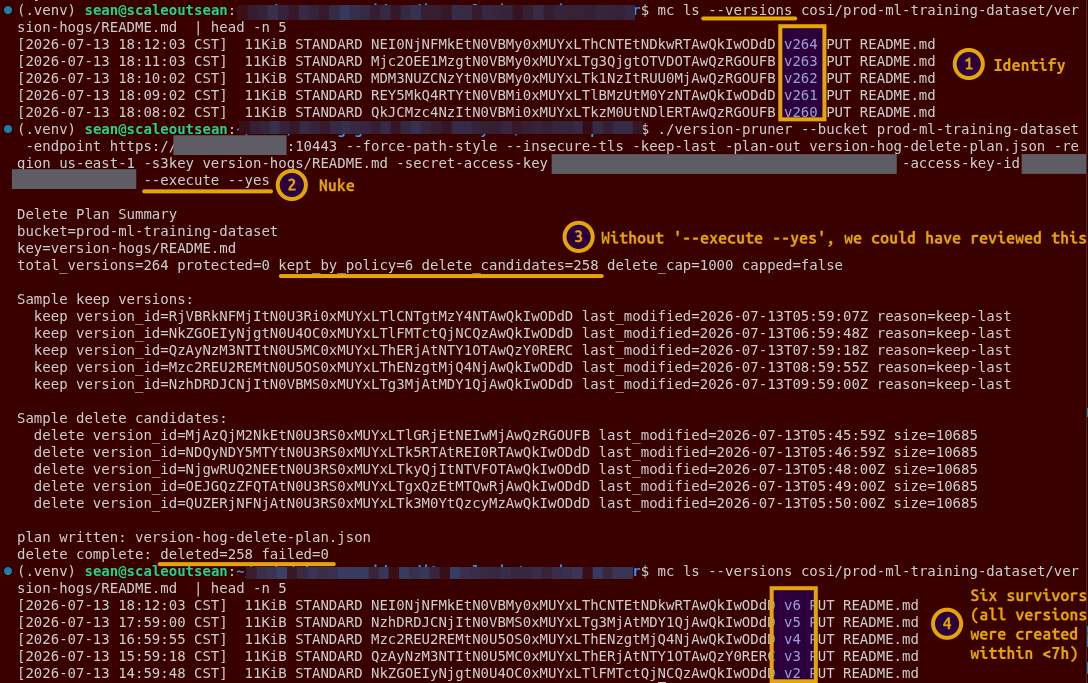
It is smart to avoid running version pruning scripts as a user with s3:BypassGovernanceRetention ACL.
Other ways and workarounds
You don't need to create any tool to find objects with excessive non-current versions - they already exist.
You may use Elasticsearch integration for notifications (not search!). To do that, ingest SG audit log and use it to produce object "sighting" reports in Kibana or own client, which can help you identify multiple PUT requests on the same S3 key. You'd need Logstash (or similar) and Elasticsearch for this, and an easy way is to use the whole ELK stack - it's not the fastest way, but it's the easiest.
Or, you can use StorageGRID Audit Log Converter (SGAC) script to parse several StorageGRID audit logs taken on different days to find the worst offenders. Then setup pruning for them. In most cases you'd need just 2-3 samples - there's no need to track these 24x7 and have services and overheads if you don't want to mount a sustained effort but just catch the worst offenders. If you have a very dynamic environment with many buckets, then you'd probably want to keep an eye on this at all times.
What about existing non-current object versions
Let them get processed by the generic ILM rule.
If you can't wait, run ListObjectsV2 on all such buckets and output result to a file (run one list at a time as to not create excessive workload on StorageGRID). Be back in a week to collect the results and use them to create delete jobs for old versions you don't want to keep until ILM cleans them.
Conclusion
There are multiple ways to easily do what we want to achieve.
- Remember to only check versioned buckets
- Remember that some applications manage own non-current versions. Don't touch those versioned objects.
StorageGRID ILM for non-current versions does work (see the post at the top), but there's no reason to let misbehaving apps pile up a ton of useless versions just because a bucket has versioning enabled.
A self-service clean-up CLI tool can be provided to users to prune excessive old versions of objects they no longer need.
For repeat offenders, daily prune jobs can be scheduled from popular job schedulers. There's no need to micro-manage these things with StorageGRID ILM: yes, you should have a broad clean-up policy for outdated versions, but you should not create a variety of ILM rules for every misbehaving application and retention pattern. ILM rules are managed by the grid administrator and micro-management doesn't make sense in this case.
And finally, S3 applications should be able to prune own aged versions in any case. If they don't, create a feature request for your S3 application vendor or community project.