Ragdoll for RAG with SurrealDB and StorageGRID S3
Introduction
As demonstrated in S3-only RAG demos S3-only RAG and Datalake-ish RAG posts, you can run RAG only off StorageGRID. It's still not the best experience for all scenarios, but it's getting there.
This one doesn't try to maximize the use of S3, but it is related to the previous post of NAS to S3 migration in which I claimed that one of the several benefits of NAS-to-StorageGRID migration instantly gets you to hybrid cloud.
It also has a practical example.
Search is hard
Good search was never easy. There's a long series of steps from product information (not even documentation) to a searchable Web site, each of which impact our final experience, and details of each step matter.
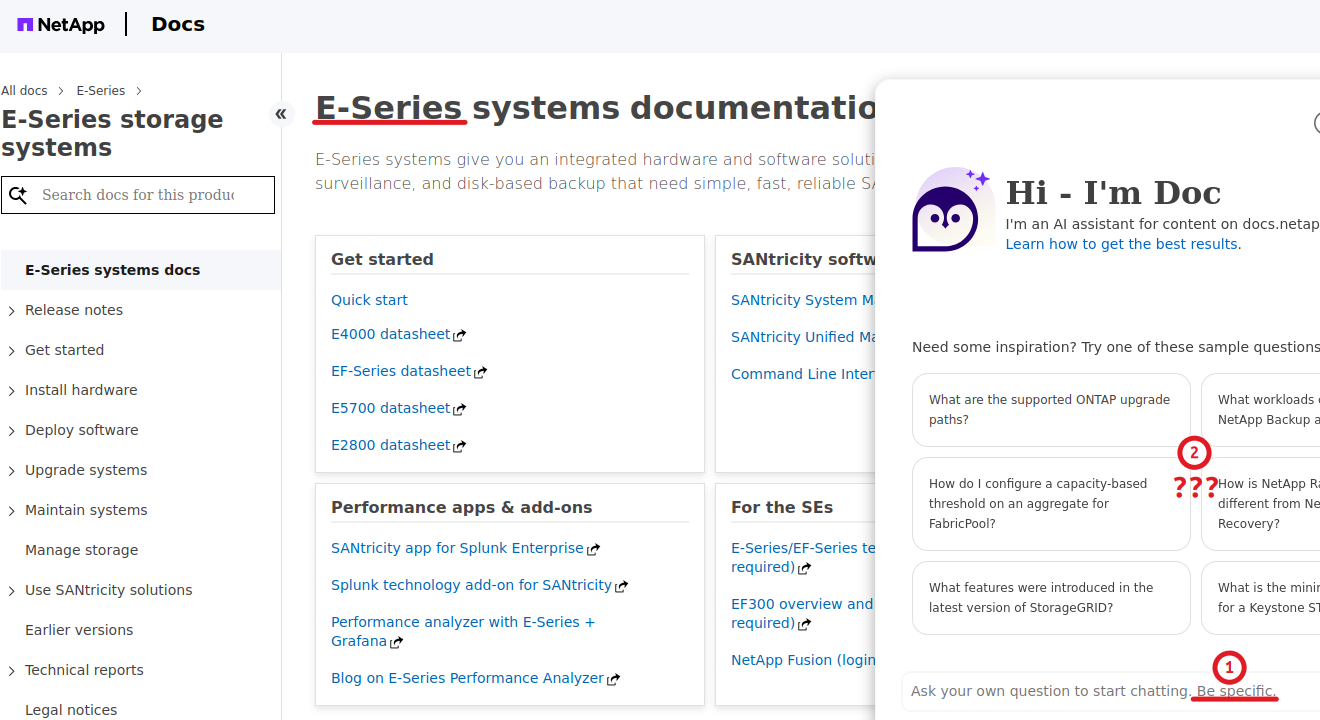
Someone needs to be specific here!
And, in recent years, there's AI integration on top of that. Also hard!
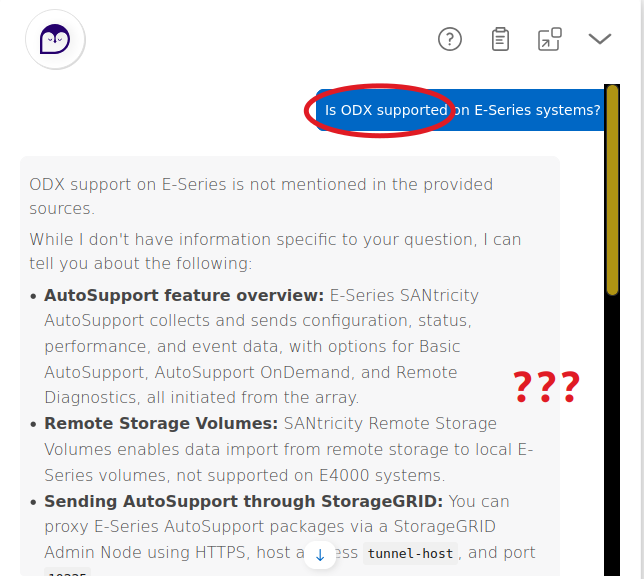
Yeah, sure, my boss told me to get Hyper-V done by 5pm, but forget about that - let me set up those Remote Storage Volumes, that seems way cooler! Or, maybe I'll order a StorageGRID and do that third thing.
If you want to give it a try, go here.
Anyway - your place of work probably has some documentation (manuals, notes, etc.) where better or faster search results are desired or maybe it needs to be easily accessible from anywhere while staying secure and hosted on-premises.
Let's see about that in the narrow context of keeping documentation on StorageGRID.
Ragdoll
Ragdoll is my PoC project for a docs-to-RAG workflow. Its objective is to leverage S3 as much as possible, and the entire workflow should be effortless. I also want to be able to improve its search compared to the official NetApp Docs site.
The NetApp docs are on Github. I get a few (e-series, e-series-santricity, storagegrid, storagegrid-appliances) and store them on NAS, in the source directory here:
$ ll source/
total 160
drwxrwxr-x  8 sean sean  8 Nov  3 15:29 ./
drwxrwxr-x 13 sean sean 25 Nov  3 16:08 ../
drwxrwxr-x  2 sean sean  3 Nov  3 15:29 builds/
drwxrwxr-x 29 sean sean 43 Nov  2 15:49 e-series/
drwxrwxr-x 19 sean sean 26 Nov  2 12:15 e-series-santricity/
drwxrwxr-x  3 sean sean  3 Nov  3 15:29 markdown/
drwxrwxr-x 35 sean sean 42 Nov  2 12:15 storagegrid/
drwxrwxr-x 32 sean sean 40 Nov  2 15:34 storagegrid-appliances/
What I said in the Feeder post is you can index and use them there, but why?
AI answers will give you links to \\nas\share\source\e-series\stuff.adoc. What are you going to do with that? What can you do with that? Nuthin'!
We can completely skip the NAS/local disk part as this can be done on the fly, but let's say this the clone-to-NAS step remains.
Next, we don't need to use S2S3 Feeder here because processing hasn't been done, and we'll do the "to S3" step on our own.
In the prepare step, I convert the product documentation (storagegrid) into the Markdown format.
$ ragdoll prepare --product storagegrid
prepared 12.1_2026-10-27T12:35:25_f21e68f: 729 files, 82 skipped, manifest 729 entries
This takes a minute as each Web page you saw above is its own file. 729 of them. 82 are "other stuff" (aka "the hard stuff" such as images).
That was stored to 12.1_2026-10-27T12:35:25_f21e68f. I did e-series before that.
$ ll source/builds/
total 288
drwxrwxr-x 2 sean sean      4 Nov  3 17:48 ./
drwxrwxr-x 8 sean sean      8 Nov  3 15:29 ../
-rw-rw-r-- 1 sean sean 128494 Nov  3 17:48 12.1_2026-10-27T12:35:25_f21e68f_manifest.json
-rw-rw-r-- 1 sean sean  80887 Nov  3 15:29 latest_2026-10-30T18:26:50_37adf45_manifest.json
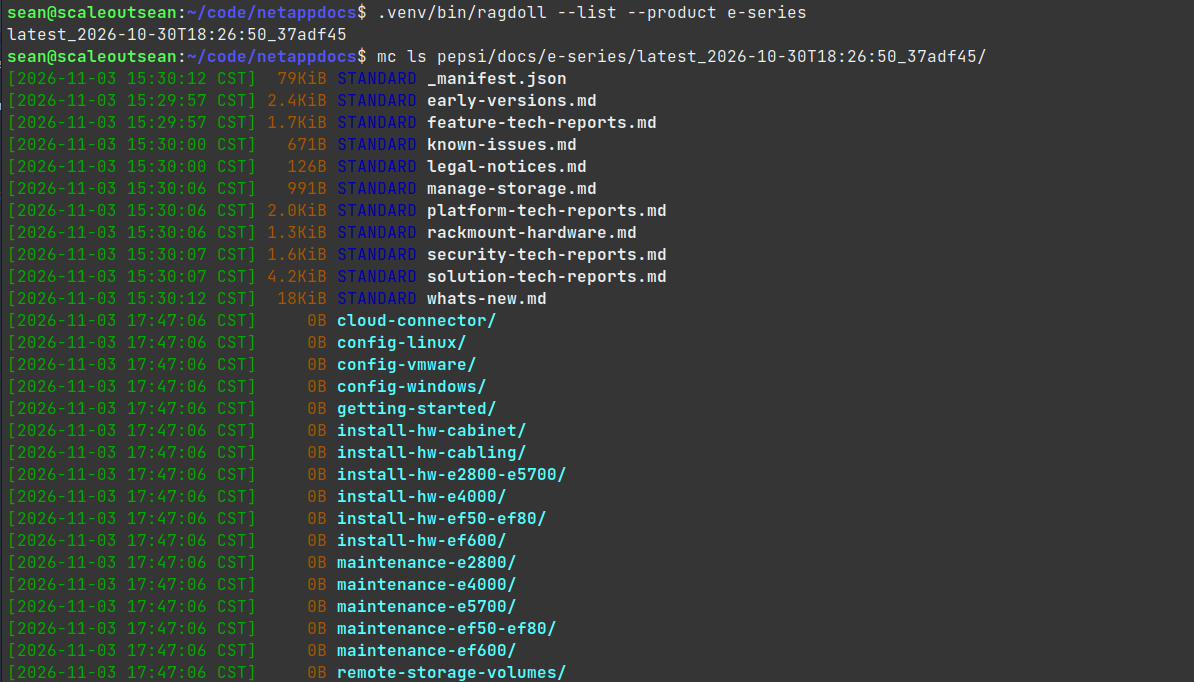
In the case you wonder which is which, it's not my fault (that's how they tag 'em) but we can also filter by product/repo name like so:
$ ragdoll --list --product e-series
latest_2026-10-30T18:26:50_37adf45
Anyway, now I am ready to do "the AI stuff" - chunking, embeddings… StorageGRID data hasn't made it to S3 or vector database yet. Ragdoll shows just one product in the DB and S3.
$ ragdoll --list
e-series

$ mc ls pepsi/docs
[2026-11-03 17:46:55 CST]     0B e-series/
Let's add that collection for storagegrid to StorageGRID and index it:
$ ragdoll --upload 12.1_2026-10-27T12:35:25_f21e68f --product storagegrid
uploaded 730 object(s) to s3://docs/storagegrid/12.1_2026-10-27T12:35:25_f21e68f/
index 1/729 admin/about-multi-admin-verify.md
index 2/729 admin/admin-group-permissions.md
index 3/729 admin/administering-storagegrid-system.md
...
index 727/729 upgrade/verifying-installed-version-of-storagegrid.md
index 728/729 vmware/specifying-grid-network-subnets.md
index 729/729 vmware/specifying-network-time-protocol-server-information.md
indexed 4719 chunk(s) into document
Now, this below is the same thing as above, but it shows the seamless functioning - just three commands (git clone, ragdoll prepare, ragdoll upload) are required to fully automate. Checksum verification is included also retries, and so on - it's not just bare bones upload to S3.
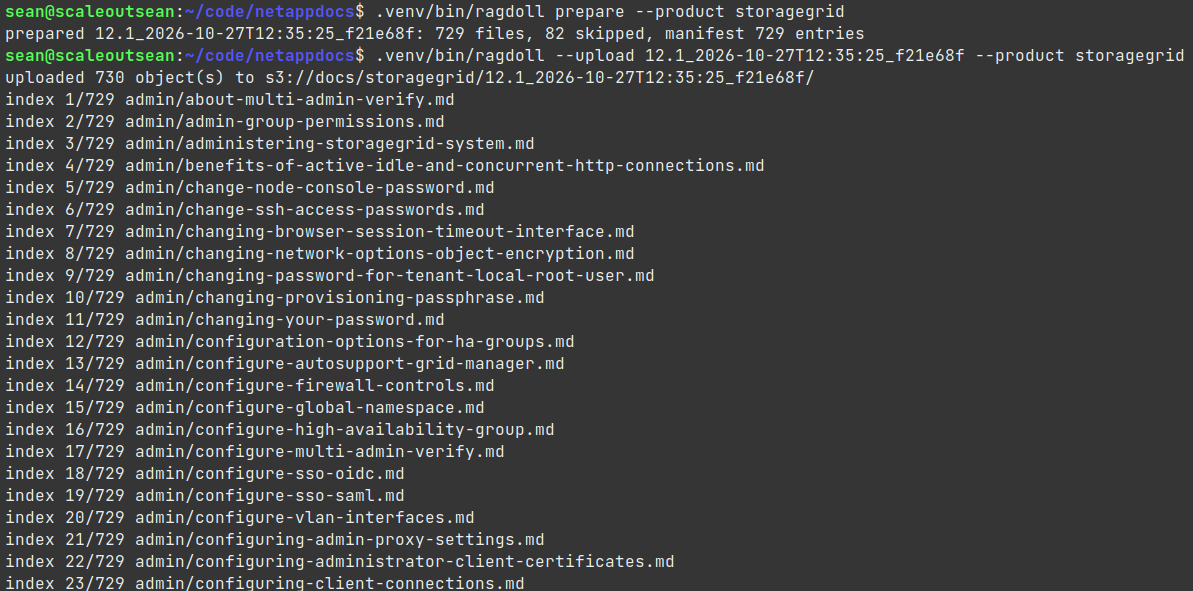
During that time, disk IO from StorageGRID and SurrealDB (I was using a local instance) was less than 100 MB/s (dsk/total -> writ).
$ dstat
You did not select any stats, using -cdngy by default.
----total-usage---- -dsk/total- -net/total- ---paging-- ---system--
usr sys idl wai stl| read  writ| recv  send|  in   out | int   csw
 36   3  59   1   0|6564k   49M|1666k 1624k|   0     0 |  52k   50k
 36   2  60   0   0|5584k   20M|1557k 1544k|   0     0 |  50k   49k
 49   3  46   0   0|6359k   18M|1366k 1306k|   0     0 |  58k   48k
 39   3  57   0   0|4985k   16M|1381k 1338k|   0     0 |  51k   46k
 38   3  57   0   0|5745k   15M|1294k 1233k|   0     0 |  52k   54k
 28   4  65   1   0|6122k   67M|1374k 1314k|   0     0 |  54k   56k
 36   4  59   0   0|6223k   18M|1936k 1909k|   0     0 |  56k   54k
 37   3  58   0   0|5540k   21M|1653k 1603k|   0     0 |  55k   53k
 31   3  64   1   0|7400k   17M|1114k 1069k|   0     0 |  48k   51k
 31   2  65   1   0|5224k   16M|1019k  959k|   0     0 |  43k   45k
 23   4  71   2   0|4667k   78M|1160k 1121k|   0     0 |  47k   52k
 20   2  77   0   0|4217k 5189k| 415k  352k|   0     0 |  38k   36k
 11   1  86   0   0|2348k  447k| 121k   70k|   0     0 |  28k   24k
This represents the amount of writes to vector DB and one StorageGRID storage node (a VM; the other two Storage Node VMs are located elsewhere). Insignificant!
The new product and dataset have been added to the S3 bucket and inserted into the vector database.
$ mc ls pepsi/docs/storagegrid/
[2026-11-03 18:29:33 CST]     0B 12.1_2026-10-27T12:35:25_f21e68f/
What's the difference between this and NAS?
First, my documentation is in the markdown format on S3.
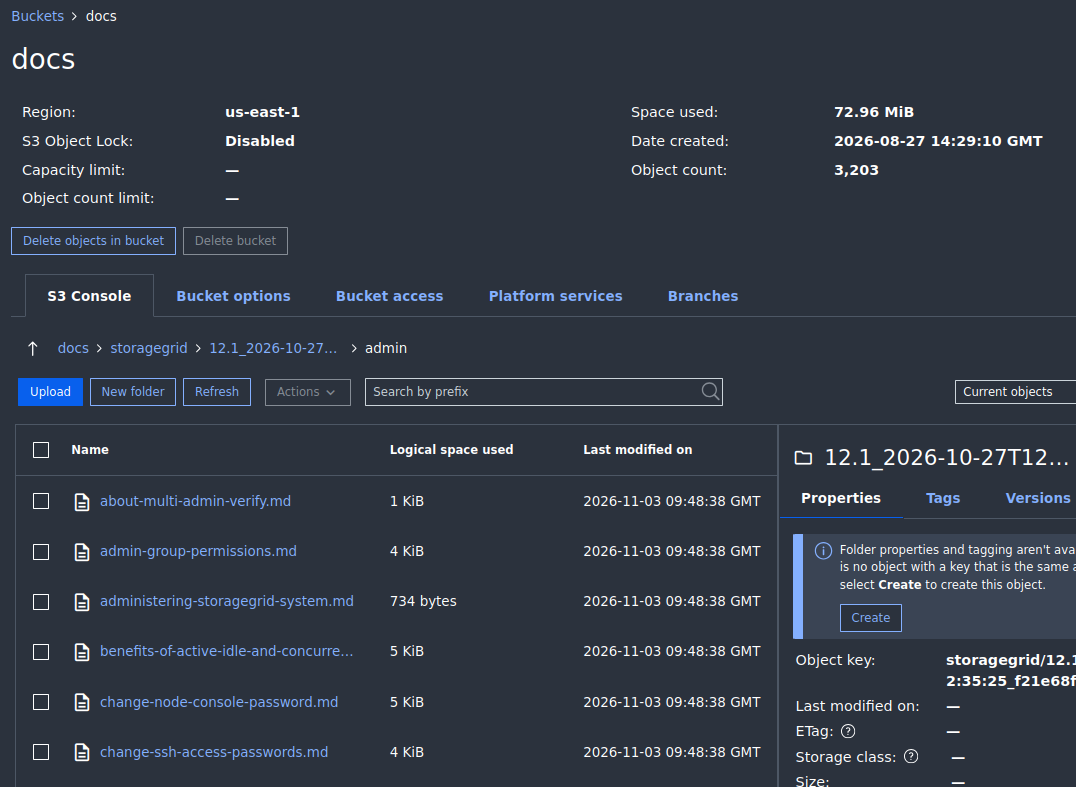
I would probably have an authenticated Web UI and a corporate firewall in front of it, but I can get read-only access to sources without any issues or changes. It's markdown on S3, like this blog post, and it's cheap.
This is a local copy - it landed on disk only because I didn't want to upload on the fly. But I no longer need any of these.
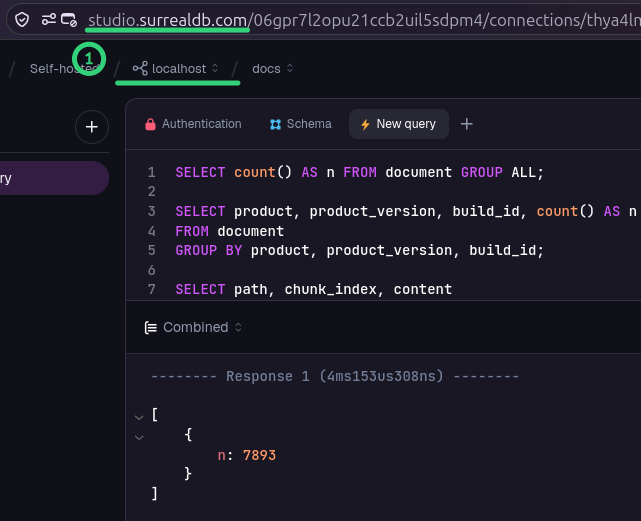
Second, the database - like in the case of Instaclustr OpenSearch can be self-hosted in my cloud account. I could host it locally. Even when it's self-hosted locally, I can manage it using the vendor-hosted UI (and API/CLI, of course).
In a more efficient workflow, I would download source documentation to StorageGRID as well, and have Ragdoll-converted (Markdown) files written there without landing on anything but temporary disk space.
With this setup, I can deploy RAG and agentic AI applications on premises or in the cloud without any extra effort and storage-associated cost (neither capacity nor management). Authentication is done on the client, and there's nothing to do for "the storage team".
Applications can give you direct links to Markdown files, but you can also make the pages browseable from a stateless, read-only Web server.
Bbbut, small files…
There's no need to keep small files on S3. It won't matter on SGF6212, you could keep billions per node, but you don't have to.
My previous S3-only posts showed that files can be kept in highly efficient and compressed tables. If I put the objects in one big Parquet or Iceberg table, that would be the same as those other RAG demos.
What's different
I don't know how the NetApp Docs site does it, so I can't tell.
In this case:
- Conversion to Markdown: general open source libraries in Ragdoll
- Upload: also the usual - Boto3 in Ragdoll
- Embeddings: nomic-embed-text model called from Ragdoll and pushed to SurrealDB
- Embeddings and indexes are stored in SurrealDB
- Search is hybrid (semantic & lexical) - "classic" stuff
There's no chatbot, but those are usually hosted by a 3rd party anyway. NetApp Docs' chatbot seems to be Azure-hosted.
Is this search any better?
Not much.
Let's see what we can do "out of box". We can use SQL queries.
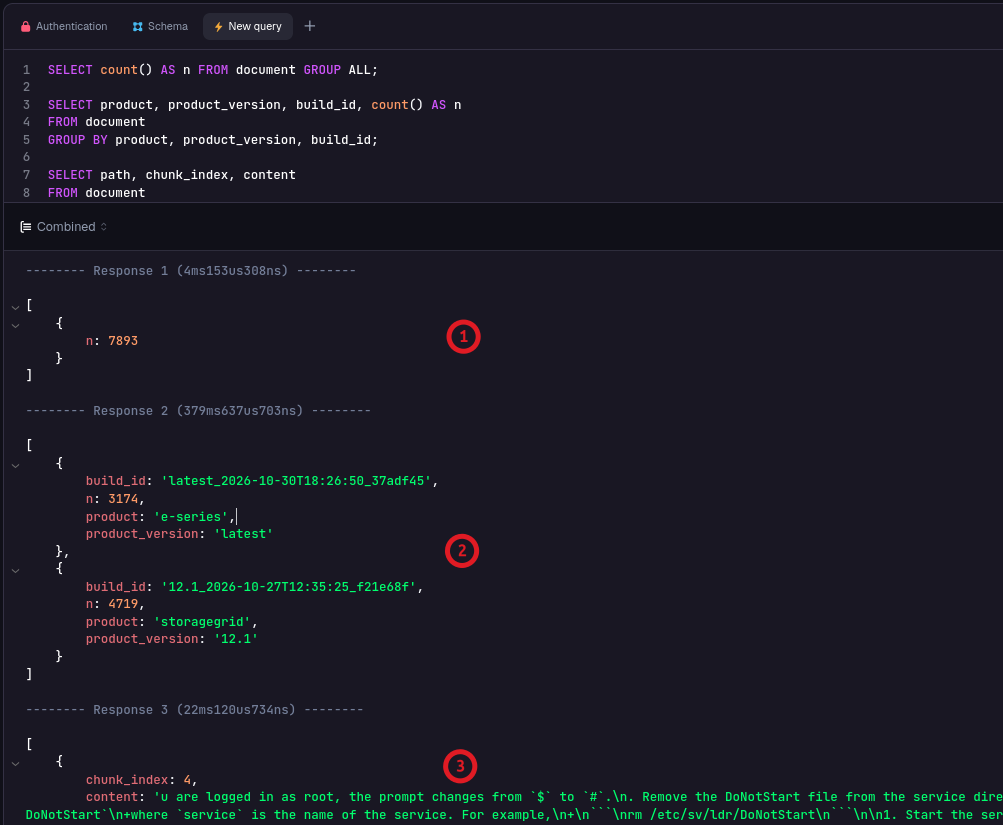
- (1) That's not 7,893 markdown documents. The two documentation sets (E-Series and StorageGRID) have hundreds of markdown documents and after chunking, almost 8,000 chunks and those are in SurrealDB. The StorageGRID documentation on StorageGRID has 730 markdown documents.
- (2) The docs database in SurrealDB has two products indexed
- (3) Sample from one of the 7K chunks
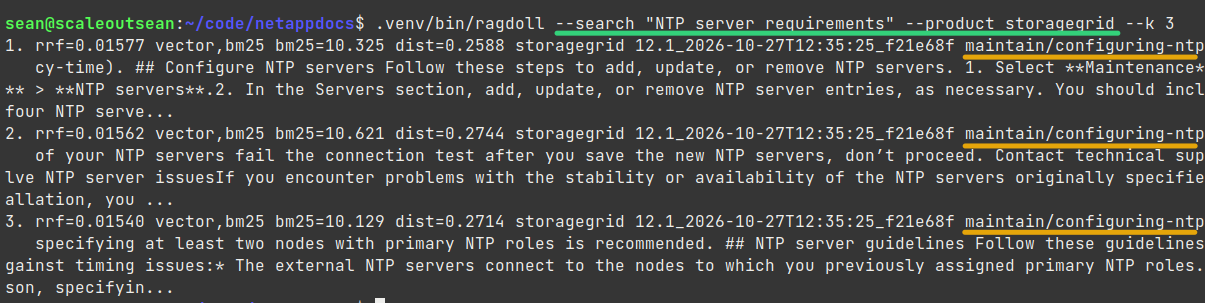
We can use the CLI, too. Ragdoll uses the SurrealDB API.
$ ragdoll --search "Open firewall for AutoSupport" --k 1
1. rrf=0.01371 vector,bm25 bm25=6.719 dist=0.3069 storagegrid 12.1_2026-10-27T12:35:25_f21e68f admin/what-is-autosupport.md#0
   # Learn about AutoSupport in StorageGRID The AutoSupport feature enables StorageGRID to send health and status packages to NetApp technical support. Using AutoSupport helps solve problems faster. Technical support can monitor your system's storage needs and help determine if y...
We can also build a front end Web UI with fancy SSO/JWT authentication, but whatever. You get the idea.
Now, why isn't this better?
It is better:
- It's faster (the search, but especially if I were to serve the static site with documentation, too)
- No unrelated results even on a "generic" search page
- We haven't even added a non-generic AI chatbot which ought to work better
It's not better (or worse) in terms of what it finds. It finds the stuff that's in the docs.
But the search quality not much different, because the search works more or less the same way here and there.
To improve search quality, we'd have to do some work on the original documentation - not so much on the tasks done by Ragdoll.
How Ragdoll works could be improved, too, but as mentioned at the top, it's a long series of steps that leads to challenges in search. The challenge isn't in our embeddings model or how SurrealDB implements search - that part is more or less fixed.
I'll blog again if I make any improvements in search quality.
Conclusion
There isn't much going on I/O-wise during processing and creating embeddings (especially if the database is on EF-Series). In fact - as shown in the RAG posts and also in the Ray Framework posts - it's modest and can use ephemeral storage when executed at scale.
Any failed jobs can be simply retried, exactly like I depicted in this use case which could be used to automate Ragdoll (originally I planned to use Unstructured.io, but they won't allow registration from non-business emails, even if one wants to pay for service).
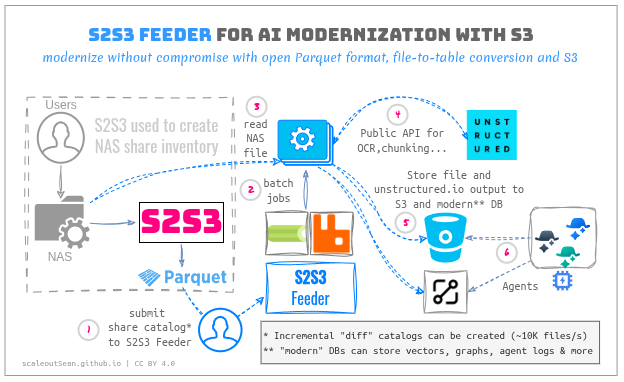
After embeddings are created, there's very little I/O where content (Markdown) is stored - maybe 1 in 100 users clicks on a link to get that 10KiB file referenced by a chunk used to answer a question.
And 80% of such clicks will be cached in reverse HTTPS proxies, so you'll rarely ever hit StorageGRID even when you click on those reference links.
Web UI is fundamentally limited in what it can do on StorageGRID bucket (list, get) and you get SSO and end-to-end logging and full access auditing without any effort.
In a future post, we'll examine an agentic use case with SurrealDB.