Containerized Cloud Sync Data Broker for Docker, Kubernetes and Nomad
Introduction
I've written two posts about Cloud Sync, programmable NetApp service for file replication and migration and mentioned it in a bunch of others.
The Cloud Sync service runs in the cloud, but scanning and copying is done by dedicated "workers" called Data Brokers.
When a sync relationship can benefit from additional data brokers, you can add more to a group and let them work in parallel.
Data Brokers can run pretty much anywhere including on-premises, but require a VM. When you deploy them you get a customized shell script to run and once services start, the new worker connects to the mothership and becomes available.
A user recently asked if it will be possible to run Cloud Sync Data Broker in containers (Docker, Kubernetes, etc.) becuase that would be more convenient for scaling and other reasons. (To make it clear, not for the purpose of scaling out, but deploying and scaling up. I knew scaling out is not possible because each worker has a unique ID so they can't be replicated at will.)
Because installation is scripted and scripts available, I hoped I'd be able to do it and find out that way.
It seems RPM-based distributions are a popular choice for Data Broker VM OS, so for this task I picked Rocky Linux 8 which is one of a RPM-based community Linux distributions that's available in major cloud providers and the vendor behind it offers affordable commercial support plans.
I first installed Data Broker in the VM, to make sure there are no distribution-specific issues. That worked as expected.
Containerizing Data Broker
Next I deployed a Rocky Linux 8 container (same version as host) on the same VM.

I got a fresh deployment script (screenshot above) and tried it. I also removed Data Broker from the host using the un-install script in /opt/netapp/databroker.
I ran into half a dozen minor problems with Docker-based Data Broker, but was able to solve them within two-three hours.

So we got our answer!
Containerized Cloud Sync is not yet officially supported, so I won't publish how-to's or container images as I usually do:
- I can't redistribute Cloud Sync Data Broker software (containerized or otherwise)
- I can build containerized Data Broker for my own use, but I can't help others do that
No one should want to run these containers even if they worked out the details, because it's not enough to just "make it work".
Any production use would need basic tooling around it, so that Data Brokers can handle auto-updates and such - if NetApp pushed an update right now, that would kill all containerized Data Brokers.
But if you use Cloud Sync and don't want to deal with VMs, please reach out to NetApp. This should work just fine whether you want to run it in Docker, Nomad or Kubernetes, The app cares where it's running.
As you can see in the first screenshot, I used a (persistent) volume to store Data Broker installation and data directory because I wanted to make this behavior consistent with VMs.
What's good about containerized Data Brokers?
- Faster to start up and shut down
- Lightweight
- Container easy to distribute and deploy in multiple locations
- Less maintenance, fewer OS updates
- No need to backup or snapshot Cloud Sync VM - takes minutes to build a new one
Data Broker software and dependencies take around 600 MB and the base Rocky Linux container is 200 MB.
$ ls -l
total 4
drwxrwxr-x. 3 sean sean 151 Jan 19 18:37 cloudsync
-rw-rw-r--. 1 sean sean 400 Jan 19 18:12 docker-compose.yml

$ sudo du -sh
520M	.

$ docker images
REPOSITORY   TAG       IMAGE ID       CREATED       SIZE
rockylinux   8         63f107ef819e   4 weeks ago   197MB
Mounting and accessing data
One thing that I'm yet to evaluate is how easy it is to access NFS and SMB shares from such containers. It may not be, depending on how Cloud Sync client works.
S3 worked for me without issues, so at the very least we can use Cloud Sync in containers for in Object/S3-related data broker groups, but quite likely for NFS as well (see NFS notes at the bottom).
But, does it auto-scale?
We can deploy containerized Data Broker to Kubernetes or (even better) Nomad, and even though that container couldn't scale out, it'd still be convenient to use.
How do we make auto-scaling possible, though?
It's not too complicated, and you can in fact try this at home: build an operator or deployment script that uses the CloudSync API to deploy new Data Broker containers, or remove unnecessary Data Brokers containers.
Even with "semi-automated" brokers (without having a fully automated operator, that is), that would be more convenient than scaling-out VM-based Data Brokers.
But, since that is not officially supported, I'd hesitate to go that far and use auto-scaling in my own production setup (if I had one).
One of the several good reasons for that is that it's not easy to tell when a Data Broker group should scale-out, or scale-in (i.e. their number be decreased) - before doing either of those actions, we still need to understand the data, protocols, locations, container utilization (network, CPU) and estimate whether it's worth the trouble (it may not be, for one-off 30 min sync job, for example).
When that time is factored in, I'd rather do everything manually and observe Cloud Sync both before and after such actions (edit: I blogged about logging, monitoring and analytics for Cloud Sync here).
Demo
There's a video at the bottom, but the screenshots contain all the interesting information.
Use two buckets on an on-prem object store, cloudsync-in and cloudsync-out, with three objects in the Source, and none in the Target bucket:
$ mc ls s3/cloudsync-in/
[2023-02-01 16:41:13 CST] 318KiB STANDARD epa-minikube-rocky-linux-9.png
[2023-02-01 16:41:13 CST] 137KiB STANDARD epa-ssd-wear-monitor.png
[2023-02-01 16:41:13 CST] 213KiB STANDARD epa-ssd-wear-monitor_annotated.png
Create a supported relationship type:
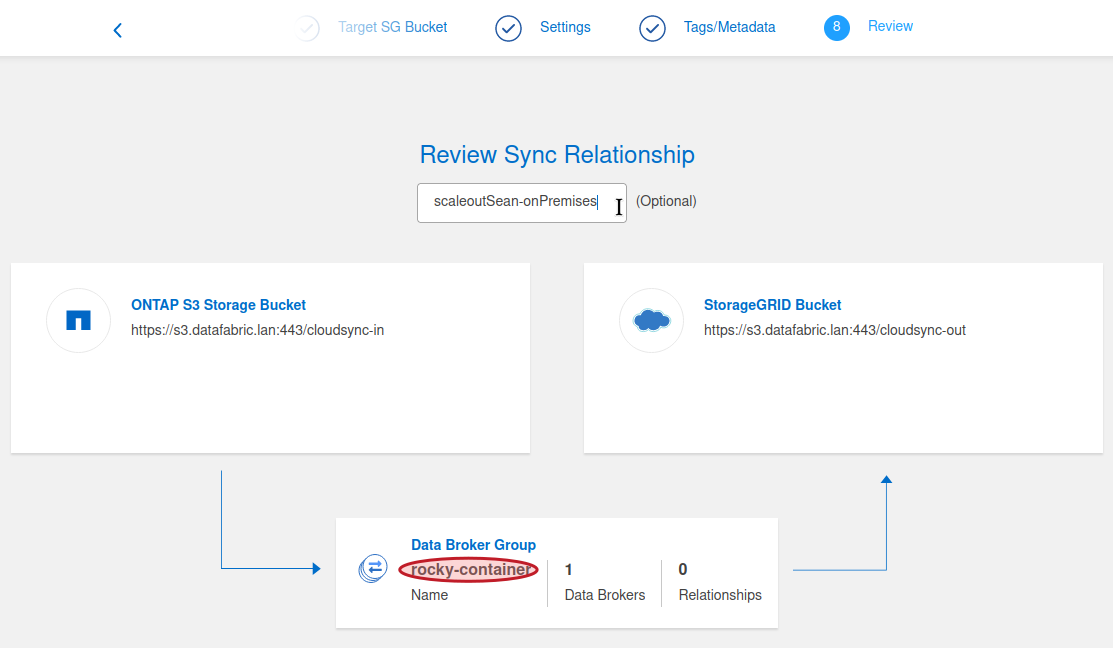
Create a schedule:

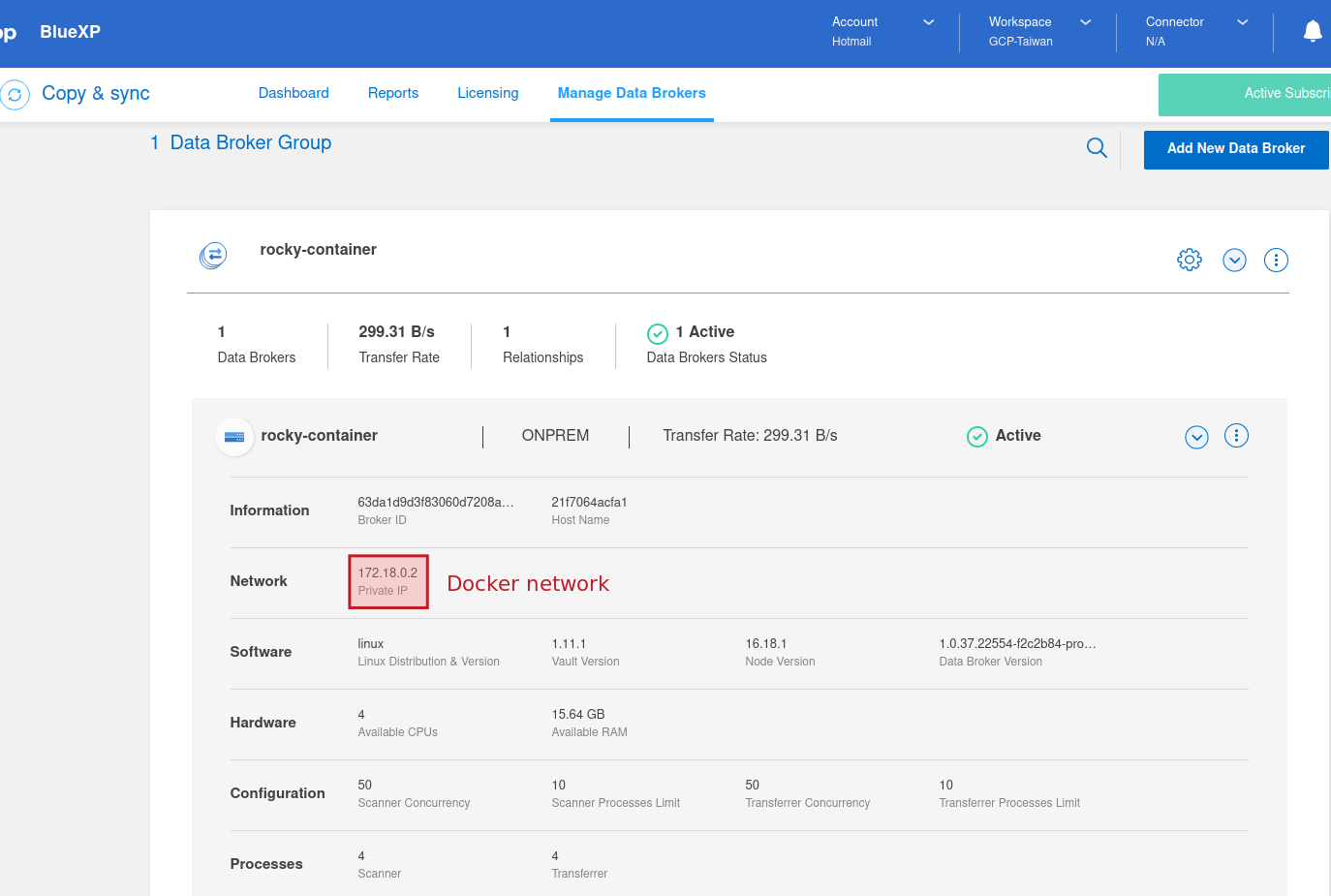
Details of Cloud Sync running on Docker network:
Job report shows the S3 source and destination have been synchronized:

The same three objects are now in cloudsync-out, but date stamps haven't been retained (as expected).
$ mc ls s3/cloudsync-out/
[2023-02-01 16:58:38 CST] 318KiB STANDARD epa-minikube-rocky-linux-9.png
[2023-02-01 16:58:38 CST] 137KiB STANDARD epa-ssd-wear-monitor.png
[2023-02-01 16:58:38 CST] 213KiB STANDARD epa-ssd-wear-monitor_annotated.png
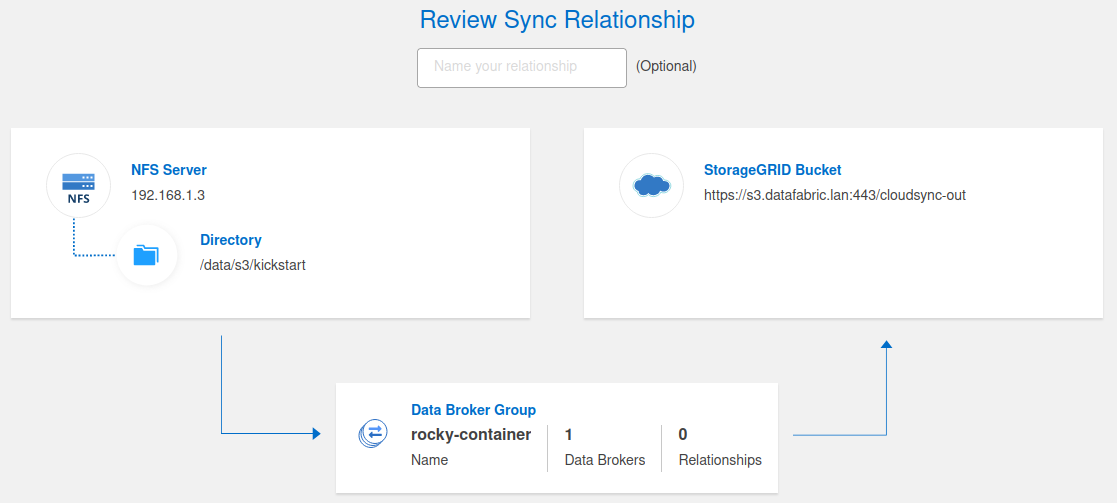
NFS sources and targets can be displayed and added as well. Synchronization in this case failed because my container wasn't prepared to mount NFS, but with proper preparation that can be done.
Video demo
- Containerized NetApp Cloud Sync - 2m49s