Veeam B&R 13.0, Proxmox PVE 9.1, and NetApp E-Series
Introduction
Following the post on Proxmox Backup Server, I thought to try Veeam Backup & Recovery, especially since I've never used it with Proxmox.
I also wanted to check out the NVMe/RoCE, current state of pre-post backup and snapshot integration - supposedly a complex topic (judging by the lack of official information about it, at least) - and the Linux based VM … thing. In 2024, I blogged about using E-Series for Veeam Hardened Repository based on the Veeam documentation, but I never used it myself as I had no place to try it out.
Long story short:
- Veeam B&R is still great
- Regarding NVMeoF, I've made some unexpected discoveries
The Linux VM thing(s)
So, there are two "Linux VM" things, and that's a bit too hard to figure out on the Veeam's Web site.
- VIA - Veeam Infrastructure Appliance - a hardened backup proxy for VBR
- VSA - Veeam Software Appliance - a significantly improved Veeam Hardened Repository with backup/restore features, sort of, a possibly a future all-Linux VBR. Now it lacks some important VBR features, so this will take time
The first (VIA) wasn't very relevant to Proxmox as it's just a backup proxy, while VSA, offering a sub-set of Windows-based VBR, could be skipped as I had to try VBR in any case.
What worked and what didn't
This isn't a full step-by-step walk-through - you can find those elsewhere - it's just highlights of what was interesting or relevant to me in the context of VBR, Proxmox and NetApp E-Series. As such, it may be interesting to only a handful of people.
About VIA
First I tried to install VIA without installing VBR. I didn't fully expect I'd be able to use it stand-alone, but I really didn't like the idea of downloading and installing Windows Server just to understand these Linux things.
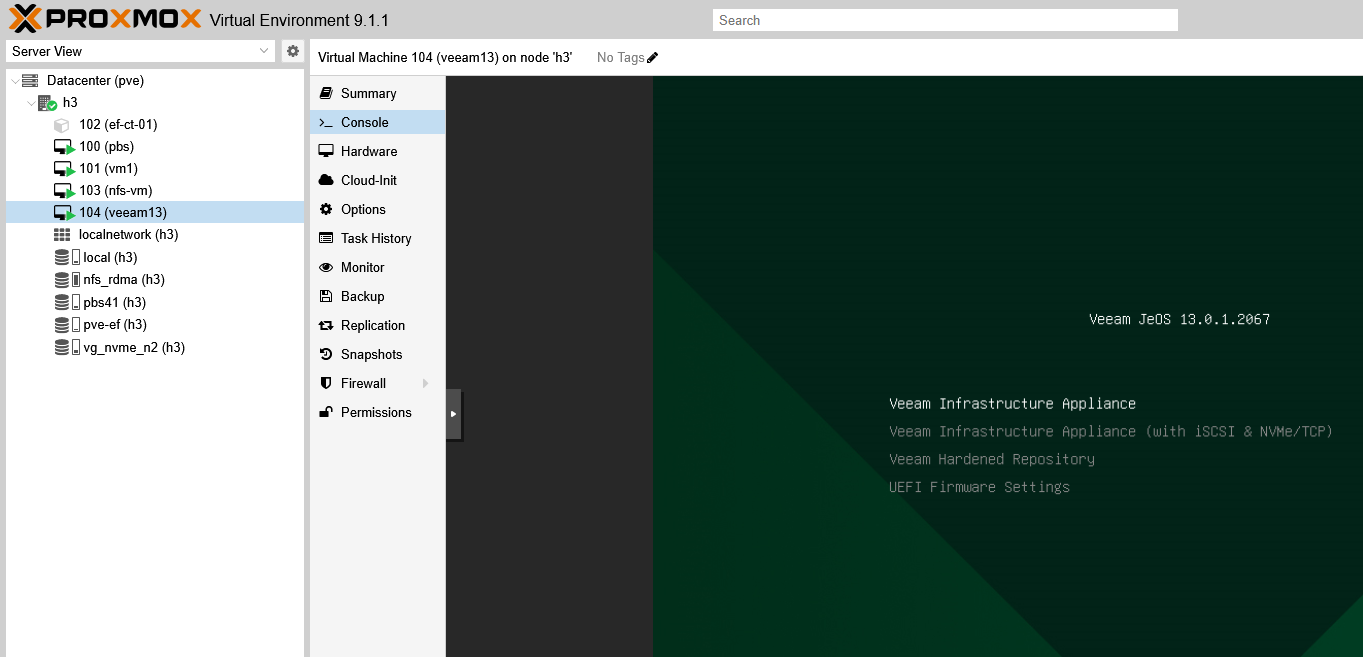
Even that turned out to be a minefield, from UEFI boot to large minimum disk requirements, and more.
The second small suprise was to see it's based on Rocky Linux (9.6, this particular VIA version).
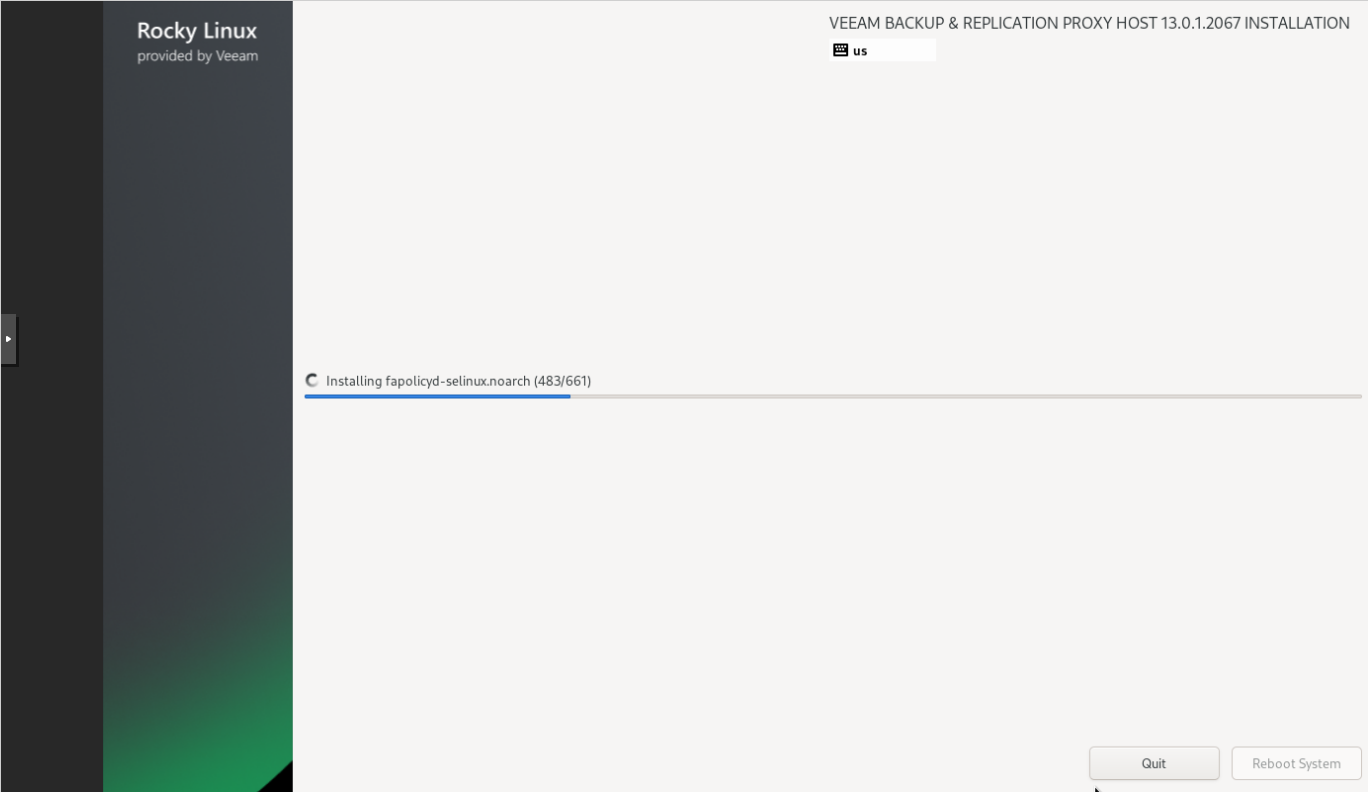
E-Series added support for Rocky Linux in 2022 which isn't relevant to this, but my point is - it was relatively early and before some of the more "modern" software and hardware vendors figured out it was going to be valuable.
Trying to get past this with passW0rd123 and similar will drive you nuts. You can't.
It'll keep complaining, and you'll keep adding stuff until you've met very strict security requirements for complex passwords.
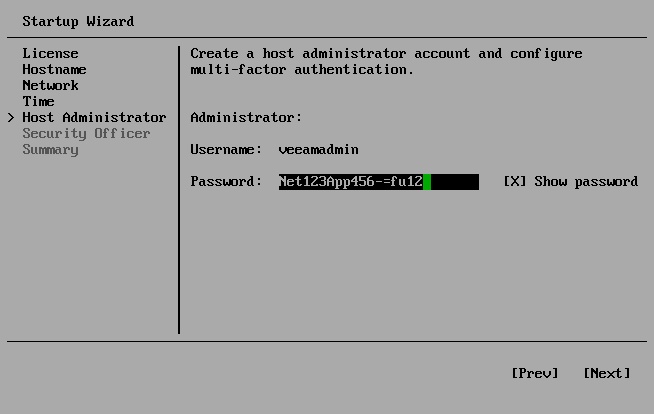
Once you're done, you'll have no root access. There's a Web UI and SSH login, but you can't make any changes. Smart.
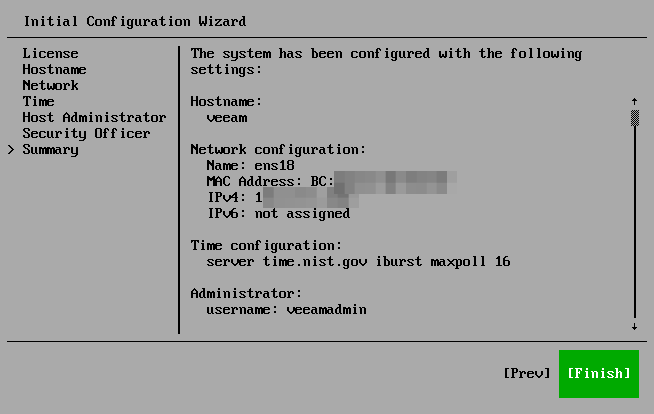
OK, so trying VIA on its own was a stupid idea! I've spent an hour and ended up with nothing.
Verdict: Veeam Infrastructure Appliance didn't work the way I thought it would.
One of the issues was NVMe-oF. After the initial poking around - before I even realized I'd need Veeam B&R and not just VIA, I saw this in the VIA Web UI and thought it was going to connect to E-Series targets. I'd just have to expose block devices to VIA and voila! - I can backup over NVMe/ROCE! LFG!
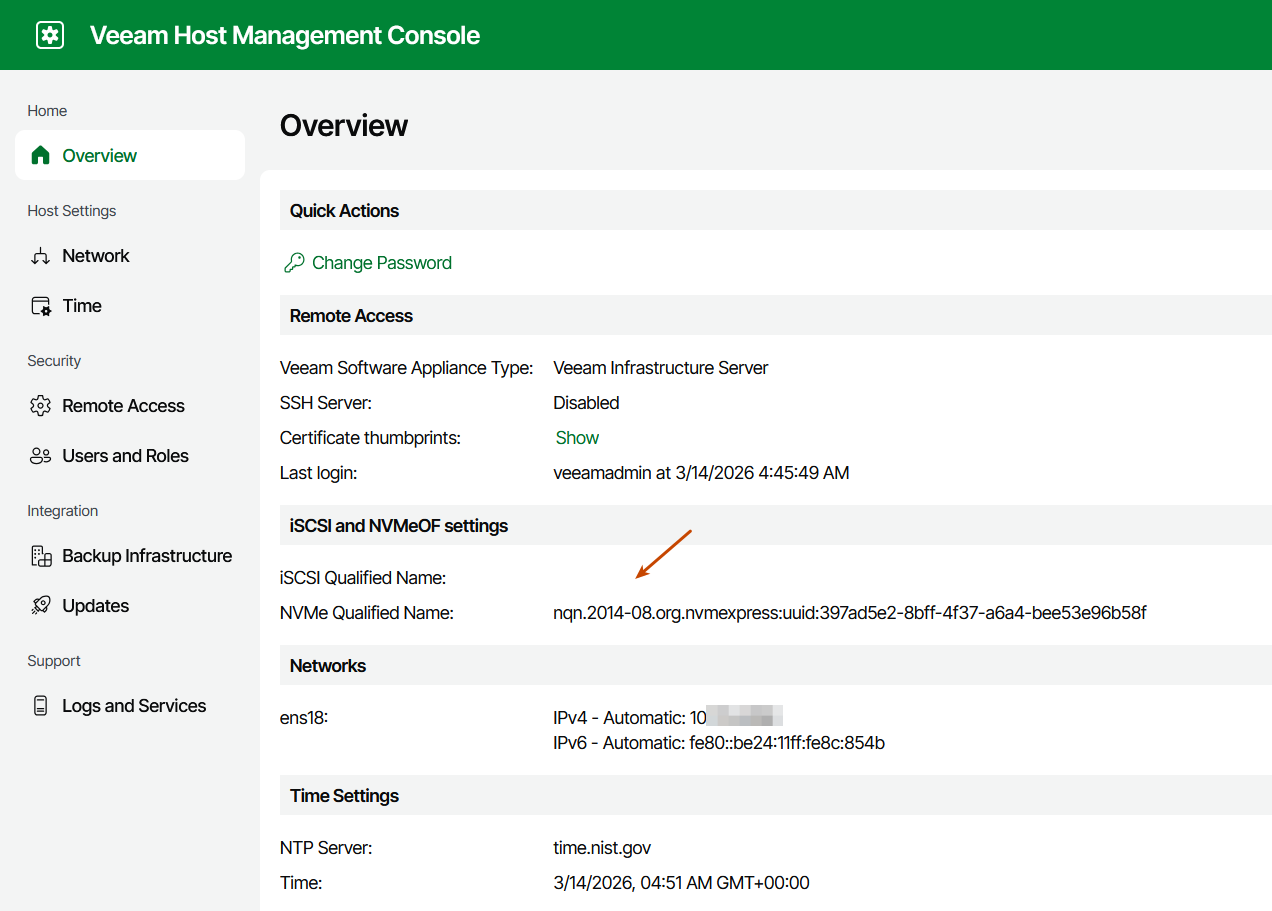
Bzzt! Wrong!
What happens is … well, not that. VIA works more or less the same way VBR's vSphere backup proxy did/does - as far as I can tell it's not a generic proxy for non-VI backup jobs. It can be deployed by you (like I did at the top) or pushed out to a host on-demand from B&R.
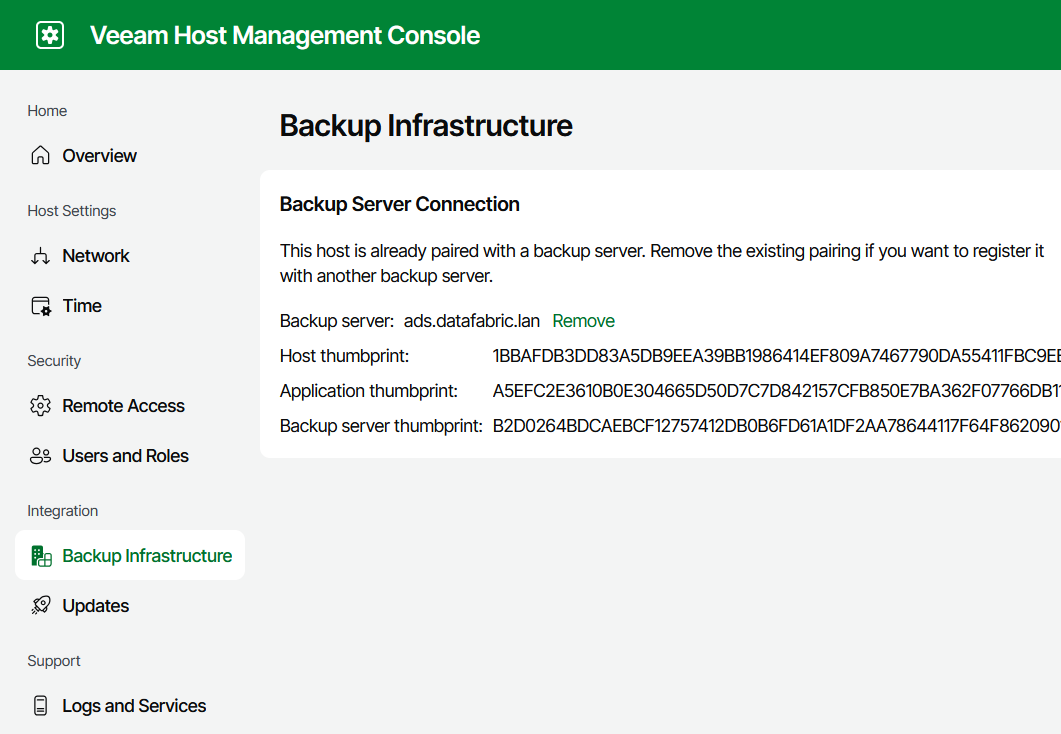
If you install it manually, then it just runs at all times. Good for you! Sice Veeam B&R doesn't know about it, you need to "pair" it with VBR. This one is "waiting for connection".
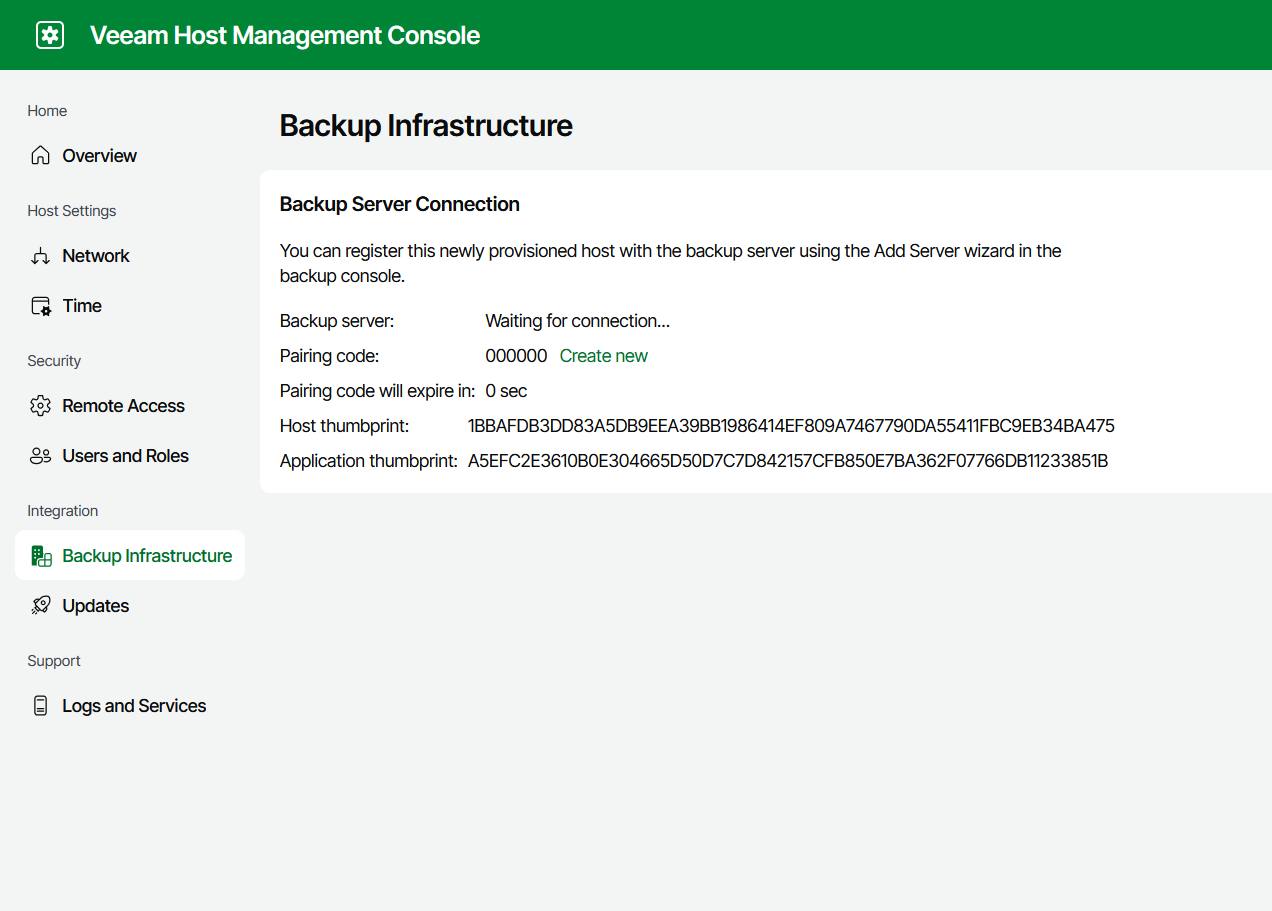
If you install it like that, you must add it - connect to it - from VBR.
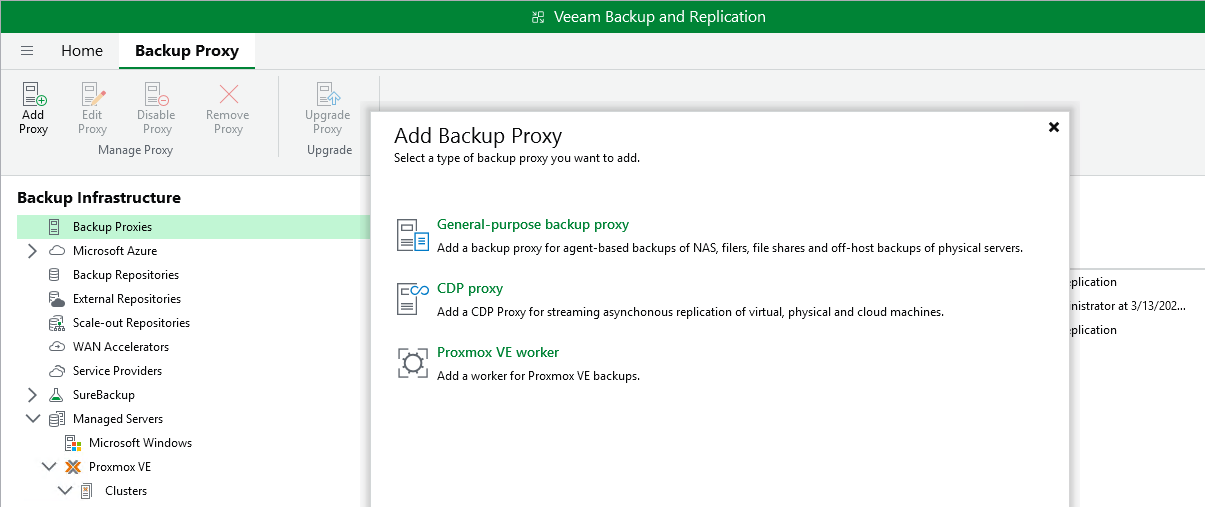
So later I added this VIA as a "standard" backup proxy.
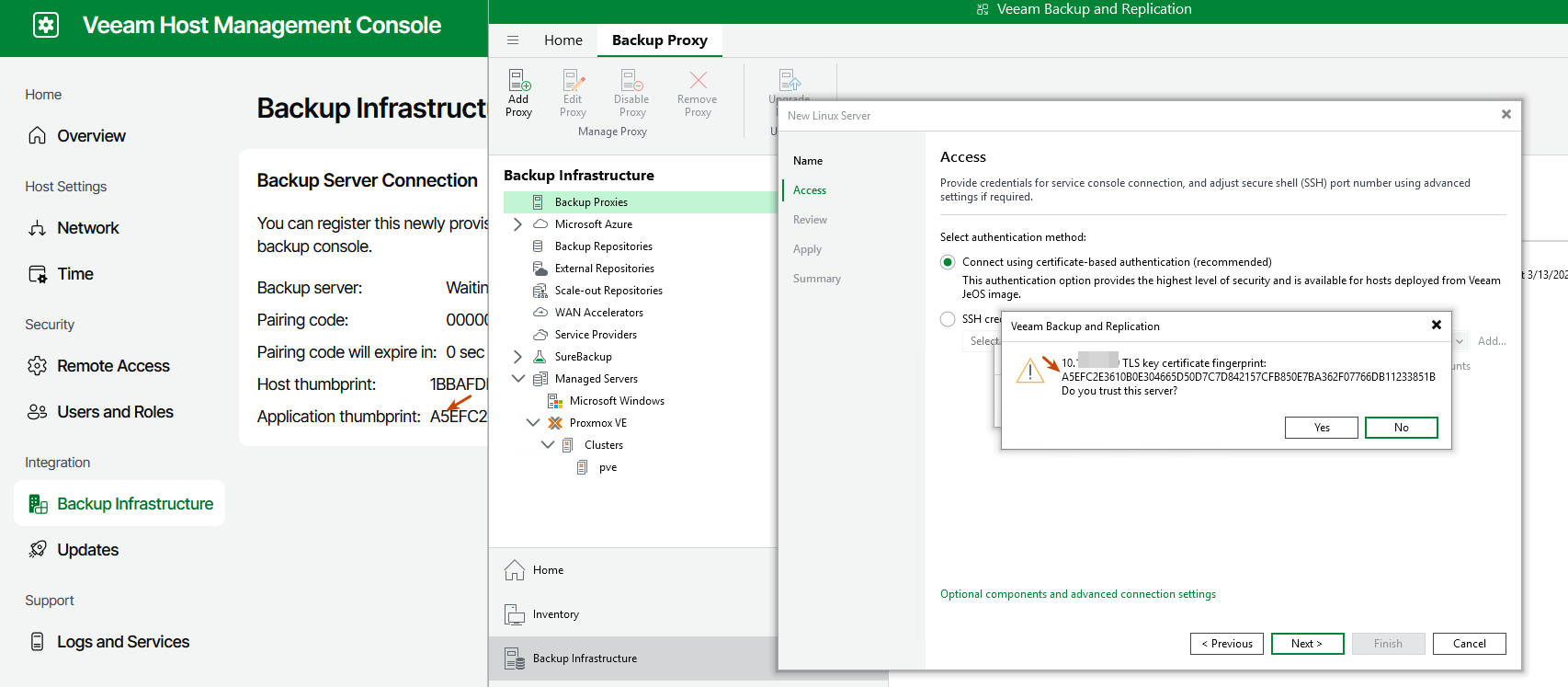
This lets VBR connect to it securely and manage it.
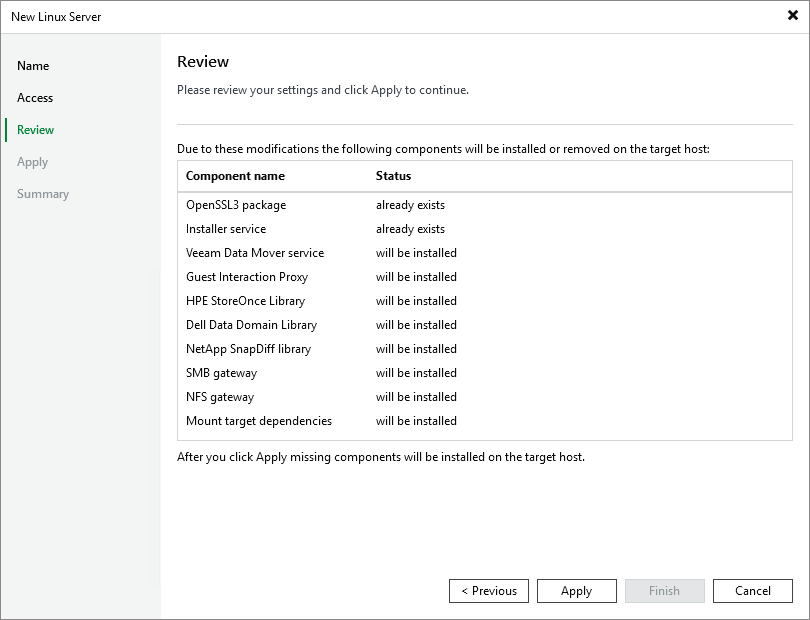
VBR installes required packages, as VIA is just a skinny proxy OS.
Once this process completes, we're good to go!
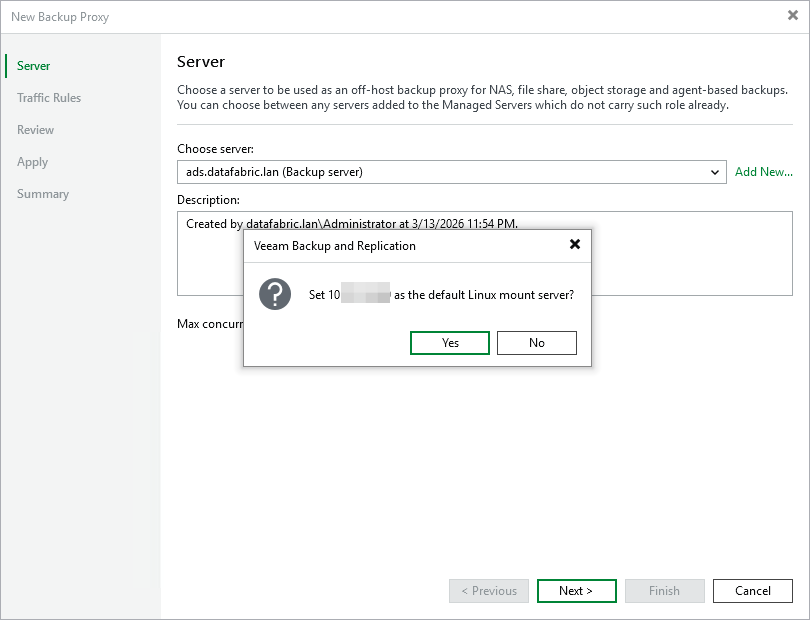
Since this is looking rock-solid, let's make this our default Linux mount proxy!
At this point I had:
- My manually deployed VIA as default Linux mount proxy
- One backup proxy on the VBR host (Windows)
- One on-demand Proxmox VE proxy - this is the 2nd backup proxy type I mentioned earlier, the one that VBR "pushes" out to PVE as a VM, and completely manages it for you
- One for VMware, which I didn't have in my environment
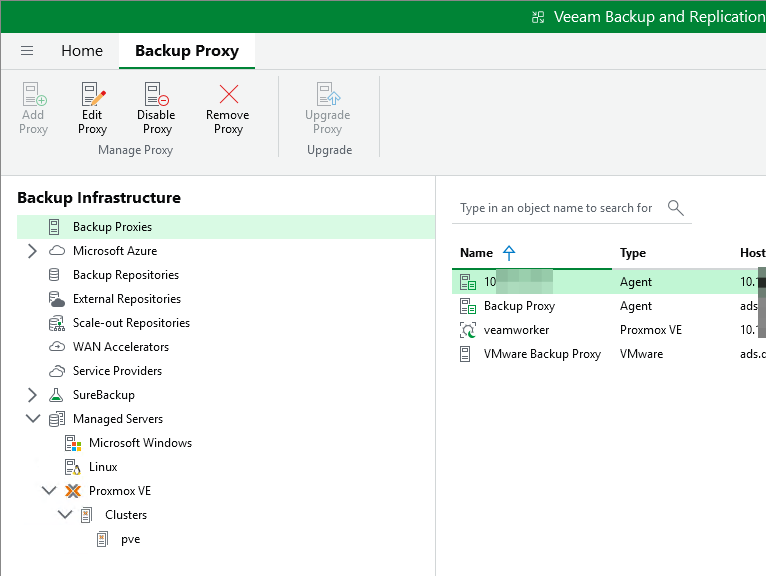
The on-demand PVE proxy:
- You can't do anything with it, it's used exclusively by VBR for VI, and only when needed
- It shuts itself off when there are no backup or restore jobs running, saving host's CPU/RAM
- When jobs start, it takes 90s for it to start up, boot, and start working
So having your own VIA is better if you don't like to wait, and worse if you don't like that something like VIA runs at all times, doing nothing most of the time. I thought it wasn't so bad, and I thought I could "do more" with VIA.
Let's see how that went.
I had a VIA ready to backup stuff on VBR's behalf and send data to VBR. I just use my SANtricity PowerShell modules to create snapshots and linked clones, present them to VIA and that's it! Right? Right? Add this VIA as a host, using its NQN to identify it.
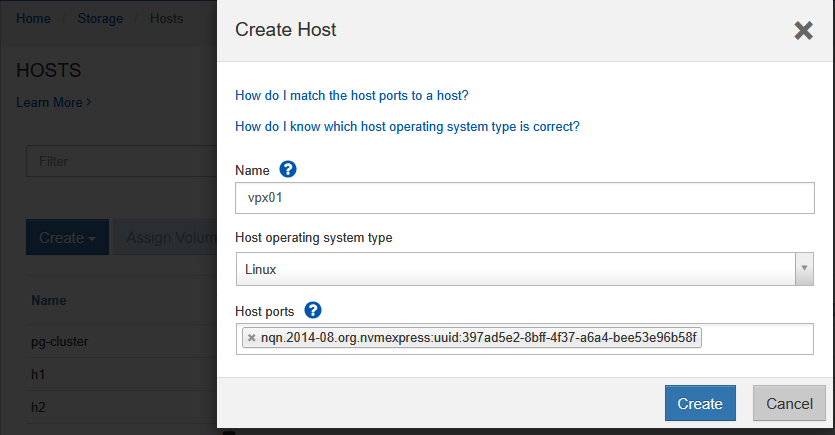
Then, to simulate my SANtricity PowerShell creating a snapshot of my PVE NFS datastore located on the h1 host (NFS/RDMA server).
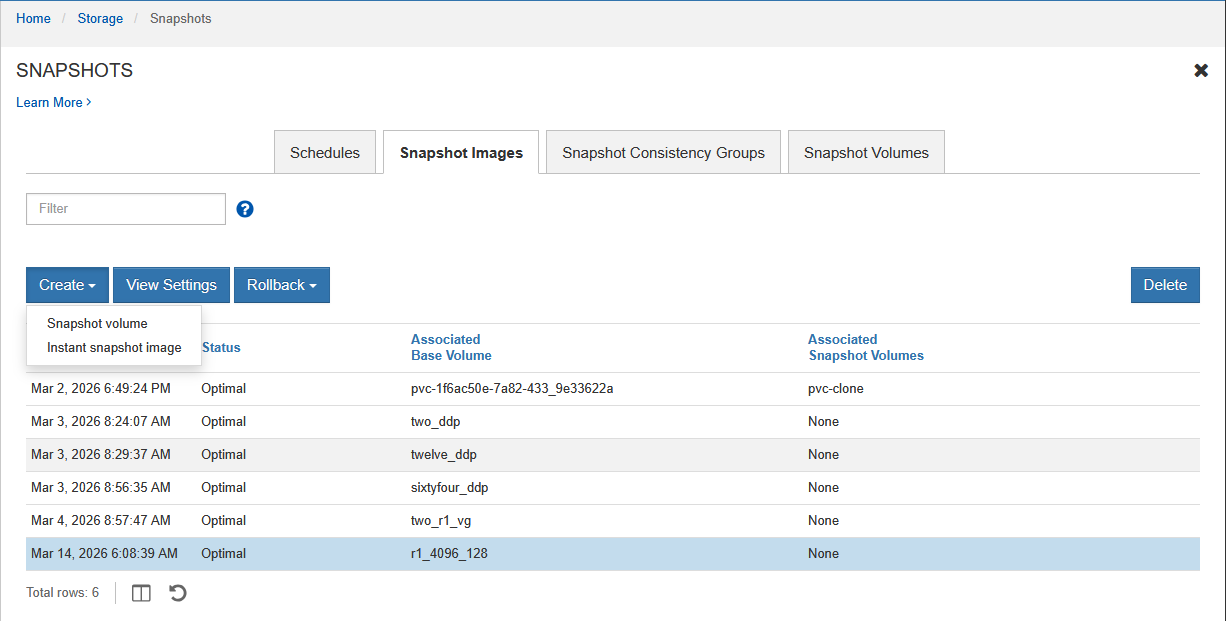
Then from that snapshot, create a read-only linked clone.
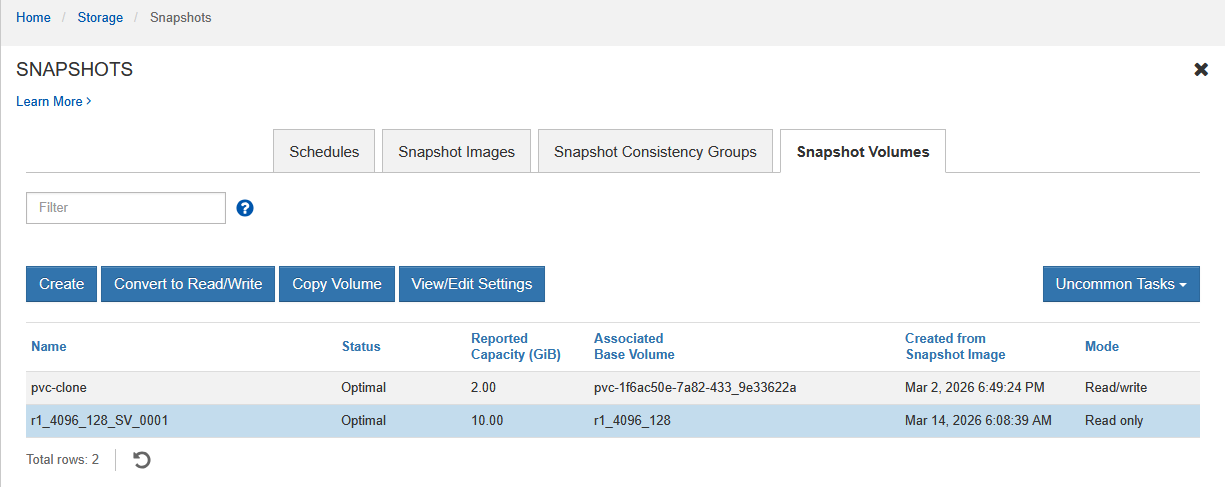
Present the clone volume to the VIA proxy, and get ready to backup over NVMe-oF!
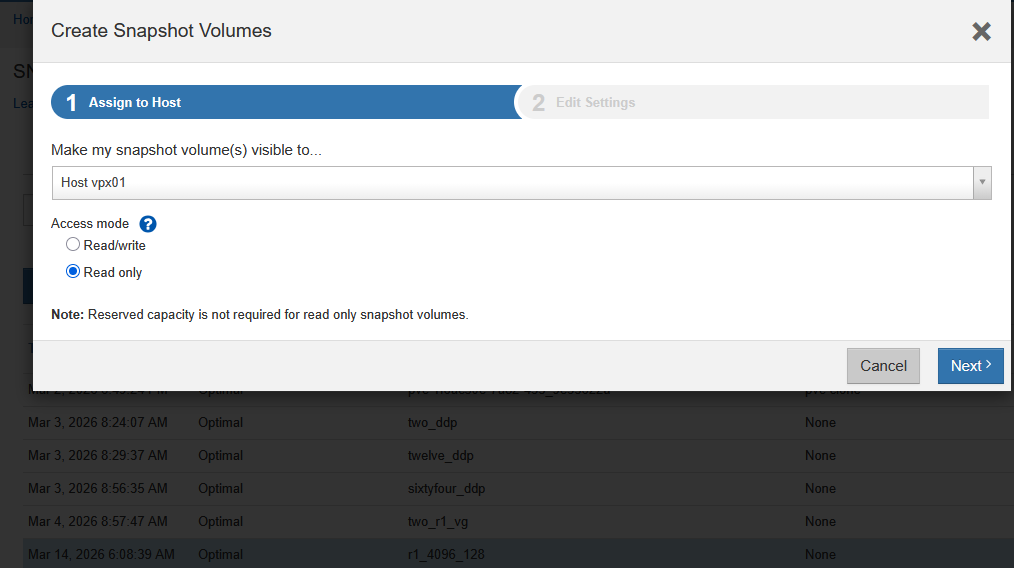
Here we can can see the clone is ready to go, exposed to my VIA backup proxy over NVMe/RoCE!
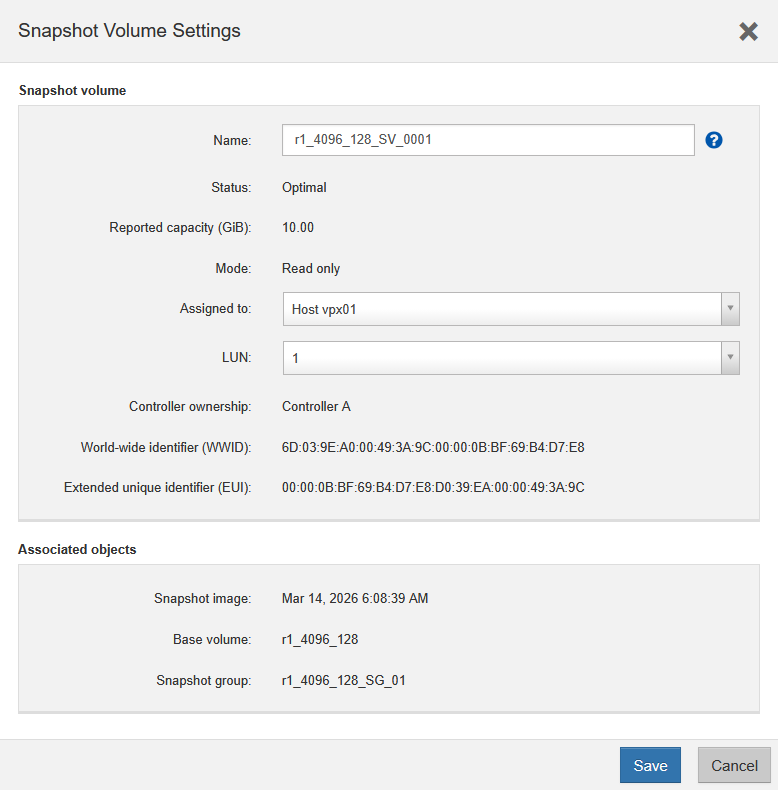
Except that's not how that works. There's no there there.
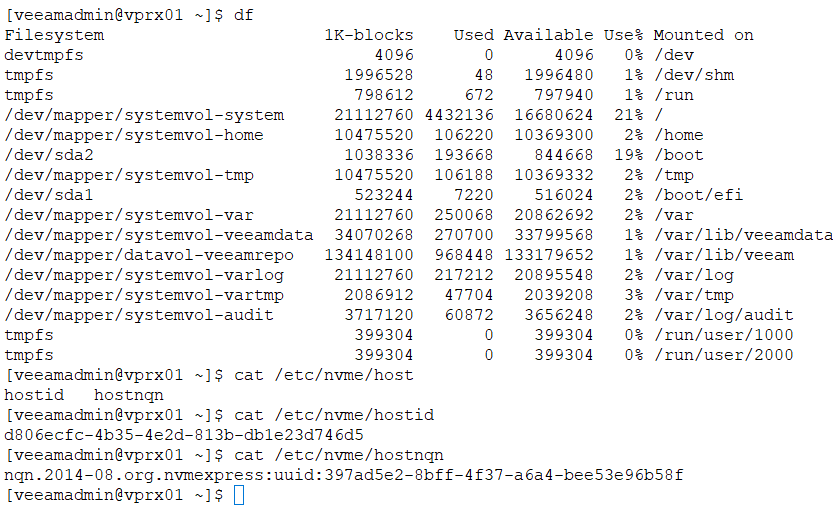
There's even no nvme client you can use in VIA! And while the NQN from the UI is indeed there and valid, there's nothing you can do with any of that. I didn't try to look elsewhere - veeamadmin isn't a sudoer so you may not even be able to see, even if you do look. You can see in this shell screenshot that some directories and files are off limits.
You can't tell VIA what to do, it's tightly managed by VBR. And there's a bunch of detailed requirements, limitations, and so on. So for time being, I give up on trying to use NVMe-oF-enabled VIA with bare metal servers connected to E-Series.
Given how fast NVMe/RoCE is, offloading backup reads from bare metal servers isn't as critical as it used to be, but I'll revisit this later.
About VSA
I deployed this one as well, but then I realized that, while great, it offers a subset of VBR features, so I moved on to VBR.
About VBR 13.0
Ultimately, I needed VBR, and that meant I needed to deploy a VM with Windows Server 2025.
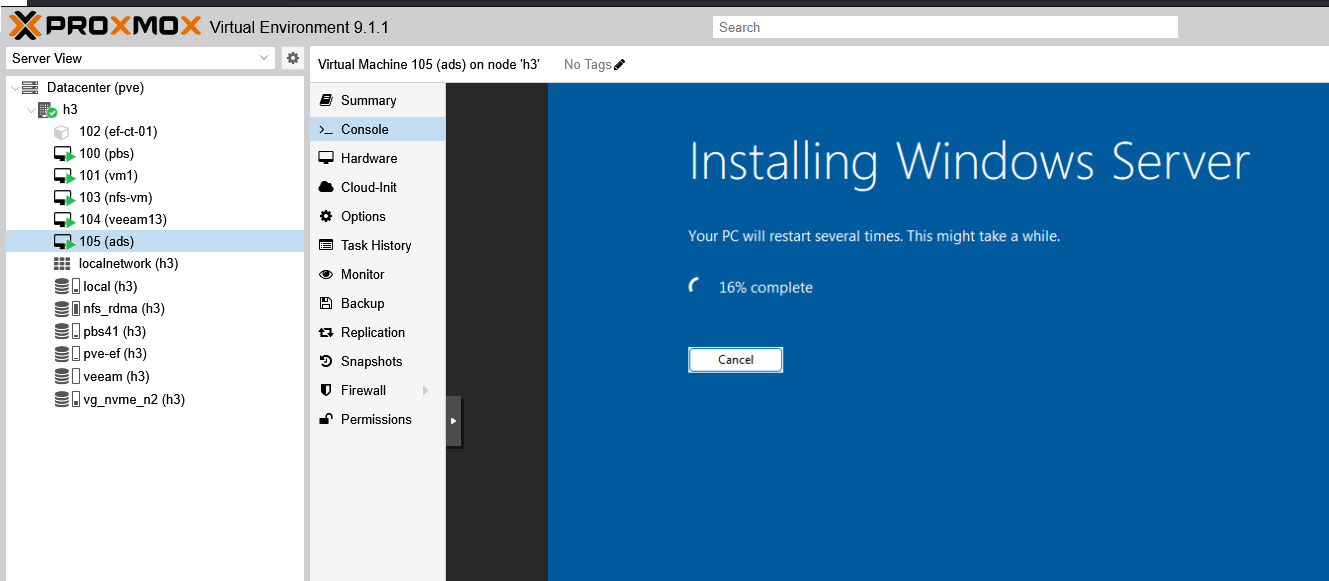
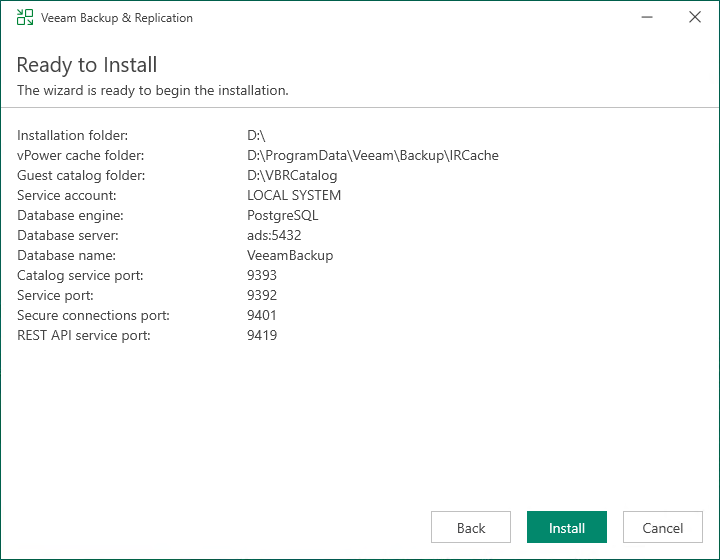
Then Veeam Backup & Recovery 13. The Veeam REST API endpoint port is 9419, so we can automate and monitor without logging in.
Added my PVE host:
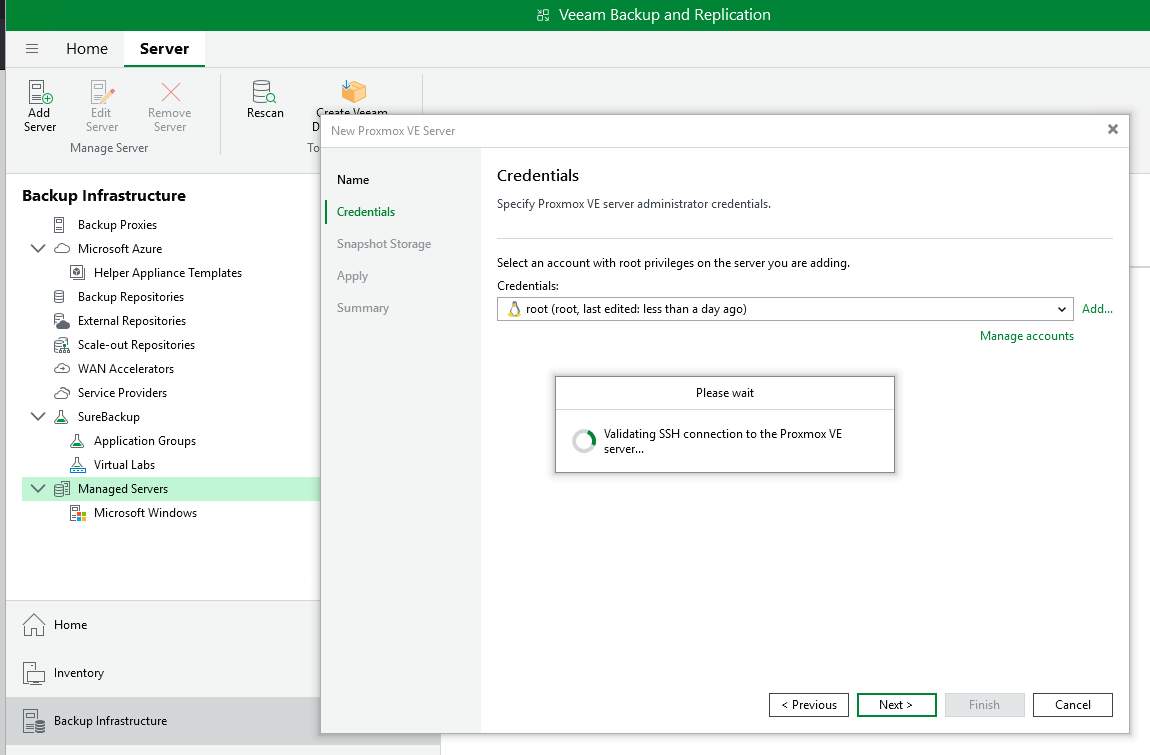
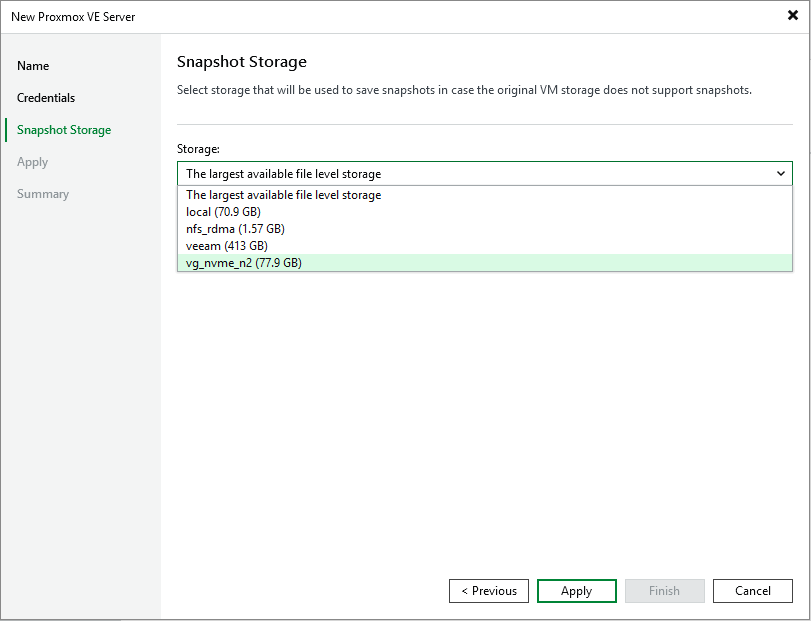
Snapshot disks are locations for extra snapshot space. This is quite interesting and can be dangerous if you pick a big-but-slow store to act as snapshot data-parking space for a very busy volume
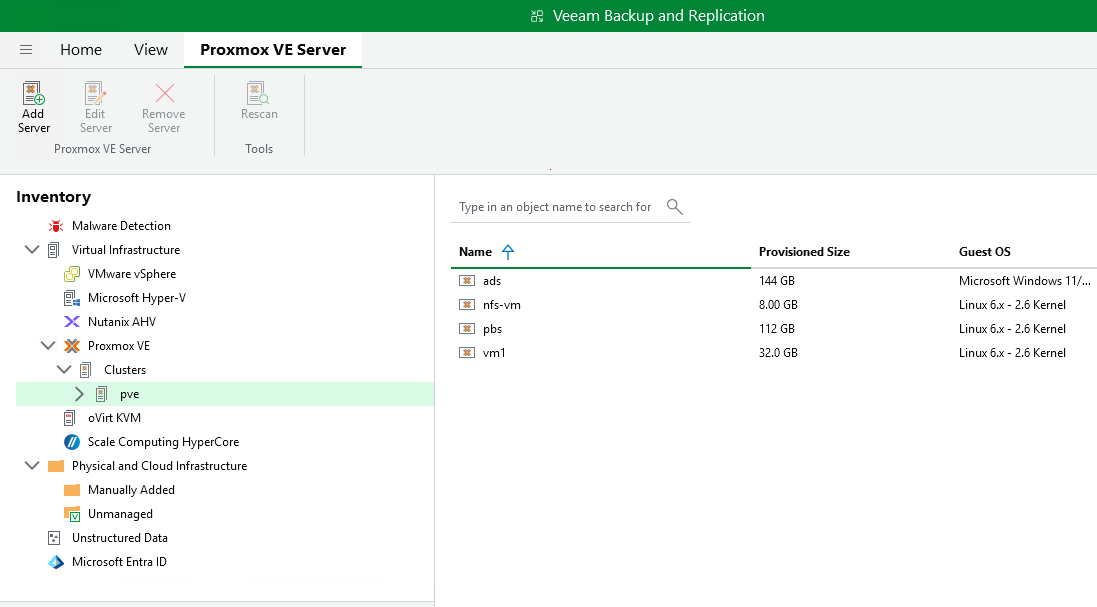
B&R can enumerate PVE 9's VMs to let us pick VMs to backup. Good!
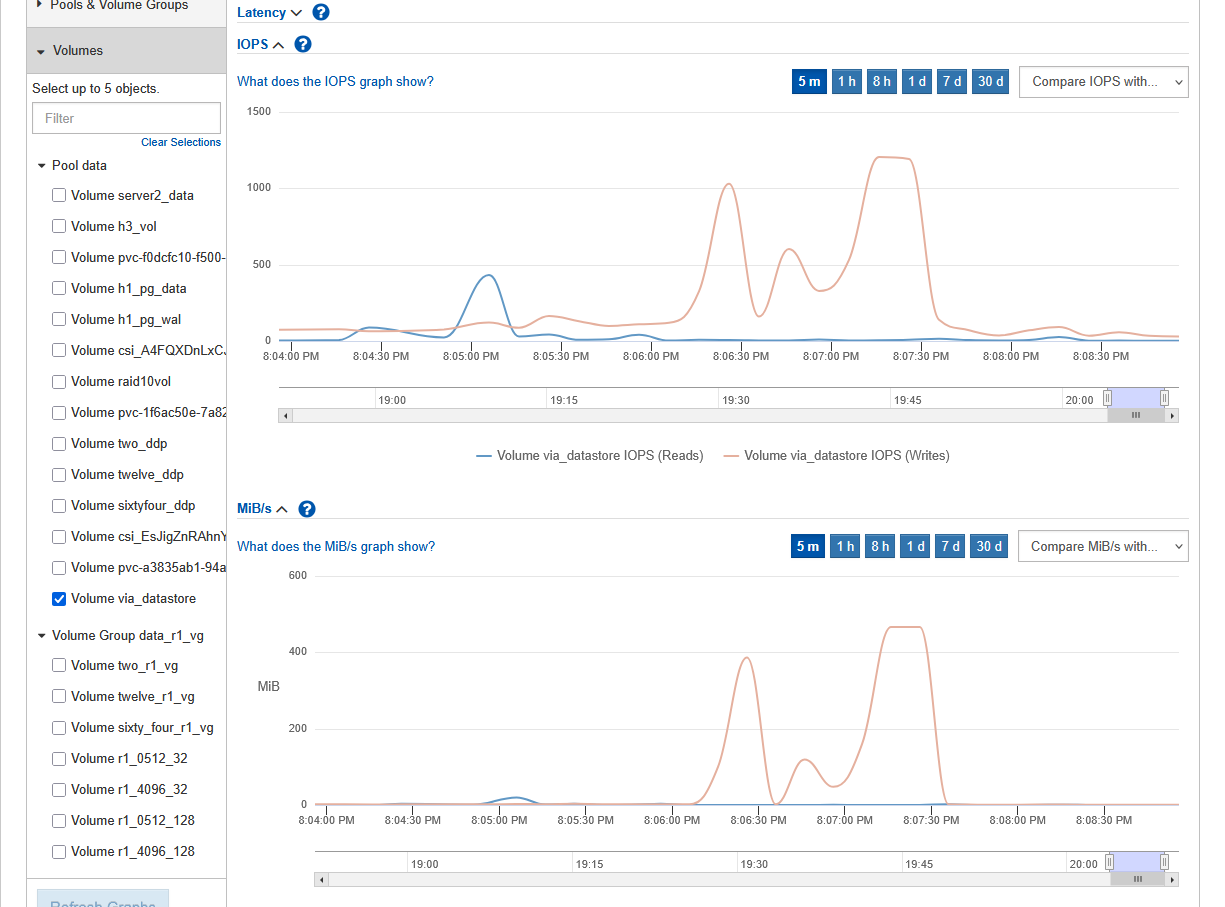
The backup (write) performance on SANtricity array was good (single backup job).
All backup and restore jobs completed, unless I did something stupid (while experimenting).
This "warning" you see below was "fake news"; while I indeed did have just 50 MB free when VBR console started, I expanded the NTFS repository underneath it on the fly right after that and Veeam didn't refresh its information.
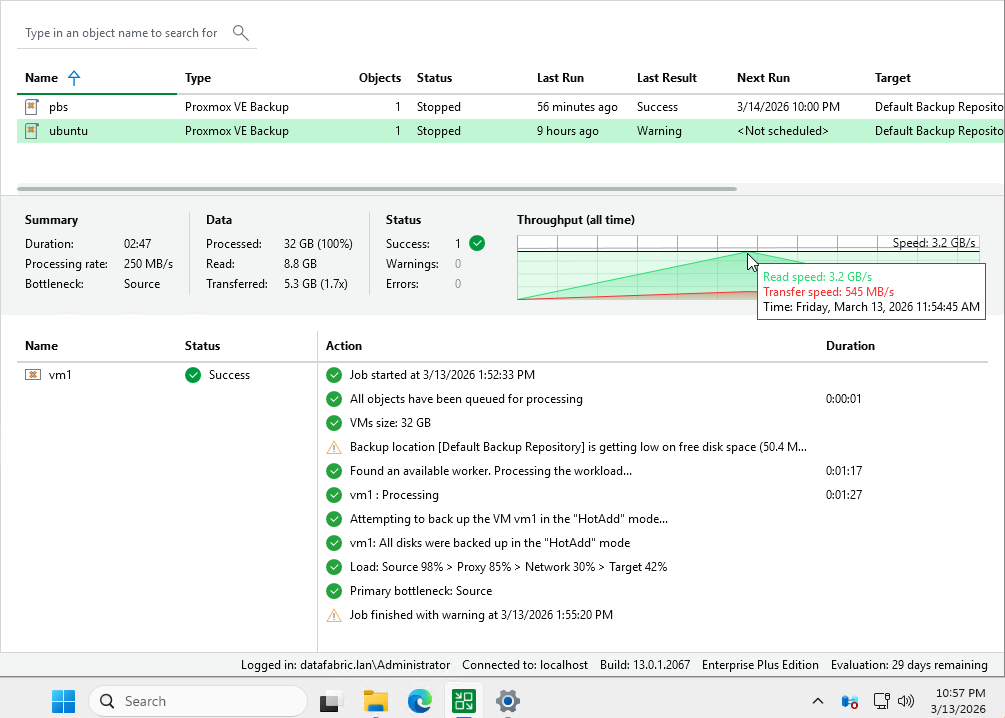
All backup jobs on PVE worked fine.
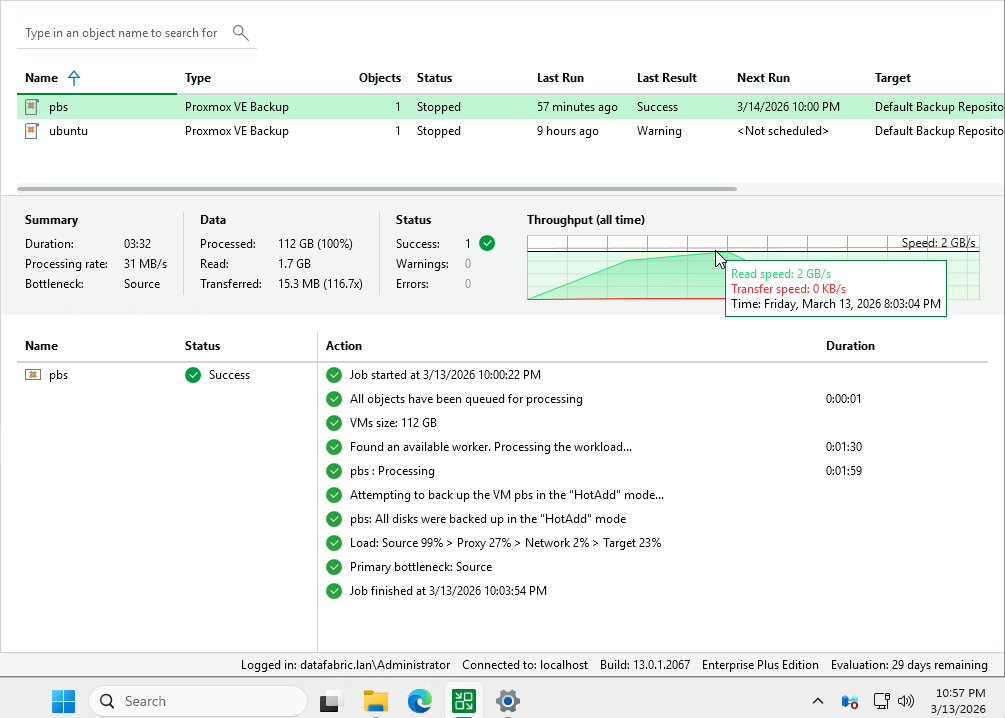
Then I tried to get smart.
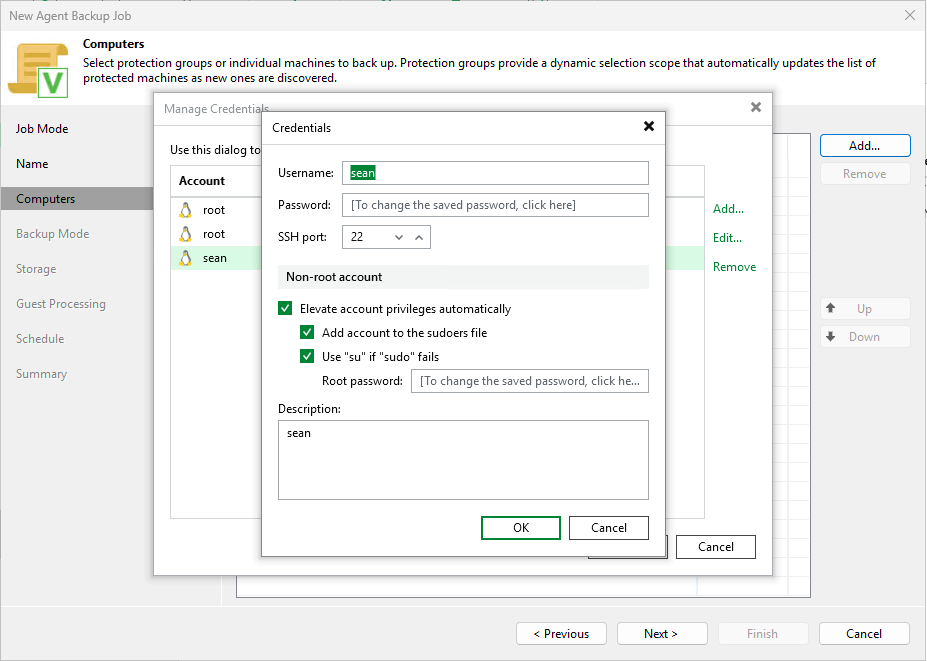
Advanced job options let you run scripts as the root or sudoer user.
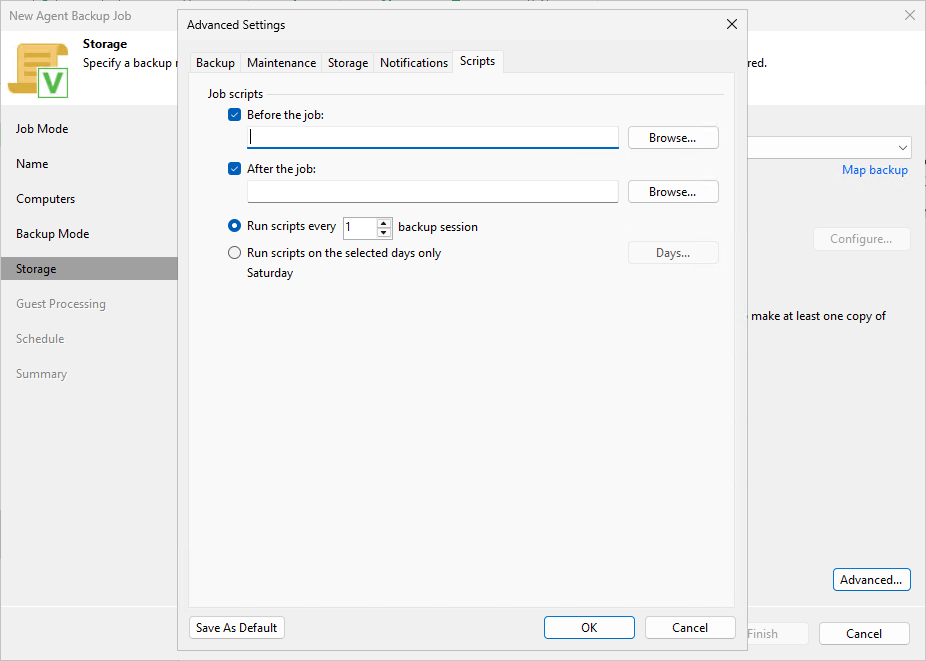
I wanted to try my SANtricity PowerShell scripts here to make this somehow work with one of the backup proxies, but I couldn't make VIA discover those.
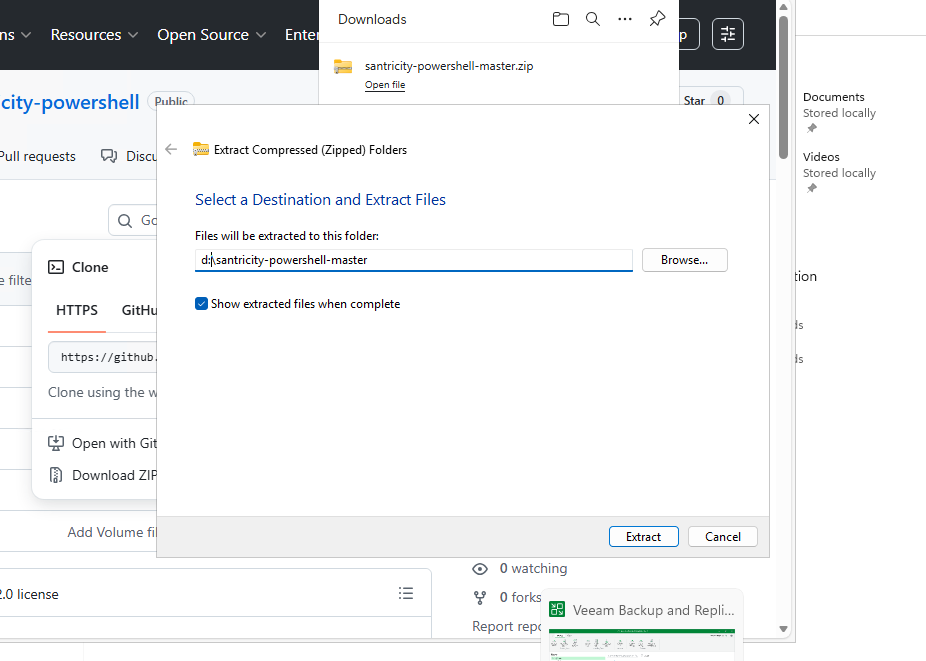
This isn't to say you can't use those, but that it didn't help me use VIA.
Another thing I tried was mount point backup from a Linux host. This is the mount point used as NFS/RDMA data store on PVE, served by the h1 host (Rocky 10.1).
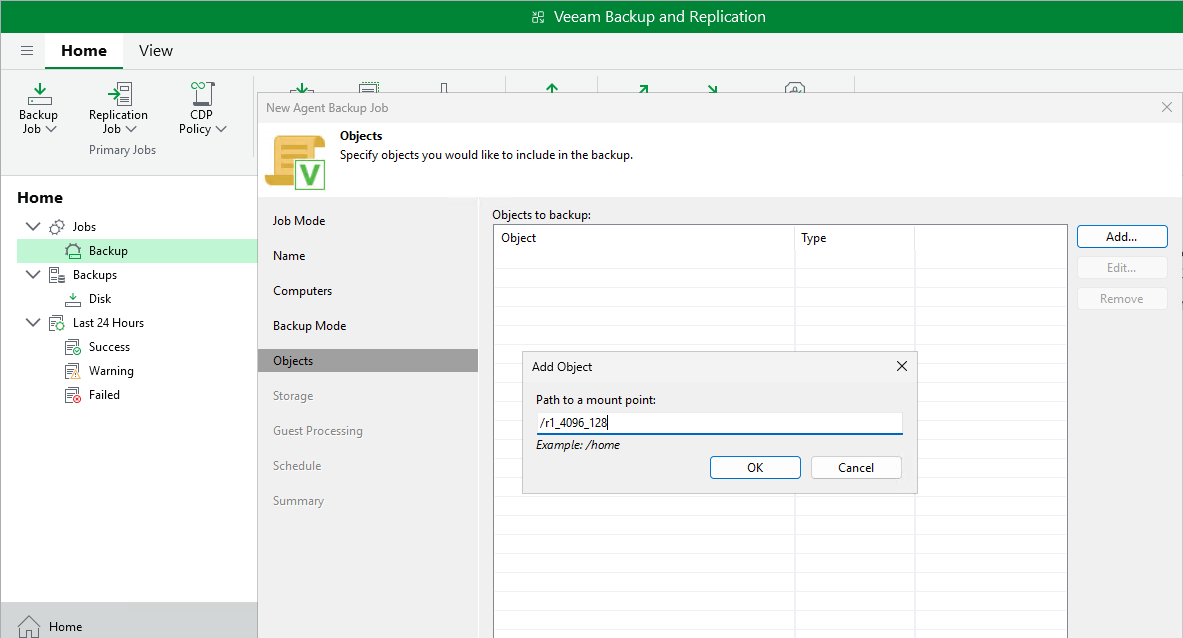
This is a 2-step process, first a scan job to get file list, and then a backup job.
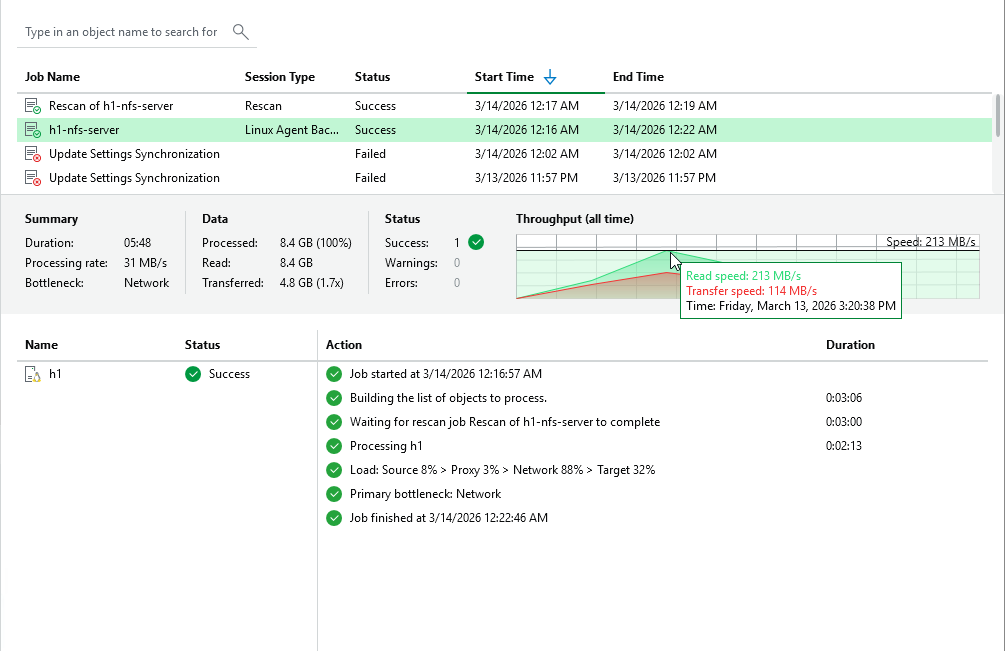
Now, this is not how you'd backup volumes or NFS share-backing volumes that host live PVE VMs. You'd back up VMs as PVE VMs. For NAS with generic shares (images, static logs), this approach would be fine.
Another thing you could with this is back up database dump directories.
For example:
- Your database runs on one or two RAID 1 volumes
- Attach another, RAID 6 volume, and use it to dump database to this disk. This would be considered a static mount point,
/mnt/pg_dump - Now, you recover database from data on this dump volume, and backup databases by backing up only this RAID 6 volume
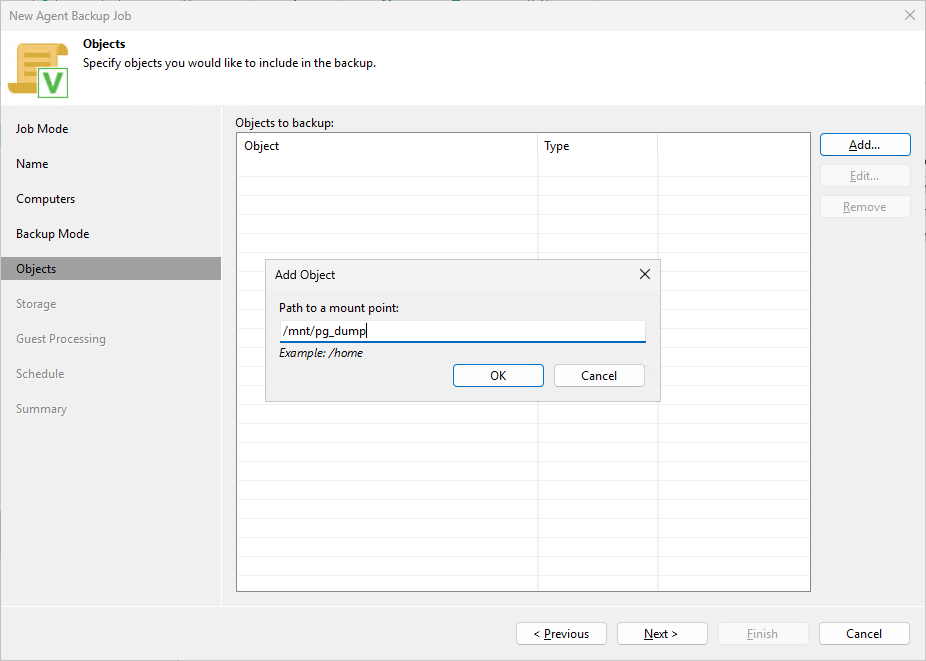
Before our Veeam backup job runs, we'd run a dump script, and proceed to back up the RAID 6 volume (mounted on /mnt/pg_dump) once that is done.
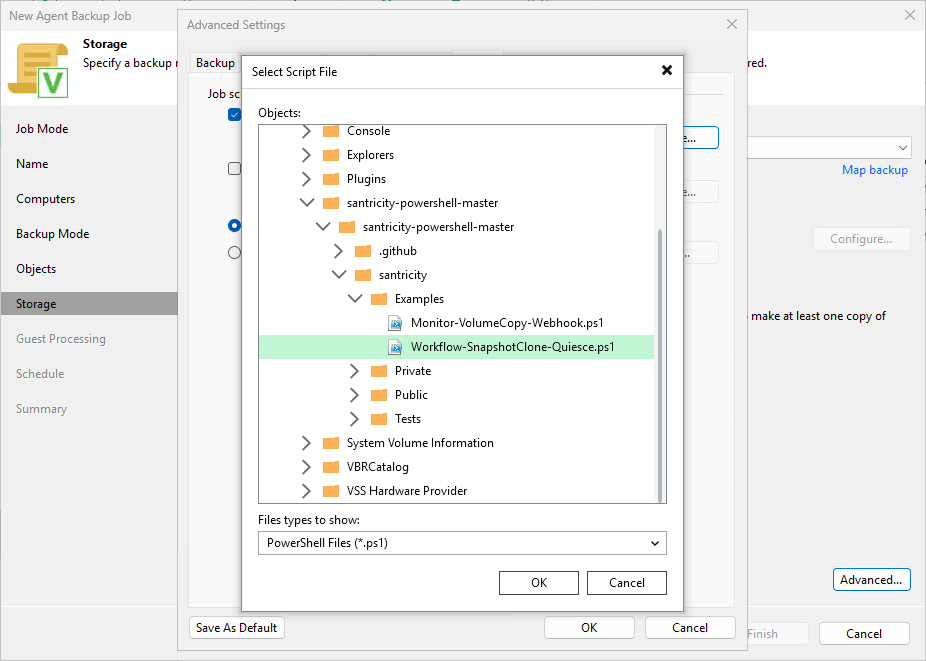
This could be something as simple as a scheduled database dump command on your database server scheduled at time T, followed by a Veeam backup job for /mnt/pg_dump at time T+1 hour.
Or something more complex such as as pre-backup job (that dumps the DB to /mnt/pg_dump).
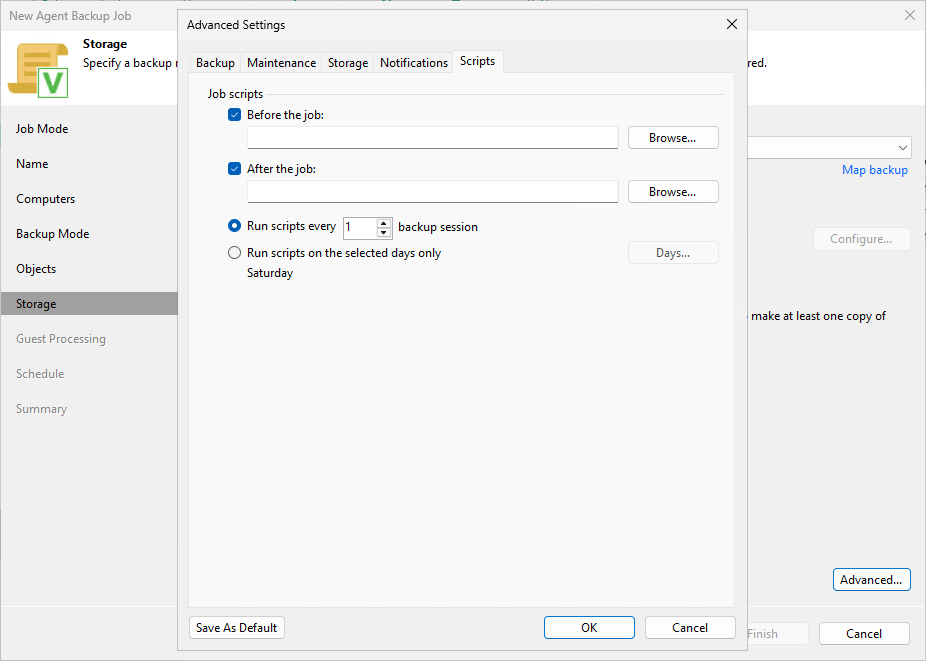
If we could use a generic Veeam Linux backup proxy to mount the clone volume for backup, that would be great and that's what I was after with VIA. Sadly, I couldn't make VIA do this for backups of non-virtual workloads.
In terms of other features, I also tried file level restores, which worked fine.
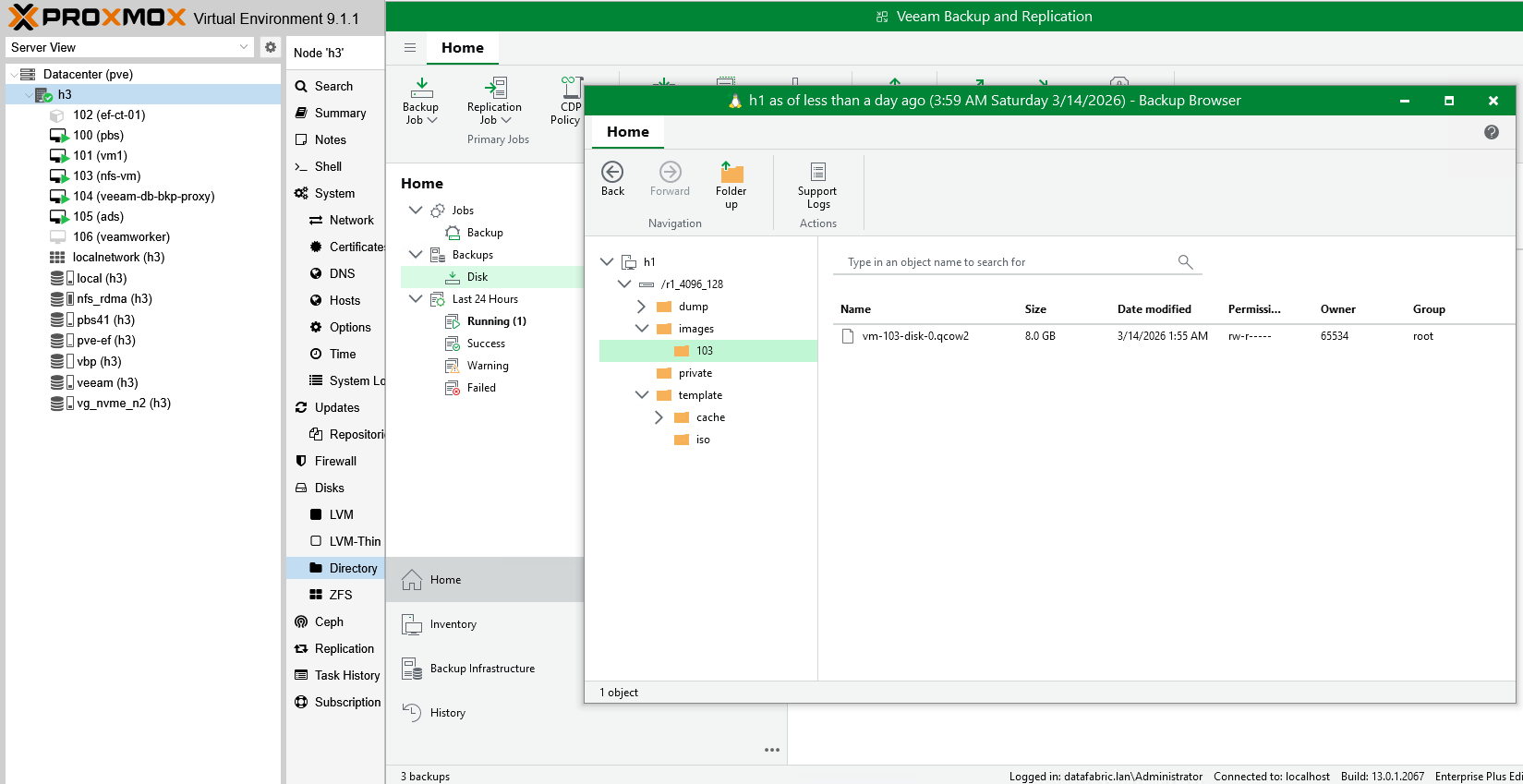
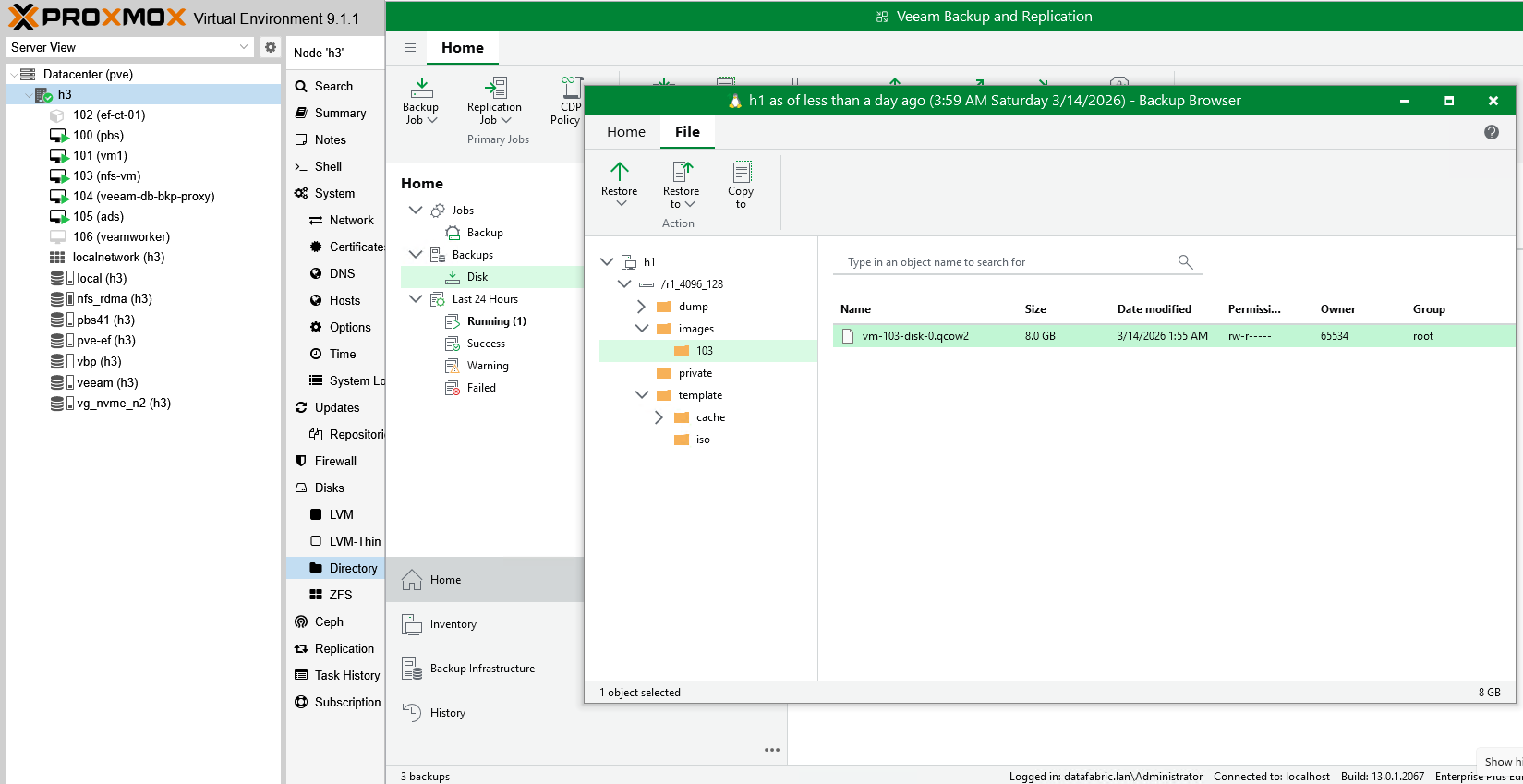
Simply pick a file to download to your client or restore. It's not super-fast, it takes a minute, but it works.
If the backup was taken by a Proxmox VE backup job (rather than a Linux backup job), this would be a valid way to restore a database VM. Since this was a backup of a Linux NFS server's mount point, any VM that would have been active on it was not snapshot or quiesced - fine for database dump files, but not as fine for NFS shares or block devices with live database workloads.
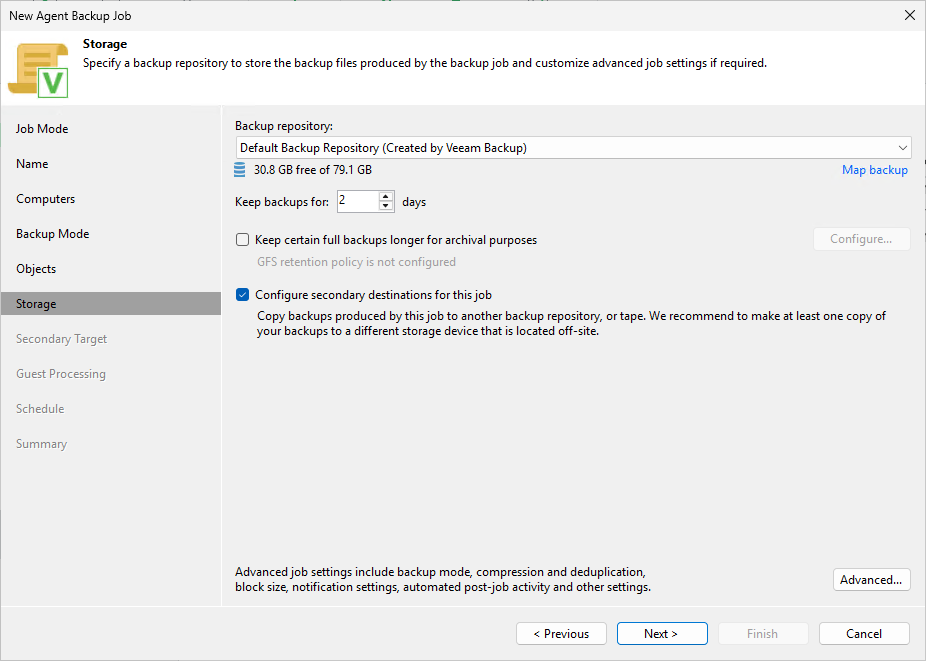
Most folks know that VBR, like Kasten, can multiplex to two destinations, so even without replication on EF-Series storage, a combination of PVE host-side snapshots and space-efficient incremental backups, one can achieve DR with reasonable RTO/RPO. "Configure secondary destination" will take care of that, assuming you have another backup destination.
Scenarios
| Use case | Storage snapshot needed | Comment |
|---|---|---|
| VM backup | No | Snapshot taken by PVE host |
| "Live" app on bare metal | Maybe | Choices: LVM snapshopt, Veeam single volume snapshot, storage hardware snapshot. Alternatives: dump to "static" disk, upload to S3 |
| Static filesystem on bare metal host | Sometimes | Choices: Veeam backup job for Linux, storage hardware snapshot. Alternatives: multi-step linked clone backup job from dedicated host |
Where storage snapshots help is the "harder" cases similar to the ones I tried:
- Live apps, especially large ones (very large databases, or multi-node databases): it may take hours to copy data out and that may place strain on the database server
- Bare metal NFS servers hosting VMs for PVE. In my case I had a physical server (see the NFS/RDMA post) with VMs and I discovered Veeam backup job for Linux took a snapshot of the volume hosting
/r1_4096_128(XFS) that NFS server was sharing, so it's not that Veeam snapshots don't work, but it storage snapshots for large and busy volumes or collections of volumes (e.g. with LVM) may be better
In both of these cases, "storage plugins", whether that be "poor man's" pre/post backup scripts, or the official storage vendor plugins included by Veeam in B&R 13, help you do that:
- Freeze app/workload
- Take storage hardware snapshot
- Backup using a Veeam backup proxy
I think we can't achieve exactly the same outcome with "poor man's" workflow, but we could have another host ("poor man's VIA") that mounts a linked clone of the volume(s) we want to protect, and then we simply create a Linux backup job for that other, linked clone-mounting host.
That surely looks confusing - our data is on a volume mapped to h1, but we backup volumes attached to host h2 simply because we can't get to linked clone through VIA. Since our first line of defense is a rollback from a storage hardware snapshot that we take every 10 minutes and leave for 60 minutes, that's still fine for rapid recovery without Veeam B&R. That frequency of protecting large or busy volumes currently isn't viable with Veeam, so there's value in that even if it's not a seamless, VIA-integrated workflow.
Because that approach requires some effort in the form of creating custom scripts and having another host, however, it is recommended to rely on official integrations and approaches. What we'd use with Proxmox VE is Veeam worker for Proxmox.
Use the "poor man's" approach for these workloads only where you must (backups that time out, backups that impact service, backups of very large volumes, etc). You can get my SANtricity PowerShell module here, by the way.
Conclusion
Both VIA and VSA are really nicely done: from secure deployment to hardened OS and strong authentication…. Unfortunately, that doesn't seem to do much for E-Series users right now - it's a nice improvement for Veeam users, though.
Veeam B&R worked well with PVE backed by E-Series for both primary and backup data.
NVMe-oF support is new in Veeam B&R Virtual Infrastructure Appliance 13, but I couldn't make it work with E-Series NVMe/RoCE. Stay tuned for another attempt in coming days.
While using the generic approach with Veeam-provided Proxmox VE proxy, VM snapshots are taken by PVE host so there's not much to gain from storage snapshots unless you have very heavy databases or live NAS workloads backed by SANtricity block storage, which should be attractive targets for SANtricity PowerShell integration and storage snapshots and clones mounted.
I did not write anything about using E-Series storage as a Veeam backup target, but that's what the official NetApp Technical Reports like to elaborate on.