Smart GDS-enabled shared storage with Above-and-BeeOND and NetApp E-Series
Introduction
I've written about BeeOND (see this post for an example) and it's clearly the best approach available to E-Series users looking to improve caching performance, cost and effectiveness.
If you're thinking about storing KV cache on E-Series, BeeOND lets you provision one in seconds.
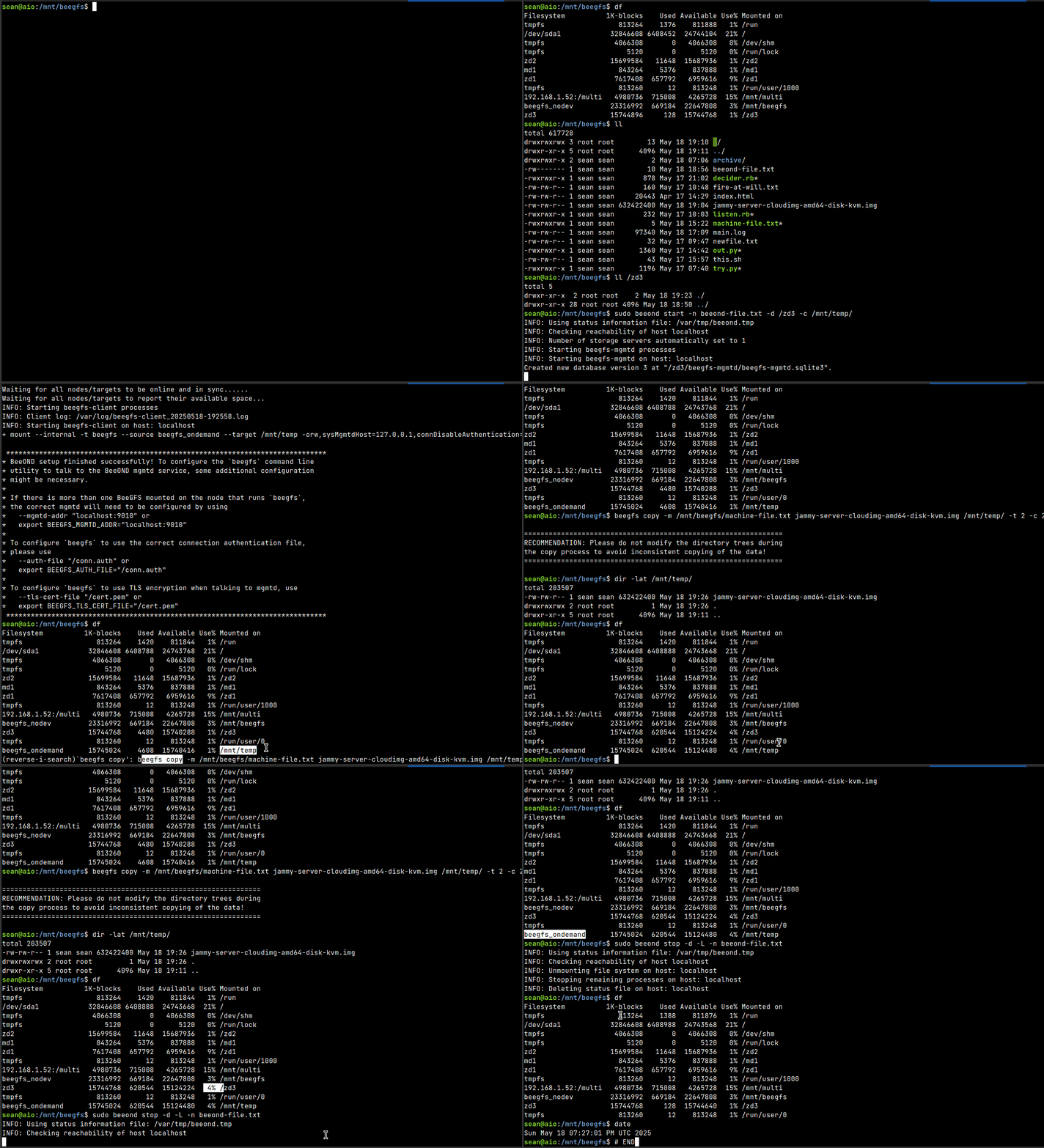
Since these are ephemeral filesystems, we may also want to use parallel copy to/from BeeGFS. For example, in the event you need to persist BeeOND filesystem data to S3 or a "persistent" BeeGFS fileystem, there's beegfs copy for that. I wrote about that here.
For KV cache, there's no need to protect it, really. It's recomputable, which makes BeeOND even more suitable for KV cache. RDMA? Check. GDS? Check. RAID 0? Check. How about the cost?
Well, it's free - BeeGFS Community version allows up to 5 nodes in BeeOND clusters. If you have E-Series, you can use it. If you have the BeeGFS-with-E-Series solution, you can use a bunch of nodes. Even if you don't have RDMA storage network, you can still use it - it's only going to be slower.
The only issue is, NetApp doesn't have a formalized BeeOND solution, guidance or recipe, so you're on your own. We're operating in a source-available environment here, so after some time I decided to move the needle on my own.
What's not ideal with BeeOND's KISS approach:
- BeeOND creates a symmetric, all-in-one filesystem, meaning
- BeeOND uses one disk per host
- Data and metadata are on the same device (since only one can be used per host)
This makes perfect sense for ephemeral shared filesystems, but my use case demands a bit more flexibility.
I changed the BeeOND deployment scripts and posted it to Github. License-wise that seemed safe to me. I call the project above-and-beeond.
KV cache use case
One obvious use case for BeeOND with NetApp E-Series is KV cache. Let's how we could use above-and-beeond for this.
Once per array
Create a disk group. There's no reason to use RAID 0 here. I picked two physical disks for it.
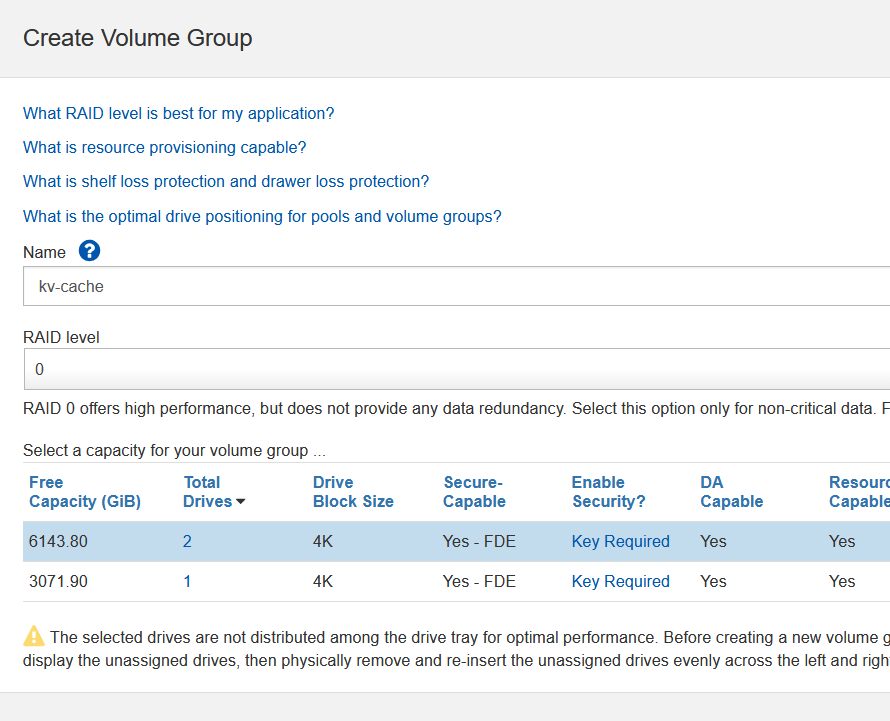
Later I disabled "DA" on the constituent volumes.
How many disks should we use? That "depends", but 0.5-1.0 per BeeOND host sounds reasonable. In other words, two could be fine for 2-4 hosts. In reality you may need to adjust. It's not simple - sometimes it's simply a matter of finding the right number performance-wise, but if you don't use this capacity often, having a bunch of disks waiting for BeeOND consumers would be wasteful and in that case you may be better off by using those volumes 24x7. "It depends".
Once per host
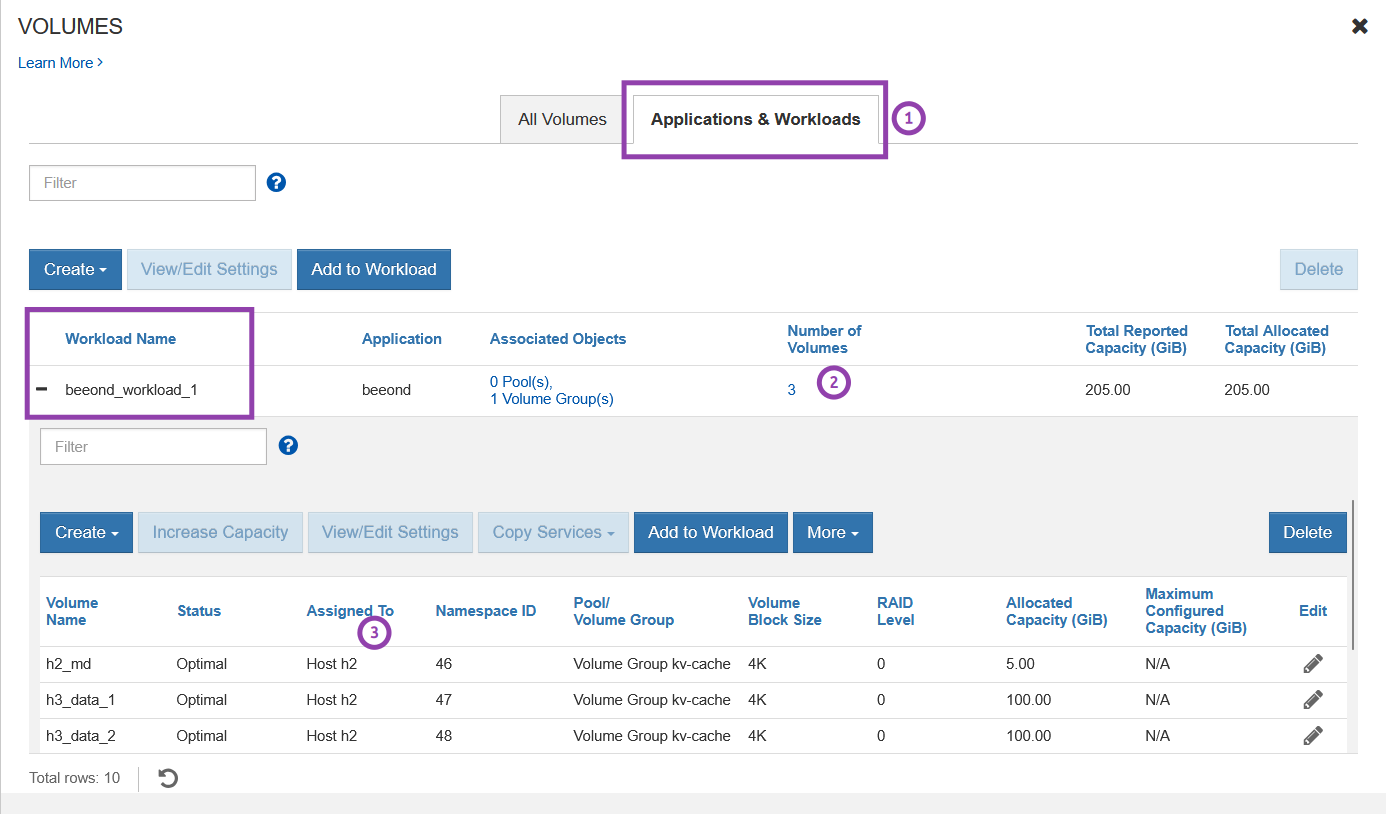
SANtricity has this workload classification thing. You may as well use it because it will help you find these disks later. When creating a volume, pick the same tag for grouping the volumes later on. Otherwise, it has no impact on performance or anything like that. What you pick doesn't matter, just use the same thing for all BeeOND volumes. The first time you need to name a workload, for other hosts just pick the same user-defined one.
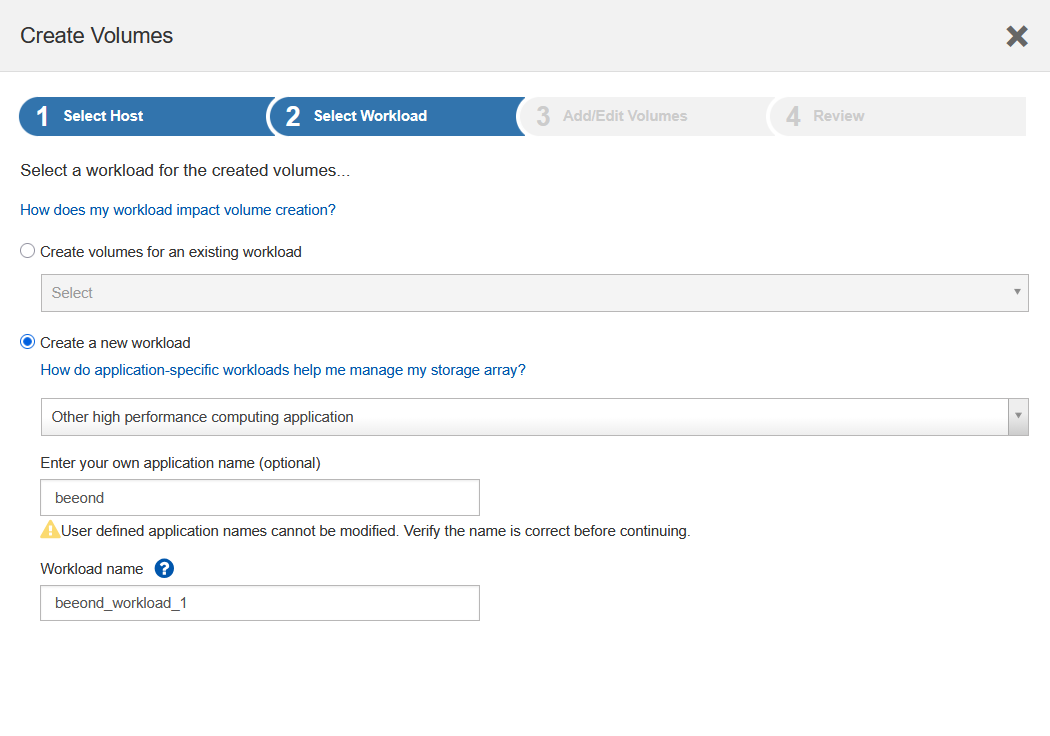
Next, create volumes for the host. Unlike default BeeOND, Above-and-BeeOND can use multiple. For each host, I create three - one for metadata, two for data. Of course, you can do it differently.
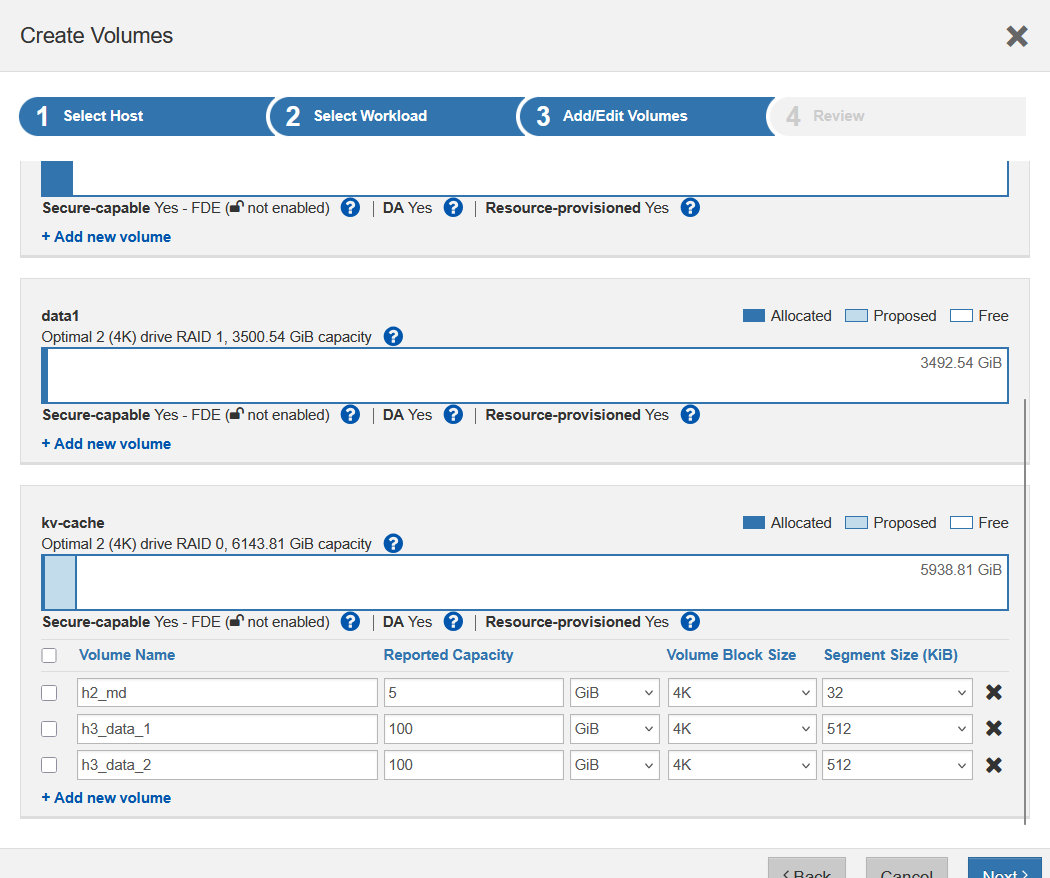
I got smart with the volume segment sizes - 32 KiB and 512 KiB - but I don't know yet if that's what would really be "best" and that depends on workload in any case. My metadata capacity is 2.5% (5 GiB over 200 GiB) - not a lot, but should be fine for KV cache (large files, I was told).
So now we have one host taken care of.
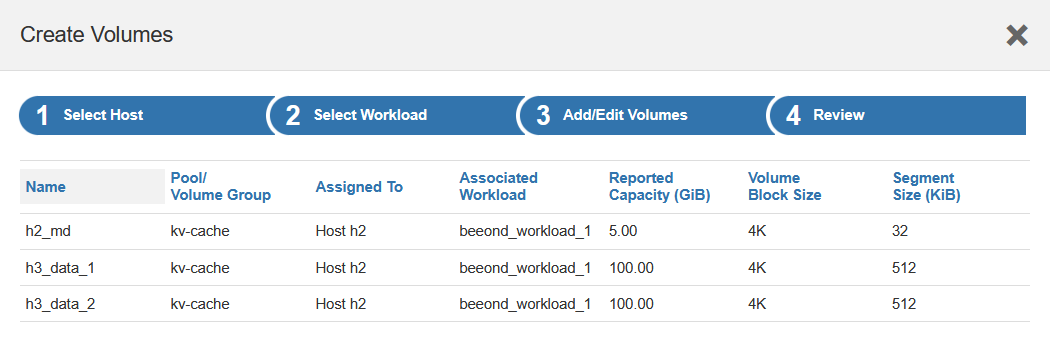
Repeat that for the other hosts that will participate in BeeOND cluster.
Configure and run above-and-beeond
Now we need to do the usual (rescan storage targets, login, blah-blah) and then create a config file, say ab.yaml:
h1:
  - meta: [dev1]
  - data: [dev2, dev3]
h2:
  - meta: [dev4]
  - data: [dev5, dev6]
Now we run sudo above-and-beeond start -y ab.yaml -c /mnt/beeond, and the following happens on the hosts (df output):
/dev/nvme1n46                       3484948    264280   2942892   9% /mnt/beeond_internal_meta_nvme1n46
/dev/nvme1n47                     104792064   2039712 102752352   2% /mnt/beeond_internal_data_nvme1n47
/dev/nvme1n48                     104792064   2039692 102752372   2% /mnt/beeond_internal_data_nvme1n48
beegfs_ondemand  ... /mnt/beeond
These devices have been formatted and are now used in my BeeOND filesystem.
I have a RAID 0-based shared KV cache device that is configured exactly like I want it.
When I run above-and-beeond stop, the BeeOND filesystem and constituent devices get nuked. (Of course, this can be changed, depending on use case.)
About SANtricity workloads
The main (only?) place where that is useful is: if you have a bunch of volumes on the box, you may not be able to easily find the stuff you provisioned to hosts for above-and-beeond. If you classify those as suggested above, it's easier to find them.
Bbbbut, RAID 0…
Firstly, it doesn't have to be RAID 0. Secondly, there's no reason to avoid RAID 0 for this use case. SSDs rarely fail and in the case you din't get the memo:
With a large portion of latency-sensitive, ephemeral KV cache now served from the G3.5 tier, durable G4 object and file storage can be reserved for what truly needs to persist over time. This includes inactive multiturn KV state, query history, logs, and other artifacts of multiturn inference that may be recalled in later sessions.
Among the options to preserve BeeOND data:
beegfs copyto a persistent BeeGFS filesystem or user's "home" directory once a day.beegfs copyto S3 with Versity S3 Gateway which takes 10 seconds to deploy on Kubernetes- DIY options (Rsync, Rclone, etc.), but you're unlikely to beat
beegfs copy
What comes beyond?
This obviously doesn't "solve everything", but it not only addresses the simplicity of the beeond command (which is in principle good, but we don't always want that) - it also solves the long-standing problem in the BeeGFS/E-Series solution - the lack of any KV caching guidance or solution, although BeeGFS has had beeond for years and E-Series supports RAID 0.
Since BeeGFS 8 (the two posts linked at the top of this post), because of beegfs copy and filesystem notifications, beeond has become even more useful.
With some extra flexibility we can create ephemeral BeeOND filesystems tailored for particular use case and do a lot more with BeeGFS in general. I just didn't want to cram everything in the initial patch. Some no-brainers:
- Automated end-to-end deployment
- Storage automation with SANtricity client libraries or Terraform Provider for storage provisioning
above-and-beeondautomation for BeeOND setup/teardown- Registration of BeeOND in BeeGFS CSI (I haven't looked into this yet, so I can't tell if it's possible)
- Automated Versity S3 gateway deployment with BeeOND after
above-and-beeondstarts, for easier copying of data in-out of BeeOND from remote clusters/clients. If you use Kubernetes, specify a BeeGFS CSI storage class, obviously - Customize
above-and-beeondfurther, to allow the use of different filesystems on constituent devices and multiple storage pools (rather than just one type that I showed above). I blogged about this several times before, including here - Packaging for smarter, on-demand deployment with schedules. This would require a week or two of development, but it would make overall solution even better
I may or may not do this later (I'm not going to do it if it's not for real-life use cases), but most of these are easy and can be done by anyone.