Lakekeeper with NetApp StorageGRID
- Lakekeeper Iceberg REST Catalog with NetApp E-Series
- Lakekeeper with NetApp StorageGRID (this post)
Introduction
In Part I, I blogged about Lakekeeper mostly with the focus on NetApp E-Series, although that post has a quick overview of Lakekeeper with StorageGRID as well.
Long story short, the point of that post was that if your data lake storage used for critical non-object services doesn't resemble StorageGRID's distributed architecture, you have a problem. You can't claim object storage should provide rack resilience and yet services which create data (Kafka) or records where that data is (PostgreSQL) should not.
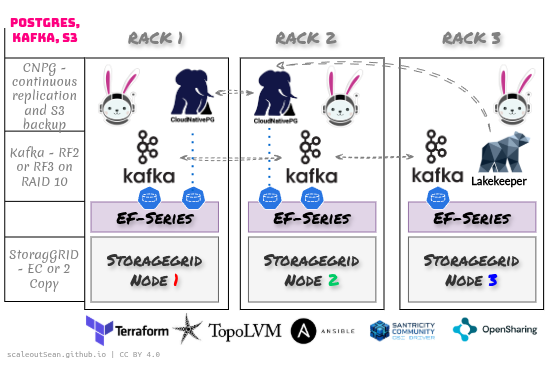
See Part I on why EF-Series can give you cost-effective protection for critical datalake services, most critically event streaming and Lakekeeper backend database service.
This post is about the StorageGRID side of the equation. Note that admin and load-balancing API gateway aren't included to make it easier to understand.
Lakekeeper with StorageGRID
StorageGRID would use 2-Copy or Erasure Coding ILM policy (in case of larger clusters - normally 4 or more nodes). We can group storage nodes in pools to ensure anti-affinity in copy/chunk placement.
We create a dedicated tenant, a bucket, and a group for STS Assume Role, if we wanted to have Lakekeeper hand out vended credentials. That's not the only option, so you have a choice including None (BYOC - bring your own credentials for Lakekeeper clients).
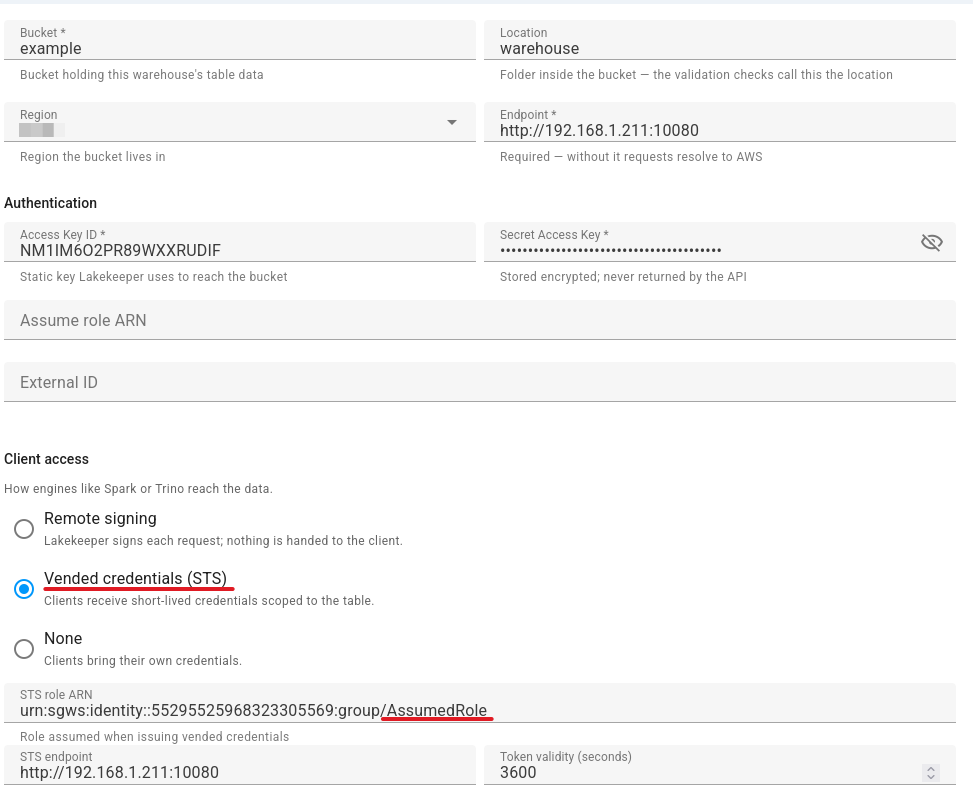
It is recommended to use FQDN and HTTPS to connect to StorageGRID, which wasn't the case in my lab.
In order for various CORS-related features to work, you need to set up CORS for the Lakekeeper bucket. Refer to the Lakekeeper instructions.
We need to use use s3-compat (for non-AWS S3) and STS is configured for credentials vending.
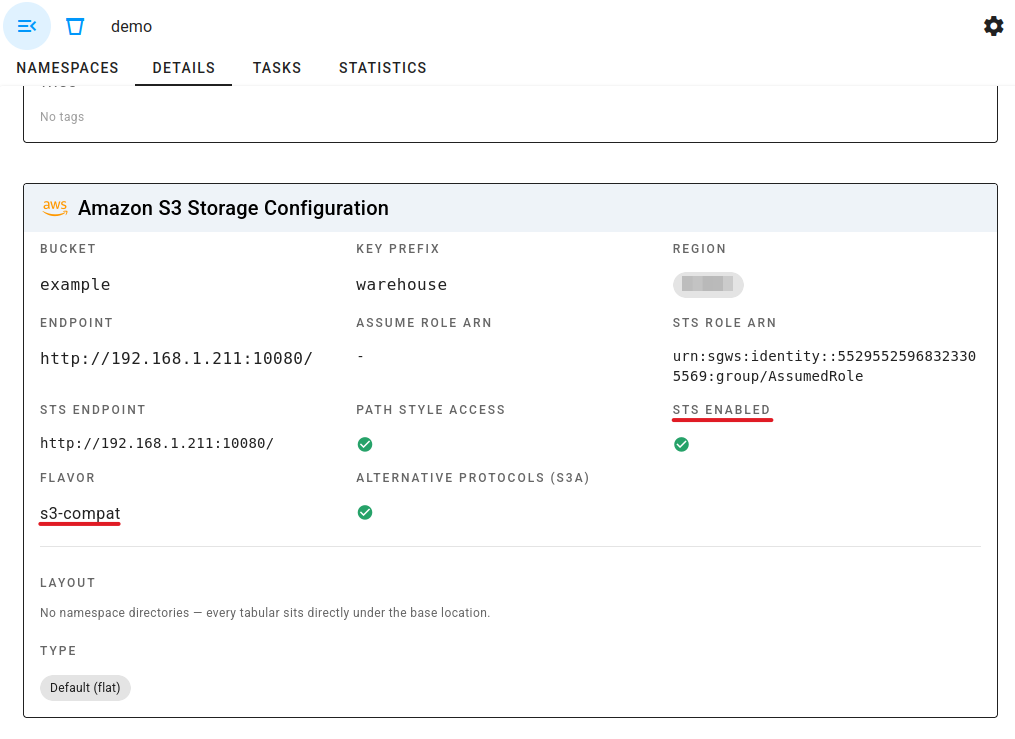
Note that Lakekeeper still has its own set of "classic" S3 credentials for "direct" (non-STS) access, which is similar how OpenSharing server does it. Vended credentials are for services that rely on Lakekeeper for vending.
Now that this is done, we create a warehouse, a namespace and look for some data we could use to create a table.
I picked a set of JSON documents produced by StorageGRID Audit Log Converter (SGAC). I loaded those into an Iceberg table and the source JSONLD of 38 KiB became a Parquet file of 6 KiB. 6x, nice!
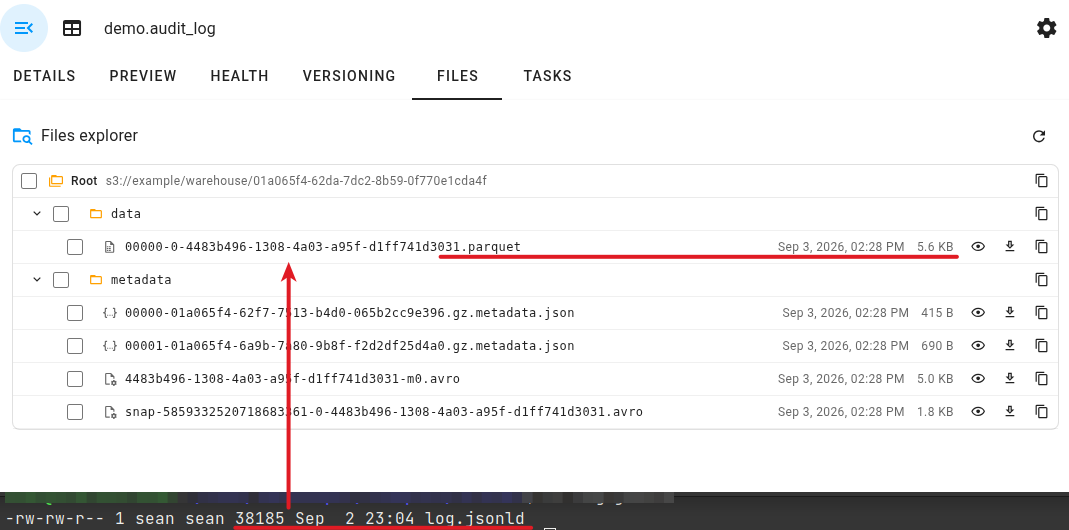
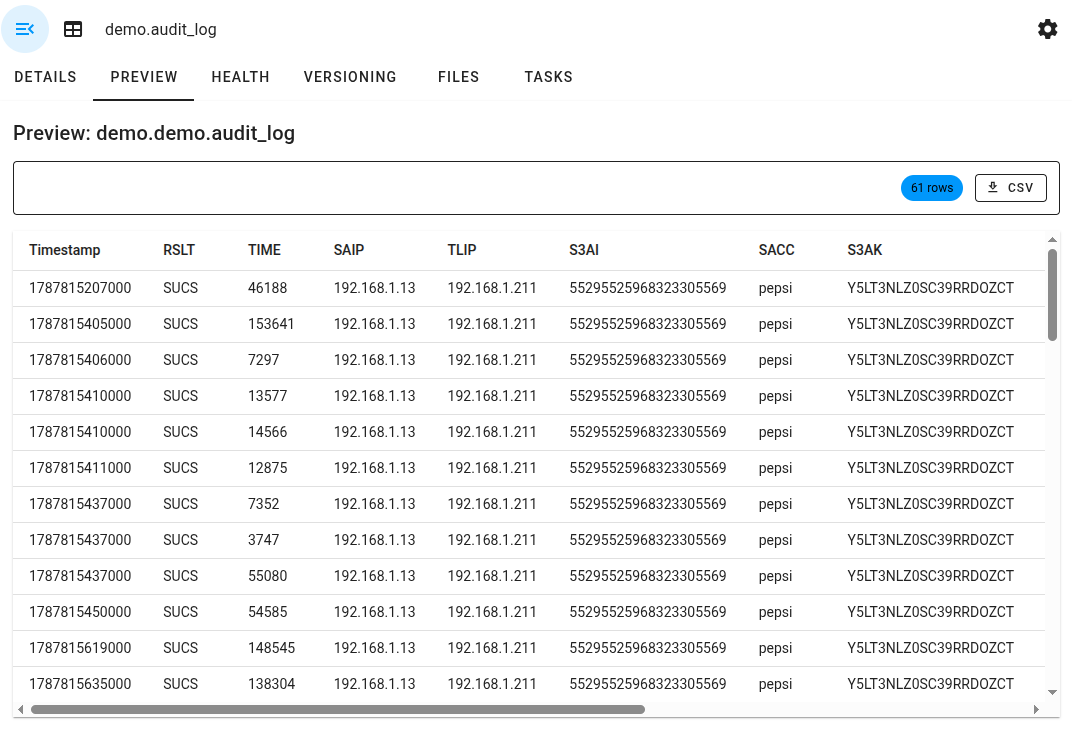
To be fair, the original audit log came in the more space-saving syslog format, and the content is highly repetitive - it contains most of SGET/SPUT fields from StorageGRID audit log:
{
  "schema-id": 0,
  "type": "struct",
  "fields": [
    {
      "id": 1,
      "name": "Timestamp",
      "required": true,
      "type": "timestamptz"
    },
    {
      "id": 2,
      "name": "RSLT",
      "required": true,
      "type": "string"
    },
    {
      "id": 3,
      "name": "TIME",
      "required": true,
      "type": "long"
    },
    {
      "id": 4,
      "name": "SAIP",
      "required": true,
      "type": "string"
    },
    {
      "id": 5,
      "name": "TLIP",
      "required": true,
      "type": "string"
    },
    {
      "id": 6,
      "name": "S3AI",
      "required": true,
      "type": "string"
    },
    {
      "id": 7,
      "name": "SACC",
      "required": true,
      "type": "string"
    },
    {
      "id": 8,
      "name": "S3AK",
      "required": true,
      "type": "string"
    },
    {
      "id": 9,
      "name": "S3BK",
      "required": true,
      "type": "string"
    },
    {
      "id": 10,
      "name": "S3KY",
      "required": true,
      "type": "string"
    },
    {
      "id": 11,
      "name": "CSIZ",
      "required": true,
      "type": "long"
    },
    {
      "id": 12,
      "name": "ATYP",
      "required": true,
      "type": "string"
    },
    {
      "id": 13,
      "name": "AMID",
      "required": true,
      "type": "string"
    }
  ]
}
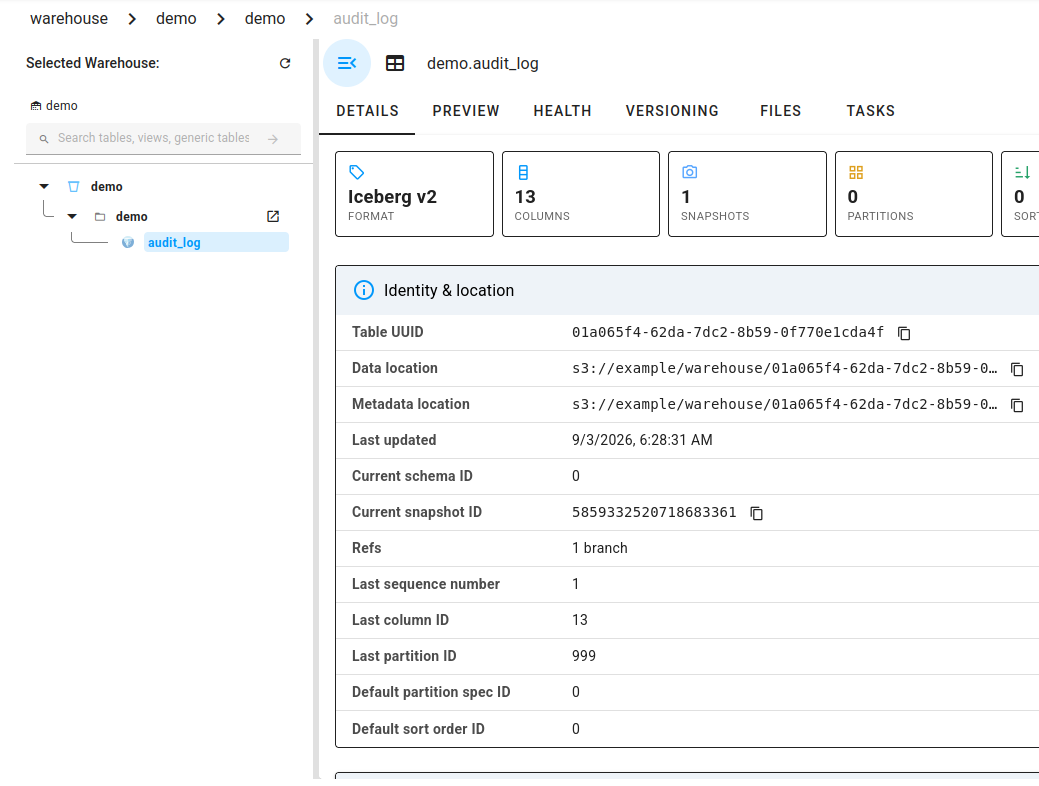
You can also see the table file size here. So, no, datalake users should not enable compression on StorageGRID. I've never seen a user who should.
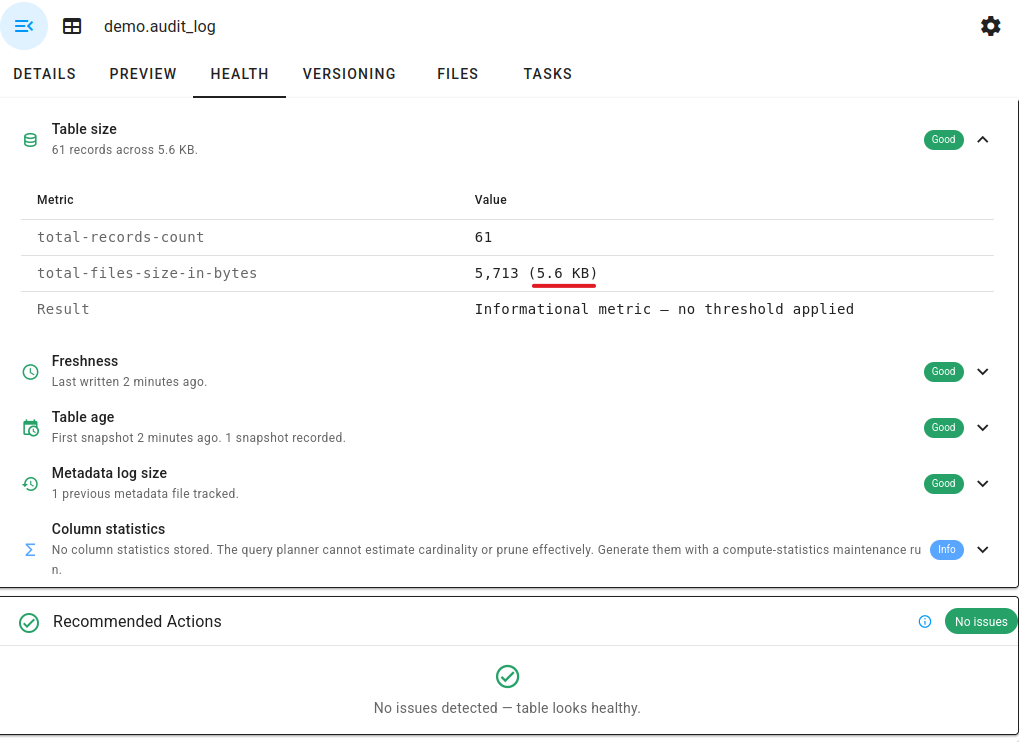
The table (Iceberg v2 is currently the Lakekeeper default) is stored on StorageGRID. Notice the screenshots mention "snapshots".
Those are Iceberg snapshots (just in the case you were wondering if those might be StorageGRID bucket snapshots).
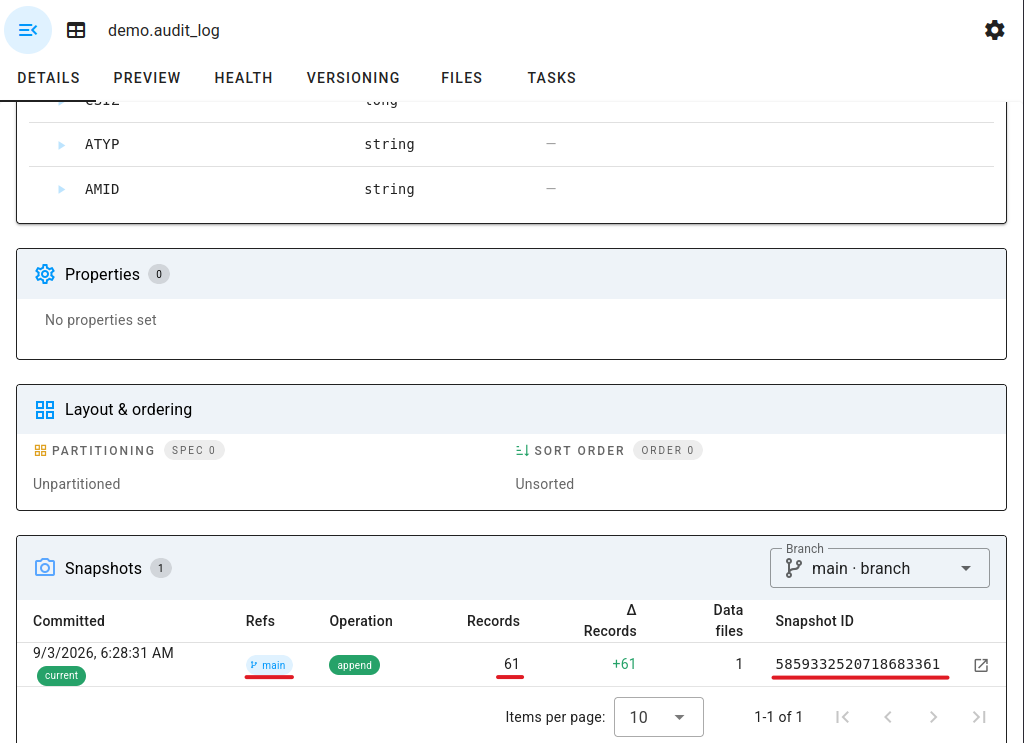
The table is append-only and I had just one commit - 61 JSON documents - so there's not much to see. But it hopefully conveys the idea where datalake snapshots are supposed to be taken. Not on your disk array, and not on StoragGRID either.
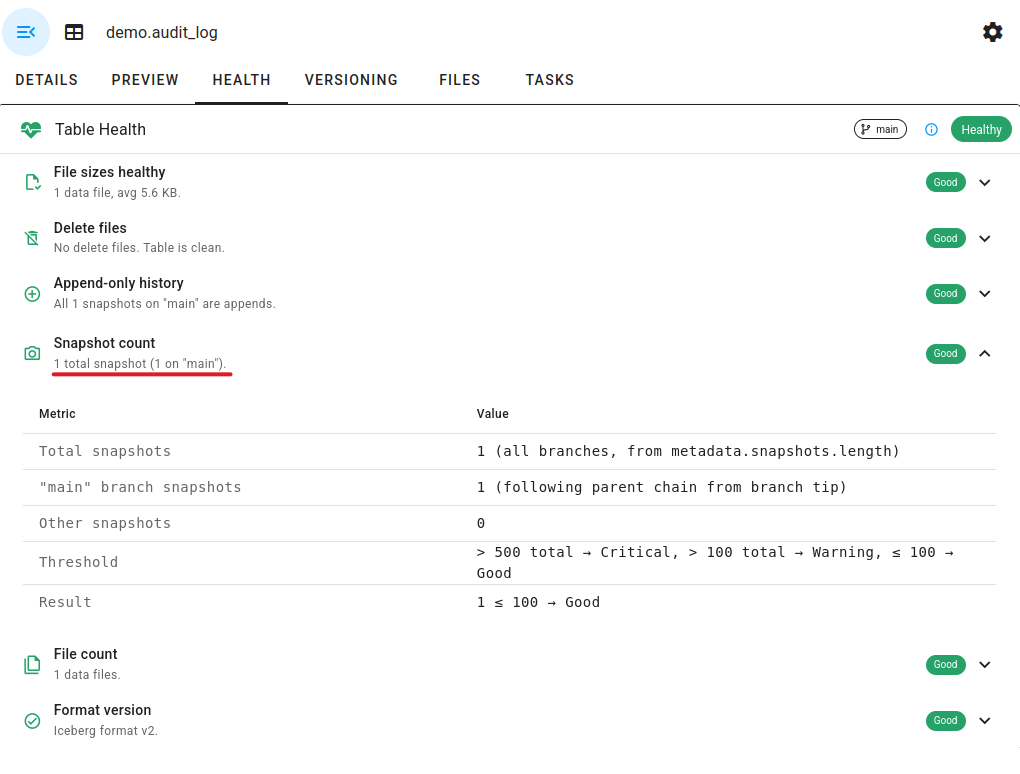
If I added more logs, I would have had additional snapshots. These are space-efficient, but not the same way block storage is. At the same time, the cost of S3 capacity is low compared to block storage.
I can go to Preview to see what's in the table without using other clients. I can see my access logs for the pepsi tenant. Nice.
I can also use LoQE (Local Query Engine) to create ad-hoc queries. Say I wanted to see most recent S3 GETs:
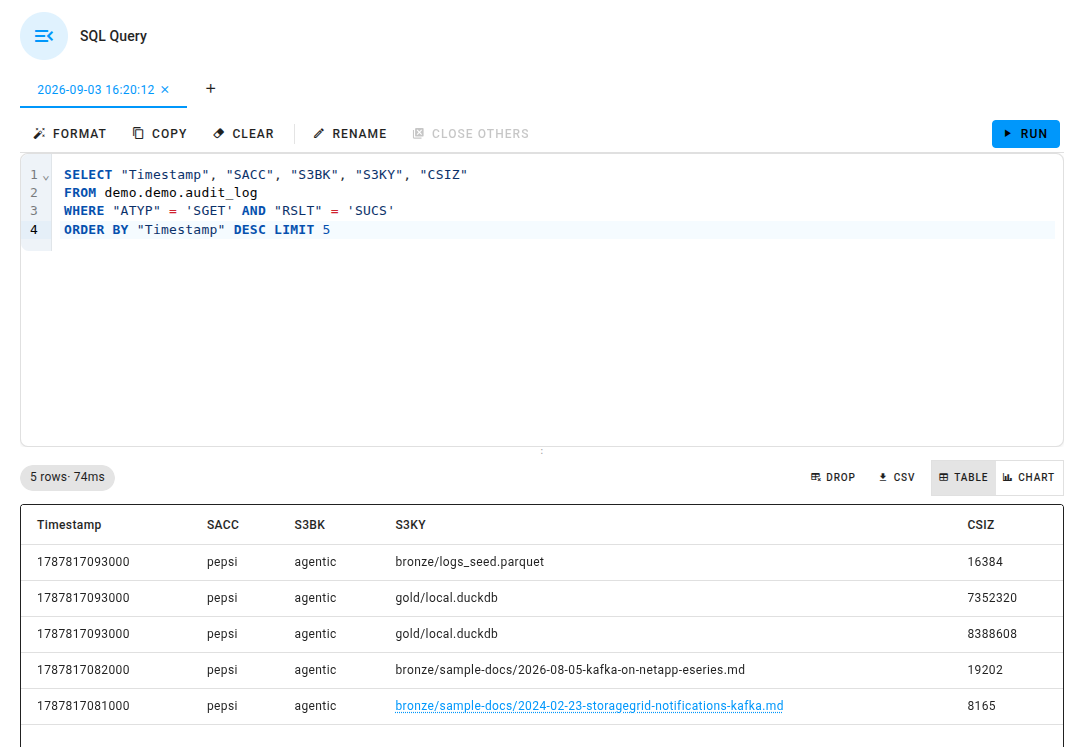
We wouldn't run large queries in a datalake management UI. We'd use clients which would get vended S3 credentials and work directly against StorageGRID S3 API endpoint. Which brings me to…
Trino with Lakekeeper and StorageGRID
Trino can connect to an Iceberg REST endpoint (among several types) - which here is Lakekeeper - then register this connection in a Trino catalog object and from REST it gets information it needs to query.
| Trino | Lakekeeper / Iceberg |
|---|---|
| catalog | the warehouse (demo) |
| schema | namespace (demo) |
| table | table (audit_log) |
A script that does this registration and executes a query that finds the busiest bucket for GET requests like this:
Created Trino catalog 'lakekeeper' -> warehouse 'demo'

lakekeeper.demo.audit_log: 61 rows

Top buckets by bytes read (successful SGET):
  pepsi/agentic: 44 GETs, 140,505,305 B

Most recent successful GETs:
  2026-08-27 07:51:33+00:00  pepsi/agentic/gold/local.duckdb  7,352,320 B
  2026-08-27 07:51:33+00:00  pepsi/agentic/bronze/logs_seed.parquet  16,384 B
  2026-08-27 07:51:33+00:00  pepsi/agentic/gold/local.duckdb  8,388,608 B
  2026-08-27 07:51:22+00:00  pepsi/agentic/bronze/sample-docs/2026-08-05-kafka-on-netapp-eseries.md  19,202 B
  2026-08-27 07:51:21+00:00  pepsi/agentic/bronze/sample-docs/2024-02-23-storagegrid-notifications-kafka.md  8,165 B
We just use standard SQL to query Iceberg tables. Example to get five most recent SGETs that we executed from LoQE earlier:
SELECT "Timestamp", "SACC", "S3BK", "S3KY", "CSIZ"
FROM lakekeeper.demo.audit_log
WHERE "ATYP" = 'SGET' AND "RSLT" = 'SUCS'
ORDER BY "Timestamp" DESC
LIMIT 5
The classic StorageGRID recipe for audit logs is to forward logs to Elasticsearch. Here there's no Kibana and you need to know a bit of SQL to get what you need, but it's fast, cheap and it works. I'd only recommend that you also forward or stream StorageGRID audit logs required for compliance to a remote S3 object store - at least one copy should be stored outside of the audit target (StorageGRID).
The real strength of Trino is that it can execute massive queries on many workers in parallel, while this demo is a non-distributed, "Small Data" query.
With small jobs, the UI doesn't look very exciting, but it's still useful - we can see all queries (and even their various details if we click further).
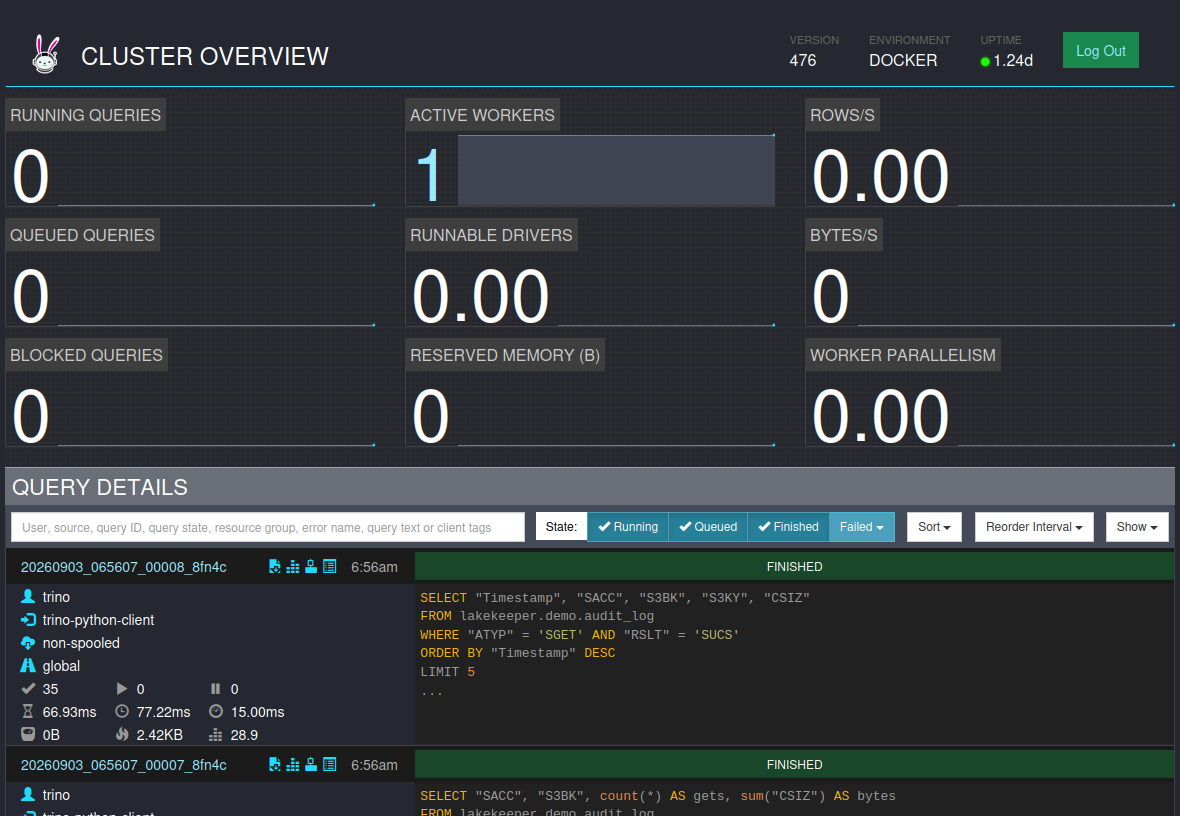
For very large queries, Trino can use multiple worker nodes and optionally the caching feature from Alluxio to avoid repetitive downloads of the same data from data lakehouse.
Conclusion
This post shows how to use Lakekeeper with StorageGRID and STS for credentials vending.
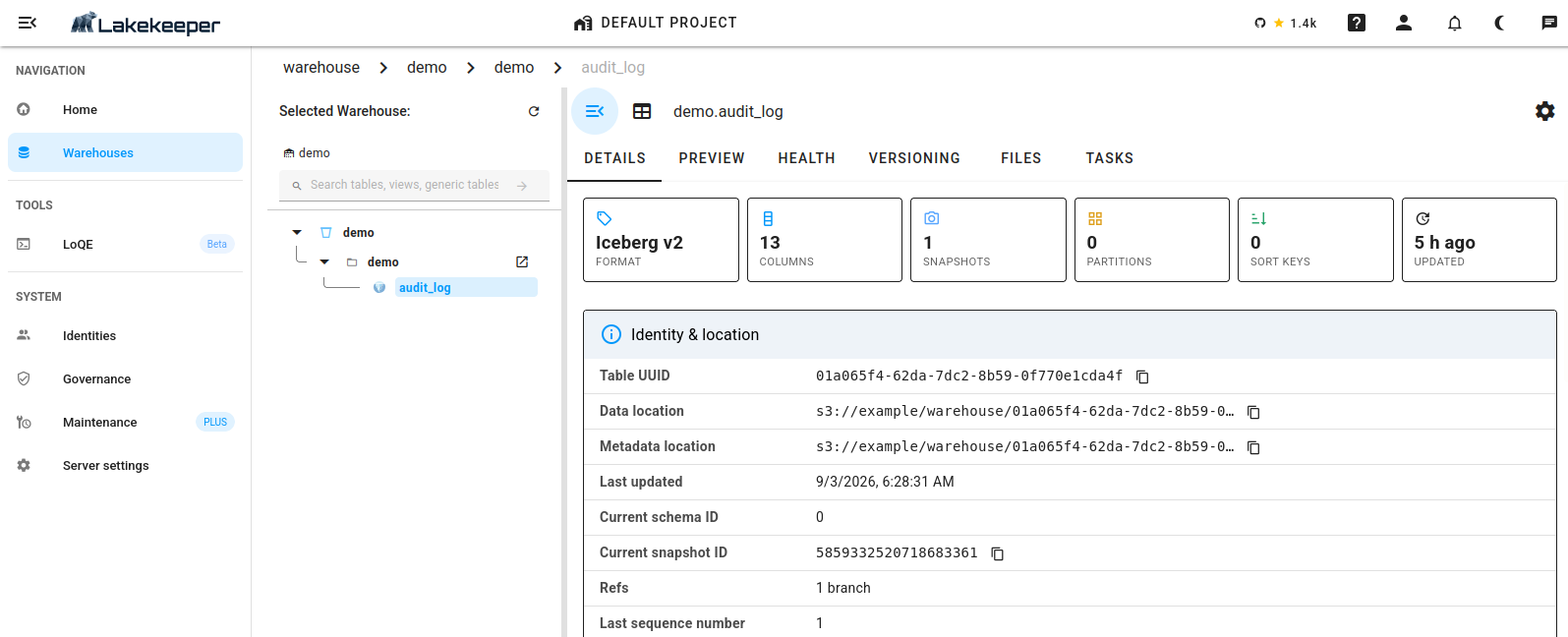
We also gave an example of the space efficiency of Iceberg tables. It is worth mentioning you can use any file format you like - Lakekeeper doesn't care, it supports all.
Not only are the tables efficient, but "snapshots" - that are different from StorageGRID's built-in bucket snapshots and the only kind that should be used on lakehouse buckets - are "thin", too.
Finally, we mentioned Trino and touched upon how query engines can work with an Iceberg REST catalog as Lakekeeper's and StorageGRID.
It is strongly recommended to have event streaming and Lakekeeper backend database replicated as per the diagram at the top; if you use Kafka, it does it natively, you just need multiple arrays. For PostgreSQL, we use CloudNative Postgres which not only performs continuous replication, but can create frequent, efficient backups on StorageGRID.