LakeFS for data lake AI/ML management and compliance
Introduction
Last week, Datalake-ish RAG with (only) NetApp StorageGRID S3 showed how we can perform RAG and run chat without persistent file and block services.
While that was a basic demo that was focused on storage-related aspects of that stack, this post is meant to show how you can use lakeFS to bring order into those stacks even if you do not use data lake to manage them. The solution (this is a nice video presentation) isn't new, but not many people know about it.
In some cases - especially when it comes to existing data lake users - we'd integrate such workflows and data management with data lake, as mentioned in that post at the top. In other cases, you may want to use lakeFS in addition to data lake. This used to be "instead", but lakeFS Enterprise lets you do "in addition to" as well as "instead of" (in the case you don't need the complexity of data lake, but still want to use Iceberg tables, for example).
Versions used:
- lakeFS v1.86.0
- StorageGRID v12.1
Improve management with lakeFS
lakeFS lets us manage buckets in a git-like manner. We can create branches, merge them, undo merges, tag commits and integrate all this with Iceberg data lakes.
Continuing from that previous post on RAG, one of the things that was mentioned in my simplified demo was data cleansing in Step Two, represented by a simple filtering by content tag. Of course, that's very simple, and in reality we'd have more sophisticated and complicated checks.
Similarly, my chat bot had no guardrails, but maybe you'd want to add some to it, too (although that's purely a configuration step that is less related to data management). But you may also want to perform chat logging, for auditing and compliance purposes - we could simply stream that to an event sink that would store data to data lake tables.
To set lakeFS up, we need a PostgreSQL database. If you have several users, just use whatever. If it's important or you have many users, check out CNPG.
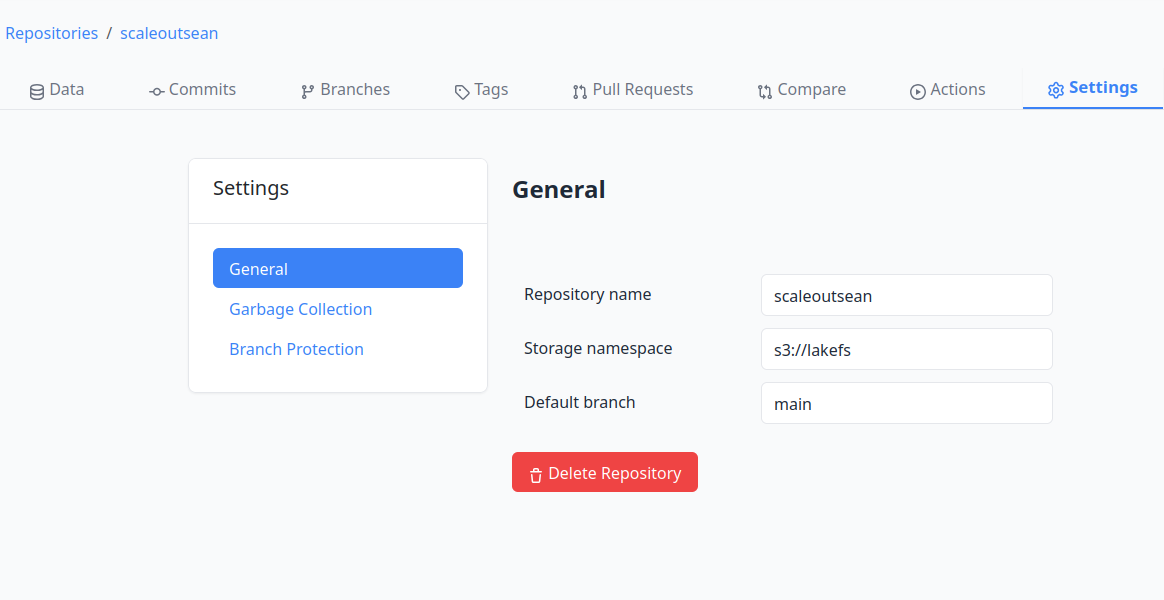
To hook lakeFS into StorageGRID, we also need a bucket. It doesn't have to be called anything in particular - for example, my StorageGRID bucket used right now is called s3://lakefs but in lakeFS my project is called scaleoutsean.
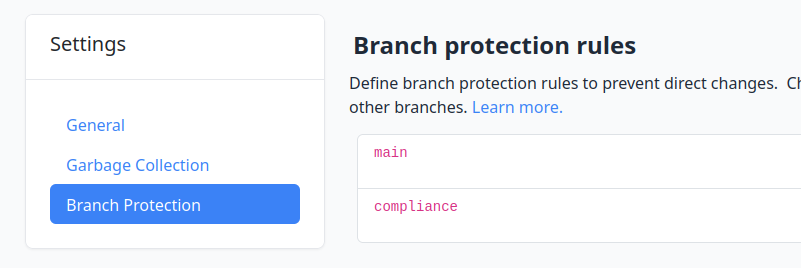
Garbage Collection is not set by default. If you create it, suggested settings are presently as follows.
{
    "default_retention_days": 21,
    "branches": [
        {
            "branch_id": "main",
            "retention_days": 28
        }
    ]
}
Notice that we can set different retention on different branches. If I needed to keep production data for years, I'd add this and have production releases in the compliance branch.
{
    "branches": [
        {
            "branch_id": "master",
            "retention_days": 28
        },
        {
            "branch_id": "compliance",
            "retention_days": 3653
        }
    ],
    "default_retention_days": 14
}
I've heard people talk about the "need" for a StorageGRID "feature" that does this selective pruning of "bucket snapshots". Yeah, no. That doesn't make any sense whatsoever. The above is how it's supposed to be done: from the application. Data lakes, data protection software and everyone else deals with that from the application side.
We can use Branch Protection to prevent direct changes to these important branches.
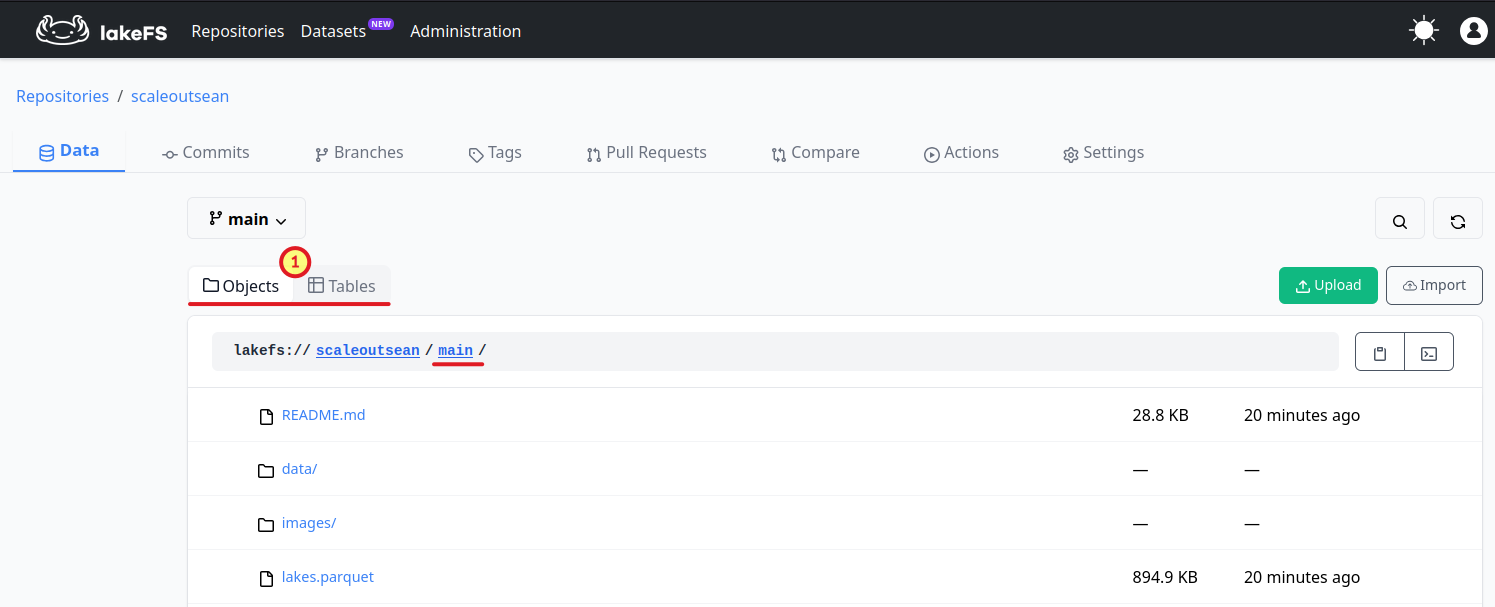
LakeFS has a Github-like Web interface. (1) highlights that it can manage both files and tables.
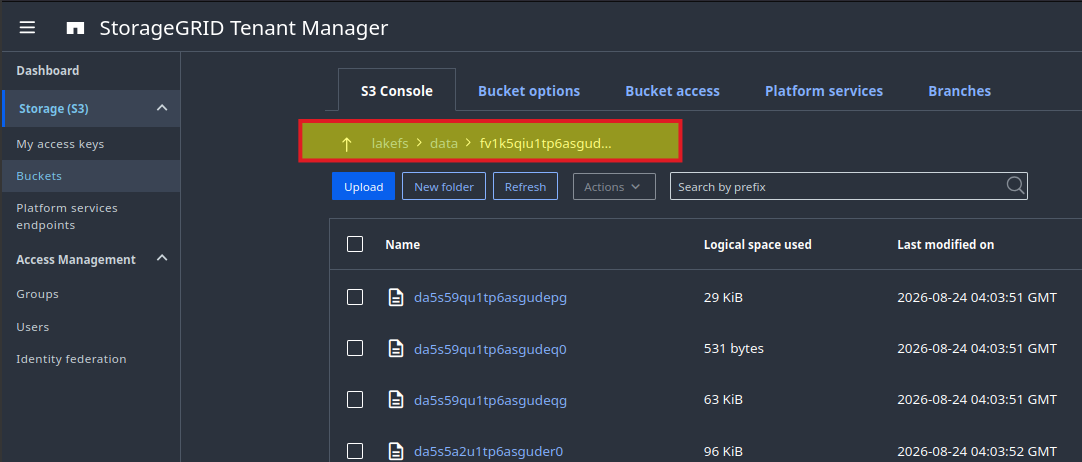
On the back, your bucket will have a data path that looks like this:
$ mc ls s3/lakefs/data/fv1k5qiu1tp6asgudeo0/
[2026-08-24 12:03:51 CST]  29KiB STANDARD da5s59qu1tp6asgudepg
[2026-08-24 12:03:51 CST]   531B STANDARD da5s59qu1tp6asgudeq0
[2026-08-24 12:03:51 CST]  63KiB STANDARD da5s59qu1tp6asgudeqg
[2026-08-24 12:03:52 CST]  96KiB STANDARD da5s5a2u1tp6asguder0
[2026-08-24 12:03:52 CST]  55KiB STANDARD da5s5a2u1tp6asguderg
The same view from the StorageGRID Web UI:
Let's see how we could use lakeFS to help improve one of the more important details in a RAG workflow, data preparation. In Step Two of that processing, we could create a branch to check for, and remove, PII.
We don't want to work on live data or copy stuff around, so we create a lakeFS branch.
After processing (using whatever tool we prefer), we may have an updated content without PII (or with PII masked/redacted).
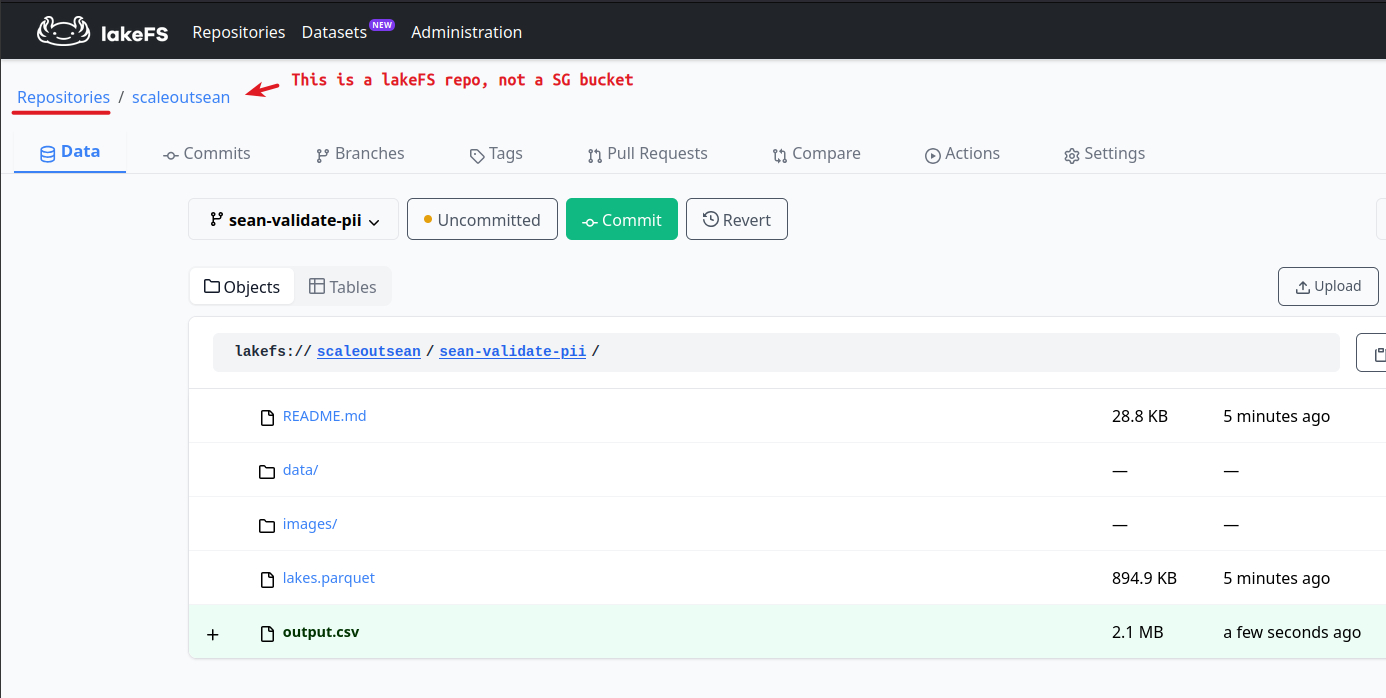
Notice that it says "Uncommitted" for the commit.
We run QA checks and when it's all ready, we may commit.
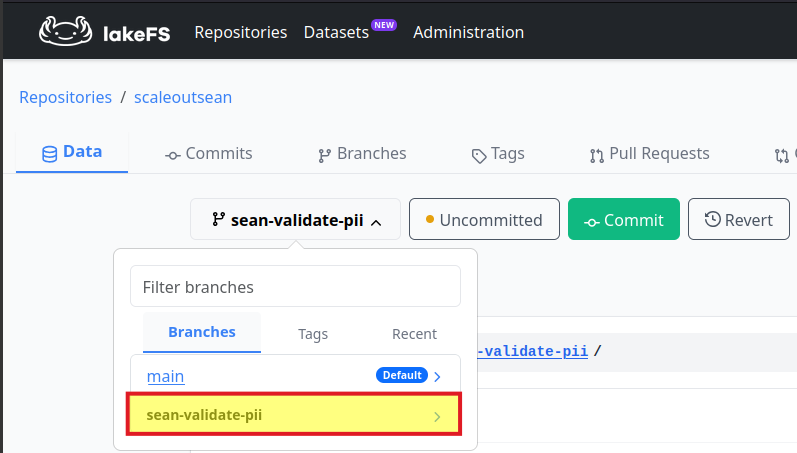
Then we'd want to merge this into main to replace or add a file to s3://blog-silver/ from which RAG users get information (in the RAG application example).
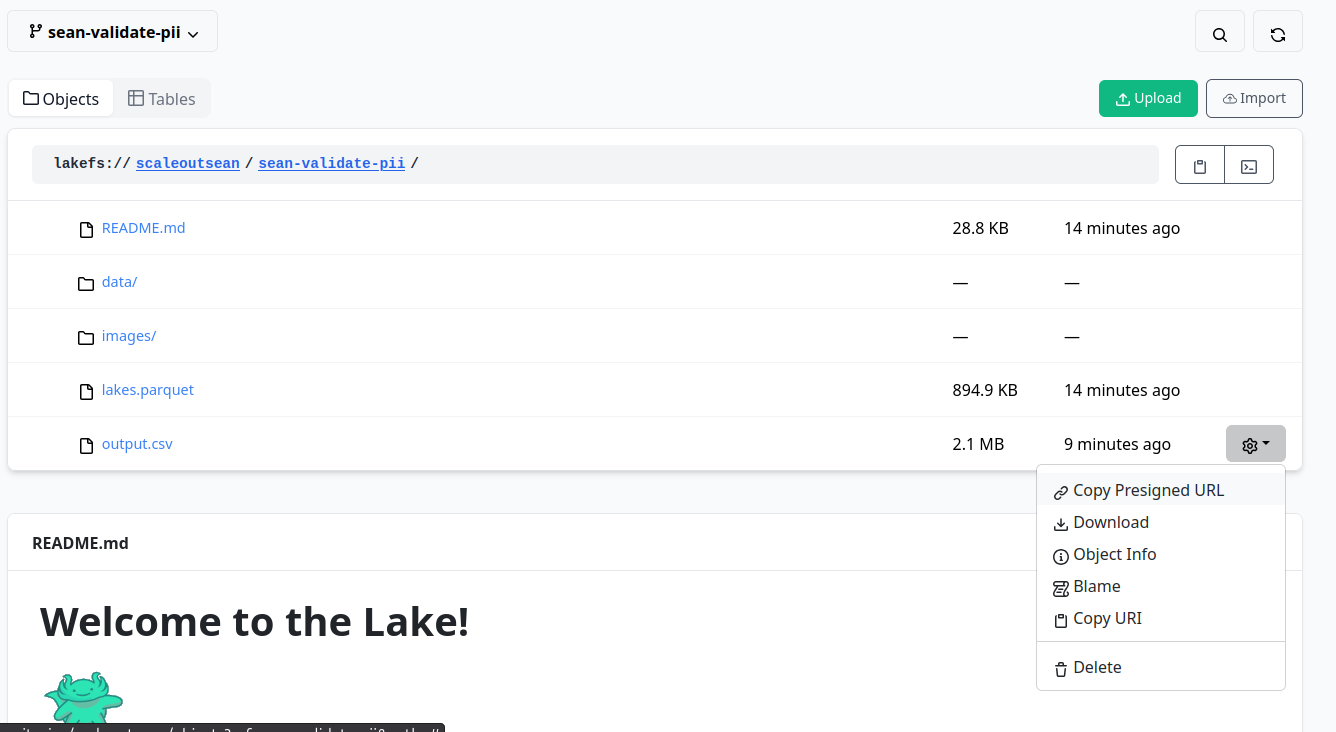
Notice that authorized users can download these using presigned URLs, which is very convenient for QA and automation. PresignedURLs are by default valid for 15 minutes.
In fact, lakectl lets you do the whole thing from console, which gives you fastest access to lakeFS and allows you to create seamless workflows. (The Web page at the bottom is README.md being automatically shown).
If you want to visually inspect, you can diff as you do with git.
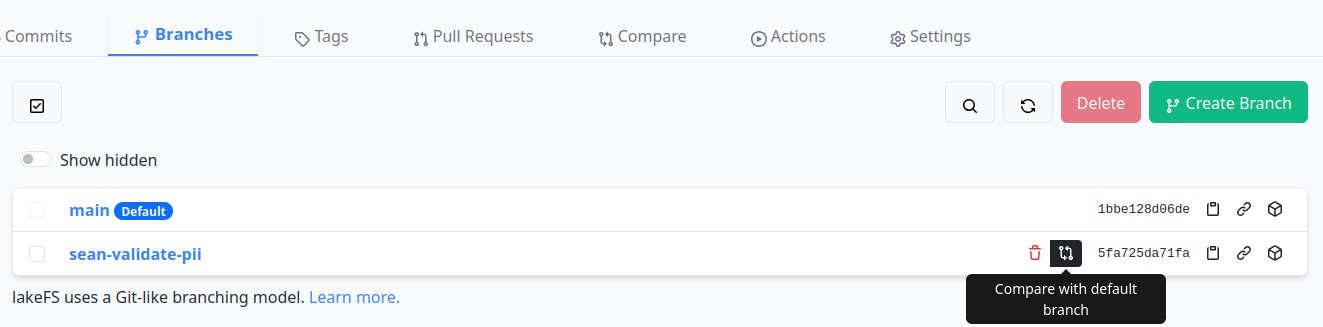
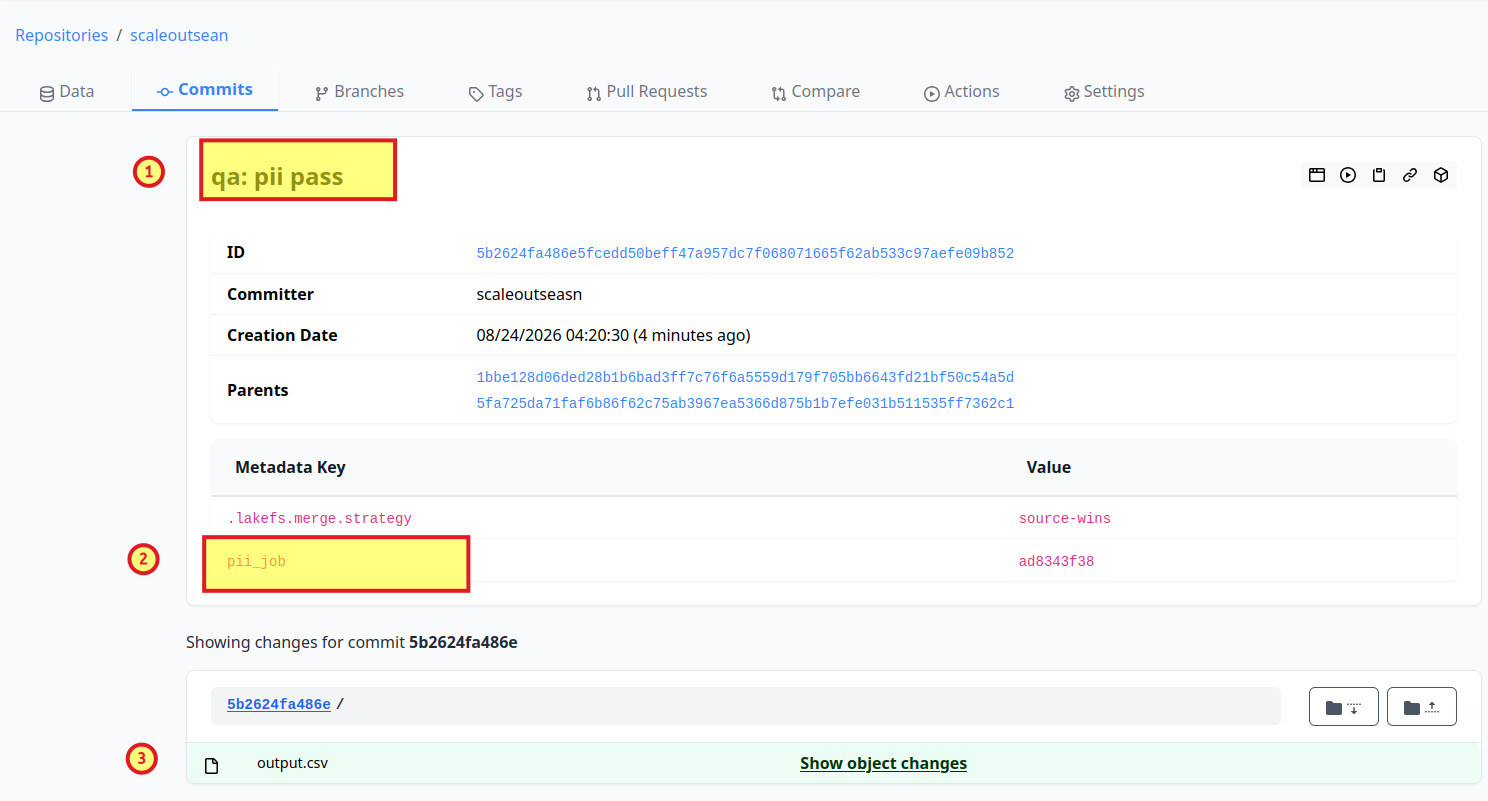
Everything is fine, so we proceed with a merge. Tags such as pii_job (which I inserted manually in the Web UI) could be added automatically if we executed these workflows from the CLI.
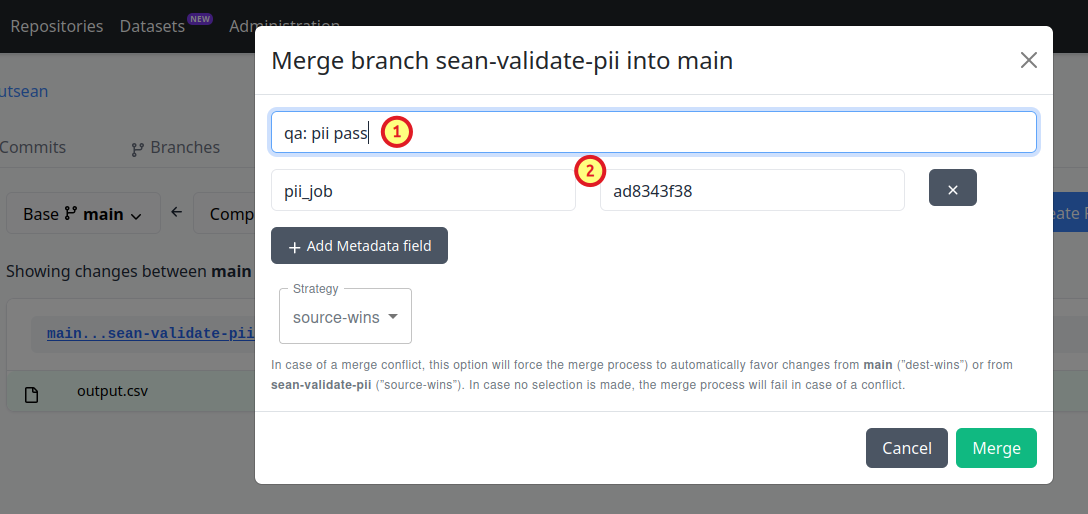
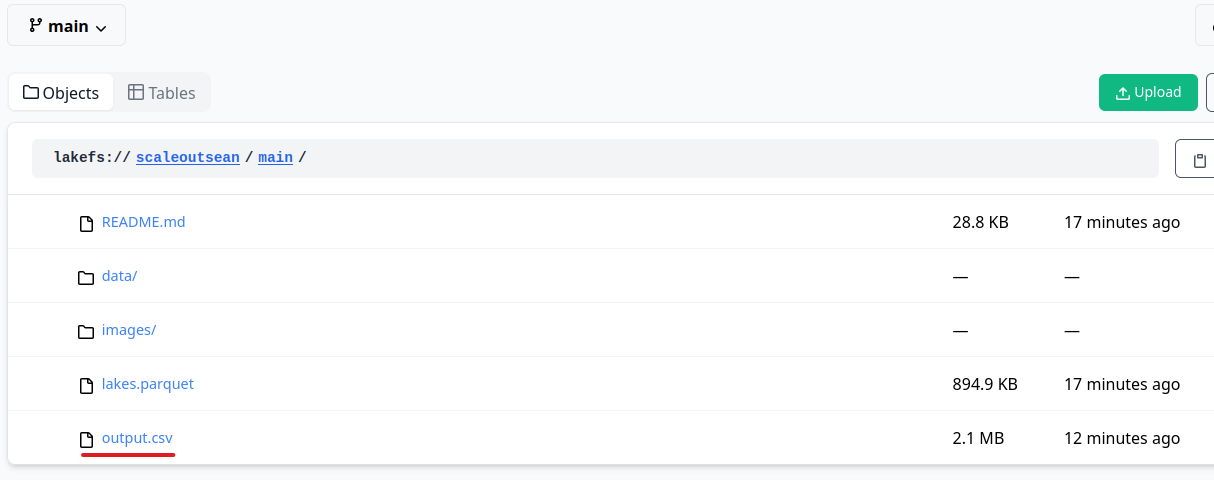
And now the merged content is in main. It's "live"!
Now, if you or other user wanted to check what happened, when, why, how: that works exactly as you'd expect. (Yeah, I misspelled my lakeFS username.)
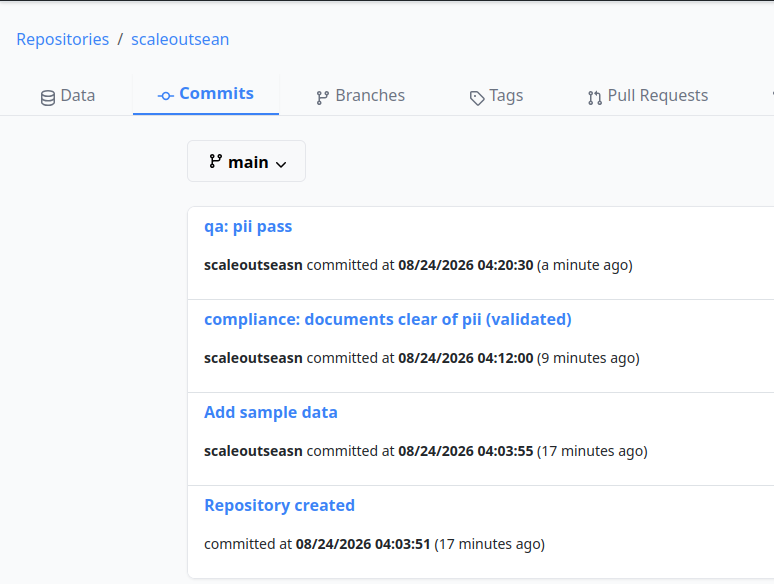
You don't have to dig through logs to find your bucket or filesystem snapshots. You don't have to reconcile bucket snapshot with the data cleansing job ID or software version used to execute it to find out what was used when, where or how.
It's all there are your disposal and as a user, you can get this info instantly. There's no need to get access to any other system and all other workflows can integrate with lakeFS.
The above was the "core" stuff.
lakeFS can now do more. For example, you can work with Parquet files directly from the UI. Here I query lakefs://scaleoutsean/main/lakes.parquet without leaving the UI:

In my RAG demo application, I use Parquet files. Step Two converts raw data (blog posts) to a structured table with blog posts.
$ mc ls s3/blog-silver/
[2026-08-18 14:54:13 CST]  93KiB STANDARD posts.parquet
If I used lakeFS for that RAG chat demo app, I could explore posts directly from the UI and perform sanity checks before merging or committing simply by issuing SQL queries (although full QA tests would be part of our workflow). Note that table management (the Tables tab) is a lakeFS Enterprise feature.
Any commits can be audited for author, details, tags.
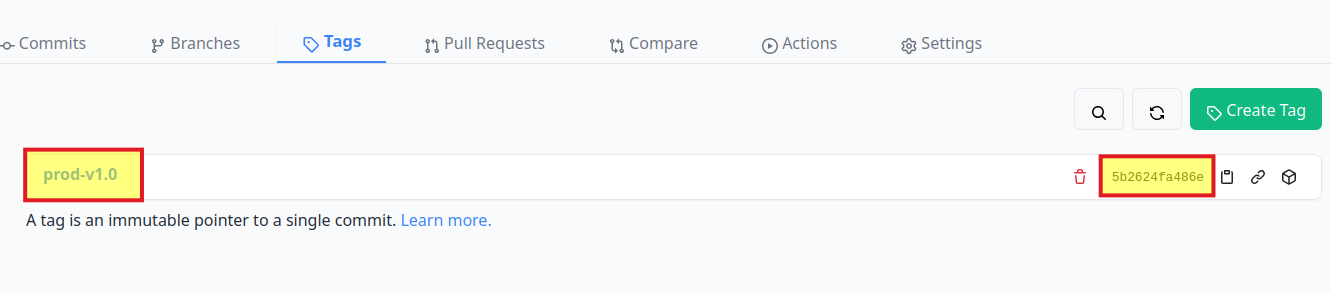
I can also tag and version my releases.
Each release is tied to a specific commit, so nothing can happen to data without there being anything unclear about it.
If something failed, we can find where and why. It can be replicated using the data from the commit in which it was created and applications/models used to generate it (assuming we used those tags I mentioned earlier, as we should).
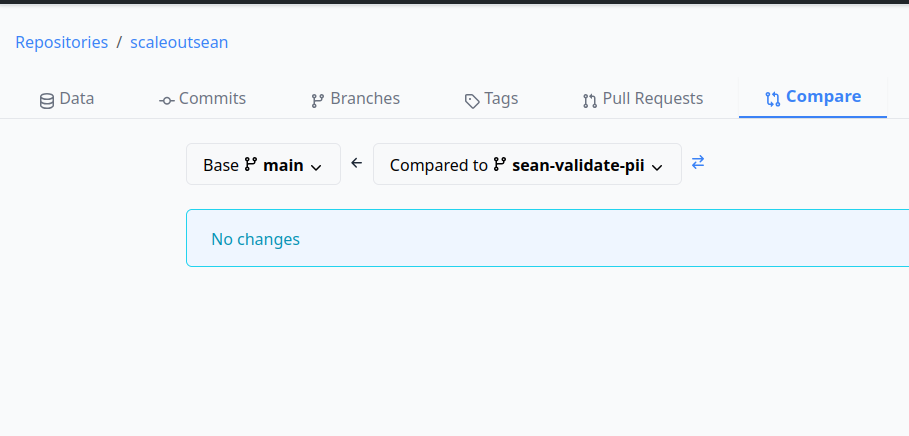
Imagine using a manual approach that copies, changes or otherwise "touches" data. Without exception, humans lose track and forget. But here, you or a colleague can easily see what was done and if anything has changed since last commit.
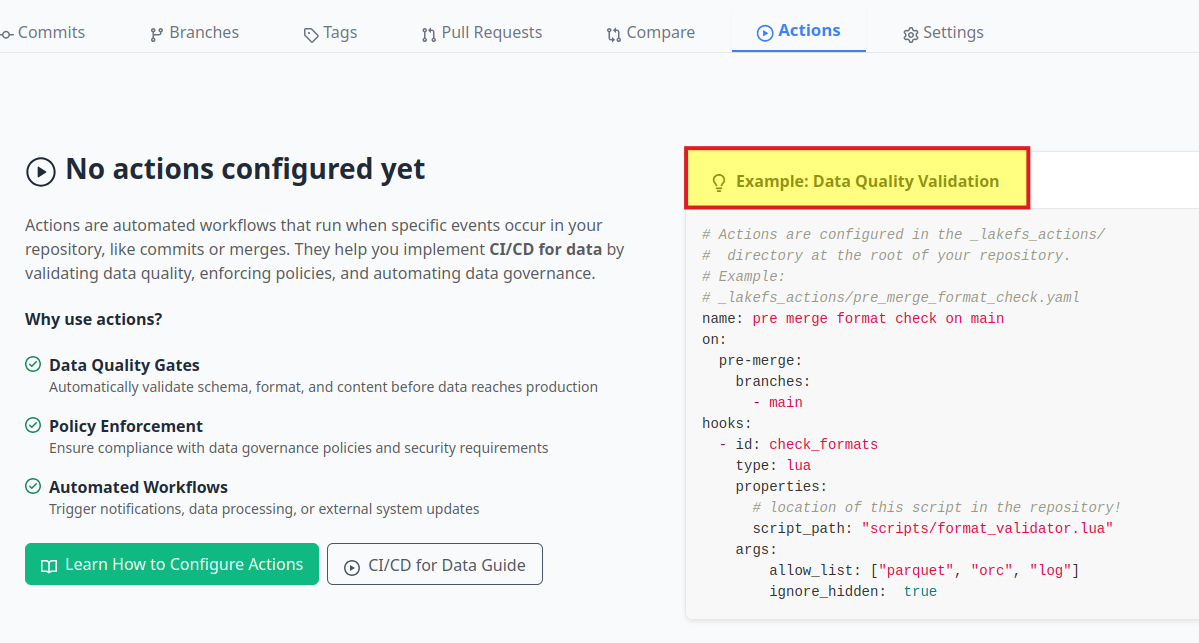
One extremely useful feature is git-like hooks. This is what can help us automate lakeFS operations.
Instead of managing snapshots, replication, clones, and dealing with storage, we deal with workflows and data is managed in the process.
With S3 caching in place, there can be just one StorageGRID on-premises and all our multi-site operations in hybrid cloud have access to all data without replication. We have one source of truth and one place where data changes are approved, managed, audited, referenced.
Conclusion
There's nothing in RAG and other AI workflows that the S3-only approach with data lake is missing. It works on pure data lake stacks and it can be enhanced by lakeFS (if Iceberg integration is used).
lakeFS does need a PostgreSQL database, but it's a small one and in theory it could use data tables on S3. By the way, the CNPG version of PostgreSQL I mention can perform continuous backup to S3, so what I said still holds - if you orderly shutdown lakeFS database and bootstrap it from S3, it could be using ephemeral disks.
lakeFS used to be a "git for S3", but with Iceberg tables support, it's a lot more. I suspect it won't be long before they remove PostgreSQL dependency and fully switch to Iceberg tables. While this posts shows an example related to my recent RAG post, you can use lakeFS for other purposes.
StorageGRID has bucket snapshots, but I don't consider them to be an alternative to lakeFS. They get you in storage management business (which is why I offload that task to the otherwise pathetic COSI), and lakeFS gets you out of it.
With StorageGRID managed from data lake and lakeFS, you literally eliminate most of storage management while not losing, but gaining, value in compliance, auditing, support and more. All without spending more on storage to deploy, replicate or manage it multiple locations.