Single node Qdrant vector database, Kubernetes and NetApp E-Series CSI
- Part 1: Single-Node Qdrant on Kubernetes with NetApp E-Series (this post)
- Part 2: Multi-Node Qdrant on Kubernetes with NetApp E-Series (including Backup/Restore to/from S3)
Introduction
It appears my IBM Block CSI patched for SANtricity can now do both FSB and CSI backups. Still, I did a very simple test for that post and felt the urge to do another, more demanding one.
When I started work on re-automating E-Series for my purpose, I knew it was going to take weeks of invisible grind and no fun, but after client libraries were done, not to mention Terraform Provider and CSI drivers, it's been great! So far I've tried Versity S3 Gateway, Elasticsearch, Splunk and Velero. Most were just touch-testing, but that's exactly what should be done at this stage.
Qdrant is one of the ISVs I've been interested in but never blogged about. Today I thought I should get started and set it up with one of the CSI drivers.
WTH is Qdrant
Qdrant and is currently best known for its vector search (and database), Qdrant. Here's how they describe it.
Qdrant is the most advanced vector search with highest RPS, minimal latency, fast indexing, high control with accuracy, and so much more.
It's only natural that, just like with Elasticsearch and Splunk, one should expect to find some posts about Qdrant on E-Series, so here we are!
Qdrant can run on bare metal servers, in VMs, Docker and, of course, Kubernetes.
Before E-Series had CSI drivers, I always had to say "this should also run on Kubernetes with TopoLVM". That was true, but I didn't like it. Now that I have not one, but two CSI drivers, I test on Kubernetes first and don't need to say "this can also run in Docker or bare metal systems". I like that.
How Qdrant uses storage
Qdrant supports scale-out clusters as well as scale-up expansion. For scale-up on premises, you need paid support and then you can (among other things) extend CSI volumes, for example. Which both SANtricity CSI and IBM Block CSI for SANtricity can do.
In this early stage evaluation, there's no diference between single and scale-out deployments as far as CSI is concerned. A PVC is a PVC.
"Bbbut, how would you do Consistency Group snapshots?"
I actually wouldn't.
As I said in conclusion of the previous Velero post and elsewhere: SANtricity supports CG snapshots (and linked clones), and while I plan to add support for these, the fact is most databases have no use for them. We'll see how Qdrant deals with that shortly.
Next, let's see how: the Qdrant uses storage?
The truth is, Qdrant doesn't care about it. They obviously need it to persist data (and logs, etc.) and work fast. Which isn't much, but that's exactly what E-Series does well.
There's replication, there are "snapshots" (D2D dumps, really) and the user may choose to use more or less disks. You need one to store DB data, one for logs (if you want to keep them), while snapshots and audit volumes (or paths) are optional. It's that simple.
In my evaluation I modified default Qdrant configuration file to use all of them not because I needed to audit myself, but because I wanted to kick tires on my CSI snapshots & clones. Also on Velero CSI backup and Versity S3 Gateway.
This was my storage/PVC configuration:
/qdrant/logs- 10Gi/qdrant/snapshots- 10Gi/qdrant/snapshots_temp- 10Gi/qdrant/storage- 50Gi/qdrant/audit- 10Gi
Deploy and use
It is very easy to deploy Qdrant. Much easier than installing Oracle 8i Parallel Server, for example.
I disabled HTTPS for this to avoid dealing with TLS certificates and so on.
I had a Storage Class (RAID 6-based, although RAID 1 would have been appropriate) ready and the PVCs and internal mount paths were already hard-coded, so all it took was ./deploy.sh ${STORAGE_CLASS}. I put this stuff in my ESeries repo, by the way.
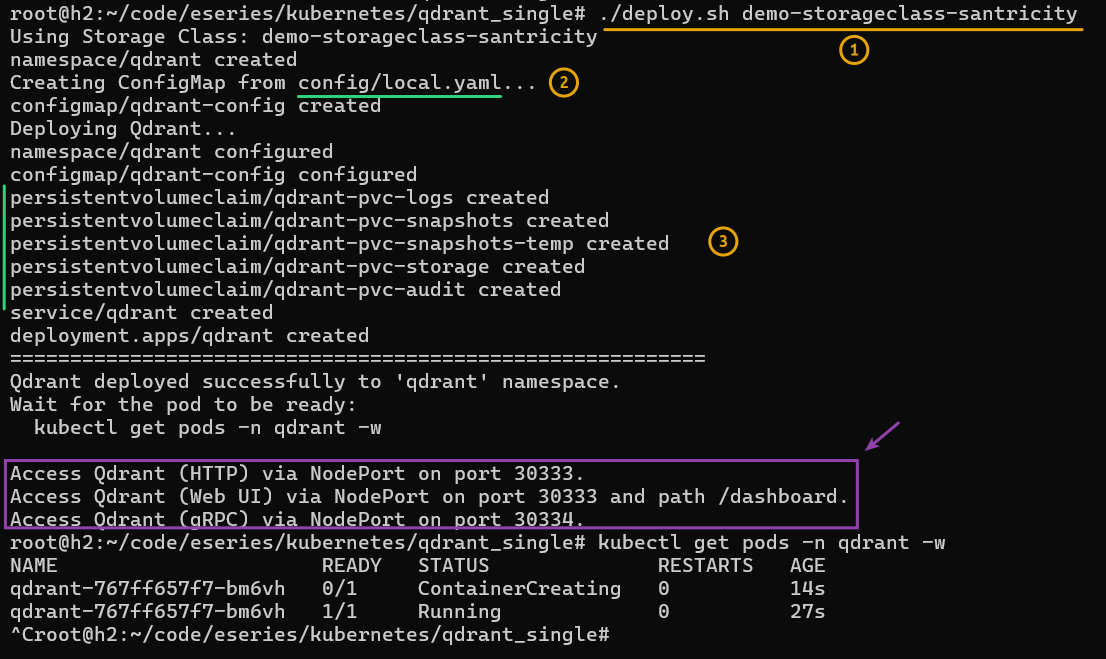
That one command created PVCs, loaded a custom configuration file and started Qdrant.
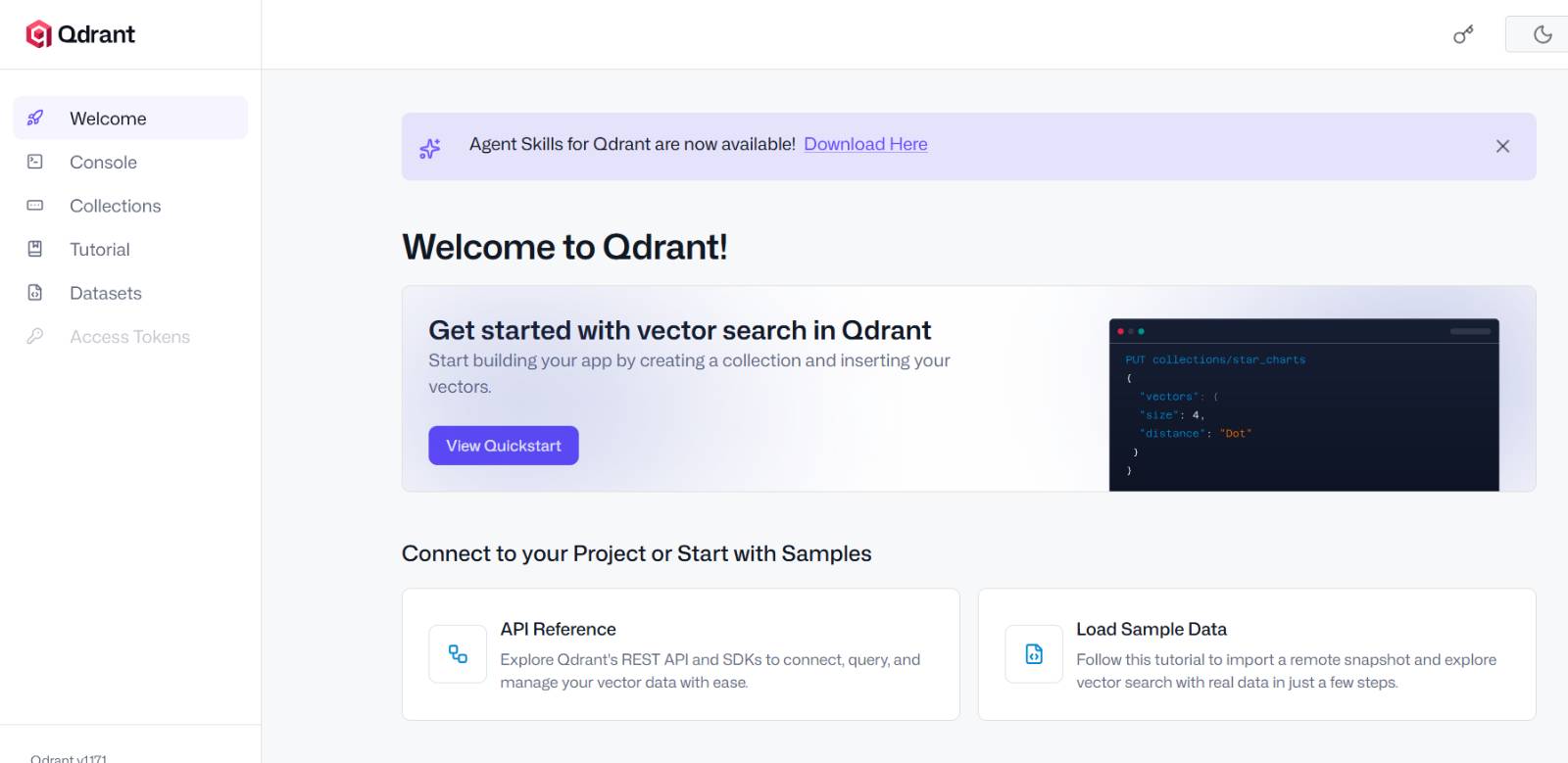
After that I connected to the Web UI (the /dashboard link). Everything seemed in order. I just had to flip the UI to dark mode.
Next thing to check was the CSI volumes in the SANtricity Web UI. Ouch! Would you look at those volume names!
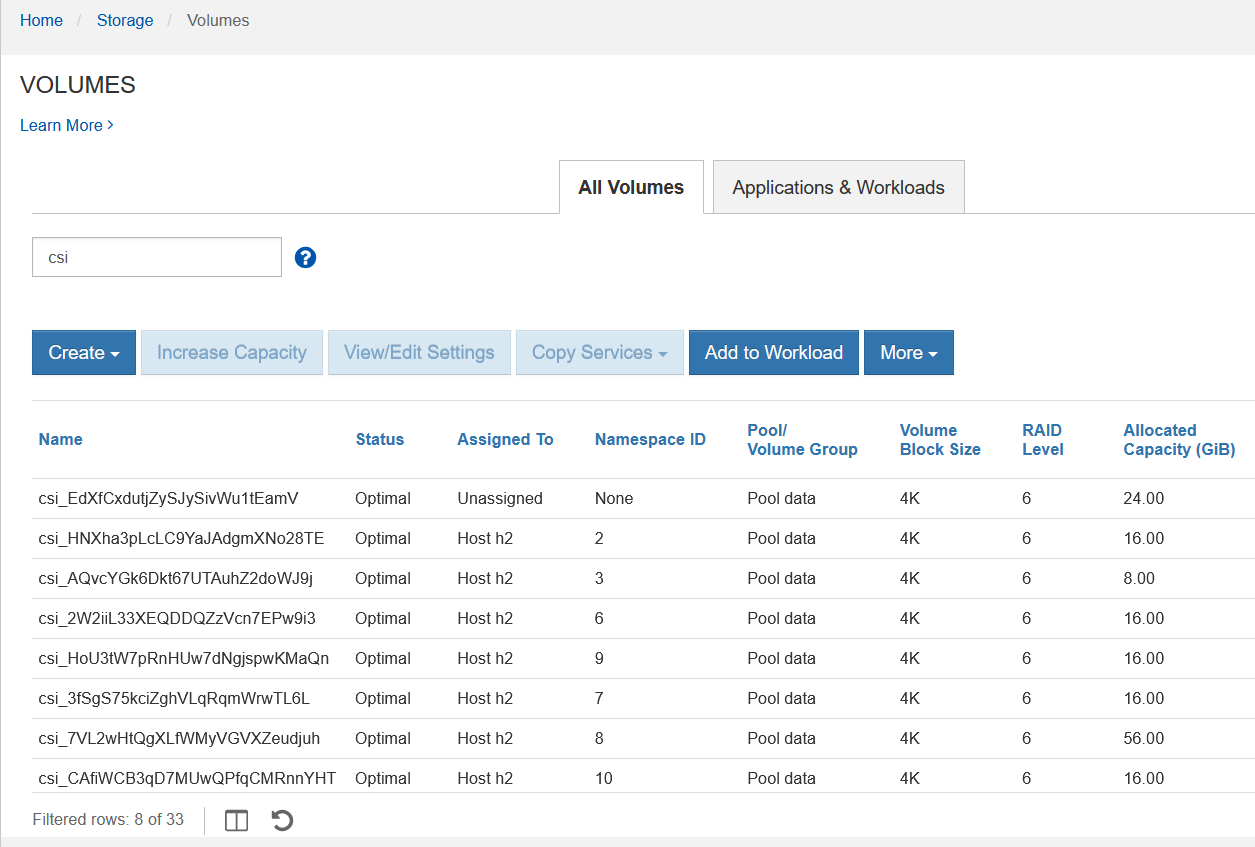
Being unable to tell what the hell I'm looking at while I'm looking at something was a funny feeling. But I've already commented on CSI volume names in several posts I've written about IBM Block CSI driver, so let's continue.
I thought it might be a good idea to watch IO, but - not having a clue which volume is which (and I had 1-2 existing ones) - I wanted to enable monitoring for all csi_ volumes. But the UI reminded me that up to 5 individual volumes can be watched at the same time.
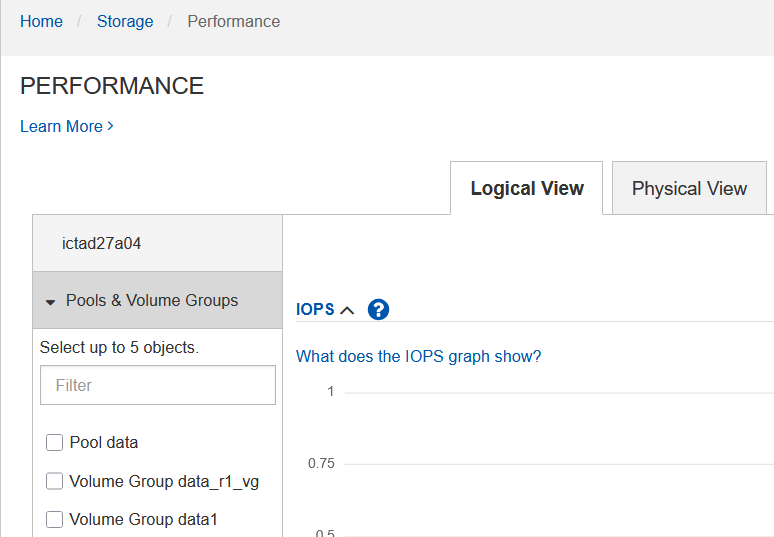
Oh, well. That's just enough for my purpose, but which five?
I didn't want to spend time finding out. Instead, I decided to try my EPA 4.0, currently still in beta (Beta 2 currently).
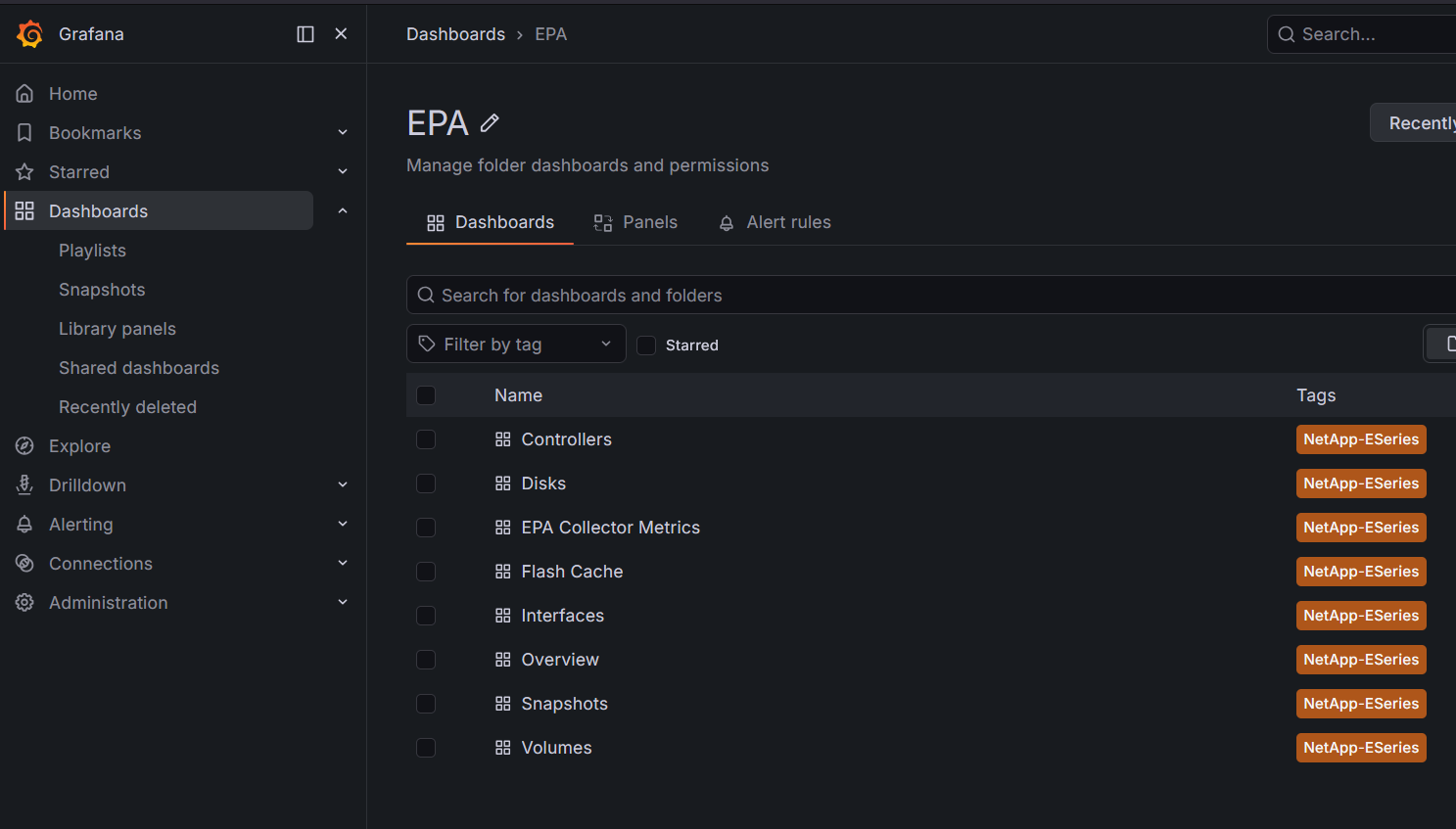
After spotting and solving 2-3 new EPA 4 bugs, I was ready to go. Let's enable just the csi_ volumes…
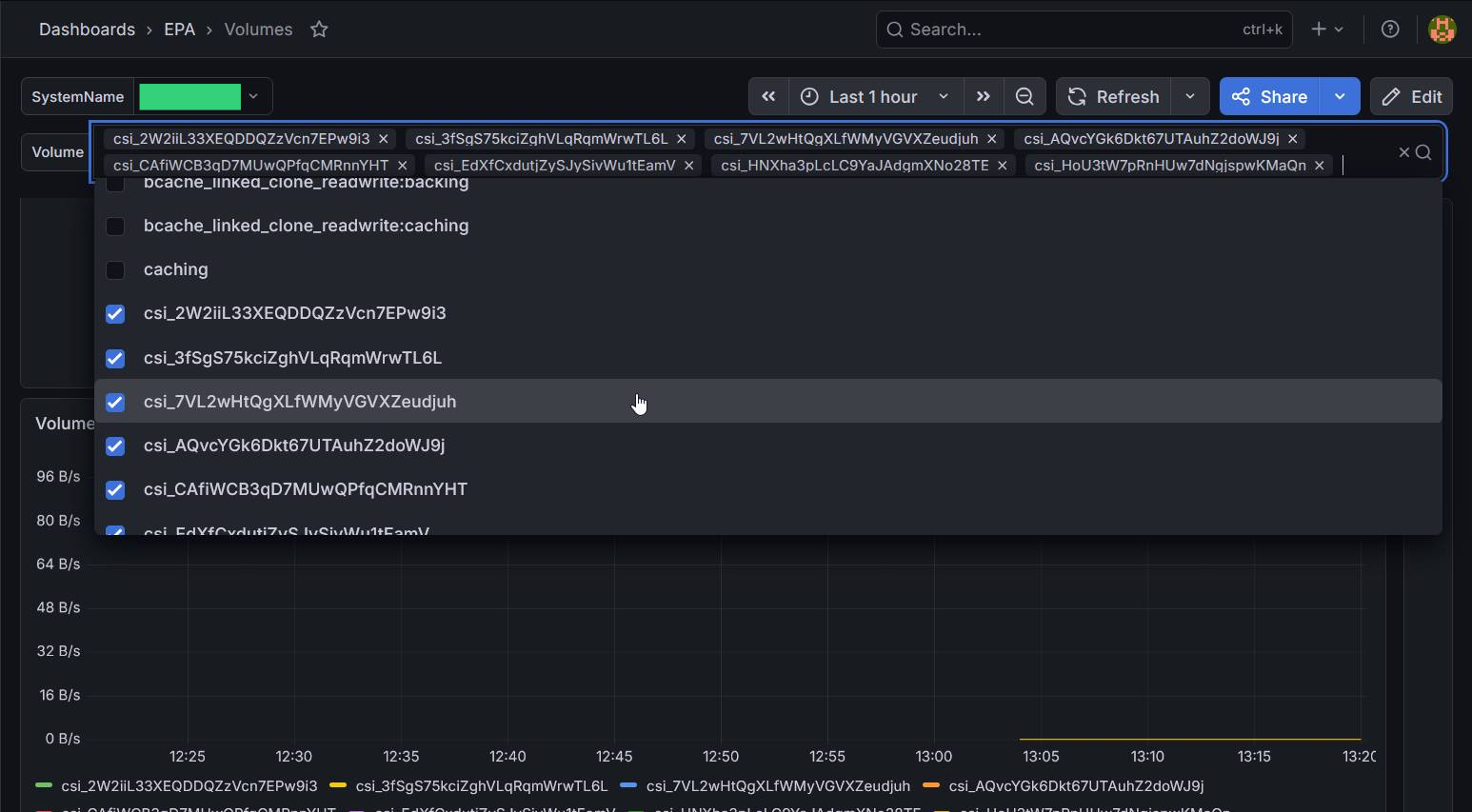
After that, I was ready to use Qdrant.
They nicely include three sample data sets which can be loaded as collections directly from the Web UI.
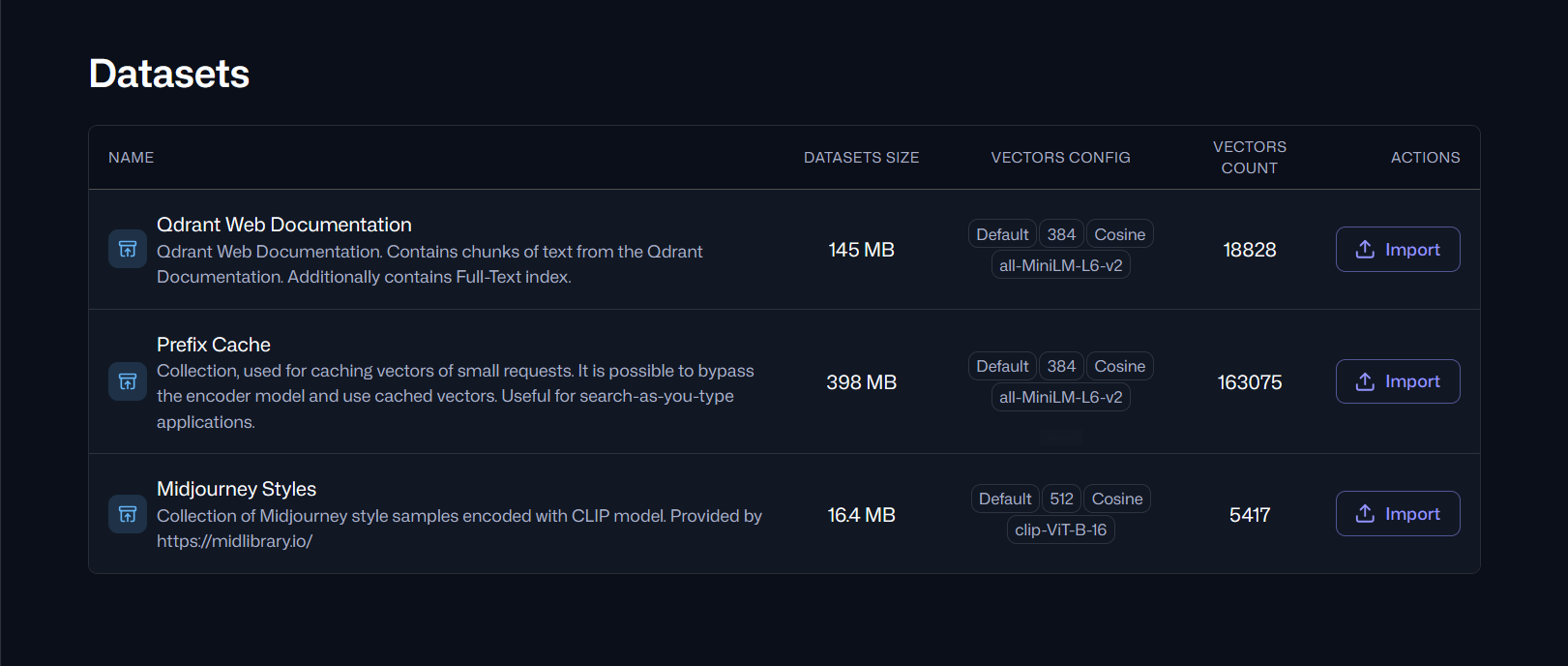
I loaded all three, but since they're not very large and I had just one node (no replication enabled), I didn't expect much in terms of I/O.
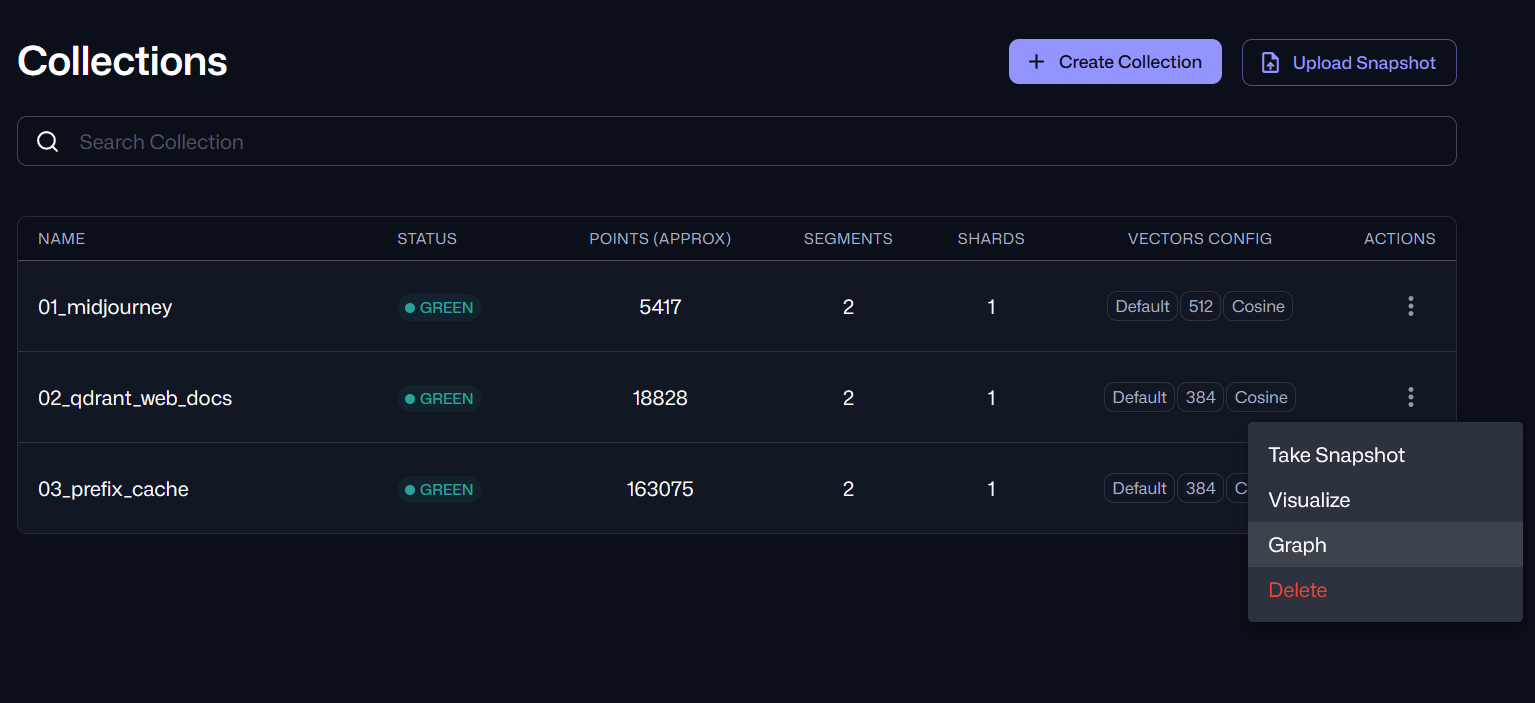
Notice that right-click menu in the screenshot above: see that "Snapshots"?
That's a snapshot you won't need to create. Not on Kubernetes or storage anyway.
When you "snapshot" a collection, that dumps it to that snapshot PVC we created. The other snapshot-related PVC, snapshots_temp, is used if temporary space is needed to package those snapshots. Bottom line: you don't need storage snapshots or CSI snapshots here, either to backup or restore.
This is what happens when you create one. I didn't look, but I expect this dumps the collection to that snapshot PVC.
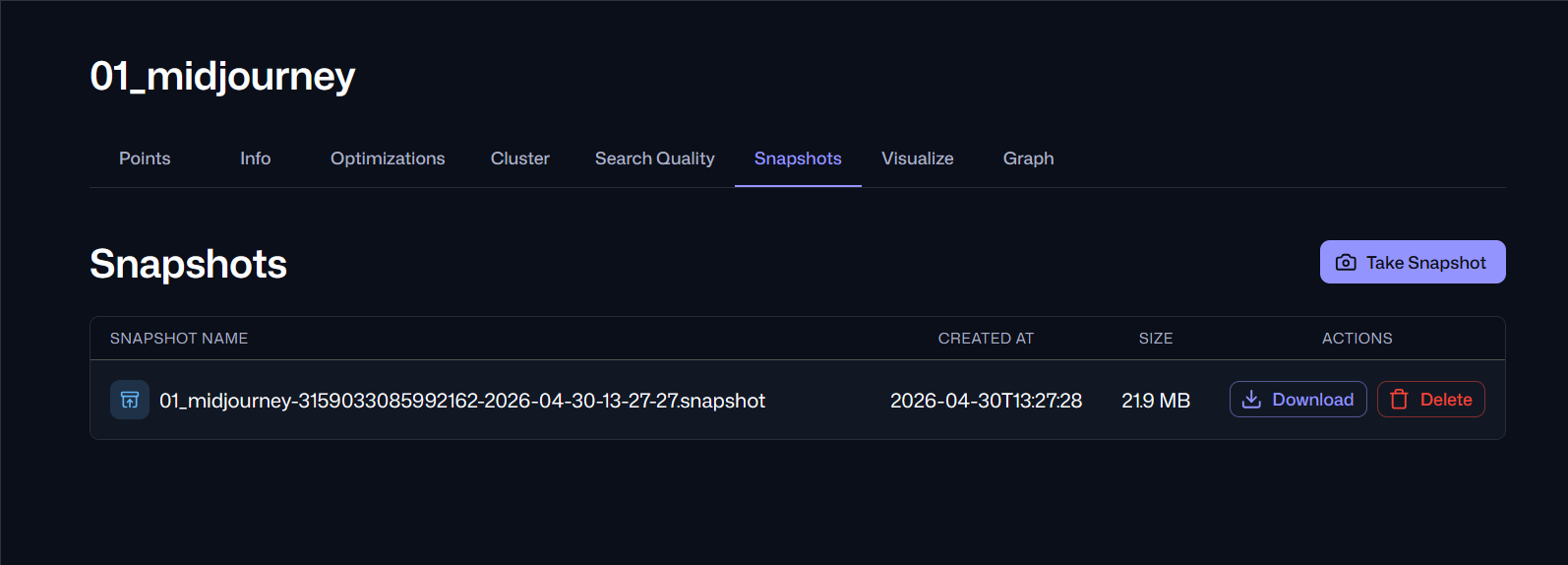
These snapshots can be downloaded for backup or use in another Qdrant cluster. You'd probably use the API to automatically get them and put them to something like Versity S3 Gateway or StorageGRID.
This may seem trivial, but there's more to it than meets a snapshot hoarder's eye:
- It's a pattern we should remember from Elasticsearch S3 snapshots
- The other pattern is "S3 as the Single Source of Truth"
- Closely related, StorageGRID S3 has bucket snapshots
What that means is both the DB (block) and S3 (object) use the same pattern and work nicely together:
- Data land into buckets either via direct ingress or streams
- Qdrant uses a variant of GO NATS to create vector embeddings for that data
- A "snapshot" of both Qdrant collection and the bucket data can be taken at the same time. All data can then be copied to to another, immutable S3 bucket for compliance, governance and more
- After that, the Qdrant collection can be dropped. If it was the only collection, the entire instance can be deleted, together with PVCs
- To deploy this in production elsewhere or use it years later, you'd simply download that snapshot and deploy a new vector database. The S3 object data wouldn't even need to be downloaded, although it could be downloaded or just cached in the same Kubernetes cluster. Qdrant has a free tool that makes this collection migration between different instances easy
That's not much different from how Elasticsearch S3 snapshots, mentioned earlier, work. We're not inventing - we don't have to - something new here.
In this way, we need block storage that that has the following features:
- Fast and reliable RAID 1 and RAID 6 storage for different Qdrant volume types
- Basic CSI driver with create, delete and expand volume capabilities
CSI snapshots aren't required, but some folks may want to backup the PVC with audit logs (although that information ought to be available in Qdrant application logs as well, and those can be forwarded to something like Elasticsearch or Victoria Logs). Whether that's a thing or not, several PVCs with 300 MB of data was a good chance to test Velero CSI!
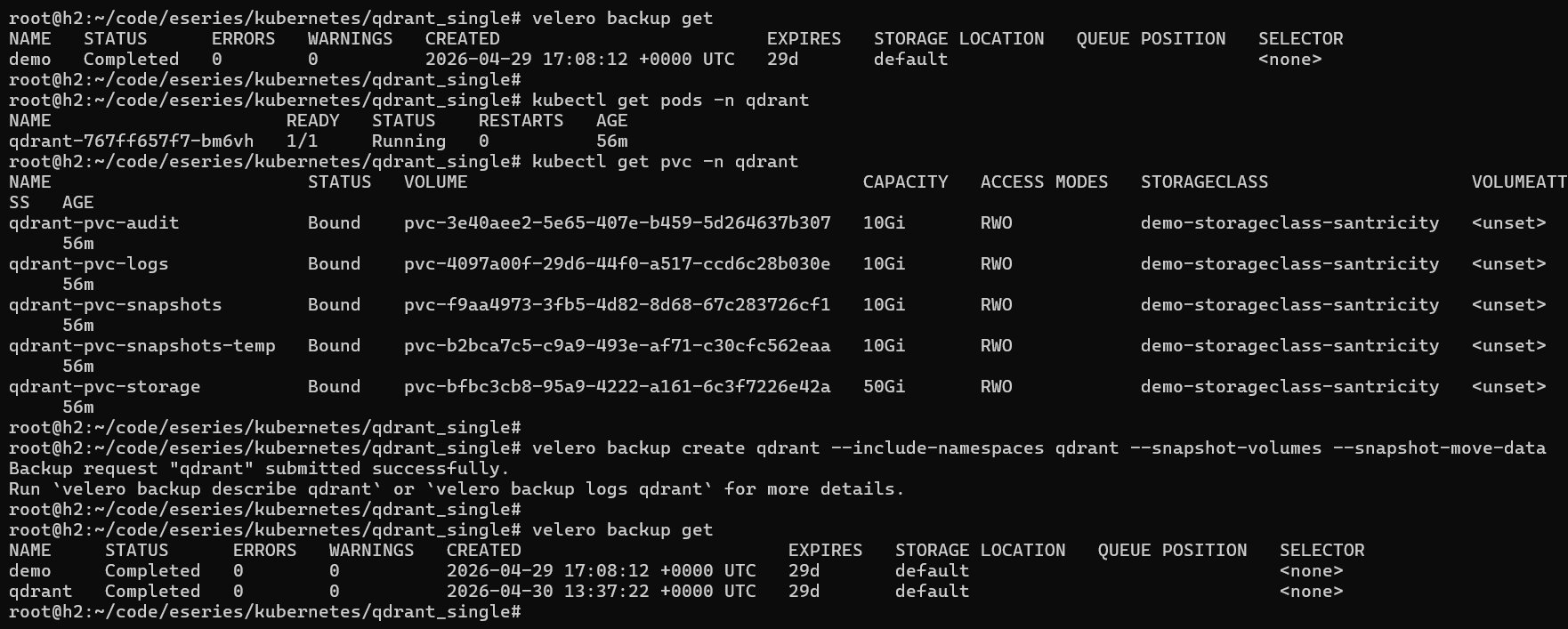
Velero with CSI was installed as per my previous blog post. I just needed one command to create and submit a new backup job.
$ velero backup get
NAME   STATUS      ERRORS   WARNINGS   CREATED                         EXPIRES   STORAGE LOCATION   QUEUE POSITION   SELECTOR
demo   Completed   0        0          2026-04-29 17:08:12 +0000 UTC   29d       default                             <none>

$ kubectl get pods -n qdrant
NAME                      READY   STATUS    RESTARTS   AGE
qdrant-767ff657f7-bm6vh   1/1     Running   0          56m

$ kubectl get pvc -n qdrant
NAME                        STATUS   VOLUME                                     CAPACITY   ACCESS MODES   STORAGECLASS                   VOLUMEATTRIBUTESCLASS   AGE
qdrant-pvc-audit            Bound    pvc-3e40aee2-5e65-407e-b459-5d264637b307   10Gi       RWO            demo-storageclass-santricity   <unset>                 56m
qdrant-pvc-logs             Bound    pvc-4097a00f-29d6-44f0-a517-ccd6c28b030e   10Gi       RWO            demo-storageclass-santricity   <unset>                 56m
qdrant-pvc-snapshots        Bound    pvc-f9aa4973-3fb5-4d82-8d68-67c283726cf1   10Gi       RWO            demo-storageclass-santricity   <unset>                 56m
qdrant-pvc-snapshots-temp   Bound    pvc-b2bca7c5-c9a9-493e-af71-c30cfc562eaa   10Gi       RWO            demo-storageclass-santricity   <unset>                 56m
qdrant-pvc-storage          Bound    pvc-bfbc3cb8-95a9-4222-a161-6c3f7226e42a   50Gi       RWO            demo-storageclass-santricity   <unset>                 56m

$ velero backup create qdrant --include-namespaces qdrant --snapshot-volumes --snapshot-move-data
Backup request "qdrant" submitted successfully.
Qdrant PVCs using demo-storageclass-santricity as mentioned at the top:

After this started, I rushed to the SANtricity Web UI to check out snapshots and linked clones.
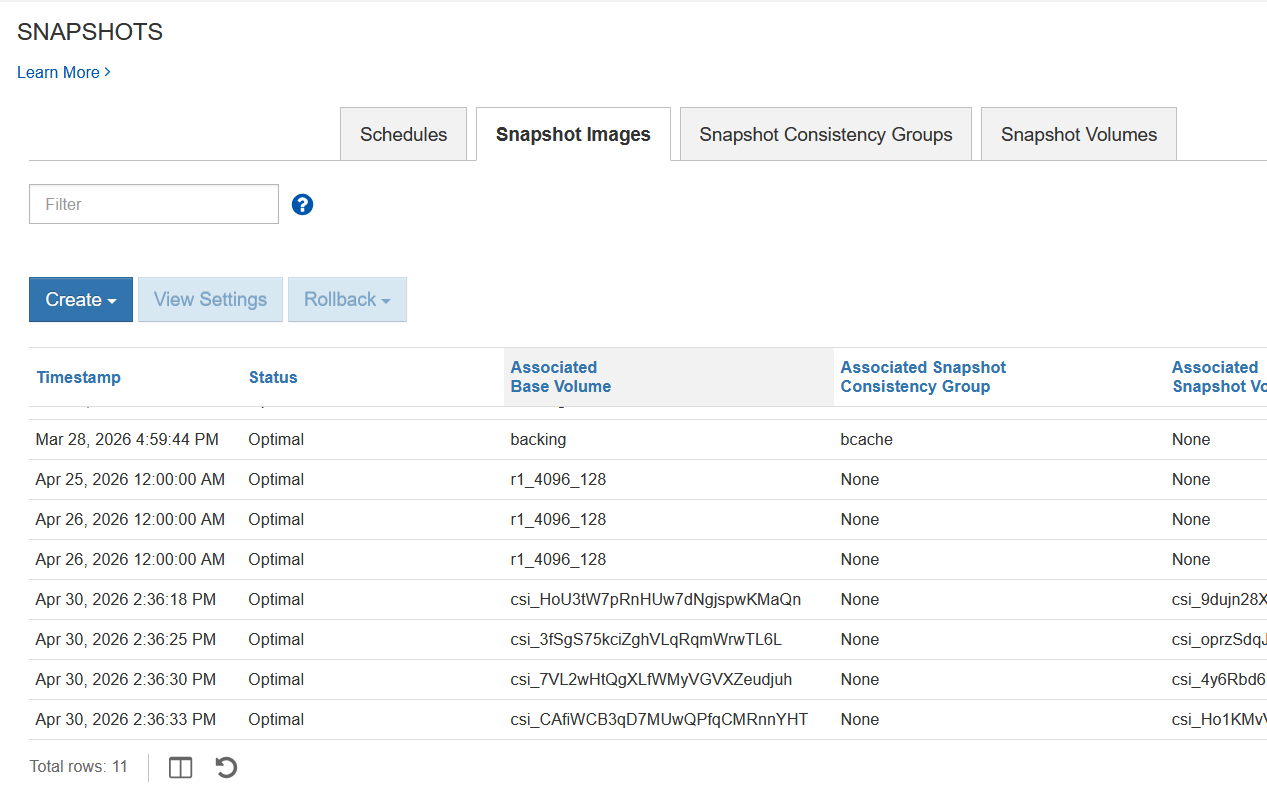
By the time I got to taking a screenshot of linked clones, some of them were already disappearing, as Velero data mover was completing jobs and deleting those clones.
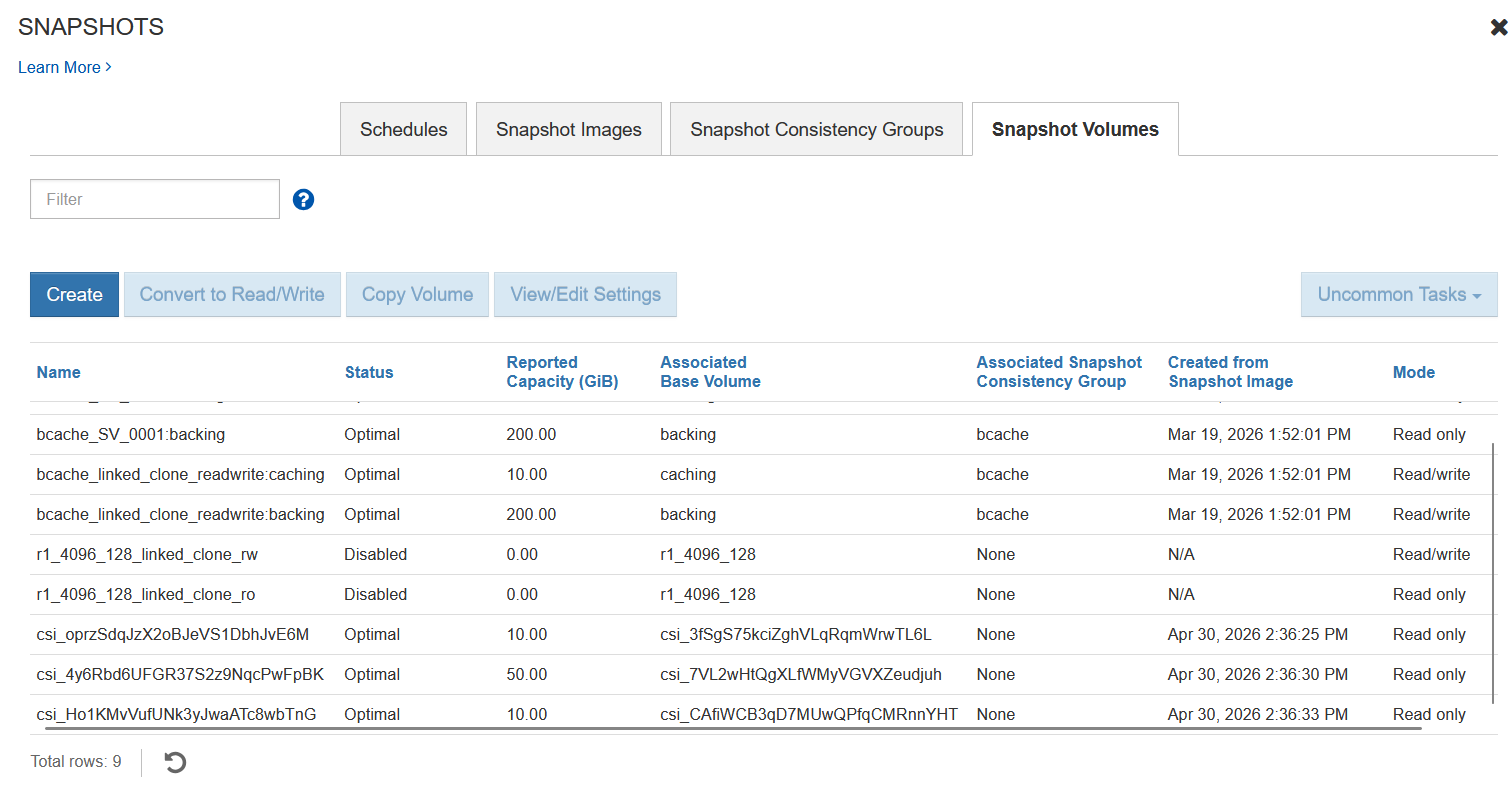
That was good to see. Minutes later, it was all over.
I headed over to Versity S3 Gateway to see if data made it.
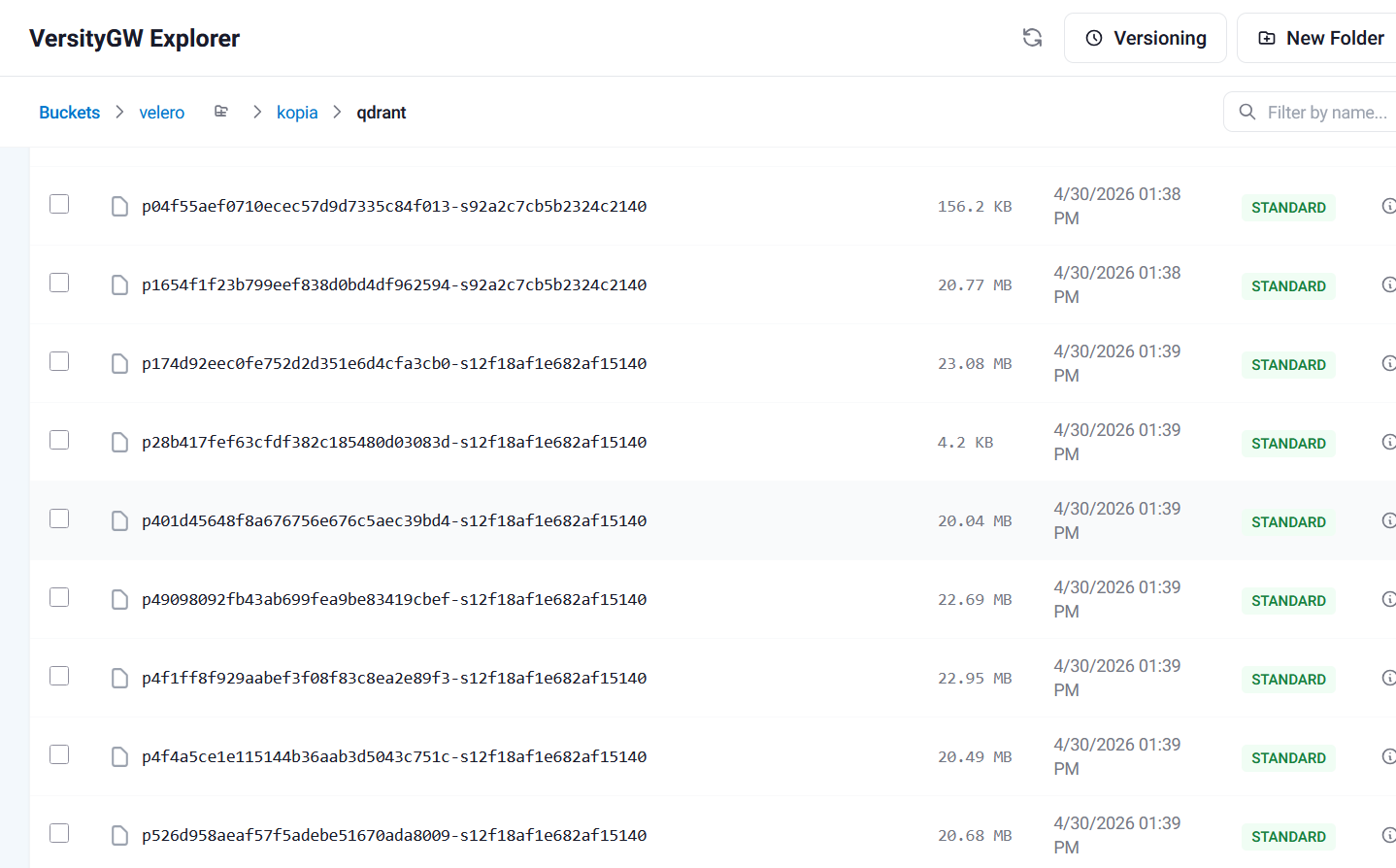
Like in the previous post, I logged in to the bare metal server that was running Versity S3 Gateway and checked out the "command" and "data" directories:
root@h3:~# du -sh ./data/velero/backups/qdrant/
92K     ./data/velero/backups/qdrant/

root@h3:~# du -sh ./data/velero/kopia/qdrant/
445M    ./data/velero/kopia/qdrant/

root@h3:~# ls -lat ./data/velero/kopia/qdrant/ | head
total 454844
drwxr-xr-x 2 root root     4096 Apr 30 08:39 .
-rw-r--r-- 1 root root     1032 Apr 30 08:39 _log_20260430133943_d87d_1777556383_1777556384_1_49066f0de03347ac97b4214767248f7b
-rw-r--r-- 1 root root      176 Apr 30 08:39 xn0_faa004a9eb900708bdb7f5028dce05f2-s7d69a2bde7930d7d140-c1
-rw-r--r-- 1 root root     4331 Apr 30 08:39 q1f25c7f0c24877d167e71c8dcb29d9e8-s7d69a2bde7930d7d140
-rw-r--r-- 1 root root      143 Apr 30 08:39 xn0_843f8d7ee205409decbaacb0e2299fd6-s3688f85048f46fcc140-c1
-rw-r--r-- 1 root root     4298 Apr 30 08:39 qcb85d95fb53c5db43896658ba1213314-s3688f85048f46fcc140
-rw-r--r-- 1 root root    11344 Apr 30 08:39 _log_20260430133904_d9bc_1777556344_1777556348_1_ced3fdb4a10cb0a5c1e951e3dc0d1af8
-rw-r--r-- 1 root root    12482 Apr 30 08:39 xn0_04ca7fa4815bae19707ba3d9dd9b006d-s12f18af1e682af15140-c1
-rw-r--r-- 1 root root    81468 Apr 30 08:39 q10c3baa29b5bc968254258c667ba7f78-s12f18af1e682af15140
The same detail in a screenshot:
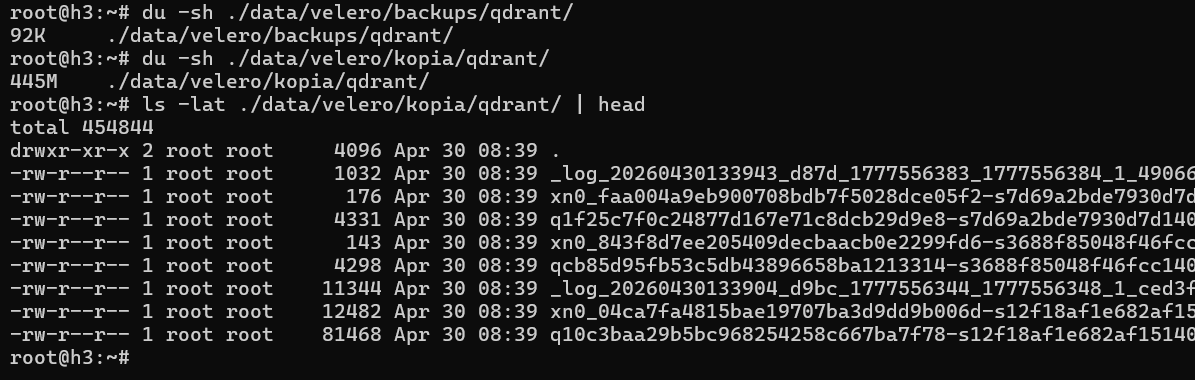
It all just worked, with few hundred MB in backup data that landed on Versity S3 Gateway.
I did not try to restore, but I will do it later as I continue with Velero CSI testing although that is not needed for Qdrant which we would neither backup nor restore this way.
A few words on EPA and monitoring in this context:
- The few hundred MB in raw data wasn't enough to produce much on EPA dashboards which used 60 second granularity. Proper load tests will be needed
- IBM Block CSI has weird volume names, but SANtricity CSI does not (it uses the usual
pvc-...strings). Not only that, but EPA parses SANtricity CSI's volume metadata, making it much easier to figure out which volumes to monitor. Maybe next time! - Controllers' utilization barely registered any activity (CPU utilization was around 5%, on EF600)
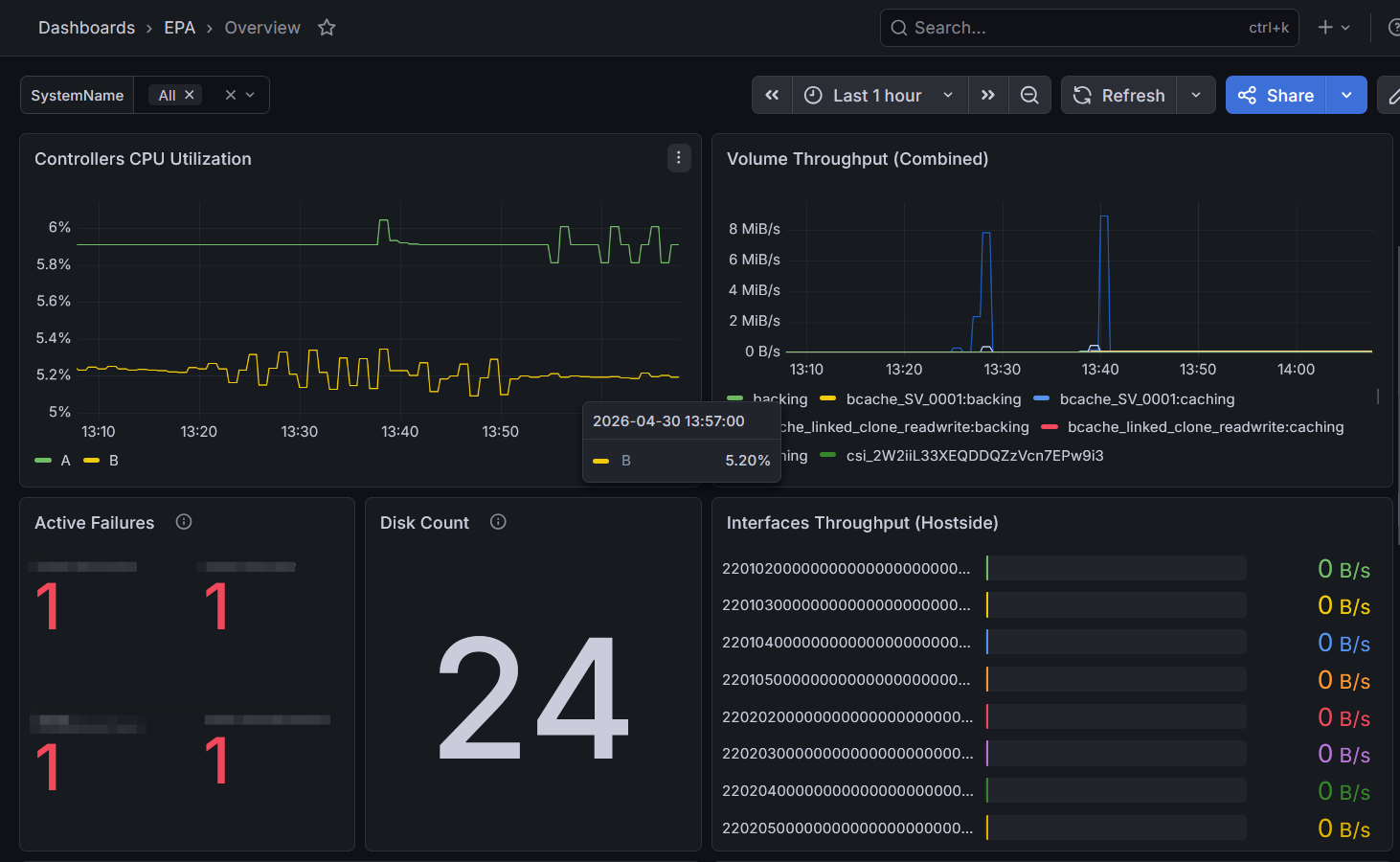
Among the more interesting panels was this one with "Current Failures". Why those are interesting to me, I explained in the EPA 4 Beta post, but even without knowing here's what we see (I masked the array name):
- (1) Battery unknownStat - no status, probably dead. Awesome!
- (2) nonPreferredPath - at least one LUN was not on its preferred path. Nice!
- (3) pitGroupRepositoryOverThreshold - wow, that is great! That's exactly what we're supposed to see and EPA 4 has a snapshots-related dashboard which is precisely where one would look next, as opposed to trying to login to SANtricity and see it there. This "over threshold" is likely fine because (see my SANtricity snapshot posts) one usually sets snapshot schedules to auto-purge old snapshots, which means they're amost expected to always be over the threshold (you can adjust the warning level to get rid of this, or lower the maximum number of snapshots to not max out repo group capacity for the volume, etc.)
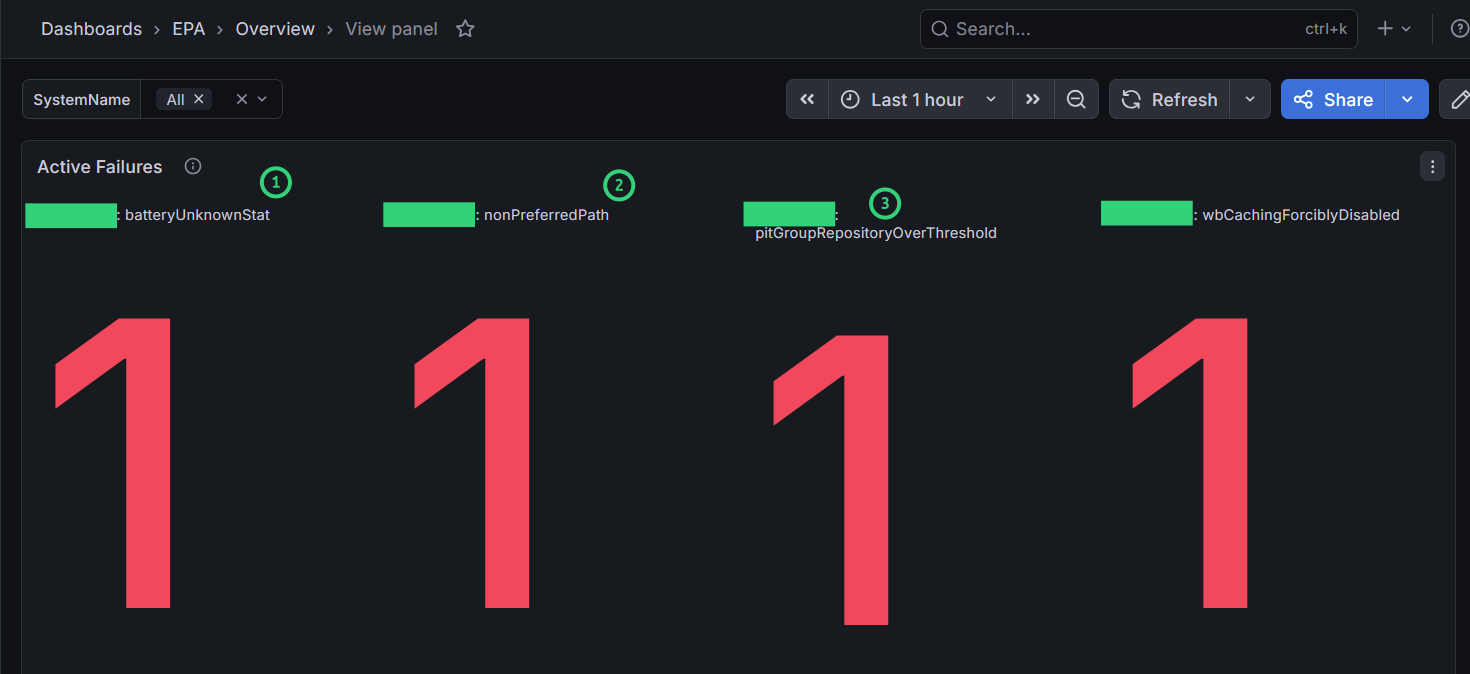
The last failure is about write-back caching being disabled, which obviously harms the performance, but that is on purpose - we want to harm the performance by always seeing non-cached, write-through performance. So it's not really a failure, but our deliberate decision which I explicitly mentioned in some posts where performance tests were run. Factory default is Enabled (both read and write caching).
It was great to see that this panel works well, as MEL is being removed from EPA.
Conclusion
Qdrant is easy to install and well documented.
It's good to see that (at least) one of the HA CSI drivers for E-Series works with Qdrant without issues. Not only that, even CSI snapshots and backup worked fine. I suspect those aren't necessary in Qdrant use cases, but in the unlikely case anyone needs them…
Given the growing importance of vector databases in many workloads, this is likely just the first of several posts on Qdrant.
This post did not focus on using Qdrant, but it's not a toy database so not everything can be covered in a single post in any case.
After this CSI stuff (mostly read-only CG snapshots in this driver, but also implementation of snapshots in SANtricity CSI) is done, I'd like to revisit vector search and try GO-NATS with Qdrant and SANtricity CSI where we should understand the performance, storage capacity consumption and more.
Appendix A: Backup of Qdrant with Velero CSI
This section has backup job logs for Qdrant backup.
After the Qdrant job started running, I got the early log.
$ velero backup create qdrant --include-namespaces qdrant --snapshot-volumes --snapshot-move-data^C

$ velero backup describe qdrant
Name:         qdrant
Namespace:    velero
Labels:       velero.io/storage-location=default
Annotations:  velero.io/resource-timeout=10m0s
              velero.io/source-cluster-k8s-gitversion=v1.32.12
              velero.io/source-cluster-k8s-major-version=1
              velero.io/source-cluster-k8s-minor-version=32

Phase:  InProgress


Namespaces:
  Included:  qdrant
  Excluded:  <none>

Resources:
  Included cluster-scoped:    <none>
  Excluded cluster-scoped:    volumesnapshotcontents.snapshot.storage.k8s.io
  Included namespace-scoped:  *
  Excluded namespace-scoped:  volumesnapshots.snapshot.storage.k8s.io

Label selector:  <none>

Or label selector:  <none>

Storage Location:  default

Velero-Native Snapshot PVs:    true
File System Backup (Default):  false
Snapshot Move Data:            true
Data Mover:                    velero

TTL:  720h0m0s

CSISnapshotTimeout:    10m0s
ItemOperationTimeout:  4h0m0s

Hooks:  <none>

Backup Format Version:  1.1.0

Started:    2026-04-30 13:37:22 +0000 UTC
Completed:  <n/a>

Expiration:  2026-05-30 13:37:22 +0000 UTC

Estimated total items to be backed up:  44
Items backed up so far:                 0

Backup Volumes:
  Velero-Native Snapshots: <none included>

  CSI Snapshots: <none included or not detectable>

  Pod Volume Backups: <none included>
A minute later, it was done.
$ velero backup get
NAME     STATUS      ERRORS   WARNINGS   CREATED                         EXPIRES   STORAGE LOCATION   QUEUE POSITION   SELECTOR
demo     Completed   0        0          2026-04-29 17:08:12 +0000 UTC   29d       default                             <none>
qdrant   Completed   0        0          2026-04-30 13:37:22 +0000 UTC   29d       default                             <none>
After backup finished, per-PVC data mover logs were clearly visible.
$ velero backup describe qdrant
Name:         qdrant
Namespace:    velero
Labels:       velero.io/storage-location=default
Annotations:  velero.io/resource-timeout=10m0s
              velero.io/source-cluster-k8s-gitversion=v1.32.12
              velero.io/source-cluster-k8s-major-version=1
              velero.io/source-cluster-k8s-minor-version=32

Phase:  WaitingForPluginOperations


Namespaces:
  Included:  qdrant
  Excluded:  <none>

Resources:
  Included cluster-scoped:    <none>
  Excluded cluster-scoped:    volumesnapshotcontents.snapshot.storage.k8s.io
  Included namespace-scoped:  *
  Excluded namespace-scoped:  volumesnapshots.snapshot.storage.k8s.io

Label selector:  <none>

Or label selector:  <none>

Storage Location:  default

Velero-Native Snapshot PVs:    true
File System Backup (Default):  false
Snapshot Move Data:            true
Data Mover:                    velero

TTL:  720h0m0s

CSISnapshotTimeout:    10m0s
ItemOperationTimeout:  4h0m0s

Hooks:  <none>

Backup Format Version:  1.1.0

Started:    2026-04-30 13:37:22 +0000 UTC
Completed:  <n/a>

Expiration:  2026-05-30 13:37:22 +0000 UTC

Total items to be backed up:  49
Items backed up:              49

Backup Item Operations:  2 of 5 completed successfully, 0 failed (specify --details for more information)
Backup Volumes:
  Velero-Native Snapshots: <none included>

  CSI Snapshots:
    qdrant/qdrant-pvc-logs:
      Data Movement: included, specify --details for more information
    qdrant/qdrant-pvc-snapshots:
      Data Movement: included, specify --details for more information
    qdrant/qdrant-pvc-snapshots-temp:
      Data Movement: included, specify --details for more information
    qdrant/qdrant-pvc-storage:
      Data Movement: included, specify --details for more information
    qdrant/qdrant-pvc-audit:
      Data Movement: included, specify --details for more information

  Pod Volume Backups: <none included>

HooksAttempted:  0
HooksFailed:     0
root@h2:~# velero backup describe qdrant --details
Name:         qdrant
Namespace:    velero
Labels:       velero.io/storage-location=default
Annotations:  velero.io/resource-timeout=10m0s
              velero.io/source-cluster-k8s-gitversion=v1.32.12
              velero.io/source-cluster-k8s-major-version=1
              velero.io/source-cluster-k8s-minor-version=32

Phase:  WaitingForPluginOperations


Namespaces:
  Included:  qdrant
  Excluded:  <none>

Resources:
  Included cluster-scoped:    <none>
  Excluded cluster-scoped:    volumesnapshotcontents.snapshot.storage.k8s.io
  Included namespace-scoped:  *
  Excluded namespace-scoped:  volumesnapshots.snapshot.storage.k8s.io

Label selector:  <none>

Or label selector:  <none>

Storage Location:  default

Velero-Native Snapshot PVs:    true
File System Backup (Default):  false
Snapshot Move Data:            true
Data Mover:                    velero

TTL:  720h0m0s

CSISnapshotTimeout:    10m0s
ItemOperationTimeout:  4h0m0s

Hooks:  <none>

Backup Format Version:  1.1.0

Started:    2026-04-30 13:37:22 +0000 UTC
Completed:  <n/a>

Expiration:  2026-05-30 13:37:22 +0000 UTC

Total items to be backed up:  49
Items backed up:              49

Backup Item Operations:
  Operation for persistentvolumeclaims qdrant/qdrant-pvc-logs:
    Backup Item Action Plugin:  velero.io/csi-pvc-backupper
    Operation ID:               du-b373568c-4a36-4585-b206-cf678948b6e7.4097a00f-29d6-44feaa884
    Items to Update:
                           datauploads.velero.io velero/qdrant-gvknx
    Phase:                 Completed
    Progress description:  Completed
    Created:               2026-04-30 13:37:28 +0000 UTC
    Started:               2026-04-30 13:37:37 +0000 UTC
    Updated:               2026-04-30 13:37:57 +0000 UTC
  Operation for persistentvolumeclaims qdrant/qdrant-pvc-snapshots:
    Backup Item Action Plugin:  velero.io/csi-pvc-backupper
    Operation ID:               du-b373568c-4a36-4585-b206-cf678948b6e7.f9aa4973-3fb5-4d8ee1630
    Items to Update:
                           datauploads.velero.io velero/qdrant-8wkst
    Phase:                 Completed
    Progress:              21938752 of 21938752 complete (Bytes)
    Progress description:  Completed
    Created:               2026-04-30 13:37:33 +0000 UTC
    Started:               2026-04-30 13:38:02 +0000 UTC
    Updated:               2026-04-30 13:38:38 +0000 UTC
  Operation for persistentvolumeclaims qdrant/qdrant-pvc-snapshots-temp:
    Backup Item Action Plugin:  velero.io/csi-pvc-backupper
    Operation ID:               du-b373568c-4a36-4585-b206-cf678948b6e7.b2bca7c5-c9a9-4936494a5
    Items to Update:
                           datauploads.velero.io velero/qdrant-csdpx
    Phase:                 Completed
    Progress description:  Completed
    Created:               2026-04-30 13:37:38 +0000 UTC
    Started:               2026-04-30 13:38:42 +0000 UTC
    Updated:               2026-04-30 13:39:01 +0000 UTC
  Operation for persistentvolumeclaims qdrant/qdrant-pvc-storage:
    Backup Item Action Plugin:  velero.io/csi-pvc-backupper
    Operation ID:               du-b373568c-4a36-4585-b206-cf678948b6e7.bfbc3cb8-95a9-422516b8c
    Items to Update:
                           datauploads.velero.io velero/qdrant-bl8gh
    Phase:                 New
    Progress description:  Prepared
    Created:               2026-04-30 13:37:43 +0000 UTC
  Operation for persistentvolumeclaims qdrant/qdrant-pvc-audit:
    Backup Item Action Plugin:  velero.io/csi-pvc-backupper
    Operation ID:               du-b373568c-4a36-4585-b206-cf678948b6e7.3e40aee2-5e65-407d18aee
    Items to Update:
                           datauploads.velero.io velero/qdrant-x8wmw
    Phase:                 New
    Progress description:  Prepared
    Created:               2026-04-30 13:37:48 +0000 UTC
Resource List:
  apps/v1/Deployment:
    - qdrant/qdrant
  apps/v1/ReplicaSet:
    - qdrant/qdrant-767ff657f7
  discovery.k8s.io/v1/EndpointSlice:
    - qdrant/qdrant-n6cwq
  v1/ConfigMap:
    - qdrant/kube-root-ca.crt
    - qdrant/qdrant-config
  v1/Endpoints:
    - qdrant/qdrant
  v1/Event:
    - qdrant/qdrant-767ff657f7-bm6vh.18ab22df4a575299
    - qdrant/qdrant-767ff657f7-bm6vh.18ab22df8771309e
    - qdrant/qdrant-767ff657f7-bm6vh.18ab22e113a9973b
    - qdrant/qdrant-767ff657f7-bm6vh.18ab22e178c57fe8
    - qdrant/qdrant-767ff657f7-bm6vh.18ab22e178e77358
    - qdrant/qdrant-767ff657f7-bm6vh.18ab22e179249a1b
    - qdrant/qdrant-767ff657f7-bm6vh.18ab22e198c3f53a
    - qdrant/qdrant-767ff657f7-bm6vh.18ab22e19c5fb6dc
    - qdrant/qdrant-767ff657f7-bm6vh.18ab22e3ef18622a
    - qdrant/qdrant-767ff657f7-bm6vh.18ab22e549b16aee
    - qdrant/qdrant-767ff657f7-bm6vh.18ab22e54ad22666
    - qdrant/qdrant-767ff657f7-bm6vh.18ab22e551bad4b0
    - qdrant/qdrant-767ff657f7.18ab22df4a4f8dec
    - qdrant/qdrant-pvc-audit.18ab22df46010860
    - qdrant/qdrant-pvc-audit.18ab22df46fbacf4
    - qdrant/qdrant-pvc-audit.18ab22e04caecfa5
    - qdrant/qdrant-pvc-logs.18ab22df42e0df14
    - qdrant/qdrant-pvc-logs.18ab22df42ed38d8
    - qdrant/qdrant-pvc-logs.18ab22df876fd94f
    - qdrant/qdrant-pvc-snapshots-temp.18ab22df44716b09
    - qdrant/qdrant-pvc-snapshots-temp.18ab22df46d8ad02
    - qdrant/qdrant-pvc-snapshots-temp.18ab22dfe2910d2e
    - qdrant/qdrant-pvc-snapshots.18ab22df43a58178
    - qdrant/qdrant-pvc-snapshots.18ab22df43ad2184
    - qdrant/qdrant-pvc-snapshots.18ab22dfb3b98681
    - qdrant/qdrant-pvc-storage.18ab22df453b165a
    - qdrant/qdrant-pvc-storage.18ab22df46e3e376
    - qdrant/qdrant-pvc-storage.18ab22e010b6ab0b
    - qdrant/qdrant.18ab22df49370b94
  v1/Namespace:
    - qdrant
  v1/PersistentVolume:
    - pvc-3e40aee2-5e65-407e-b459-5d264637b307
    - pvc-4097a00f-29d6-44f0-a517-ccd6c28b030e
    - pvc-b2bca7c5-c9a9-493e-af71-c30cfc562eaa
    - pvc-bfbc3cb8-95a9-4222-a161-6c3f7226e42a
    - pvc-f9aa4973-3fb5-4d82-8d68-67c283726cf1
  v1/PersistentVolumeClaim:
    - qdrant/qdrant-pvc-audit
    - qdrant/qdrant-pvc-logs
    - qdrant/qdrant-pvc-snapshots
    - qdrant/qdrant-pvc-snapshots-temp
    - qdrant/qdrant-pvc-storage
  v1/Pod:
    - qdrant/qdrant-767ff657f7-bm6vh
  v1/Service:
    - qdrant/qdrant
  v1/ServiceAccount:
    - qdrant/default

Backup Volumes:
  Velero-Native Snapshots: <none included>

  CSI Snapshots:
    qdrant/qdrant-pvc-logs:
      Data Movement:
        Operation ID: du-b373568c-4a36-4585-b206-cf678948b6e7.4097a00f-29d6-44feaa884
        Data Mover: velero
        Uploader Type: kopia
        Moved data Size (bytes): 0
        Result:
    qdrant/qdrant-pvc-snapshots:
      Data Movement:
        Operation ID: du-b373568c-4a36-4585-b206-cf678948b6e7.f9aa4973-3fb5-4d8ee1630
        Data Mover: velero
        Uploader Type: kopia
        Moved data Size (bytes): 0
        Result:
    qdrant/qdrant-pvc-snapshots-temp:
      Data Movement:
        Operation ID: du-b373568c-4a36-4585-b206-cf678948b6e7.b2bca7c5-c9a9-4936494a5
        Data Mover: velero
        Uploader Type: kopia
        Moved data Size (bytes): 0
        Result:
    qdrant/qdrant-pvc-storage:
      Data Movement:
        Operation ID: du-b373568c-4a36-4585-b206-cf678948b6e7.bfbc3cb8-95a9-422516b8c
        Data Mover: velero
        Uploader Type: kopia
        Moved data Size (bytes): 0
        Result:
    qdrant/qdrant-pvc-audit:
      Data Movement:
        Operation ID: du-b373568c-4a36-4585-b206-cf678948b6e7.3e40aee2-5e65-407d18aee
        Data Mover: velero
        Uploader Type: kopia
        Moved data Size (bytes): 0
        Result:

  Pod Volume Backups: <none included>